
اختار اللغة

Application to Resume Australian Citizenship (Form 132) – Fill Online

  1. لغة إنجليزي
  2. دولة أستراليا
  3. نشاط المواطنة
  4. قسم Home Affairs
Application to Resume Australian Citizenship (Form 132) – Fill Online

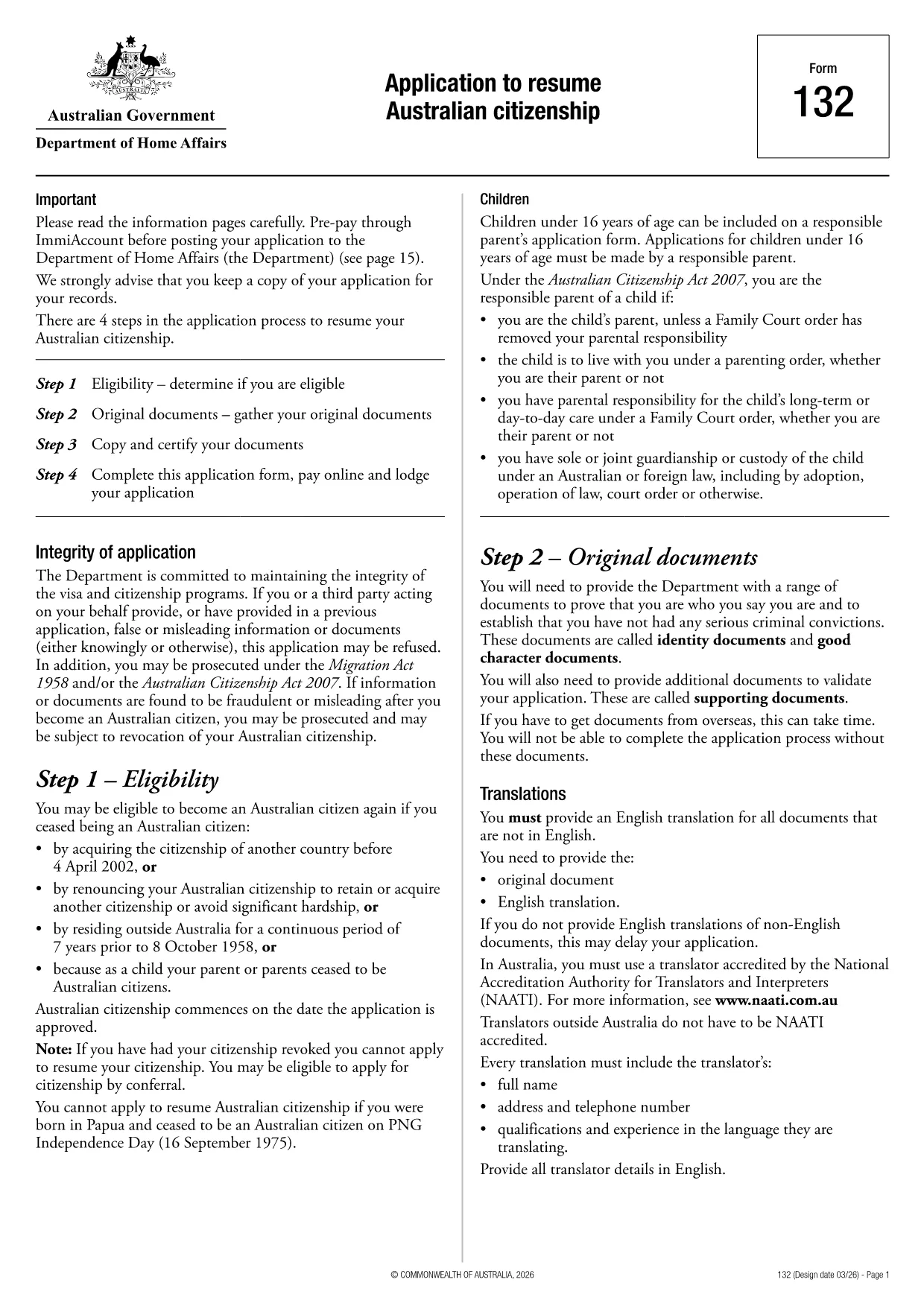
If you need to resume your Australian citizenship, you’ll use Form 132 – Application to Resume Australian Citizenship. This official PDF can now be completed entirely online with the Formize PDF Filler, so you never have to print, scan, or manually edit the document.

Why Use the Online Formize PDF Filler?

The Formize filler loads the exact PDF you need, preserving the government‑approved layout while letting you type directly into each field. Benefits include:

  • Instant validation of required fields
  • Automatic saving – you can pause and return later
  • Secure, browser‑based processing – no software install
  • One‑click download of the completed PDF for submission

Step‑by‑Step Guide to Completing Form 132

Follow these simple steps to fill out the application correctly:

  1. Click the “Fill out this form” button below.
  2. Wait for the Formize PDF Filler app to load the PDF.
  3. Enter your personal details, citizenship history, and reasons for resumption.
  4. Attach any required supporting documents (e.g., passport copy, proof of residence).
  5. Review the completed form for accuracy.
  6. Download the finished PDF and submit it to the Department of Home Affairs.

Common Mistakes to Avoid

Even with an easy online tool, mistakes happen. Avoid these pitfalls:

  • Leaving mandatory fields blank – the filler will highlight them.
  • Uploading files in the wrong format (use PDF, JPG, or PNG only).
  • Using an outdated version of the form – the link below always points to the latest Form 132.

Eligibility & Supporting Documents

Before you start, make sure you meet the eligibility criteria:

  • You previously held Australian citizenship.
  • You have been outside Australia for a period that requires resumption.
  • You can provide proof of identity and residency.

Typical supporting documents include a current passport, a statutory declaration, and any relevant court orders.

Where to Submit Your Application

After downloading the completed PDF, submit it through the Department of Home Affairs portal or mail it to the address listed on the form. Keep a copy for your records.

Ready to get started? Click the button below and let Formize handle the rest.

التعليمات
  • Do I need to download any software to fill Form 132?

    No. Formize’s PDF filler works entirely in your web browser, so there’s nothing to install.

  • Can I save my progress and return later?

    Yes. The filler automatically saves your entries locally, allowing you to close the browser and continue later.

  • What file formats are accepted for supporting documents?

    PDF, JPG, and PNG are accepted. Make sure each file is under 5 MB for smooth uploading.

  • Is the online filler secure?

    All data is processed locally in your browser and never stored on our servers. Your information remains private.

  • Can I print the completed form directly from the filler?

    After you finish, click the “Download” button to save the completed PDF, then print it using any PDF viewer.

  • What if I make a mistake after downloading?

    You can reopen the downloaded PDF in Formize’s filler, correct the error, and download a new version.

  • Where do I send the finished Form 132?

    Submit the PDF through the Department of Home Affairs online portal or mail it to the address listed on the form.

كيف

كيفية ملء Australian citizenship resume form مجانًا عبر الإنترنت في 4 خطوات سهلة:

  1. 1
    Open the Form
    Click the “Fill out this form” button on this page. The Formize PDF Filler will launch in your browser.
  2. 2
    Enter Your Details
    Type directly into each highlighted field – the filler automatically saves your progress.
  3. 3
    Upload Supporting Documents
    Use the “Attach File” option to add passport scans, statutory declarations, or other required PDFs.
  4. 4
    Review and Submit
    Check every section for completeness, then download the finished PDF and send it to the Department of Home Affairs.
Formize تطبيق PDF Filler
حول

نماذج الجنسية

Australian citizenship resume form هي إحدى نماذج المواطنة وهي مستندات تُستخدم للتقدم بطلب للحصول على الجنسية في بلد ما. تختلف الأشكال والمتطلبات الدقيقة للجنسية حسب البلد ، ولكن بشكل عام ، تتضمن العملية تقديم معلومات شخصية ودليل على الأهلية للحصول على الجنسية.

في الولايات المتحدة ، أكثر أشكال المواطنة شيوعًا هو N-400 Application for Naturalization. يستخدم هذا النموذج من قبل المقيمين الدائمين القانونيين (حاملي البطاقة الخضراء) للتقدم بطلب للحصول على الجنسية الأمريكية. يطلب النموذج معلومات شخصية مثل الاسم وتاريخ الميلاد ومعلومات الاتصال ، بالإضافة إلى معلومات حول حالة الهجرة لمقدم الطلب والتاريخ الجنائي ومتطلبات الأهلية الأخرى.

قد يكون لدى البلدان الأخرى أشكال ومتطلبات مختلفة للحصول على الجنسية ، لكن العملية الأساسية تتضمن عادةً تقديم معلومات حول خلفية مقدم الطلب وتلبية معايير أهلية معينة. قد يشمل ذلك اجتياز اختبار المواطنة ، وإثبات المعرفة بتاريخ البلد وحكومته ، وإثبات الكفاءة في لغة البلد.

من المهم ملاحظة أن عملية الحصول على الجنسية يمكن أن تكون معقدة وتستغرق وقتًا طويلاً. يوصى بأن يتشاور الأفراد الذين يسعون للحصول على الجنسية مع محامي الهجرة أو غيره من المهنيين المؤهلين للمساعدة في التنقل في العملية والتأكد من استيفاء جميع النماذج والمتطلبات اللازمة.

سمات

حشو PDF

أسهل طريقة لملء نماذج PDF عبر الإنترنت

  • املأ بسرعة Australian citizenship resume form
    هل تبحث عن طريقة لملء كلمة Australian citizenship resume form بسرعة عبر الإنترنت؟ من خلال برنامج تعبئة نماذج PDF المجاني عبر الإنترنت ، ستعرف كيفية تحرير وتعبئة مستند pdf هذا في أقل من دقيقة.
  • محرر PDF سهل الاستخدام عبر الإنترنت
    هل سئمت طباعة ملفات PDF حتى تتمكن من تحريرها قبل إعادة مسحها ضوئيًا وإرسالها مرة أخرى؟ تحرير مستندات PDF مجانًا عبر الإنترنت. استخدم محرر pdf على الإنترنت لتوفير الوقت والورق.
  • أدوات رائعة ، جميع المنصات
    هل تتساءل عن كيفية ملء Australian citizenship resume form على جهاز Mac ، أو ربما كيفية استخدام حشو PDF مجانًا؟ تعمل أدوات PDF الخاصة بنا عبر الإنترنت على جميع الأنظمة الأساسية.
  • تخزين الملفات الآمن
    يتم تخزين ملفات "Australian citizenship resume form" المكتملة في قاعدة بيانات آمنة تديرها استضافة Amazon Cloud. يمكنك حذف ملفاتك من نظامنا في أي وقت. على أي حال ، يتم حذف هذه الملفات تلقائيًا بعد 24 ساعة.
  • الدردشة مع {كلمة رئيسية}
    قم بالدردشة مع "Australian citizenship resume form" على Chatize وهو مساعد مجاني لقارئ PDF. اطرح الأسئلة واحصل على الإجابات من "Australian citizenship resume form". فقط انقر على زر الدردشة مع المستند أعلاه.

حذف جلسة التعبئة

حذف جلسة التعبئة المحددة؟ في هذه الحالة، سيتم فقد تقدمك في إكمال النموذج.

حذف جلسة التحرير

هل تريد حذف جلسة التحرير المحددة؟ في هذه الحالة، سيتم فقدان التقدم الذي أحرزته في إنشاء النموذج وتحريره.