اختار اللغة

Form 43 Aspect Certificate (QBCC) – Fillable PDF

  1. لغة إنجليزي
  2. دولة أستراليا
  3. قسم Queensland Building and Construction Commission
  4. نشاط Building Certification
Form 43 Aspect Certificate (QBCC) – Fillable PDF

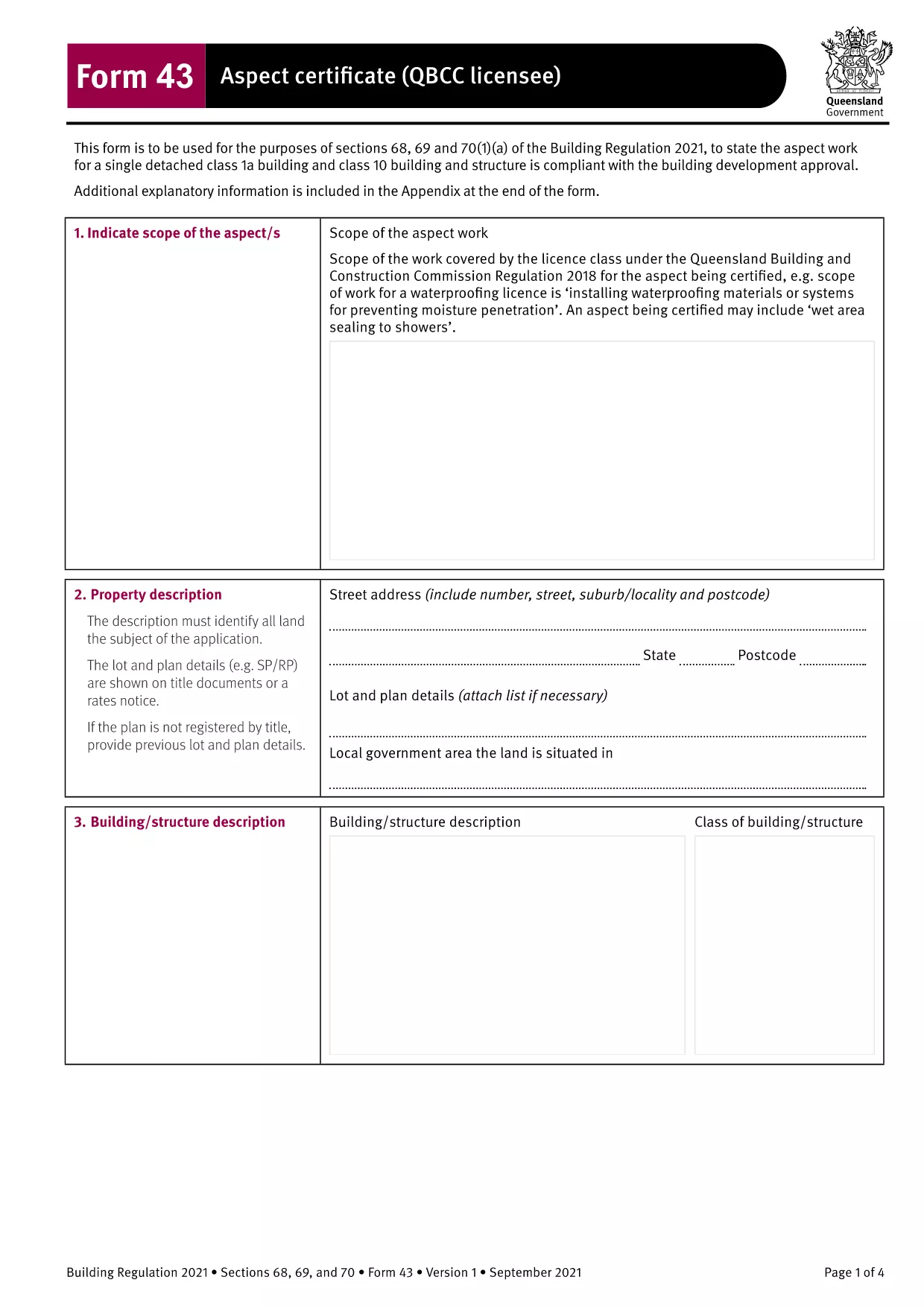
The Form 43 Aspect Certificate is the official Queensland Building and Construction Commission (QBCC) document used by licensed contractors to certify that a specific aspect of construction work complies with the Building Regulation 2021. This fillable PDF version lets you complete the certificate directly in your browser, eliminating the need for paper copies or third‑party editing software.

What is Form 43 Aspect Certificate?

Form 43 records the inspection and approval of an individual aspect of a building project – such as roofing, waterproofing, or fire safety systems. It replaces the older Form 16 for aspect‑specific certification and is required for all QBCC‑licensed contractors and corporations.

When and Who Must Use Form 43

The form is mandatory when:

  • The work falls under a single detached Class 1a or Class 10 building, or any other classification where a QBCC licencee is responsible for the aspect.
  • The aspect is part of a Building Development Approval (BDA) that requires separate certification.
  • A QBCC licencee or corporation completes the work and needs to provide documented proof of compliance.

How to Fill Out Form 43 Online

Instead of downloading and opening the PDF in a separate editor, simply click the "Fill out this form" button on this page. The Formize PDF Filler app will load the document in a secure, browser‑based editor where you can:

  • Enter text directly into each field.
  • Save your progress at any time.
  • Download a completed, signed PDF for your records.

Common Mistakes to Avoid

  • Leaving mandatory fields blank – every field marked with an asterisk (*) must be completed before submission.
  • Using the wrong form version – ensure you are using the 2021‑onward Form 43, not an outdated Form 16.
  • Incorrect licence details – double‑check your QBCC licence number and expiry date.
  • Missing signatures – both the contractor and the certifying person must sign the form.

Download and Save Your Completed Form

After you finish, click Download PDF to save a copy on your device. Keep the file with your project documentation and provide it to the building certifier when requested.

Need another version? Use the same process for other Form 43 templates such as electrical, glazing, or roofing certificates – all available through Formize.

التعليمات
  • What is the difference between Form 43 and Form 12?

    Form 43 is completed by QBCC licencees for aspects of work they perform, while Form 12 is completed by appointed competent persons or building certifiers. Both certify compliance, but the responsible party differs.

  • Can I use Form 43 for residential and commercial projects?

    Yes. Form 43 applies to all building classifications, including residential, commercial, and industrial projects, as long as the work falls under a QBCC‑licensed aspect.

  • Do I need a digital signature to submit the form?

    A handwritten signature is still required on the printed copy. The online fillable version allows you to type your name, but you must sign the hard copy before final submission.

  • Is the fillable PDF compatible with mobile devices?

    The Formize PDF Filler works on most modern browsers, including mobile Chrome and Safari. For best experience, use a tablet or desktop with a full‑size screen.

  • What should I do if I make a mistake after downloading?

    Open the saved PDF again with Formize, correct the error, and re‑download the updated version. Keep the original file for reference until the corrected form is approved.

  • Is there a fee to download or use the Form 43 fillable PDF?

    No. The download and online filling of Form 43 via Formize are completely free.

كيف

كيفية ملء Form 43 مجانًا عبر الإنترنت في 4 خطوات سهلة:

  1. 1
    Open the Fillable Form
    Click the "Fill out this form" button on the page. The Formize PDF Filler will open the Form 43 document directly in your browser.
  2. 2
    Enter Required Information
    Complete each highlighted field – licence number, project details, aspect description, and inspection results. All mandatory fields are marked with an asterisk.
  3. 3
    Save and Review
    Use the "Save" button to store your progress. Review the form for any missing signatures or incorrect data before finalizing.
  4. 4
    Download the Completed PDF
    When every field is filled, click "Download PDF" to save the signed Form 43 to your computer. Keep a copy for your records and submit it to the building certifier as required.
Formize تطبيق PDF Filler
حول

نموذج Form 43

باستخدام مجموعة الميزات التقليدية لعرض مستند PDF وتعبئته ، جنبًا إلى جنب مع مزايا تطبيق الويب والتخطيط سريع الاستجابة ، يمكنك إكمال Form 43 في دقائق.

سمات

حشو PDF

أسهل طريقة لملء نماذج PDF عبر الإنترنت

  • املأ بسرعة Form 43
    هل تبحث عن طريقة لملء كلمة Form 43 بسرعة عبر الإنترنت؟ من خلال برنامج تعبئة نماذج PDF المجاني عبر الإنترنت ، ستعرف كيفية تحرير وتعبئة مستند pdf هذا في أقل من دقيقة.
  • محرر PDF سهل الاستخدام عبر الإنترنت
    هل سئمت طباعة ملفات PDF حتى تتمكن من تحريرها قبل إعادة مسحها ضوئيًا وإرسالها مرة أخرى؟ تحرير مستندات PDF مجانًا عبر الإنترنت. استخدم محرر pdf على الإنترنت لتوفير الوقت والورق.
  • أدوات رائعة ، جميع المنصات
    هل تتساءل عن كيفية ملء Form 43 على جهاز Mac ، أو ربما كيفية استخدام حشو PDF مجانًا؟ تعمل أدوات PDF الخاصة بنا عبر الإنترنت على جميع الأنظمة الأساسية.
  • تخزين الملفات الآمن
    يتم تخزين ملفات "Form 43" المكتملة في قاعدة بيانات آمنة تديرها استضافة Amazon Cloud. يمكنك حذف ملفاتك من نظامنا في أي وقت. على أي حال ، يتم حذف هذه الملفات تلقائيًا بعد 24 ساعة.
  • الدردشة مع {كلمة رئيسية}
    قم بالدردشة مع "Form 43" على Chatize وهو مساعد مجاني لقارئ PDF. اطرح الأسئلة واحصل على الإجابات من "Form 43". فقط انقر على زر الدردشة مع المستند أعلاه.

حذف جلسة التعبئة

حذف جلسة التعبئة المحددة؟ في هذه الحالة، سيتم فقد تقدمك في إكمال النموذج.

حذف جلسة التحرير

هل تريد حذف جلسة التحرير المحددة؟ في هذه الحالة، سيتم فقدان التقدم الذي أحرزته في إنشاء النموذج وتحريره.