
اختار اللغة

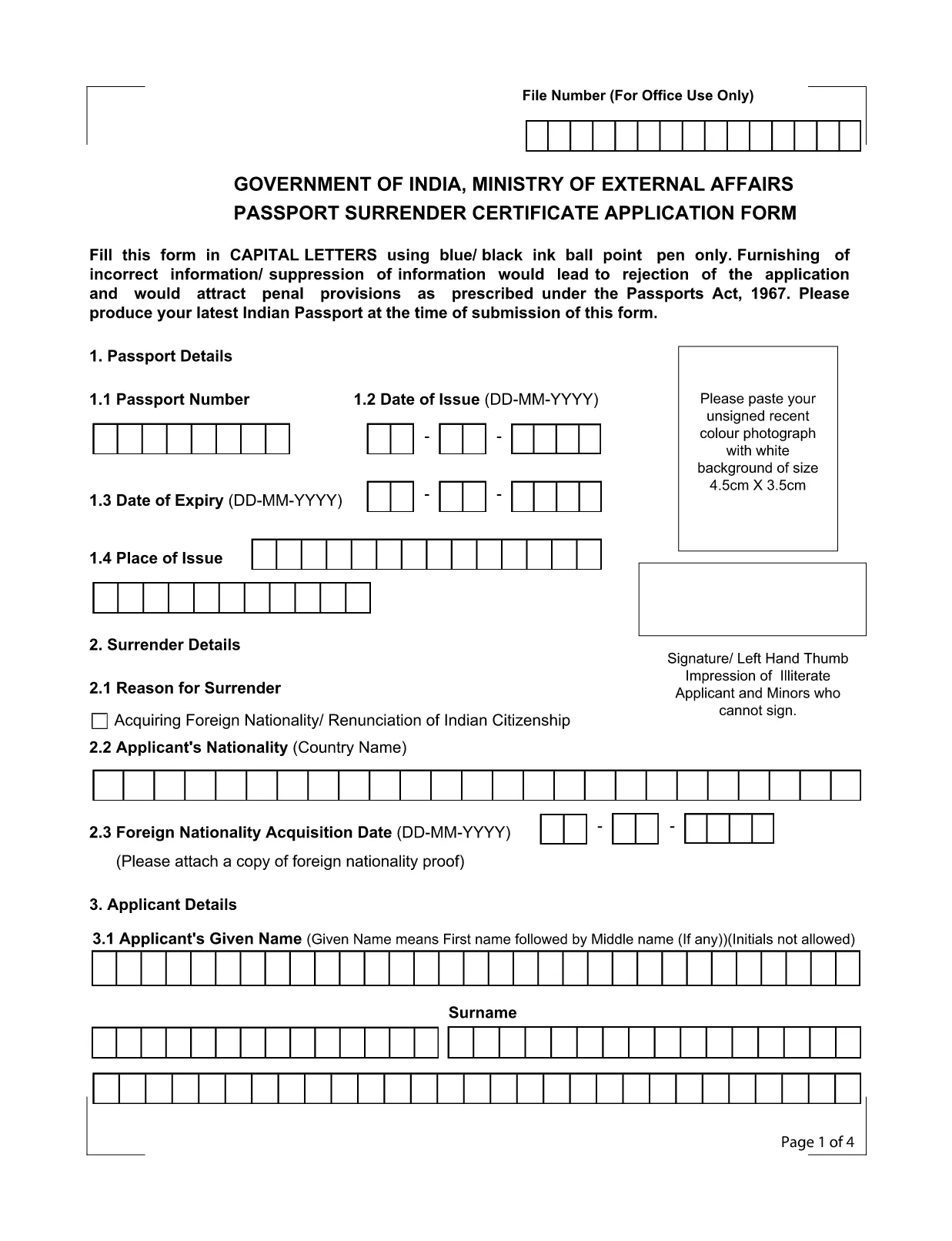
Application Form for Surrender of Indian Passport

  1. لغة إنجليزي
  2. دولة الهند
  3. قسم وزارة الشؤون الخارجية
  4. نشاط Passport Surrender
Application Form for Surrender of Indian Passport

The passport surrender form is a mandatory document required by the Ministry of External Affairs when you voluntarily give up your Indian passport. Whether you have acquired foreign citizenship, are moving abroad permanently, or simply need to cancel an unused passport, this official Indian passport surrender application ensures a smooth, legal transition.

What Is the Passport Surrender Form?

This form, officially titled Passport Surrender Certificate Application Form, collects personal details, passport information, and the reason for surrender. It must be filled in capital letters with a blue or black ball‑point pen if printed, but with Formize’s online PDF filler you can type directly, saving time and eliminating illegible handwriting.

How to Fill the Surrender Certificate Online

Follow these simple steps to complete the form using our integrated Formize PDF Filler:

  • Click the "Fill out this form" button on this page.
  • Wait a few seconds while the Formize PDF Filler loads the fillable document.
  • Enter all required information exactly as it appears on your passport.
  • Review each field for accuracy, then click Submit to generate a downloadable copy.

Common Mistakes to Avoid

Even a small error can lead to rejection under the Passports Act, 1967. Keep these tips in mind:

  • Use only capital letters and avoid abbreviations.
  • Do not leave any field blank; write "N/A" where applicable.
  • Ensure the passport number matches the one printed on the document.
  • Provide a valid Indian address for correspondence.

Where to Submit the Completed Form

After completing the fillable PDF, print a clear copy and submit it to the nearest Indian Mission (Consulate or Embassy) along with your original passport. Some missions also accept a scanned copy via email—check the specific mission’s guidelines.

Download the Fillable PDF Instantly

Ready to start? Click the button below to open the official fillable PDF in the Formize PDF Filler. No extra software is required.

التعليمات
  • Do I need to pay a fee to surrender my Indian passport?

    Yes, most Indian missions charge a nominal surrender fee. Check the specific consulate’s website for the exact amount.

  • Can I surrender my passport if I have already obtained foreign citizenship?

    Absolutely. Surrendering your Indian passport is a legal requirement after acquiring another nationality.

  • Is a scanned copy of the form acceptable?

    Some Indian missions accept a scanned, signed PDF, but most require a printed original. Verify the requirements of the mission you will visit.

  • What happens to my passport after surrender?

    The passport is cancelled and returned to the Ministry of External Affairs. You will receive a surrender certificate as proof.

  • Can I fill the form on a mobile device?

    Yes, the Formize PDF Filler works on all modern browsers, including mobile phones and tablets.

  • How long does the surrender process take?

    Processing time varies by mission, typically ranging from 7 to 14 business days after submission.

كيف

كيفية ملء passport surrender form india مجانًا عبر الإنترنت في 4 خطوات سهلة:

  1. 1
    Click the Fill-out Button
    Press the "Fill out this form" button on the page to launch the Formize PDF Filler.
  2. 2
    Wait for the Filler to Load
    A few seconds later the fillable PDF will appear in the browser. No download needed.
  3. 3
    Enter All Required Details
    Complete each field using capital letters. The filler validates dates and passport numbers automatically.
  4. 4
    Submit, Download, and Print
    After reviewing, click Submit to generate a PDF copy. Print it and take it to the nearest Indian mission.
Formize تطبيق PDF Filler
حول

نماذج طلبات قسم الوظائف

passport surrender form india هو أحد النماذج الرسمية لإدارة البريد الهندية التي تقدم نماذج طلبات متنوعة لخدمات مختلفة. تتضمن بعض نماذج الطلبات الشائعة ما يلي:

التأمين على الحياة البريدي: يُستخدم هذا النموذج لتقديم طلب للحصول على وثائق التأمين على الحياة البريدية التي تقدمها إدارة البريد.

حساب بنك التوفير: يُستخدم هذا النموذج لفتح حساب بنك توفير في مكتب بريد.

حوالة مالية: يُستخدم هذا النموذج لإرسال الحوالات المالية من خلال الخدمة البريدية.

البريد المسجل: يستخدم هذا النموذج لإرسال الرسائل والطرود المسجلة من خلال الخدمة البريدية.

البريد السريع: يستخدم هذا النموذج لإرسال الطرود والمستندات عبر خدمة البريد السريع.

نظام الدخل الشهري لمكتب البريد: يُستخدم هذا النموذج لفتح حساب نظام الدخل الشهري في مكتب البريد.

سمات

حشو PDF

أسهل طريقة لملء نماذج PDF عبر الإنترنت

  • املأ بسرعة passport surrender form india
    هل تبحث عن طريقة لملء كلمة passport surrender form india بسرعة عبر الإنترنت؟ من خلال برنامج تعبئة نماذج PDF المجاني عبر الإنترنت ، ستعرف كيفية تحرير وتعبئة مستند pdf هذا في أقل من دقيقة.
  • محرر PDF سهل الاستخدام عبر الإنترنت
    هل سئمت طباعة ملفات PDF حتى تتمكن من تحريرها قبل إعادة مسحها ضوئيًا وإرسالها مرة أخرى؟ تحرير مستندات PDF مجانًا عبر الإنترنت. استخدم محرر pdf على الإنترنت لتوفير الوقت والورق.
  • أدوات رائعة ، جميع المنصات
    هل تتساءل عن كيفية ملء passport surrender form india على جهاز Mac ، أو ربما كيفية استخدام حشو PDF مجانًا؟ تعمل أدوات PDF الخاصة بنا عبر الإنترنت على جميع الأنظمة الأساسية.
  • تخزين الملفات الآمن
    يتم تخزين ملفات "passport surrender form india" المكتملة في قاعدة بيانات آمنة تديرها استضافة Amazon Cloud. يمكنك حذف ملفاتك من نظامنا في أي وقت. على أي حال ، يتم حذف هذه الملفات تلقائيًا بعد 24 ساعة.
  • الدردشة مع {كلمة رئيسية}
    قم بالدردشة مع "passport surrender form india" على Chatize وهو مساعد مجاني لقارئ PDF. اطرح الأسئلة واحصل على الإجابات من "passport surrender form india". فقط انقر على زر الدردشة مع المستند أعلاه.

حذف جلسة التعبئة

حذف جلسة التعبئة المحددة؟ في هذه الحالة، سيتم فقد تقدمك في إكمال النموذج.

حذف جلسة التحرير

هل تريد حذف جلسة التحرير المحددة؟ في هذه الحالة، سيتم فقدان التقدم الذي أحرزته في إنشاء النموذج وتحريره.