
اختار اللغة

Punjab Renewal of Arms License Form for Individuals (Fillable PDF)

  1. لغة إنجليزي هندي
  2. دولة الهند
  3. دولة البنجاب
  4. قسم وزارة الشؤون الداخلية والعدل
Punjab Renewal of Arms License Form for Individuals (Fillable PDF)

Renewing your personal arms license in Punjab has never been easier. Our dedicated page provides the official Punjab renewal of arms license form for individuals as a fully fillable PDF that you can complete directly in your browser.

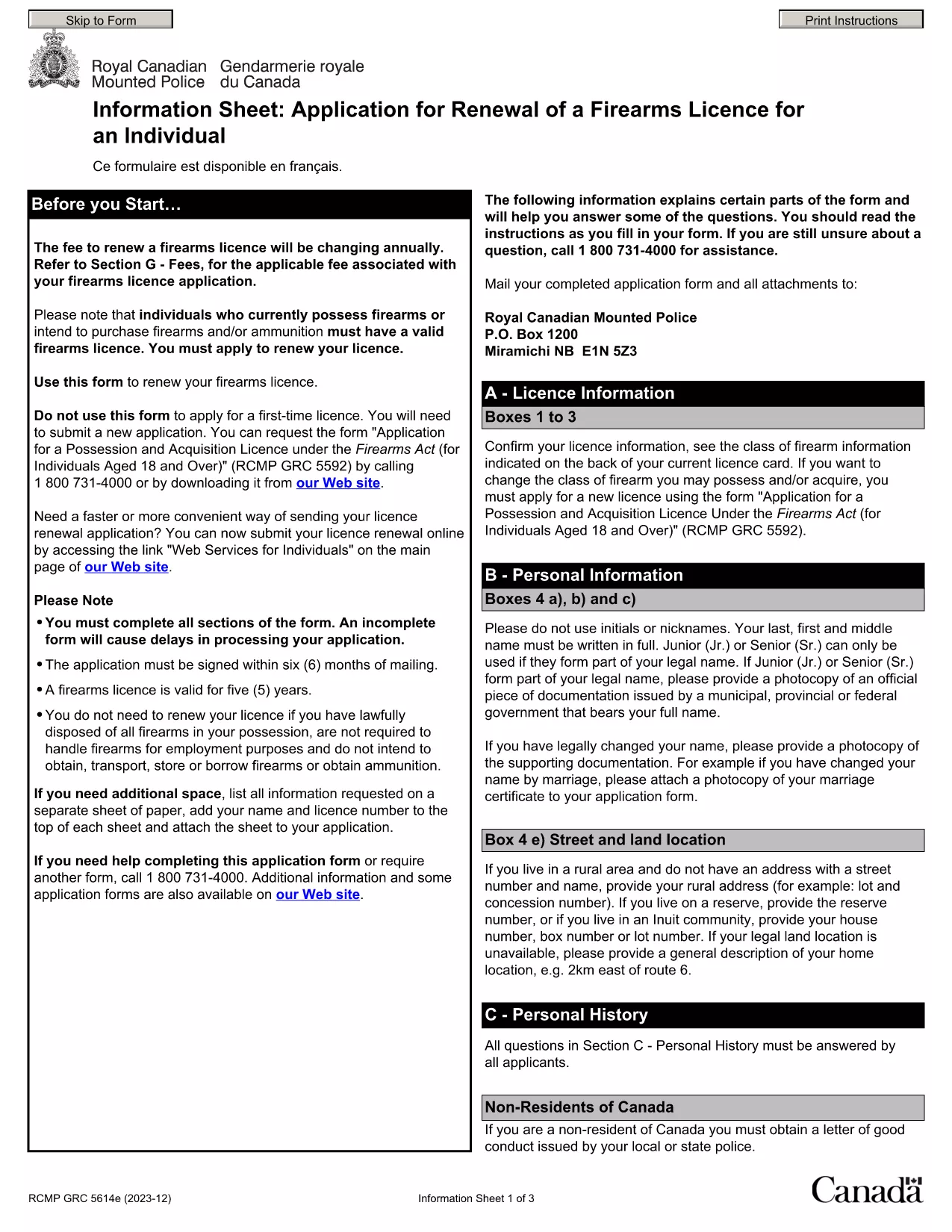
By using Formize’s PDF Filler, you avoid printing, scanning, and the risk of missing handwritten information. The form is powered by the same structure as the RCMP PAL Renewal Form, which meets international standards for firearm licensing documentation.

Why Use a Fillable PDF for Your Punjab Arms License Renewal

A fillable PDF ensures:

  • Accuracy – fields are validated in real time.
  • Speed – submit within minutes, not days.
  • Security – your data stays encrypted while you work.

Step‑by‑Step Guide to Completing the Form Online

Follow the simple steps below to finish your renewal without leaving the page.

Common Mistakes to Avoid When Renewing Your Arms License

Skipping a required field or uploading an unsupported file format can delay processing. Our guide highlights the most frequent errors and how to prevent them.

Where to Submit Your Completed Form

After you finish, download the completed PDF and submit it to the Punjab Police Arms Licensing Office either in person or via their official online portal.

Ready to start? Click the button below, let Formize load the PDF filler, and complete the form in a few easy steps.

التعليمات
  • Is the Punjab arms license renewal form available for free?

    Yes. The fillable PDF is provided at no cost. You only need an internet connection to complete it online.

  • Can I edit the form after I download it?

    Once you download the completed PDF, you can open it in any standard PDF viewer, but the official submission should be the version you saved from Formize.

  • What documents do I need to attach with the renewal?

    Typically you must attach a recent passport‑size photograph, a copy of your current license, and any supporting certificates. Check the form’s attachment section for exact requirements.

  • How long does the renewal process take after submission?

    Processing times vary by district, but most renewals are completed within 7‑10 business days once the correct form and documents are received.

  • What if I make a mistake while filling the form?

    The fillable PDF highlights incomplete or incorrectly formatted fields. Correct the information before saving, or you can start over by clicking the reset button.

  • Do I need to print the form to submit it?

    No. The Punjab Police accepts a digitally signed PDF via their online portal or by email. Printing is optional.

  • Is my personal data safe while using Formize?

    Formize uses SSL encryption, and the PDF is processed locally in your browser, ensuring your data never leaves your computer unless you choose to upload it.

  • Can I use this form on a mobile device?

    Yes. The fillable PDF works on most modern smartphones and tablets with a compatible browser.

كيف

كيفية ملء Punjab arms license renewal مجانًا عبر الإنترنت في 5 خطوات سهلة:

  1. 1
    Click the Fill Out This Form button
    Press the highlighted button on the page to open the Formize PDF Filler app.
  2. 2
    Wait for the filler to load
    The fillable PDF loads automatically; this usually takes a few seconds.
  3. 3
    Enter your information
    Complete each field – the form validates entries in real time to prevent errors.
  4. 4
    Review and sign
    Double‑check all details, add your digital signature if required, and save the document.
  5. 5
    Download or submit
    Download the finished PDF for your records and submit it to the Punjab Police Arms Licensing Office.
Formize تطبيق PDF Filler
حول

نماذج طلبات وزارة الخارجية

Punjab arms license renewal هي إحدى نماذج طلبات وزارة الخارجية. تقدم وزارة الشؤون الخارجية الهندية نماذج طلبات متنوعة لخدمات مختلفة تتعلق بالشؤون الخارجية والعلاقات الدولية. تتضمن بعض نماذج الطلبات الشائعة ما يلي:

طلب جواز السفر: يُستخدم هذا النموذج لتقديم طلب للحصول على جواز سفر هندي. يقوم بجمع التفاصيل الشخصية مثل الاسم والعنوان وتاريخ الميلاد والجنسية.

طلب الحصول على جنسية الهند في الخارج (OCI): يُستخدم هذا النموذج للتقدم بطلب للحصول على حالة OCI، والتي تسمح للأفراد من أصل هندي بالعيش والعمل في الهند إلى أجل غير مسمى. يقوم بجمع التفاصيل الشخصية، بما في ذلك إثبات الأصل الهندي.

طلب التأشيرة: يُستخدم هذا النموذج لتقديم طلب للحصول على تأشيرة للسفر إلى دولة أجنبية. يقوم بجمع التفاصيل الشخصية ومعلومات السفر والغرض من السفر.

طلب تصريح الهجرة: يتم استخدام هذا النموذج من قبل الأفراد الذين يسعون للحصول على تصريح الهجرة للعمل في بلدان معينة. يقوم بجمع المعلومات الشخصية وتفاصيل التوظيف.

طلب التصديق: يستخدم هذا النموذج لتقديم طلب التصديق على المستندات المختلفة، مثل الشهادات التعليمية، وشهادات الزواج، والمستندات التجارية. يقوم بجمع تفاصيل الوثيقة المراد التصديق عليها والغرض من التصديق.

طلب الخدمات القنصلية: يُستخدم هذا النموذج في العديد من الخدمات القنصلية، بما في ذلك إصدار شهادات الطوارئ ومساعدة المواطنين الهنود في الخارج وتسجيل المواطنين الهنود. تعتمد التفاصيل المحددة المطلوبة على طبيعة الخدمة المطلوبة.

سمات

حشو PDF

أسهل طريقة لملء نماذج PDF عبر الإنترنت

  • املأ بسرعة Punjab arms license renewal
    هل تبحث عن طريقة لملء كلمة Punjab arms license renewal بسرعة عبر الإنترنت؟ من خلال برنامج تعبئة نماذج PDF المجاني عبر الإنترنت ، ستعرف كيفية تحرير وتعبئة مستند pdf هذا في أقل من دقيقة.
  • محرر PDF سهل الاستخدام عبر الإنترنت
    هل سئمت طباعة ملفات PDF حتى تتمكن من تحريرها قبل إعادة مسحها ضوئيًا وإرسالها مرة أخرى؟ تحرير مستندات PDF مجانًا عبر الإنترنت. استخدم محرر pdf على الإنترنت لتوفير الوقت والورق.
  • أدوات رائعة ، جميع المنصات
    هل تتساءل عن كيفية ملء Punjab arms license renewal على جهاز Mac ، أو ربما كيفية استخدام حشو PDF مجانًا؟ تعمل أدوات PDF الخاصة بنا عبر الإنترنت على جميع الأنظمة الأساسية.
  • تخزين الملفات الآمن
    يتم تخزين ملفات "Punjab arms license renewal" المكتملة في قاعدة بيانات آمنة تديرها استضافة Amazon Cloud. يمكنك حذف ملفاتك من نظامنا في أي وقت. على أي حال ، يتم حذف هذه الملفات تلقائيًا بعد 24 ساعة.
  • الدردشة مع {كلمة رئيسية}
    قم بالدردشة مع "Punjab arms license renewal" على Chatize وهو مساعد مجاني لقارئ PDF. اطرح الأسئلة واحصل على الإجابات من "Punjab arms license renewal". فقط انقر على زر الدردشة مع المستند أعلاه.

حذف جلسة التعبئة

حذف جلسة التعبئة المحددة؟ في هذه الحالة، سيتم فقد تقدمك في إكمال النموذج.

حذف جلسة التحرير

هل تريد حذف جلسة التحرير المحددة؟ في هذه الحالة، سيتم فقدان التقدم الذي أحرزته في إنشاء النموذج وتحريره.