


نماذج خدمة الإيرادات الداخلية (IRS).
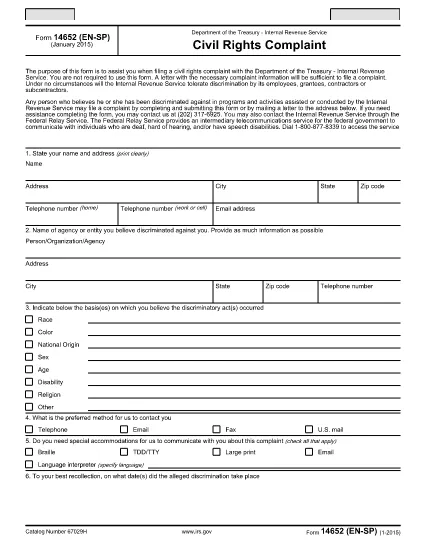
Form 14652 هو أحد نماذج الضرائب الرسمية المستخدمة في الولايات المتحدة للإبلاغ عن الدخل والمطالبة بالخصومات والائتمانات وحساب الالتزام الضريبي والوفاء بالالتزامات الأخرى المتعلقة بالضرائب. مصلحة الضرائب الأمريكية هي الوكالة الفيدرالية المسؤولة عن إدارة وتنفيذ قوانين الإيرادات الداخلية في الولايات المتحدة.
فيما يلي بعض الأمثلة على نماذج خدمة الإيرادات الداخلية:
النموذج 1040: هذا هو نموذج إقرار ضريبة الدخل الفردي الأساسي الذي يستخدمه معظم دافعي الضرائب. يتم استخدامه للإبلاغ عن أنواع مختلفة من الدخل، والمطالبة بالخصومات والائتمانات، وحساب الالتزام الضريبي، وتحديد ما إذا كان دافع الضرائب مدينًا بضريبة إضافية أو يحق له استردادها.
النموذج 1099: هناك أشكال مختلفة للنموذج 1099، مثل 1099-MISC, 1099-INT, 1099-DIV، وما إلى ذلك. تُستخدم هذه النماذج للإبلاغ عن الدخل الذي يتلقاه الأفراد أو الشركات من مصادر مختلفة بخلاف التوظيف، مثل العمل الحر الدخل، وإيرادات الفوائد، وإيرادات توزيعات الأرباح، وإيرادات الإيجار.
النموذج W-2: يستخدم أصحاب العمل هذا النموذج للإبلاغ عن الأجور المدفوعة للموظفين والضرائب منقطع عن رواتبهم يستخدم الموظفون المعلومات الموجودة في النموذج W-2 لإكمال إقراراتهم الضريبية الفردية.
النموذج 941: يستخدم أصحاب العمل هذا النموذج للإبلاغ عن ضرائب التوظيف، بما في ذلك ضريبة الدخل الفيدرالية المحتجزة، وضريبة الضمان الاجتماعي، وضريبة الرعاية الطبية، لموظفيهم.
النموذج 1065: يتم استخدام هذا النموذج من قبل الشراكات للإبلاغ عن دخلها وخصوماتها والتزاماتها الضريبية. الشراكات نفسها لا تدفع ضريبة الدخل؛ وبدلا من ذلك، يقوم الشركاء بالإبلاغ عن حصتهم من دخل الشراكة في إقراراتهم الضريبية الفردية.
النموذج 1120: هذا هو نموذج إقرار ضريبة دخل الشركات الذي تستخدمه الشركات C للإبلاغ عن دخلها، الخصومات والمسؤولية الضريبية.
النموذج 990: يتم استخدام هذا النموذج من قبل المؤسسات المعفاة من الضرائب، مثل المنظمات غير الربحية والجمعيات الخيرية، من أجل الإبلاغ عن معلوماتهم المالية وأنشطتهم وامتثالهم لقوانين الضرائب.
النموذج 8862: يتم استخدام هذا النموذج من قبل دافعي الضرائب الذين طالبوا سابقًا بائتمان ضريبة الدخل المكتسب (EITC) ولكن تم رفضه، وأريد الآن المطالبة به مرة أخرى.
هذه مجرد أمثلة قليلة على نماذج IRS العديدة الموجودة للوفاء بالالتزامات المختلفة المتعلقة بالضرائب. تعتمد النماذج المحددة المطلوبة للفرد أو الشركة على ظروفها الفريدة ومصادر دخلها وخصوماتها. يُنصح باستشارة الموقع الإلكتروني الرسمي لدائرة الإيرادات الداخلية (www.irs.gov) أو طلب المشورة الضريبية المتخصصة للحصول على معلومات دقيقة وحديثة بخصوص مصلحة الضرائب الأمريكية المحددة النماذج ذات الصلة بوضعك الضريبي.