
اختار اللغة

INZ 1188 Tourist Visitor Visa Application – Fillable PDF

  1. لغة الصينية المبسطة) إنجليزي
  2. دولة نيوزيلندا
  3. نشاط زيارة و سياحة الهجرة
INZ 1188 Tourist Visitor Visa Application – Fillable PDF

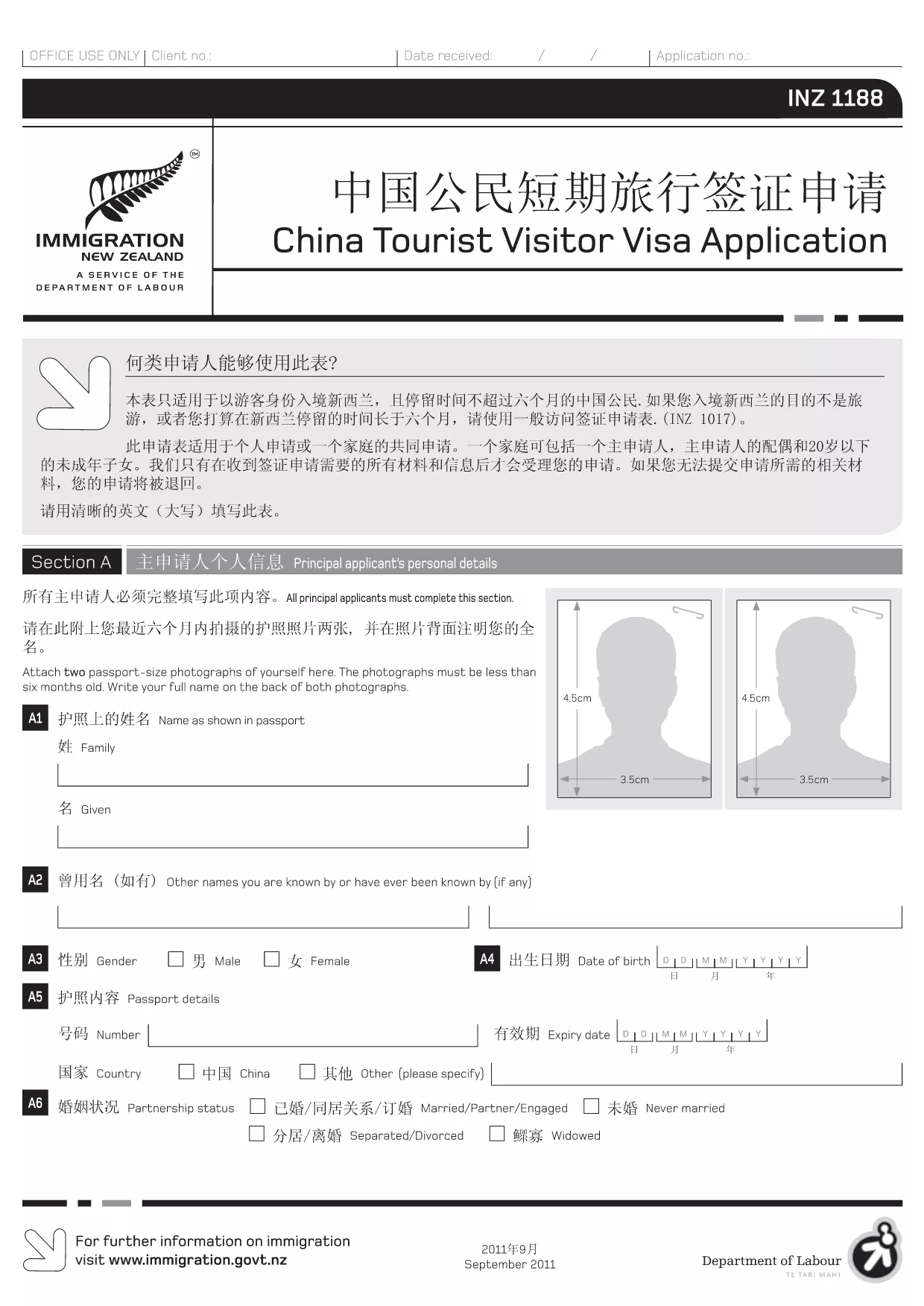
The INZ 1188 is the official application form for Chinese citizens applying for a short‑term tourist visa to New Zealand. With the Formize PDF Filler, you can fill out the form directly in your browser – no extra software required.

What is the INZ 1188 Form?

This form collects personal details, travel plans, health information, and a declaration by the applicant or an assisting person. It is used by Immigration New Zealand to assess eligibility for a visitor visa.

How to Complete the INZ 1188 Form Online

Follow these simple steps to fill the form quickly and accurately:

  • Click the "Fill out this form" button on this page.
  • Wait for the Formize PDF Filler app to load (usually a few seconds).
  • Enter your information in each fillable field. The interface highlights required fields.
  • Use the "Save" button to store progress or the "Download" button to get a completed PDF.

Common Mistakes to Avoid

  • Using lowercase letters in fields that require capital letters – the form validates case.
  • Leaving any required field blank; the filler will show an error before you can submit.
  • Providing outdated passport numbers – double‑check your passport before entering.
  • Skipping the declaration section (Section J). Both applicant and assisting person must sign.

Download & Fill the PDF Instantly

Our direct link gives you the latest official INZ 1188 PDF. The file is hosted by the New Zealand immigration authority and is fully compatible with the Formize online filler.

Where to Get Help

If you have questions about specific sections, consult the Immigration New Zealand website or contact the nearest New Zealand Visa Office. The Formize platform also provides inline tips for most fields.

التعليمات
  • Do I need to print the INZ 1188 form after filling it online?

    No. The Formize filler lets you download a completed PDF that you can submit electronically or print if required by the visa office.

  • Can I save my progress and finish later?

    Yes. Click the "Save" button to download a partially completed PDF. Re‑upload it later to continue editing.

  • What language should I use to fill the form?

    The official INZ 1188 form is in English. All fields must be completed in English, even if your native language is Chinese.

  • Is there a fee to use the Formize PDF Filler?

    No. Formize provides free online filling for this form. There may be visa processing fees charged by Immigration New Zealand.

  • What if I make a mistake after downloading the PDF?

    You can open the downloaded file in any PDF editor, correct the error, and re‑upload it if needed. Alternatively, start a new session with the filler.

  • Do I need a supporting letter from a New Zealand resident?

    Only if the visa category you are applying for requires sponsorship. The INZ 1188 form includes a section for a sponsor’s declaration.

كيف

كيفية ملء INZ 1188 مجانًا عبر الإنترنت في 4 خطوات سهلة:

  1. 1
    Open the Fillable Form
    Click the "Fill out this form" button on this page. The Formize PDF Filler will open in a new tab.
  2. 2
    Load the PDF
    Wait a few seconds while the INZ 1188 PDF loads into the online editor.
  3. 3
    Enter Your Information
    Complete each highlighted field. Required fields are marked with an asterisk.
  4. 4
    Review and Save
    Use the "Review" button to check for missing data, then click "Save" or "Download" to get your finished PDF.
Formize تطبيق PDF Filler
حول

نماذج السياحة

INZ 1188 هي إحدى نماذج السياحة التي تستخدم من قبل الأفراد أو المجموعات الذين يخططون للسفر لأغراض السياحة. قد تختلف هذه النماذج اعتمادًا على بلد الوجهة أو مزود خدمة السفر ، ولكنها تحتوي عمومًا على معلومات حول المسافر ومسار الرحلة وأي تفاصيل أخرى ذات صلة.

تشمل بعض أشكال السياحة الشائعة ما يلي:

خط سير الرحلة : يسرد هذا النموذج الأنشطة المخطط لها للمسافر ، بما في ذلك التواريخ والأوقات ومواقع الرحلات الجوية وأماكن الإقامة والجولات والأنشطة الأخرى.

طلب التأشيرة : تطلب العديد من الدول من السائحين الحصول على تأشيرة قبل الدخول. يطلب نموذج طلب التأشيرة عادةً معلومات شخصية وتفاصيل السفر والوثائق الداعمة ، مثل جواز السفر أو الصورة أو البيانات المالية.

نموذج الإعلان الصحي : يستخدم هذا النموذج للإعلان عن أي حالات طبية أو التعرض المحتمل للأمراض المعدية ، مثل COVID-19. تطلب بعض الدول من المسافرين تقديم اختبار COVID-19 سلبيًا قبل الدخول.

نموذج تأمين السفر : يوفر هذا النموذج معلومات حول تغطية تأمين السفر للمسافر ، بما في ذلك نوع السياسة وحدود التغطية ومعلومات الاتصال في حالات الطوارئ.

نموذج البيان الجمركي : هذا النموذج مطلوب من قبل بعض البلدان للإعلان عن أي عناصر يتم إحضارها إلى البلد ، مثل الهدايا أو الهدايا التذكارية أو الأجهزة الإلكترونية.

نموذج حجز مكان الإقامة : يوفر هذا النموذج معلومات حول أماكن إقامة المسافر ، بما في ذلك تواريخ الإقامة ونوع الغرفة وأي طلبات خاصة.

قد تكون نماذج السياحة مطلوبة من قبل شركات الطيران أو وكالات السفر أو الفنادق أو غيرهم من مقدمي خدمات السفر ، وقد تكون متاحة في تنسيقات إلكترونية أو ورقية. من المهم مراجعة جميع النماذج الضرورية واستكمالها بعناية لضمان تجربة سفر سلسة وخالية من المتاعب.

سمات

حشو PDF

أسهل طريقة لملء نماذج PDF عبر الإنترنت

  • املأ بسرعة INZ 1188
    هل تبحث عن طريقة لملء كلمة INZ 1188 بسرعة عبر الإنترنت؟ من خلال برنامج تعبئة نماذج PDF المجاني عبر الإنترنت ، ستعرف كيفية تحرير وتعبئة مستند pdf هذا في أقل من دقيقة.
  • محرر PDF سهل الاستخدام عبر الإنترنت
    هل سئمت طباعة ملفات PDF حتى تتمكن من تحريرها قبل إعادة مسحها ضوئيًا وإرسالها مرة أخرى؟ تحرير مستندات PDF مجانًا عبر الإنترنت. استخدم محرر pdf على الإنترنت لتوفير الوقت والورق.
  • أدوات رائعة ، جميع المنصات
    هل تتساءل عن كيفية ملء INZ 1188 على جهاز Mac ، أو ربما كيفية استخدام حشو PDF مجانًا؟ تعمل أدوات PDF الخاصة بنا عبر الإنترنت على جميع الأنظمة الأساسية.
  • تخزين الملفات الآمن
    يتم تخزين ملفات "INZ 1188" المكتملة في قاعدة بيانات آمنة تديرها استضافة Amazon Cloud. يمكنك حذف ملفاتك من نظامنا في أي وقت. على أي حال ، يتم حذف هذه الملفات تلقائيًا بعد 24 ساعة.
  • الدردشة مع {كلمة رئيسية}
    قم بالدردشة مع "INZ 1188" على Chatize وهو مساعد مجاني لقارئ PDF. اطرح الأسئلة واحصل على الإجابات من "INZ 1188". فقط انقر على زر الدردشة مع المستند أعلاه.

حذف جلسة التعبئة

حذف جلسة التعبئة المحددة؟ في هذه الحالة، سيتم فقد تقدمك في إكمال النموذج.

حذف جلسة التحرير

هل تريد حذف جلسة التحرير المحددة؟ في هذه الحالة، سيتم فقدان التقدم الذي أحرزته في إنشاء النموذج وتحريره.