
اختار اللغة

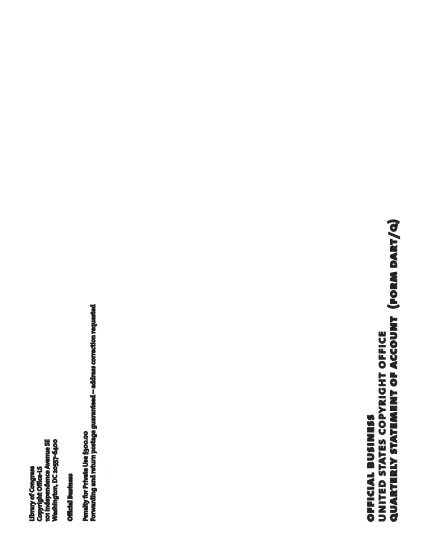
Form DART‑Q Fillable PDF – Quarterly Statement of Account

  1. لغة إنجليزي
  2. دولة الولايات المتحدة الأمريكية
  3. قسم مكتب حقوق النشر
Form DART‑Q Fillable PDF – Quarterly Statement of Account

The Form DART‑Q (Quarterly Statement of Account) is the required filing for manufacturers or importers who collect royalty fees for digital audio recording products. This fillable PDF lets you complete the form quickly, accurately, and securely—all within your browser.

What Is Form DART‑Q?

Form DART‑Q is issued by the U.S. Copyright Office. It captures quarterly sales, royalty calculations, and distribution details for copyrighted audio recordings. Filing each quarter (Q1, Q2, Q3) ensures compliance with royalty‑fee regulations.

How to Fill Out Form DART‑Q Online

Instead of downloading the PDF and opening a separate editor, simply click the “Fill out this form” button on this page. The Formize PDF Filler app will load directly in your browser, allowing you to:

  • Enter data into each field with keyboard or copy‑paste.
  • Save progress and return later.
  • Validate entries in real‑time to reduce errors.

Common Mistakes to Avoid

  • Leaving required fields blank: The filler highlights missing information before you can submit.
  • Mismatching fiscal quarters: Verify the quarter you are reporting matches your accounting period.
  • Incorrect royalty calculations: Use the built‑in calculator tool in the filler to double‑check totals.

Download & Save the Official PDF

If you prefer a local copy, you can download the official Form DART‑Q PDF directly from the U.S. Copyright Office. Keep a saved version for your records.

Submit Your Completed Form

After completing the form, you can either:

  • Download the filled PDF and mail it to the Copyright Office, or
  • Upload the completed file through the Copyright Office’s electronic filing portal.

Following these steps helps you stay compliant and avoid penalties.

التعليمات
  • What does DART‑Q stand for?

    DART‑Q stands for “Digital Audio Recording – Quarterly” and is the statement of account required for royalty‑fee reporting each quarter.

  • Do I need a PDF editor to fill out Form DART‑Q?

    No. With Formize you can fill out the form directly in your browser—no separate editor or software is needed.

  • Can I save my progress and finish later?

    Yes. The Formize filler lets you save a draft and return to complete it at any time.

  • Which quarters must be filed?

    Manufacturers and importers must file separate statements for Q1, Q2, and Q3 of the calendar or fiscal year they have elected.

  • Is there a filing fee for Form DART‑Q?

    There is no separate filing fee for the DART‑Q form itself; however, royalty fees calculated on the form must be remitted according to the Copyright Office’s schedule.

  • What happens if I submit the form late?

    Late submissions may incur penalties. If you miss a deadline, submit an extension request using the appropriate form (e.g., TE7) as soon as possible.

  • Where can I find help if I have questions?

    The U.S. Copyright Office website provides detailed instructions. For technical help with the Formize filler, use the on‑screen help icons.

كيف

كيفية ملء Form DART-Q مجانًا عبر الإنترنت في 5 خطوات سهلة:

  1. 1
    Click the Fill‑out Button
    Press the “Fill out this form” button on this page to launch the Formize PDF Filler.
  2. 2
    Wait for the Filler to Load
    The web‑based filler loads in seconds; no download or installation is required.
  3. 3
    Enter Your Quarterly Data
    Complete each section—sales figures, royalty calculations, and contact information—using the on‑screen fields.
  4. 4
    Review and Validate
    Use the built‑in validation to ensure all required fields are filled and calculations are correct.
  5. 5
    Save or Submit
    Download the finished PDF for mailing, or upload it directly to the Copyright Office’s electronic portal.
Formize تطبيق PDF Filler
حول

نماذج مكتب حقوق التأليف والنشر

Form DART-Q هو أحد النماذج الرسمية التي يستخدمها مكتب حقوق الطبع والنشر بالولايات المتحدة، وهو أحد أقسام مكتبة الكونجرس، لتسجيل حقوق الطبع والنشر وحمايتها. مكتب حقوق النشر هو المسؤول عن إدارة قوانين حقوق النشر في الولايات المتحدة، بما في ذلك تسجيل حقوق النشر، وتسجيل عمليات نقل حقوق النشر والتراخيص، وتوفير المعلومات والخدمات المتعلقة بحقوق النشر.

فيما يلي بعض الأمثلة على نماذج مكتب حقوق الطبع والنشر:

طلب تسجيل حقوق الطبع والنشر: هذا هو النموذج الرئيسي المستخدم لتسجيل حقوق الطبع والنشر لدى مكتب حقوق الطبع والنشر بالولايات المتحدة. تتوفر نماذج طلبات مختلفة لأنواع مختلفة من الأعمال، مثل الأعمال الأدبية والفنون البصرية والمقطوعات الموسيقية والتسجيلات الصوتية والصور المتحركة والمزيد. يقوم التطبيق بجمع معلومات حول العمل الذي يتم تسجيله، والمؤلف، والمطالب، وغيرها من التفاصيل ذات الصلة.

نماذج تسجيل المستندات: تُستخدم هذه النماذج لتسجيل عمليات نقل حقوق الطبع والنشر، مثل التنازلات أو التراخيص، لدى مكتب حقوق الطبع والنشر. أنها توفر وسيلة لإنشاء سجل عام لنقل ملكية حقوق الطبع والنشر.

نموذج دليل الوكيل المعين بموجب قانون الألفية الجديدة لحقوق طبع ونشر المواد الرقمية: يُستخدم هذا النموذج لتعيين وكيل لدى مكتب حقوق الطبع والنشر بموجب قانون الألفية الجديدة لحقوق طبع ونشر المواد الرقمية (DMCA). الوكيل المعين مسؤول عن تلقي ومعالجة إشعارات الإزالة المتعلقة بانتهاك حقوق الطبع والنشر عبر الإنترنت.

جدول رسوم مكتب حقوق الطبع والنشر: على الرغم من أنه ليس نموذجًا محددًا، إلا أن جدول الرسوم يوفر معلومات حول الرسوم المرتبطة بخدمات حقوق الطبع والنشر المتنوعة، بما في ذلك التسجيل والتسجيل والخدمات الأخرى ذات الصلة.

من المهم ملاحظة أن النماذج والمتطلبات المحددة قد تتغير بمرور الوقت، وقد تكون هناك حاجة إلى نماذج مختلفة لأنواع مختلفة من تسجيلات أو خدمات حقوق الطبع والنشر. يُنصح بزيارة الموقع الإلكتروني الرسمي لمكتب حقوق الطبع والنشر بالولايات المتحدة (www.copyright.gov) أو استشارة المتخصصين القانونيين المتخصصين في قانون حقوق الطبع والنشر للحصول على معلومات دقيقة وحديثة فيما يتعلق بنماذج مكتب حقوق الطبع والنشر المحددة ذات الصلة باحتياجاتك المتعلقة بحقوق الطبع والنشر.

سمات

حشو PDF

أسهل طريقة لملء نماذج PDF عبر الإنترنت

  • املأ بسرعة Form DART-Q
    هل تبحث عن طريقة لملء كلمة Form DART-Q بسرعة عبر الإنترنت؟ من خلال برنامج تعبئة نماذج PDF المجاني عبر الإنترنت ، ستعرف كيفية تحرير وتعبئة مستند pdf هذا في أقل من دقيقة.
  • محرر PDF سهل الاستخدام عبر الإنترنت
    هل سئمت طباعة ملفات PDF حتى تتمكن من تحريرها قبل إعادة مسحها ضوئيًا وإرسالها مرة أخرى؟ تحرير مستندات PDF مجانًا عبر الإنترنت. استخدم محرر pdf على الإنترنت لتوفير الوقت والورق.
  • أدوات رائعة ، جميع المنصات
    هل تتساءل عن كيفية ملء Form DART-Q على جهاز Mac ، أو ربما كيفية استخدام حشو PDF مجانًا؟ تعمل أدوات PDF الخاصة بنا عبر الإنترنت على جميع الأنظمة الأساسية.
  • تخزين الملفات الآمن
    يتم تخزين ملفات "Form DART-Q" المكتملة في قاعدة بيانات آمنة تديرها استضافة Amazon Cloud. يمكنك حذف ملفاتك من نظامنا في أي وقت. على أي حال ، يتم حذف هذه الملفات تلقائيًا بعد 24 ساعة.
  • الدردشة مع {كلمة رئيسية}
    قم بالدردشة مع "Form DART-Q" على Chatize وهو مساعد مجاني لقارئ PDF. اطرح الأسئلة واحصل على الإجابات من "Form DART-Q". فقط انقر على زر الدردشة مع المستند أعلاه.

حذف جلسة التعبئة

حذف جلسة التعبئة المحددة؟ في هذه الحالة، سيتم فقد تقدمك في إكمال النموذج.

حذف جلسة التحرير

هل تريد حذف جلسة التحرير المحددة؟ في هذه الحالة، سيتم فقدان التقدم الذي أحرزته في إنشاء النموذج وتحريره.