
اختار اللغة

The MV2956 is the official Wisconsin Department of Motor Vehicles (DMV) form used for vehicle registration changes, special plate applications, and related paperwork. Instead of printing, scanning, and mailing a paper copy, you can now complete the form instantly online with our Fill out this form button powered by the Formize PDF Filler app.

What Is the MV2956 Form?

MV2956 is a fillable PDF that captures essential vehicle information, owner details, and any special requests (e.g., personalized plates). It is required for:

  • Transferring ownership of a vehicle within Wisconsin
  • Updating registration address
  • Applying for specialty or disability plates

How to Fill Out MV2956 Online with Formize

Follow these simple steps to complete the form without leaving your browser:

  • Click the Fill out this form button on this page.
  • The Formize PDF Filler will load in a secure overlay.
  • Enter your information directly into the highlighted fields.
  • Use the built‑in validation to avoid common entry errors.
  • When finished, click Submit to download a completed PDF or Print to send it to the DMV.

Common Mistakes to Avoid

Even with a fillable PDF, a few errors can delay processing:

  • Incorrect VIN: Double‑check the Vehicle Identification Number for typos.
  • Missing signatures: The form requires the owner’s digital signature; use the signature tool in Formize.
  • Outdated address: Ensure the address matches the one on your driver’s license.

Download & Save the PDF

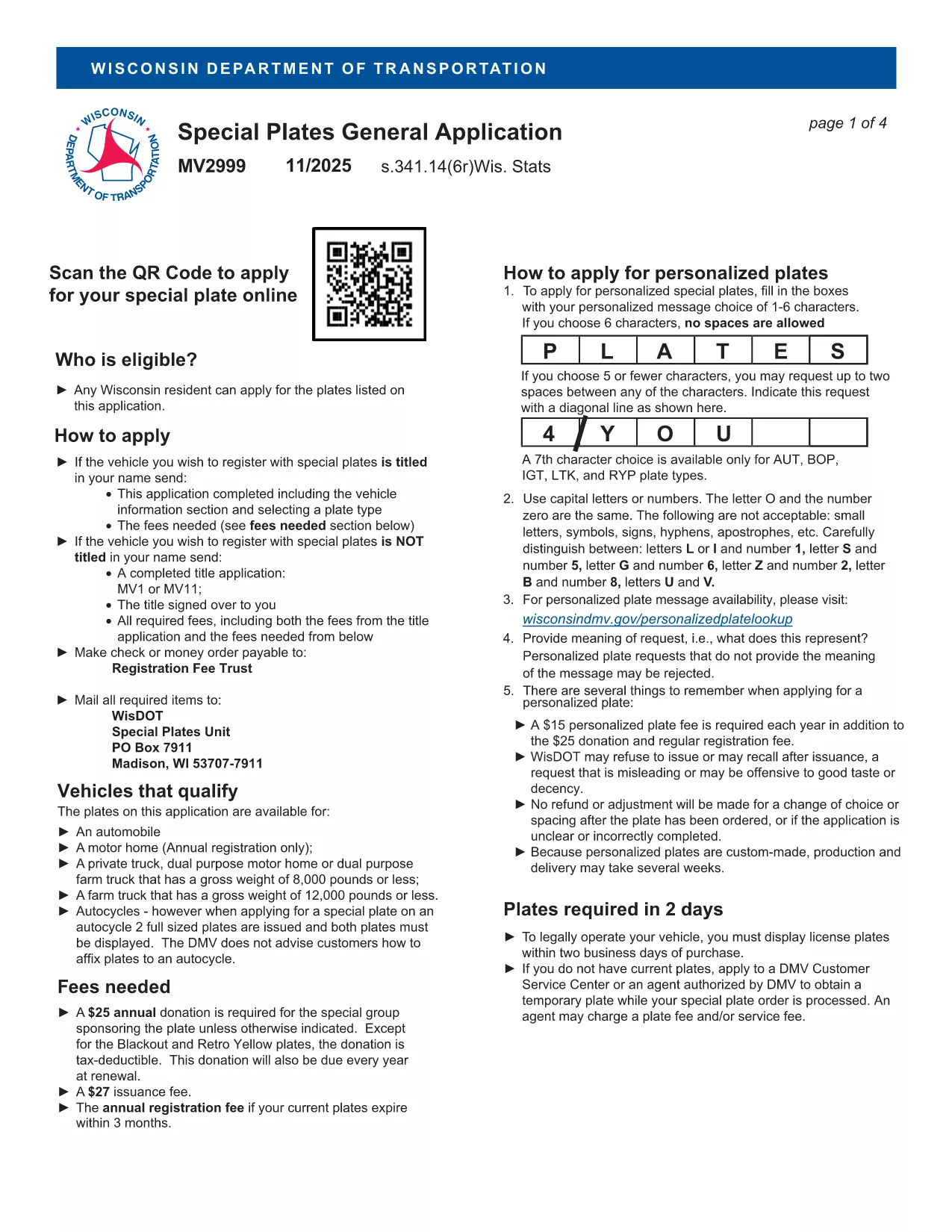
If you prefer a hard copy, you can also download the original MV2999 PDF (the closest available version) and use Formize to fill it out.

Frequently Asked Questions

Below are answers to the most common queries about the MV2956 form.

التعليمات
  • What is the MV2956 form used for?

    It is the Wisconsin DMV’s standard form for vehicle registration changes, ownership transfers, and specialty plate requests.

  • Do I need to print the form after filling it out?

    No. You can download the completed PDF and submit it electronically if the DMV accepts electronic filings, or print it if a hard copy is required.

  • Is there a fee to use the Formize PDF Filler?

    Formize’s basic fillable‑PDF feature is free for users; any DMV filing fees are paid directly to the Wisconsin DMV.

  • Can I save my progress and return later?

    Yes. The Formize app lets you save a draft of the PDF and resume editing at any time.

  • What should I do if I make a mistake?

    Use the “Clear” button to reset a field, or download the PDF, correct it in a PDF editor, and re‑upload.

  • Where do I submit the completed MV2956 form?

    Submit the printed form to your local Wisconsin DMV office or follow any electronic submission instructions provided by the DMV.

  • Is the MV2956 form available in other languages?

    The official form is in English; however, you can use translation tools for assistance while filling it out.

كيف

كيفية ملء MV2956 مجانًا عبر الإنترنت في 5 خطوات سهلة:

  1. 1
    Click the Fill‑out Button
    Press the “Fill out this form” button on the page to launch the Formize PDF Filler.
  2. 2
    Wait for the Filler to Load
    A secure overlay will appear; the fillable PDF loads automatically.
  3. 3
    Enter Your Information
    Complete each highlighted field, using the built‑in validation to ensure accuracy.
  4. 4
    Review and Sign
    Double‑check all entries, add your digital signature, and click “Submit.”
  5. 5
    Download or Print
    Save the completed PDF to your device or print it for submission to the Wisconsin DMV.
Formize تطبيق PDF Filler
حول

استمارات تسجيل المركبة

إذا كنت تمتلك أو تستأجر سيارة أو مقطورة أو قاربًا ، فيجب عليك الوفاء بالتزامات معينة للحفاظ على سيارتك مسجلة قانونيًا وآمنة.

يُعد MV2956 أحد نماذج تسجيل المركبات التي تُستخدم لتسجيل مركبة بمحرك مع سلطة الولاية أو المقاطعة ذات الصلة. عادة ما تكون هذه النماذج مطلوبة عندما يشتري شخص ما سيارة جديدة أو مستعملة أو عندما ينتقل إلى ولاية أو مقاطعة جديدة بسيارة.

يمكن أن تختلف المتطلبات والنماذج الدقيقة اللازمة لتسجيل السيارة حسب الموقع ، ولكن بشكل عام ، تتضمن العملية تقديم معلومات حول السيارة والمالك وأي امتيازات على السيارة.

بمجرد تقديم استمارات التسجيل والرسوم ، ستصدر سلطة الولاية أو المقاطعة شهادة تسجيل أو لوحة ترخيص لمالك السيارة. يسمح هذا التسجيل بتشغيل السيارة بشكل قانوني على الطرق العامة والطرق السريعة.

سمات

حشو PDF

أسهل طريقة لملء نماذج PDF عبر الإنترنت

  • املأ بسرعة MV2956
    هل تبحث عن طريقة لملء كلمة MV2956 بسرعة عبر الإنترنت؟ من خلال برنامج تعبئة نماذج PDF المجاني عبر الإنترنت ، ستعرف كيفية تحرير وتعبئة مستند pdf هذا في أقل من دقيقة.
  • محرر PDF سهل الاستخدام عبر الإنترنت
    هل سئمت طباعة ملفات PDF حتى تتمكن من تحريرها قبل إعادة مسحها ضوئيًا وإرسالها مرة أخرى؟ تحرير مستندات PDF مجانًا عبر الإنترنت. استخدم محرر pdf على الإنترنت لتوفير الوقت والورق.
  • أدوات رائعة ، جميع المنصات
    هل تتساءل عن كيفية ملء MV2956 على جهاز Mac ، أو ربما كيفية استخدام حشو PDF مجانًا؟ تعمل أدوات PDF الخاصة بنا عبر الإنترنت على جميع الأنظمة الأساسية.
  • تخزين الملفات الآمن
    يتم تخزين ملفات "MV2956" المكتملة في قاعدة بيانات آمنة تديرها استضافة Amazon Cloud. يمكنك حذف ملفاتك من نظامنا في أي وقت. على أي حال ، يتم حذف هذه الملفات تلقائيًا بعد 24 ساعة.
  • الدردشة مع {كلمة رئيسية}
    قم بالدردشة مع "MV2956" على Chatize وهو مساعد مجاني لقارئ PDF. اطرح الأسئلة واحصل على الإجابات من "MV2956". فقط انقر على زر الدردشة مع المستند أعلاه.

حذف جلسة التعبئة

حذف جلسة التعبئة المحددة؟ في هذه الحالة، سيتم فقد تقدمك في إكمال النموذج.

حذف جلسة التحرير

هل تريد حذف جلسة التحرير المحددة؟ في هذه الحالة، سيتم فقدان التقدم الذي أحرزته في إنشاء النموذج وتحريره.