
نموذج UST-6 form
باستخدام مجموعة الميزات التقليدية لعرض مستند PDF وتعبئته ، جنبًا إلى جنب مع مزايا تطبيق الويب والتخطيط سريع الاستجابة ، يمكنك إكمال UST-6 form في دقائق.


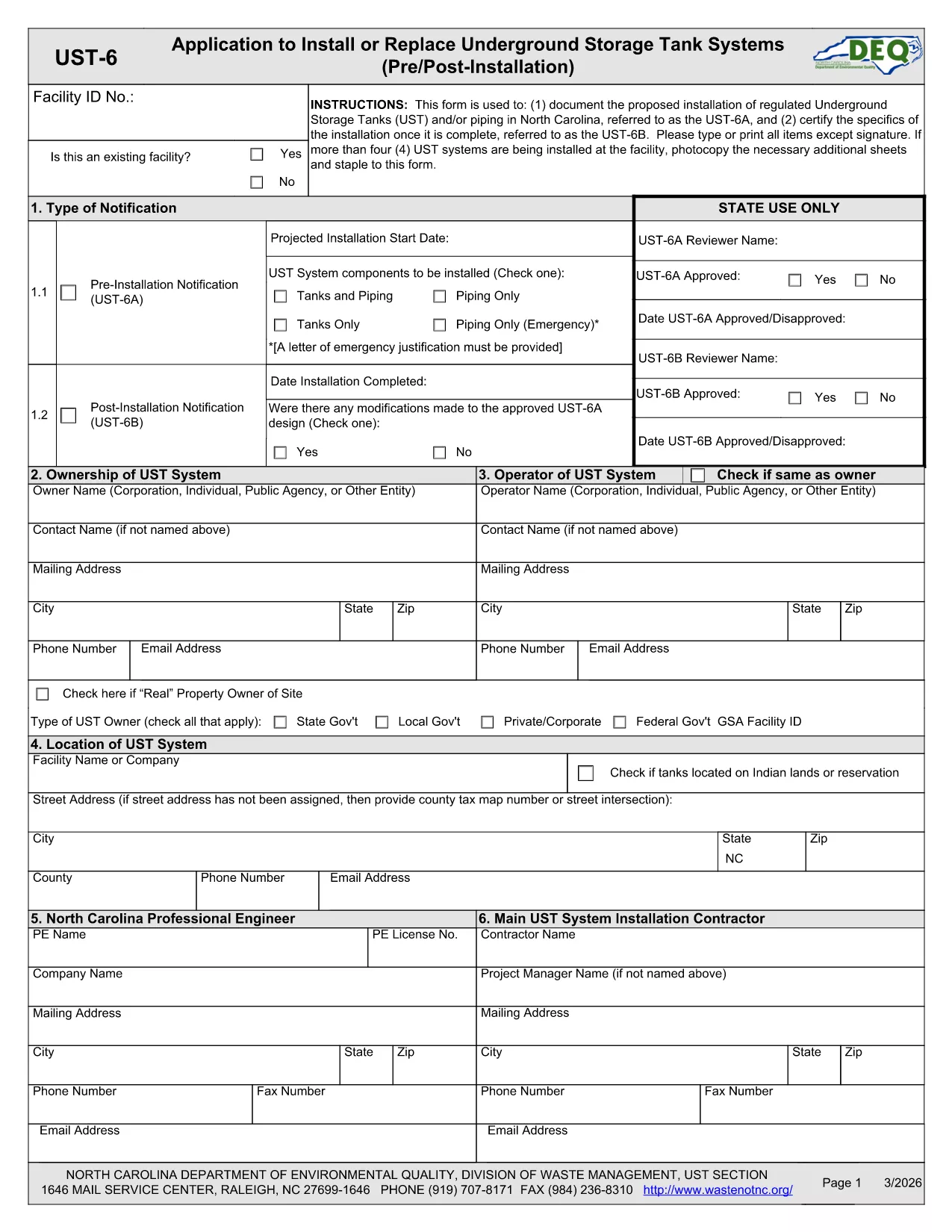
The UST‑6 Application Form is required by the North Carolina Department of Environmental Quality (DEQ) for owners and operators of underground storage tanks (USTs) who need to certify pre‑installation information, report modifications, or request approvals. This page gives you everything you need to download, fill out, and submit the form quickly using Formize’s online PDF filler.
The UST‑6 is a certification and pre‑installation questionnaire that ensures UST systems meet state environmental standards. It collects details about tank location, design, materials, and compliance measures. Submitting a correctly completed UST‑6 helps avoid penalties and keeps your operation compliant with North Carolina regulations.
Instead of printing the PDF and using a third‑party editor, simply click the "Fill out this form" button on this page. The Formize PDF Filler app will load directly in your browser, allowing you to type, select dates, and sign electronically.
If you prefer to work offline, you can download the official UST‑6 PDF using the link below. The file is fully fillable with standard PDF readers, but we recommend the online Formize filler for a smoother experience.
Download UST‑6 Application Form (PDF)
Find quick answers to the most common questions below. If you need further assistance, consult the DEQ guidance documents linked on the form.
The UST‑6 certifies that a new or modified underground storage tank complies with North Carolina environmental regulations before installation.
Yes. After filling it out with Formize, you can download the completed PDF and upload it through the DEQ online portal, or print and mail it if required.
A digital signature is accepted for most submissions. Use the signature field in the Formize filler to add your electronic signature.
Attach tank design drawings, installation permits, and any previous inspection reports as specified in the attachment sections of the form.
The UST‑6 itself does not carry a filing fee, but DEQ may charge processing fees for related permits or inspections.
Processing time varies, but DEQ typically reviews a completed UST‑6 within 10‑15 business days after receipt.
Contact the DEQ UST program office to request a correction. You may need to submit an amended UST‑6 with a cover letter explaining the changes.
Yes. The Formize filler lets you save a draft locally on your computer and resume editing at any time before final submission.
باستخدام مجموعة الميزات التقليدية لعرض مستند PDF وتعبئته ، جنبًا إلى جنب مع مزايا تطبيق الويب والتخطيط سريع الاستجابة ، يمكنك إكمال UST-6 form في دقائق.
أسهل طريقة لملء نماذج PDF عبر الإنترنت
حذف جلسة التعبئة
حذف جلسة التحرير