
اختار اللغة

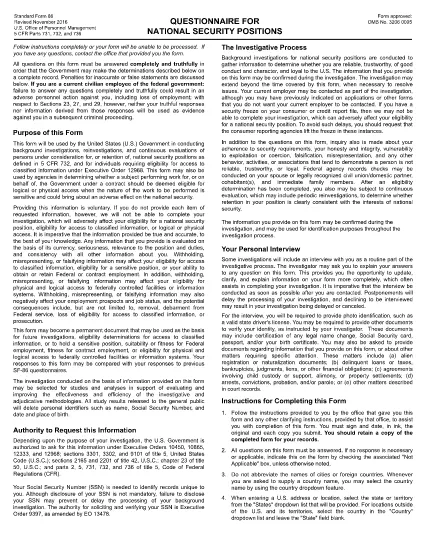
The SF-86 (Standard Form 86) is the U.S. government’s official questionnaire used for background investigations, reinvestigations, and continuous evaluations of individuals seeking access to classified information or national‑security positions. Completing it accurately is essential for obtaining a security clearance.

This page provides a fillable PDF version of the SF-86 that you can complete directly in your browser using the Formize PDF Filler app. No additional software or printing is required.

What Is the SF-86 Form?

The SF-86 collects detailed personal information, including:

  • Education and employment history (last 10 years)
  • Foreign contacts, travel, and residences
  • Criminal record, financial disclosures, and drug use
  • Military service and security‑related activities

Agencies use this data to assess eligibility for a security clearance.

Key Sections of the SF-86

Understanding the major sections helps you gather the right documents before you start:

  1. Personal Information – name, date of birth, Social Security number.
  2. Residence History – every address for the past 10 years.
  3. Employment & Education – employers, schools, dates, and supervisors.
  4. Foreign Contacts & Travel – individuals, countries, and trips abroad.
  5. Legal & Financial Matters – arrests, convictions, bankruptcies, debts.

How to Complete the SF-86 Online

Follow these simple steps to fill out the form quickly and securely:

  • Click the "Fill out this form" button below.
  • Wait a few seconds while the Formize PDF Filler loads.
  • Enter your information field‑by‑field; the app auto‑saves as you go.
  • When finished, click "Save & Download" to get a completed PDF copy.
  • Submit the saved PDF to your agency or upload it through e‑QIP as instructed.

Common Mistakes & Tips

Tip 1: Answer every question truthfully. Incomplete or false information can delay or deny your clearance.

Tip 2: Use exact dates (MM/DD/YYYY) and full legal names for contacts.

Tip 3: Keep supporting documents (travel itineraries, employment letters) handy for reference.

Tip 4: Review the form twice before saving. The Formize filler highlights required fields you might have missed.

Ready to start? Click below to launch the fillable SF-86 PDF.

التعليمات
  • What is the SF-86 used for?

    The SF-86 is the standard questionnaire for background investigations and security clearances for U.S. government, military, and contractor positions.

  • Can I fill out the SF-86 on a mobile device?

    Yes. The Formize PDF Filler works on most modern smartphones and tablets, but a desktop browser provides the best experience.

  • Is the fillable PDF version official?

    Yes. The PDF linked below is the official OPM form, now available as a fillable document through Formize.

  • Do I need an e‑QIP account to use this form?

    No. You can complete the PDF offline with Formize and then upload the finished file to e‑QIP if your agency requires it.

  • How long does it take to complete the SF-86?

    Preparation time varies, but most applicants finish the form in 2–4 hours. Gather employment, travel, and foreign‑contact records beforehand.

  • What happens if I make a mistake?

    Incorrect or omitted information can delay your clearance. Use the Formize auto‑save and review features, then double‑check before submitting.

  • Is my data secure while using Formize?

    Formize uses SSL encryption and does not store your personal data on its servers after you download the completed PDF.

كيف

كيفية ملء SF-86 مجانًا عبر الإنترنت في 5 خطوات سهلة:

  1. 1
    Click the Fill Out Button
    Press the "Fill out this form" button on this page to open the SF-86 in the Formize PDF Filler.
  2. 2
    Wait for the Filler to Load
    The Formize app loads in a few seconds; a loading bar will appear at the top of the screen.
  3. 3
    Enter Your Information
    Complete each section of the questionnaire. The filler auto‑saves as you type and highlights any required fields you missed.
  4. 4
    Save and Download
    When all fields are filled, click "Save & Download" to get a completed PDF copy on your device.
  5. 5
    Submit to Your Agency
    Follow your agency’s instructions—usually uploading the PDF to e‑QIP or providing a printed copy to your security officer.
Formize تطبيق PDF Filler
حول

نماذج مكتب إدارة شؤون الموظفين (OPM).

SF-86 هو أحد النماذج الرسمية التي يستخدمها مكتب إدارة شؤون الموظفين بالولايات المتحدة، وهو وكالة مستقلة تابعة للحكومة الفيدرالية مسؤولة عن إدارة القوى العاملة في الخدمة المدنية ومزايا الموظفين الفيدراليين. يضع OPM السياسات واللوائح المتعلقة بالتوظيف الفيدرالي، ويدير برامج الموظفين المختلفة، ويقدم الخدمات للموظفين الفيدراليين والمتقاعدين والمتقدمين للوظائف.

فيما يلي بعض الأمثلة على نماذج مكتب إدارة شؤون الموظفين:

النموذج القياسي 86 (SF-86) : يستخدم هذا النموذج في عملية التحقيق في خلفية الأفراد المتقدمين للحصول على تصريح أمني. فهو يجمع معلومات شخصية ووظيفية وتعليمية ومالية شاملة، بالإضافة إلى تفاصيل حول الاتصالات والأنشطة الأجنبية.

النموذج القياسي 2809 (SF-2809) : يُستخدم هذا النموذج للتسجيل في برنامج المزايا الصحية للموظفين الفيدراليين (FEHB)، الذي يوفر تغطية التأمين الصحي للموظفين الفيدراليين والمتقاعدين وأفراد أسرهم المؤهلين.

النموذج القياسي 2817 (SF-2817): يُستخدم هذا النموذج للتقدم بطلب استمرار التغطية بموجب برنامج التأمين على الأسنان والبصر للموظفين الفيدراليين (FEDVIP) بعد التقاعد أو الانفصال عن الخدمة الفيدرالية.

النموذج القياسي 3107 (SF-3107) : يستخدم هذا النموذج لتقديم طلبات الحصول على مزايا التقاعد بموجب نظام تقاعد الخدمة المدنية (CSRS).

النموذج القياسي 2801 (SF-2801) : يستخدم هذا النموذج لتقديم طلب للحصول على مزايا التقاعد بموجب نظام تقاعد الموظفين الفيدراليين (FERS).

النموذج القياسي 15 (SF-15) : يستخدم هذا النموذج لتقديم طلب للحصول على تفضيل المحاربين القدامى في التوظيف الفيدرالي. يتم تقديمه من قبل المحاربين القدامى أو أفراد أسرهم المؤهلين الذين يبحثون عن فرص عمل في الحكومة الفيدرالية.

تمثل هذه الأمثلة بعض نماذج OPM الشائعة المستخدمة في سياق التوظيف الفيدرالي واستحقاقات الموظفين. ومع ذلك، لدى OPM مجموعة من الأشكال الأخرى المتعلقة ببرامج الموظفين المختلفة، والتقاعد، والتأمين، والجوانب الأخرى للتوظيف الفيدرالي. قد تختلف النماذج المحددة المطلوبة اعتمادًا على طبيعة المعاملة أو البرنامج أو المنفعة المطلوبة. يُنصح باستشارة الموقع الرسمي لمكتب إدارة شؤون الموظفين بالولايات المتحدة (www.opm.gov) أو طلب إرشادات من مكتب إدارة شؤون الموظفين أو موظفي الموارد البشرية ذوي الصلة للحصول على معلومات دقيقة وحديثة. معلومات حديثة بخصوص نماذج OPM المحددة ذات الصلة بوظيفتك الفيدرالية أو احتياجاتك المتعلقة بالمزايا.

سمات

حشو PDF

أسهل طريقة لملء نماذج PDF عبر الإنترنت

  • املأ بسرعة SF-86
    هل تبحث عن طريقة لملء كلمة SF-86 بسرعة عبر الإنترنت؟ من خلال برنامج تعبئة نماذج PDF المجاني عبر الإنترنت ، ستعرف كيفية تحرير وتعبئة مستند pdf هذا في أقل من دقيقة.
  • محرر PDF سهل الاستخدام عبر الإنترنت
    هل سئمت طباعة ملفات PDF حتى تتمكن من تحريرها قبل إعادة مسحها ضوئيًا وإرسالها مرة أخرى؟ تحرير مستندات PDF مجانًا عبر الإنترنت. استخدم محرر pdf على الإنترنت لتوفير الوقت والورق.
  • أدوات رائعة ، جميع المنصات
    هل تتساءل عن كيفية ملء SF-86 على جهاز Mac ، أو ربما كيفية استخدام حشو PDF مجانًا؟ تعمل أدوات PDF الخاصة بنا عبر الإنترنت على جميع الأنظمة الأساسية.
  • تخزين الملفات الآمن
    يتم تخزين ملفات "SF-86" المكتملة في قاعدة بيانات آمنة تديرها استضافة Amazon Cloud. يمكنك حذف ملفاتك من نظامنا في أي وقت. على أي حال ، يتم حذف هذه الملفات تلقائيًا بعد 24 ساعة.
  • الدردشة مع {كلمة رئيسية}
    قم بالدردشة مع "SF-86" على Chatize وهو مساعد مجاني لقارئ PDF. اطرح الأسئلة واحصل على الإجابات من "SF-86". فقط انقر على زر الدردشة مع المستند أعلاه.

حذف جلسة التعبئة

حذف جلسة التعبئة المحددة؟ في هذه الحالة، سيتم فقد تقدمك في إكمال النموذج.

حذف جلسة التحرير

هل تريد حذف جلسة التحرير المحددة؟ في هذه الحالة، سيتم فقدان التقدم الذي أحرزته في إنشاء النموذج وتحريره.