
اختار اللغة

SSA-1696-SUP2 Appointment of Representative – Fillable PDF

  1. لغة إنجليزي
  2. دولة الولايات المتحدة الأمريكية
  3. نشاط الضمان الاجتماعي
SSA-1696-SUP2 Appointment of Representative – Fillable PDF

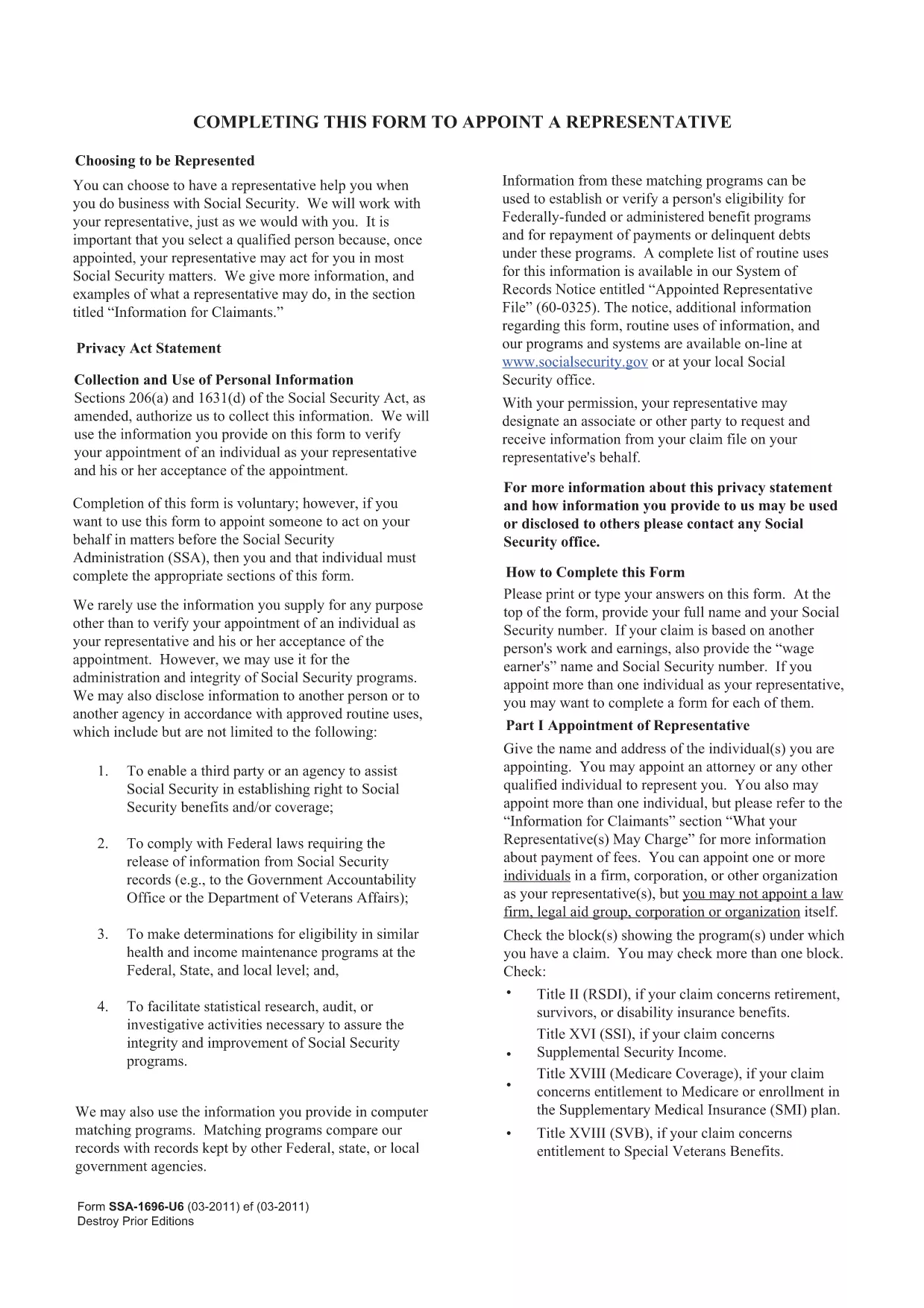
The SSA-1696-SUP2 is the official Appointment of Representative form used by the Social Security Administration (SSA). It authorizes a designated individual to act on your behalf for Social Security matters such as claims, appeals, and benefit inquiries.

What Is the SSA-1696-SUP2 Form?

This form lets you name a representative—an attorney, accredited organization, or trusted family member—to communicate with the SSA for you. The SSA requires a signed, legible copy for every case where a third party is involved.

How to Fill Out the Form Online

Instead of downloading the PDF and opening it in a separate editor, simply click the "Fill out this form" button on this page. The Formize PDF Filler app will load directly in your browser, allowing you to complete each field instantly.

  • All fields are interactive and auto‑save as you type.
  • Electronic signatures are accepted where applicable.
  • When finished, you can download the completed PDF for your records or submit it directly to the SSA.

Common Mistakes & Tips

  • Illegible handwriting: Using the online filler eliminates this risk.
  • Missing signatures: The Formize app prompts you to sign before allowing a download.
  • Incorrect representative information: Double‑check the name, address, and contact details before saving.

Download & Save Your Completed Form

After you submit, click the Download PDF button to store a copy on your device. Keep this file for future reference or to attach to any correspondence with the SSA.

Need help? Review the FAQs below or contact the Social Security Administration directly.

التعليمات
  • Who can be appointed as a representative on SSA-1696-SUP2?

    Any attorney, accredited representative, or trusted individual (family member, friend) can be named, provided they have the necessary contact information.

  • Do I need to mail the completed form to the SSA?

    You can mail, fax, or upload the completed PDF through your SSA online account. Check the SSA’s instructions for your specific case.

  • Can I change my representative after submitting the form?

    Yes. Submit a new SSA-1696-SUP2 with the updated representative information. The SSA will process the change once received.

  • Is an electronic signature accepted on this form?

    The SSA accepts electronic signatures when the form is completed using an approved fillable PDF tool such as Formize.

  • What should I do if I make a mistake after downloading the PDF?

    Open the downloaded file in the Formize filler again, correct the error, and re‑download the updated version. No need to start over.

  • Where can I find additional help for filling out SSA forms?

    Visit the Social Security Administration’s official website or call their toll‑free number at 1‑800‑772‑1213 for assistance.

كيف

كيفية ملء SSA-1696-SUP2 مجانًا عبر الإنترنت في 5 خطوات سهلة:

  1. 1
    Click the Fill Out Button
    Press the "Fill out this form" button on the page to launch the Formize PDF Filler in your browser.
  2. 2
    Wait for the Filler to Load
    The app loads in a few seconds. All fields become editable and ready for input.
  3. 3
    Enter the Required Information
    Complete each section: claimant details, representative’s contact info, and the signature area.
  4. 4
    Review and Save
    Use the built‑in review tool to ensure every field is filled correctly, then click "Save & Download".
  5. 5
    Store Your Copy
    Download the finished PDF and keep it for your records or attach it to any SSA correspondence.
Formize تطبيق PDF Filler
حول

نماذج الضمان الاجتماعي

SSA-1696-SUP2 هي أحد نماذج الضمان الاجتماعي التي تُستخدم للتقدم بطلب للحصول على مزايا وخدمات متنوعة تقدمها إدارة الضمان الاجتماعي بالولايات المتحدة (SSA). SSA هي وكالة فيدرالية تدير البرامج المصممة لتقديم المساعدة المالية للأفراد والأسر المؤهلين ، بما في ذلك مزايا التقاعد ، ومزايا العجز ، ومزايا الناجين ، ودخل الضمان الإضافي (SSI).

تتضمن بعض أشكال الضمان الاجتماعي الشائعة ما يلي:

طلب مزايا التقاعد للضمان الاجتماعي : يستخدم هذا النموذج للتقدم بطلب للحصول على مزايا التقاعد بناءً على تاريخ العمل والأرباح للفرد.

طلب استحقاقات الضمان الاجتماعي للإعاقة : يستخدم هذا النموذج لتقديم طلب للحصول على مزايا الإعاقة إذا كان الفرد يعاني من حالة بدنية أو عقلية تمنعه ​​من العمل.

طلب استحقاقات البقاء على قيد الحياة من الضمان الاجتماعي : يستخدم هذا النموذج لتقديم طلب للحصول على استحقاقات الباقي على قيد الحياة في حالة وفاة زوج أو والد أحدهم وكانوا مؤهلين للحصول على مزايا الورثة.

طلب تسجيل Medicare : يستخدم هذا النموذج للتسجيل في برنامج Medicare ، برنامج التأمين الصحي الفيدرالي للأفراد الذين تزيد أعمارهم عن 65 عامًا والذين يعانون من إعاقات أو حالات طبية معينة.

تغيير نموذج العنوان : يستخدم هذا النموذج لتحديث عنوان الفرد باستخدام SSA.

نموذج طلب سجل الأرباح : يستخدم هذا النموذج لطلب نسخة من سجل أرباح الفرد ، والذي يستخدم لحساب مزايا الضمان الاجتماعي.

يمكن إكمال هذه النماذج عبر الإنترنت أو بالبريد أو شخصيًا في مكتب الضمان الاجتماعي المحلي. من المهم مراجعة واستكمال جميع النماذج اللازمة بعناية لضمان معالجة دقيقة وفي الوقت المناسب لمزايا الضمان الاجتماعي.

سمات

حشو PDF

أسهل طريقة لملء نماذج PDF عبر الإنترنت

  • املأ بسرعة SSA-1696-SUP2
    هل تبحث عن طريقة لملء كلمة SSA-1696-SUP2 بسرعة عبر الإنترنت؟ من خلال برنامج تعبئة نماذج PDF المجاني عبر الإنترنت ، ستعرف كيفية تحرير وتعبئة مستند pdf هذا في أقل من دقيقة.
  • محرر PDF سهل الاستخدام عبر الإنترنت
    هل سئمت طباعة ملفات PDF حتى تتمكن من تحريرها قبل إعادة مسحها ضوئيًا وإرسالها مرة أخرى؟ تحرير مستندات PDF مجانًا عبر الإنترنت. استخدم محرر pdf على الإنترنت لتوفير الوقت والورق.
  • أدوات رائعة ، جميع المنصات
    هل تتساءل عن كيفية ملء SSA-1696-SUP2 على جهاز Mac ، أو ربما كيفية استخدام حشو PDF مجانًا؟ تعمل أدوات PDF الخاصة بنا عبر الإنترنت على جميع الأنظمة الأساسية.
  • تخزين الملفات الآمن
    يتم تخزين ملفات "SSA-1696-SUP2" المكتملة في قاعدة بيانات آمنة تديرها استضافة Amazon Cloud. يمكنك حذف ملفاتك من نظامنا في أي وقت. على أي حال ، يتم حذف هذه الملفات تلقائيًا بعد 24 ساعة.
  • الدردشة مع {كلمة رئيسية}
    قم بالدردشة مع "SSA-1696-SUP2" على Chatize وهو مساعد مجاني لقارئ PDF. اطرح الأسئلة واحصل على الإجابات من "SSA-1696-SUP2". فقط انقر على زر الدردشة مع المستند أعلاه.

حذف جلسة التعبئة

حذف جلسة التعبئة المحددة؟ في هذه الحالة، سيتم فقد تقدمك في إكمال النموذج.

حذف جلسة التحرير

هل تريد حذف جلسة التحرير المحددة؟ في هذه الحالة، سيتم فقدان التقدم الذي أحرزته في إنشاء النموذج وتحريره.