
نموذج DS-5112
باستخدام مجموعة الميزات التقليدية لعرض مستند PDF وتعبئته ، جنبًا إلى جنب مع مزايا تطبيق الويب والتخطيط سريع الاستجابة ، يمكنك إكمال DS-5112 في دقائق.


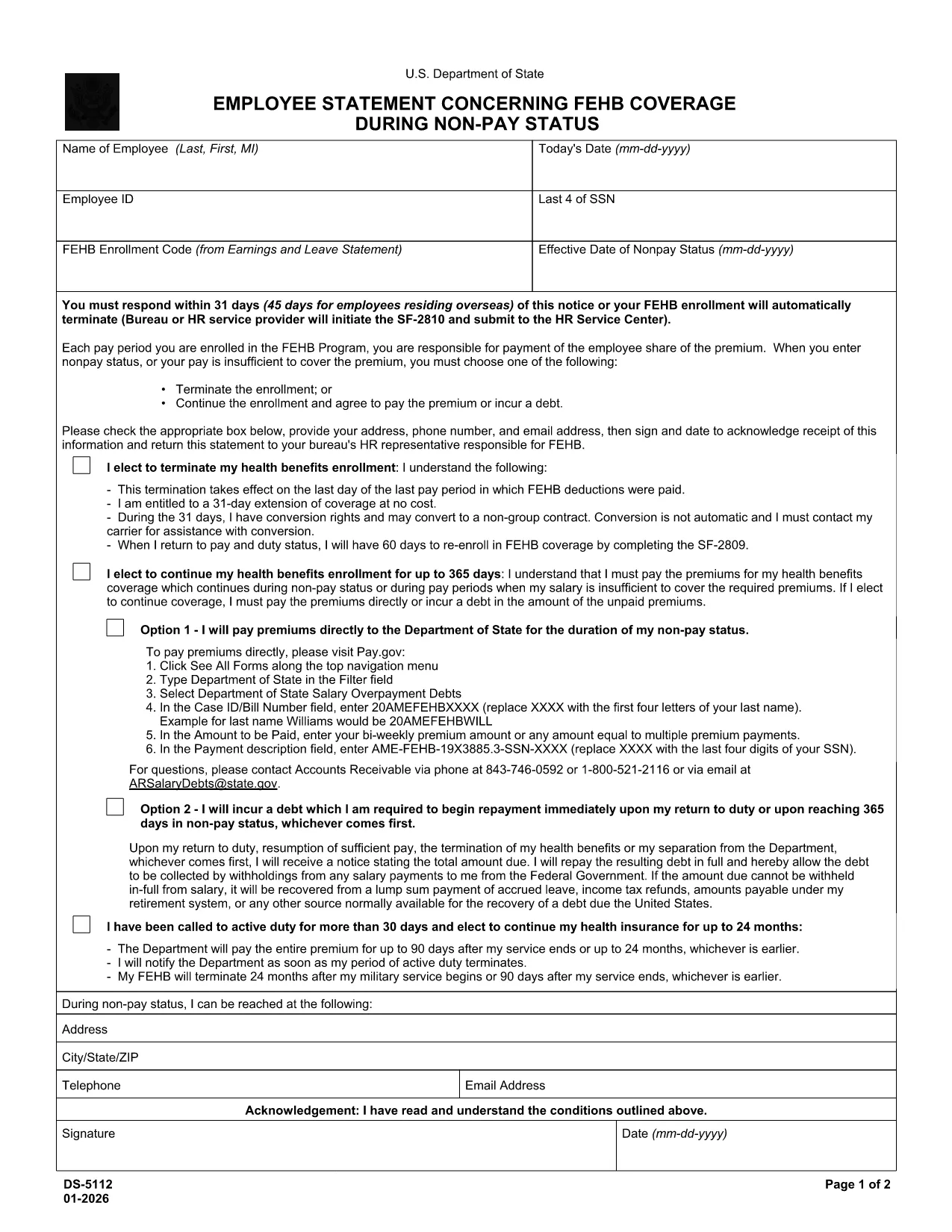
The DS-5112 is the official Department of State form used to document enrollment in the Federal Employees Health Benefits (FEHB) program under Part 89 of Title 5 of the United States Code. Federal employees and retirees must provide accurate personal information, including Social Security Number, to ensure proper benefits coverage.
This form collects:
Instead of downloading, printing, and scanning, you can fill the form directly in your browser. Follow these simple steps:
After you download the signed PDF, email it to your agency’s HR benefits office or upload it through the agency’s secure portal. Keep a copy for your records.
Need help? Review the official DS-5112 PDF for reference, or contact your HR representative.
All federal employees, retirees, and eligible family members who are enrolling or updating coverage in the Federal Employees Health Benefits (FEHB) program.
No. The form must be fully completed and signed; an incomplete form will be returned for correction, causing enrollment delays.
A printed copy is not mandatory if your agency accepts electronic PDFs. Use the Formize PDF Filler to create a signed electronic version.
Contact your agency’s HR benefits office immediately. They will provide a corrected DS-5112 form or an amendment process.
Processing times vary by agency, but most HR offices complete enrollment within 5‑10 business days after receiving a complete, signed form.
No. Formize’s online PDF filler works in any modern browser, eliminating the need for separate PDF software.
باستخدام مجموعة الميزات التقليدية لعرض مستند PDF وتعبئته ، جنبًا إلى جنب مع مزايا تطبيق الويب والتخطيط سريع الاستجابة ، يمكنك إكمال DS-5112 في دقائق.
أسهل طريقة لملء نماذج PDF عبر الإنترنت
حذف جلسة التعبئة
حذف جلسة التحرير