Избери език

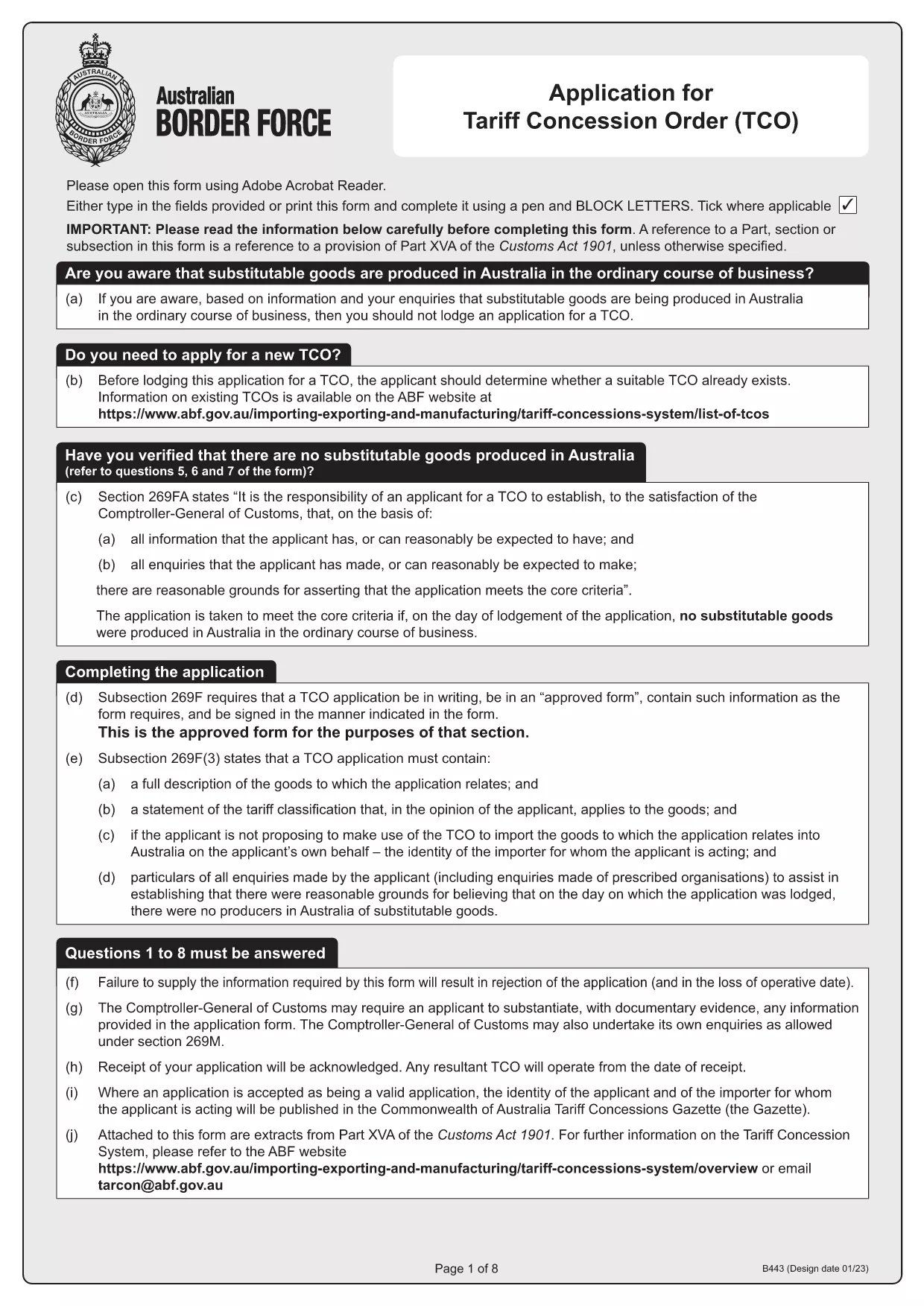
Tariff Concession (TC) Application – Fillable B443 Form

  1. Държава Австралия
  2. език Английски
  3. Дейност Tariff Concessions
  4. Отдел Australian Border Force
Tariff Concession (TC) Application – Fillable B443 Form

What Is a Tariff Concession (TC)?

A Tariff Concession (TC) – also known as a Tariff Concession Order (TCO) – is an Australian Government revenue concession that allows importers to pay reduced customs duties when no local manufacturers can supply a substitutable product. The concession is granted only when the imported goods match the description and tariff classification of an existing TCO.

Why Use the Fillable B443 Form on Formize

Formize turns the static PDF into a smooth, browser‑based experience. You can:

  • Open the form instantly – no download required.
  • Enter data directly into fields with auto‑validation.
  • Save a draft and return later.
  • Export a completed PDF ready for submission to the Australian Border Force.

Step‑By‑Step Guide to Completing the TC Application

Follow these simple steps to submit a correct TC application:

  1. Click the "Fill out this form" button on the page.
  2. Wait for the Formize PDF Filler app to load (usually a few seconds).
  3. Enter all required information – importer's details, HS code, product description, and supporting documents.
  4. Review the auto‑checked validation messages and correct any highlighted fields.
  5. When satisfied, click Download Completed PDF and save it to your computer.
  6. Email or upload the completed PDF to the Australian Border Force as instructed in the form.

Common Mistakes & How to Avoid Them

  • Incorrect HS code: Double‑check the six‑digit classification against the Customs Tariff.
  • Missing supporting documents: Attach product specifications, invoices, and evidence of no local manufacturer.
  • Mismatched product description: Use the exact wording from the existing TCO notice.
  • Signature fields left blank: Use the digital signature tool in Formize or print, sign, and scan.

Where to Get Help and Submit Your Application

If you have questions, contact the Australian Border Force at tarcon@abf.gov.au. Once your form is complete, submit it through the ABF portal or via email as indicated in the form instructions.

Ready to start? Download the original B443 PDF or use the fillable version above.

ЧЗВ
  • What is the purpose of the B443 form?

    The B443 form is the official application for a Tariff Concession (TC) in Australia. It collects the information needed to assess whether an importer qualifies for reduced customs duties.

  • Can I edit the PDF after I download it?

    Yes. After you download the completed PDF, you can open it in any PDF reader to add a digital signature or print, sign, and scan if required.

  • Do I need a PDF reader to use the fillable form?

    No. Formize runs entirely in your web browser, so you do not need to install Adobe Reader or any other software.

  • How long does it take for the Australian Border Force to process a TC application?

    Processing times vary, but most applications are reviewed within 15‑30 business days provided all required information and documents are submitted correctly.

  • What should I do if I make a mistake after submitting?

    Contact the Australian Border Force at tarcon@abf.gov.au as soon as possible. They may request a corrected form or additional documentation.

  • Is there a fee to submit a Tariff Concession application?

    There is no application fee for a TC. However, standard customs duties apply if the concession is not approved.

КАК ДА

Как да попълните Tariff Concession application безплатно онлайн в 3 лесни стъпки:

  1. 1
    Open the Fillable Form
    Click the "Fill out this form" button on the page. The Formize PDF Filler will launch directly in your browser.
  2. 2
    Enter Your Information
    Complete each field – importer details, HS code, product description, and attach any required documents. Validation messages will guide you.
  3. 3
    Save and Export
    When all fields are correctly filled, click the "Download Completed PDF" button. Save the file and submit it to the Australian Border Force as instructed.
Приложение Formize PDF Filler
ОТНОСНО

Tariff Concession application шаблон

С традиционния набор от функции за преглед и попълване на PDF документ, съчетан с предимствата на уеб приложение и адаптивно оформление, можете да завършите Tariff Concession application за минути.

ХАРАКТЕРИСТИКА

PDF пълнител

Най-лесният начин да попълните Tariff Concession application онлайн

  • Бързо попълнете Tariff Concession application
    Търсите начин бързо да попълните Tariff Concession application онлайн? С нашия онлайн безплатен инструмент за попълване на PDF формуляри ще знаете как да редактирате и попълвате този PDF документ за по-малко от минута.
  • Лесен за използване онлайн PDF редактор
    Писнало ви е да разпечатвате PDF файлове, за да можете да ги редактирате, преди да сканирате повторно и да ги изпратите обратно? Редактирайте PDF документи безплатно онлайн. Използвайте нашия онлайн pdf редактор, за да спестите време и хартия.
  • Страхотни инструменти, всички платформи
    Чудите се как да попълните Tariff Concession application на Mac или може би как да използвате PDF пълнител безплатно? Нашите онлайн PDF инструменти работят на всички платформи.
  • Сигурно съхранение на файлове
    Завършените „Tariff Concession application“ файлове се съхраняват в защитена база данни, управлявана от Amazon Cloud хостинг. Можете да изтриете вашите файлове от нашата система по всяко време. Във всеки случай тези файлове се изтриват автоматично след 24 часа.
  • Чат с Tariff Concession application
    Разговаряйте с „Tariff Concession application“ в Chatize, който е безплатен асистент за четене на PDF файлове. Задавайте въпроси и получавайте отговори от „Tariff Concession application“. Просто щракнете върху бутона Чат с документ по-горе.

Изтриване на сесията за пълнене

Изтриване на избраната сесия за пълнене? В този случай вашият напредък в попълването на формуляра ще бъде загубен.

Изтриване на сесия за редактиране

Изтриване на избраната сесия за редактиране? В този случай вашият напредък в създаването и редактирането на формуляра ще бъде загубен.