Избери език

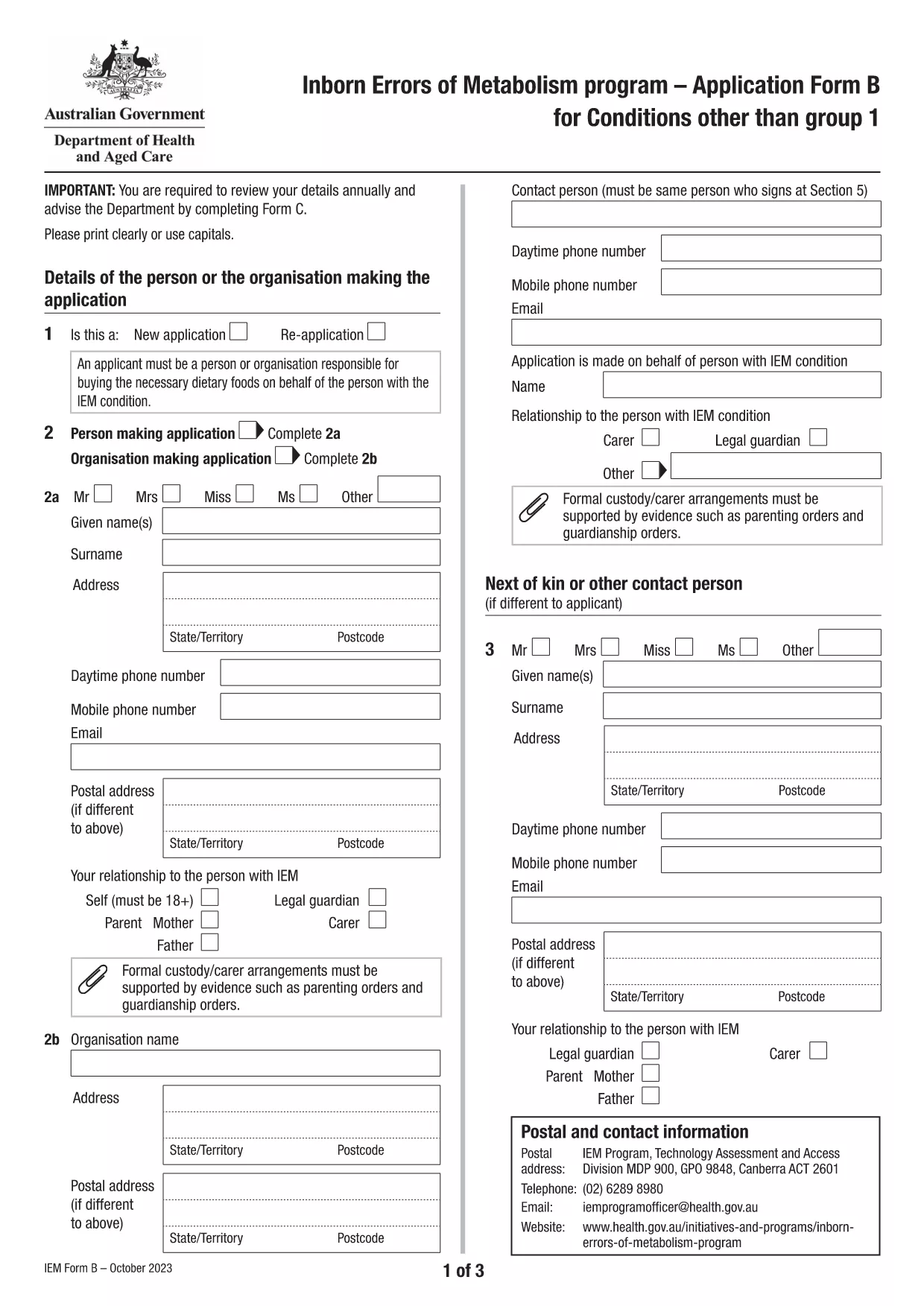
Application Form B is the Australian Government’s official form for individuals with Inborn Errors of Metabolism (excluding Group 1 conditions) who are applying for financial assistance. The form is now available as a fillable PDF that can be completed directly in your browser using the Formize PDF Filler app.

What is Application Form B?

This form collects detailed medical, demographic, and financial information required to assess eligibility for the Inborn Errors of Metabolism (IEM) program. It replaces the older paper‑only version, allowing faster processing and reduced errors.

Who Needs to Use This Form?

  • Patients diagnosed with any IEM condition listed under "Conditions other than Group 1" (e.g., Maple Syrup Urine Disease, Homocystinuria, etc.).
  • Parents or legal guardians applying on behalf of a minor.
  • Healthcare providers assisting a client with the application.

How to Complete the Form Online with Formize

Instead of downloading the PDF and opening a separate editor, simply click the "Fill out this form" button on this page. The Formize PDF Filler will load in a secure window, letting you type directly into each field.

Common Mistakes to Avoid

  • Leaving required fields blank – the filler highlights missing information before you can submit.
  • Using outdated medical terminology – refer to the latest diagnosis code provided by your specialist.
  • Submitting unsigned forms – the digital signature field must be completed before saving.

Download the Fillable PDF

If you prefer the traditional method, you can still download the original PDF from the Australian Department of Health. The file is fully searchable and printable.

Download Application Form B (PDF)

ЧЗВ
  • What conditions are covered by Application Form B?

    Form B is for all Inborn Errors of Metabolism except Group 1 conditions (DHPR, hyperphenylalaninemia, and PKU). A full list is provided on the form itself.

  • Can I submit the form electronically?

    Yes. After completing the fillable PDF with Formize, you can save it and upload the file through the Department of Health’s online portal.

  • Do I need a doctor’s signature?

    A medical practitioner must sign the "Medical Officer’s Confirmation" section. This can be done digitally if the practitioner has a compatible e‑signature tool.

  • How often must I re‑apply?

    Eligibility is reviewed annually. You must submit a new Application Form B each year to continue receiving assistance.

  • Is there a fee to use Formize?

    No. Formize’s online filler is free for all public government PDFs, including Application Form B.

  • What should I do if I make a mistake after saving?

    Open the saved PDF again with Formize, correct the error, and re‑save. Avoid editing the file with non‑fillable PDF editors to prevent corruption.

КАК ДА

Как да попълните Application Form B безплатно онлайн в 5 лесни стъпки:

  1. 1
    Open the online filler
    Click the "Fill out this form" button on the page. The Formize PDF Filler app will open in a new tab.
  2. 2
    Enter your information
    Type directly into each highlighted field. Use the navigation bar at the top to jump between sections.
  3. 3
    Add digital signatures
    When you reach the signature section, click the signature box and follow the prompts to create a secure digital signature.
  4. 4
    Review and save
    Use the built‑in validator to check for missing or incorrect data, then click "Save" to download a completed copy.
  5. 5
    Submit your application
    Print the saved PDF (if required) and mail it to the address listed on the form, or upload it via the Department of Health portal.
Приложение Formize PDF Filler
ОТНОСНО

Application Form B шаблон

С традиционния набор от функции за преглед и попълване на PDF документ, съчетан с предимствата на уеб приложение и адаптивно оформление, можете да завършите Application Form B за минути.

ХАРАКТЕРИСТИКА

PDF пълнител

Най-лесният начин да попълните Application Form B онлайн

  • Бързо попълнете Application Form B
    Търсите начин бързо да попълните Application Form B онлайн? С нашия онлайн безплатен инструмент за попълване на PDF формуляри ще знаете как да редактирате и попълвате този PDF документ за по-малко от минута.
  • Лесен за използване онлайн PDF редактор
    Писнало ви е да разпечатвате PDF файлове, за да можете да ги редактирате, преди да сканирате повторно и да ги изпратите обратно? Редактирайте PDF документи безплатно онлайн. Използвайте нашия онлайн pdf редактор, за да спестите време и хартия.
  • Страхотни инструменти, всички платформи
    Чудите се как да попълните Application Form B на Mac или може би как да използвате PDF пълнител безплатно? Нашите онлайн PDF инструменти работят на всички платформи.
  • Сигурно съхранение на файлове
    Завършените „Application Form B“ файлове се съхраняват в защитена база данни, управлявана от Amazon Cloud хостинг. Можете да изтриете вашите файлове от нашата система по всяко време. Във всеки случай тези файлове се изтриват автоматично след 24 часа.
  • Чат с Application Form B
    Разговаряйте с „Application Form B“ в Chatize, който е безплатен асистент за четене на PDF файлове. Задавайте въпроси и получавайте отговори от „Application Form B“. Просто щракнете върху бутона Чат с документ по-горе.

Изтриване на сесията за пълнене

Изтриване на избраната сесия за пълнене? В този случай вашият напредък в попълването на формуляра ще бъде загубен.

Изтриване на сесия за редактиране

Изтриване на избраната сесия за редактиране? В този случай вашият напредък в създаването и редактирането на формуляра ще бъде загубен.