


Формуляри за наемодатели и/или наематели, за да предложат действие, свързано с договори за наем.
rental application pdf е един от формулярите за наемане, които се отнасят до документите, използвани в процеса на създаване и управление на договор за наем. Тези формуляри обикновено се използват от наемодатели, управители на имоти или наематели, за да очертаят правилата и условията на наемането. Ето някои често срещани форми за наем:
Договор за наем: Договорът за наем, известен още като договор за наем или договор за наем, е правно обвързващ договор между наемодателя и наемателя. Той определя правата и отговорностите на двете страни, включително продължителността на наема, размера на наема, условията за плащане, гаранционния депозит, отговорностите за поддръжка и всякакви други условия, специфични за наема.
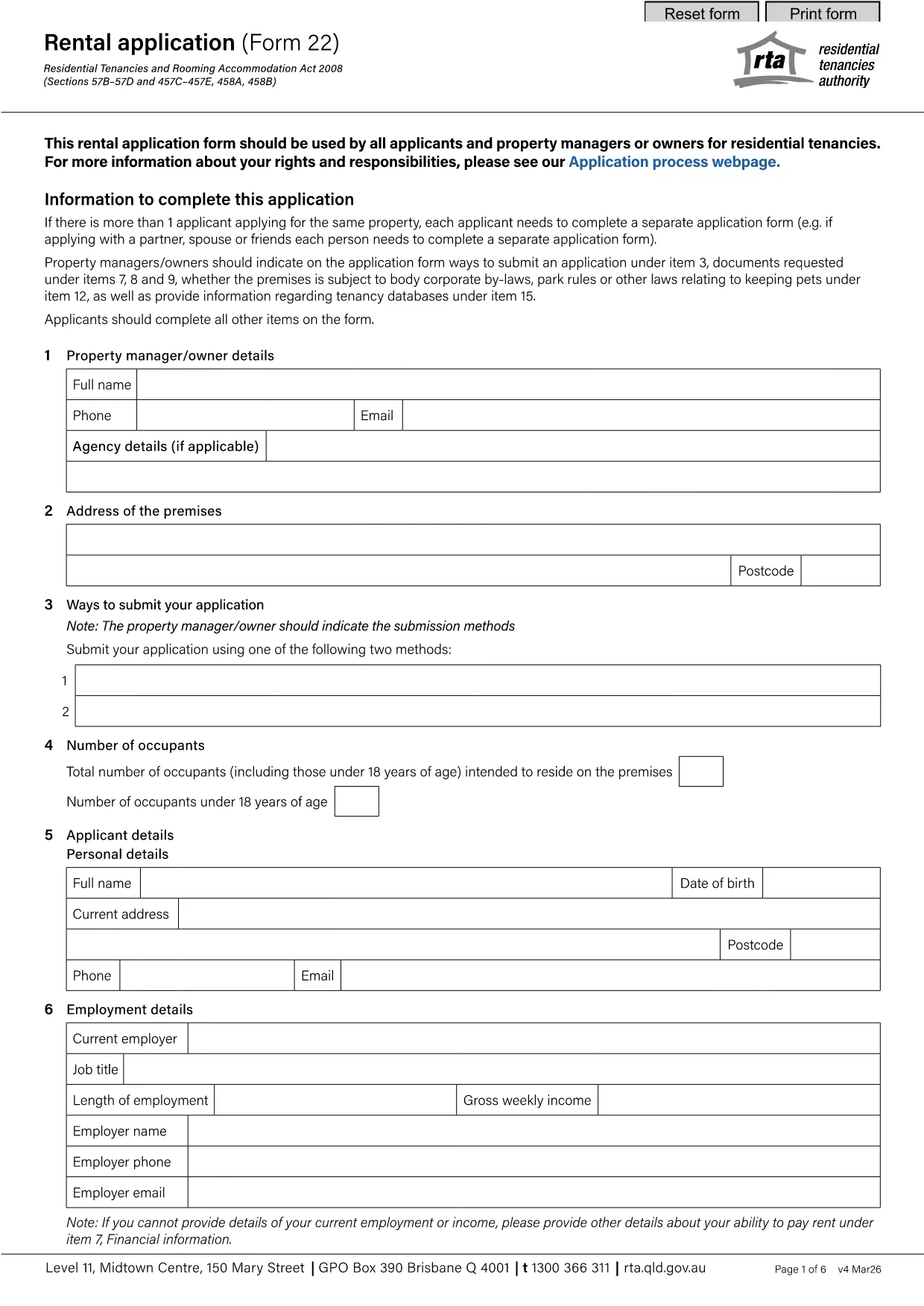
Заявление за наем: Потенциалните наематели обикновено попълват формуляр за заявление за наем, когато кандидатстват за имот под наем. Този формуляр събира лична информация за кандидата, като неговото име, данни за контакт, трудова история, история на наеми и препоръки. Приложението за отдаване под наем помага на наемодателите да оценят пригодността на наемателите и да вземат информирани решения.
Известие за освобождаване: Този формуляр се използва или от наемодателя, или от наемателя, за да предостави уведомление за намерение за прекратяване на наема. Необходимият период на предизвестие може да варира в зависимост от местните закони и условията на договора за наем.
Известие за увеличение на наема: Ако наемодателят възнамерява да увеличи наема по време на наема, той обикновено изпраща известие за увеличение на наема до наемателя. Това известие информира наемателя за предстоящата корекция на наема и е в съответствие със законовите изисквания относно увеличенията на наема.
Формуляри за заявка за поддръжка и ремонт: Тези формуляри позволяват на наемателите да докладват проблеми с поддръжката или ремонта на наемодателя или управителя на имота. Формулярът очертава подробностите за проблема, исканите ремонти и всяка друга подходяща информация.
Съгласие за проверка на миналото или кредитна проверка: Наемодателите могат да изискат от наемателите да попълнят формуляр за съгласие, разрешаващ проверка на миналото или кредитна проверка. Този формуляр позволява на наемодателя да провери миналото, кредитоспособността и историята на наема на наемателя.
Доклад за опис и състояние: Този формуляр се използва за документиране на състоянието на имота под наем в началото и края на наемането. Той описва подробно състоянието на всяка стая и всички съществуващи щети, като гарантира, че и двете страни имат запис на състоянието на имота за разрешаване на спорове относно гаранционни депозити или искове за щети.
Това са някои примери за форми за наем, които обикновено се използват в процеса на наемане. Конкретните форми и изисквания може да варират в зависимост от местните закони и конкретните обстоятелства на наема. Важно е да се консултирате с местните разпоредби и да потърсите професионален съвет, за да гарантирате съответствие и да използвате подходящите формуляри за вашето конкретно споразумение за наем.