
Избери език

Punjab Solemnization of Marriage Form (Fillable PDF)

  1. език Английски хинди
  2. Държава Индия
  3. състояние Пенджаб
  4. Отдел Министерство на вътрешните работи и правосъдието
Попълнете този формуляр
Punjab Solemnization of Marriage Form (Fillable PDF)

Punjab Solemnization of Marriage Form (Fillable PDF)

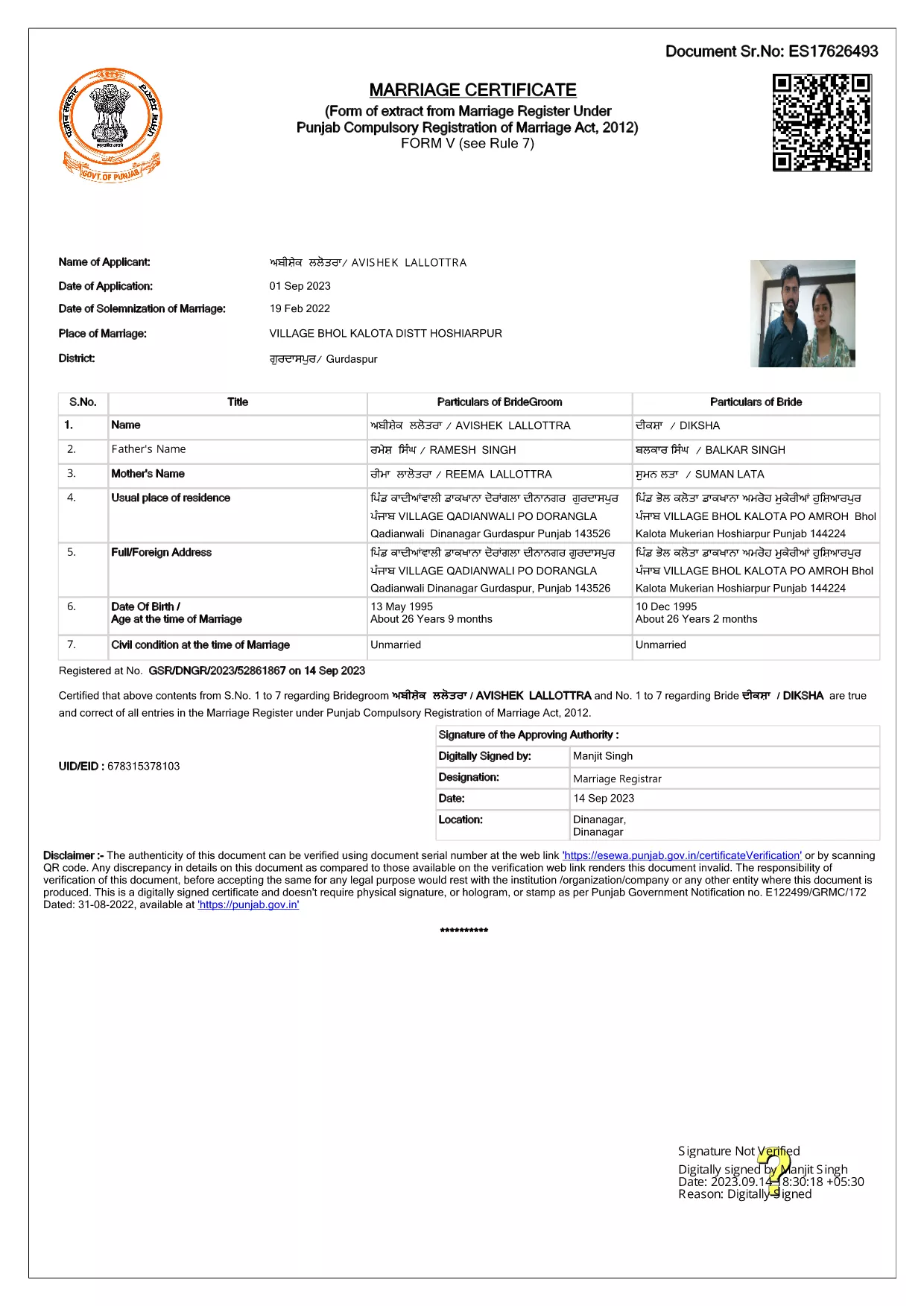
Getting married in Punjab requires you to submit the official Punjab Solemnization of Marriage form. This form records essential details of the bride, groom, and witnesses, and it is mandatory under the Punjab Compulsory Registration of Marriage Act, 2012.

What Is the Punjab Solemnization of Marriage Form?

The form is a government‑issued marriage certificate that captures personal information, parental details, and the date and place of the marriage ceremony. It is the legal proof needed for future documentation such as passport applications, property registration, and visa requests.

How to Fill Out the Form Online with Formize

Instead of printing, printing‑and‑scanning, or using a third‑party PDF editor, you can complete the form directly in your browser:

  1. Click the **"Fill out this form"** button on this page.
  2. Wait a few seconds while the Formize PDF Filler app loads.
  3. Enter the required information in each fillable field. The interface guides you through mandatory sections.
  4. Review your entries, then click **"Save & Download"** to get a completed PDF copy.

Common Mistakes to Avoid When Completing the Form

  • Incorrect spelling of names: Verify the spelling exactly as it appears on official ID documents.
  • Missing witness details: All three witnesses must be fully listed; incomplete entries will cause rejection.
  • Wrong date format: Use DD‑MM‑YYYY as required by the Punjab Registration Department.
  • Leaving optional fields blank: Even optional fields should be filled with "N/A" if not applicable.

Where to Submit the Completed Form

After you have saved the filled PDF, submit it to the nearest Punjab Registration Office or the designated online portal of the Punjab Registration Department. Bring original identity proofs for both parties and witnesses.

Download the Official PDF

Click the button below to download the original, government‑approved PDF. The file is hosted securely and matches the exact layout required by the registration authority.

ЧЗВ
  • Is the Punjab marriage form available in Punjabi?

    The official PDF is printed in English, but you may fill it out in any language. For official submissions, the English version is accepted.

  • Do I need a digital signature?

    A digital signature is not required for the fillable PDF. You must sign the printed copy in the presence of a registrar.

  • Can I edit the form after I download it?

    Yes. The saved PDF remains fully editable with any standard PDF editor, but the Formize filler already lets you complete the form without extra software.

  • How many witnesses are required?

    Three adult witnesses are mandatory. Their full names, addresses, and signatures must be entered in the designated sections.

  • What documents do I need to submit with the form?

    Both parties must provide a valid ID (Aadhar, PAN, or passport), proof of residence, and the original signed marriage certificate.

  • Is there a fee for downloading the PDF?

    No. The PDF is provided free of charge. Any registration fees are paid directly to the Punjab Registration Office.

КАК ДА

Как да попълните Punjab marriage form безплатно онлайн в 4 лесни стъпки:

  1. 1
    Click the Fill‑Out Button
    Press the **"Fill out this form"** button on the page to launch the Formize PDF Filler.
  2. 2
    Wait for the Filler to Load
    The app loads in a few seconds; you’ll see a clean, searchable interface with all form fields highlighted.
  3. 3
    Enter Your Information
    Type the required details for the bride, groom, and witnesses. The filler validates dates and mandatory fields automatically.
  4. 4
    Save and Download
    After reviewing, click **"Save & Download"** to get a completed PDF you can print or submit electronically.
Приложение Formize PDF Filler
ОТНОСНО

Формуляри за кандидатстване на Министерството на външните работи

Punjab marriage form е един от формулярите за кандидатстване на Министерството на външните работи. Министерството на външните работи на Индия предлага различни формуляри за кандидатстване за различни услуги, свързани с външните работи и международните отношения. Някои често срещани формуляри за кандидатстване включват:

Заявление за паспорт: Този формуляр се използва за кандидатстване за индийски паспорт. Той събира лични данни като име, адрес, дата на раждане и националност.

Заявление за отвъдморско гражданство на Индия (OCI): Този формуляр се използва за кандидатстване за статут на OCI, което позволява на лица от индийски произход да живеят и работят в Индия за неопределено време. Той събира лични данни, включително доказателство за индийски произход.

Заявление за виза: Този формуляр се използва за кандидатстване за виза за пътуване до чужда държава. Той събира лични данни, информация за пътуване и целта на пътуването.

Заявление за разрешение за емиграция: Този формуляр се използва от лица, които търсят разрешение за емиграция за работа в определени страни. Той събира лична информация и подробности за заетостта.

Заявление за атестация: Този формуляр се използва за кандидатстване за атестация на различни документи, като удостоверения за образование, свидетелства за брак и търговски документи. Той събира подробности за документа, който трябва да бъде удостоверен, и целта на удостоверяването.

Заявление за консулски услуги: Този формуляр се използва за различни консулски услуги, включително издаване на спешни сертификати, помощ за индийски граждани в чужбина и регистрация на индийски граждани. Необходимите конкретни подробности зависят от естеството на исканата услуга.

ХАРАКТЕРИСТИКА

PDF пълнител

Най-лесният начин да попълните Punjab marriage form онлайн

  • Бързо попълнете Punjab marriage form
    Търсите начин бързо да попълните Punjab marriage form онлайн? С нашия онлайн безплатен инструмент за попълване на PDF формуляри ще знаете как да редактирате и попълвате този PDF документ за по-малко от минута.
  • Лесен за използване онлайн PDF редактор
    Писнало ви е да разпечатвате PDF файлове, за да можете да ги редактирате, преди да сканирате повторно и да ги изпратите обратно? Редактирайте PDF документи безплатно онлайн. Използвайте нашия онлайн pdf редактор, за да спестите време и хартия.
  • Страхотни инструменти, всички платформи
    Чудите се как да попълните Punjab marriage form на Mac или може би как да използвате PDF пълнител безплатно? Нашите онлайн PDF инструменти работят на всички платформи.
  • Сигурно съхранение на файлове
    Завършените „Punjab marriage form“ файлове се съхраняват в защитена база данни, управлявана от Amazon Cloud хостинг. Можете да изтриете вашите файлове от нашата система по всяко време. Във всеки случай тези файлове се изтриват автоматично след 24 часа.
  • Чат с Punjab marriage form
    Разговаряйте с „Punjab marriage form“ в Chatize, който е безплатен асистент за четене на PDF файлове. Задавайте въпроси и получавайте отговори от „Punjab marriage form“. Просто щракнете върху бутона Чат с документ по-горе.

Изтриване на сесията за пълнене

Изтриване на избраната сесия за пълнене? В този случай вашият напредък в попълването на формуляра ще бъде загубен.

Изтриване на сесия за редактиране

Изтриване на избраната сесия за редактиране? В този случай вашият напредък в създаването и редактирането на формуляра ще бъде загубен.