
QCU application form шаблон
С традиционния набор от функции за преглед и попълване на PDF документ, съчетан с предимствата на уеб приложение и адаптивно оформление, можете да завършите QCU application form за минути.


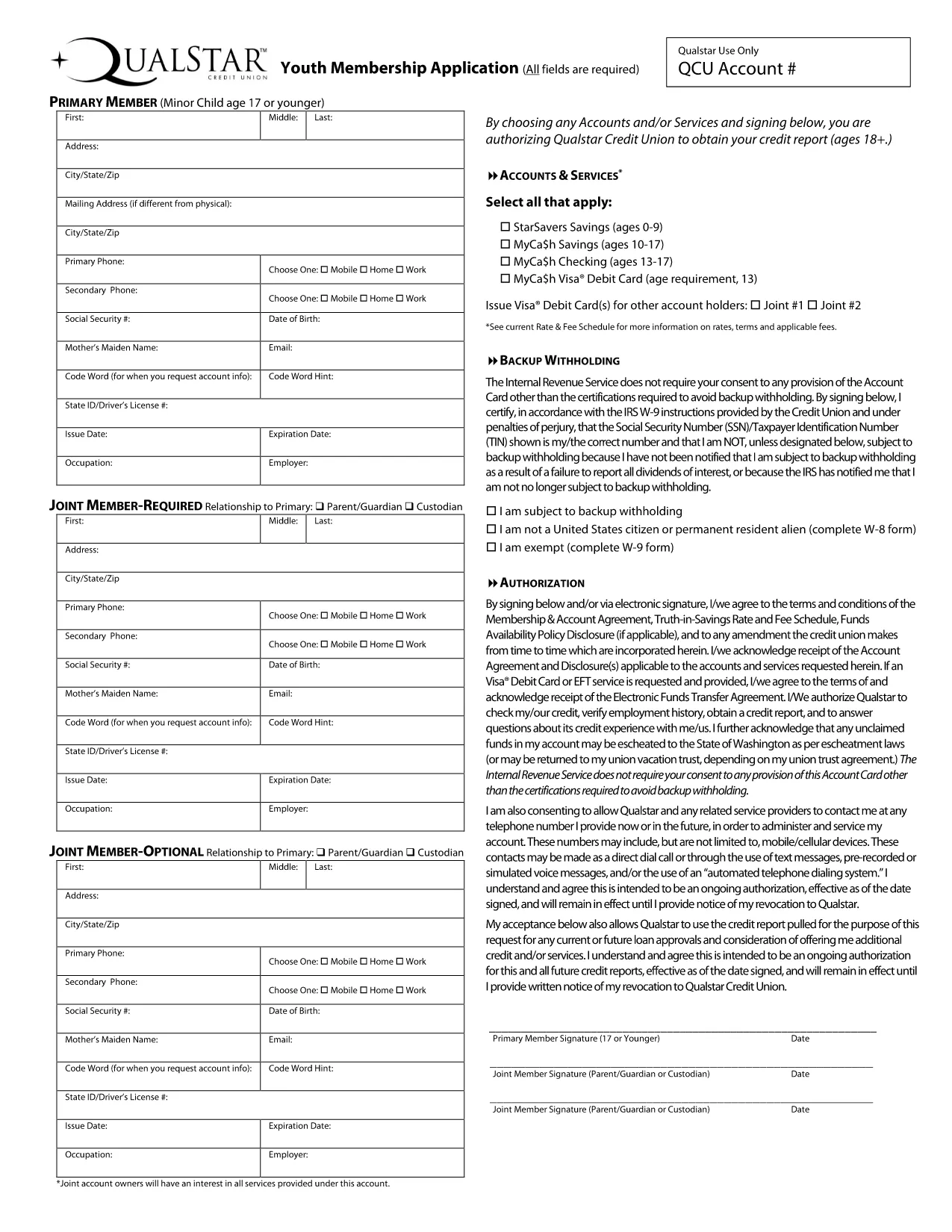
Looking for the QCU Youth Membership Application in a fast, secure, and completely fillable format? You’ve come to the right place. This page lets you open, complete, and submit the credit union’s youth membership form without installing any PDF editor.
The QCU (Qualstar Credit Union) youth membership form is used by students ages 13‑18 to join the credit union, gain access to a savings account, and start building financial habits early. The form collects basic personal information, parent/guardian details, and a signature to comply with IRS backup‑withholding rules.
Instead of downloading the PDF and searching for a desktop editor, simply click the “Fill out this form” button below. The Formize PDF Filler app will load in your browser, letting you type, select dates, and sign directly on the page.
Even with a fillable PDF, a few simple errors can delay processing:
If you prefer to work offline, you can still download the original fillable PDF. Click the link below to get the official QCU Youth Membership Application.
The form is designed for individuals ages 13 through 18 who want to open a youth savings account at QCU.
No. The application is the first step to open an account. You can complete it before becoming a member.
Yes. Formize uses HTTPS encryption, and the data never leaves your browser unless you choose to submit or download the completed PDF.
While using the online filler, you can download a partially completed PDF at any time and resume later on any device.
Typically a copy of the minor’s ID and a parent/guardian’s ID are required. Attach them when you submit the completed PDF to QCU.
Contact QCU’s membership services within 24 hours. They can guide you on whether a corrected form is needed.
No. Both the downloadable PDF and the online Formize filler are completely free.
No. The PDF is fillable in any modern browser, and the Formize tool works without Adobe Acrobat.
С традиционния набор от функции за преглед и попълване на PDF документ, съчетан с предимствата на уеб приложение и адаптивно оформление, можете да завършите QCU application form за минути.
Най-лесният начин да попълните QCU application form онлайн
Изтриване на сесията за пълнене
Изтриване на сесия за редактиране