
Избери език

Increase Threshold Limit Form – Fillable PDF

  1. Държава САЩ
  2. език Английски
  3. Дейност Данъци
  4. Отдел IRS
Increase Threshold Limit Form – Fillable PDF

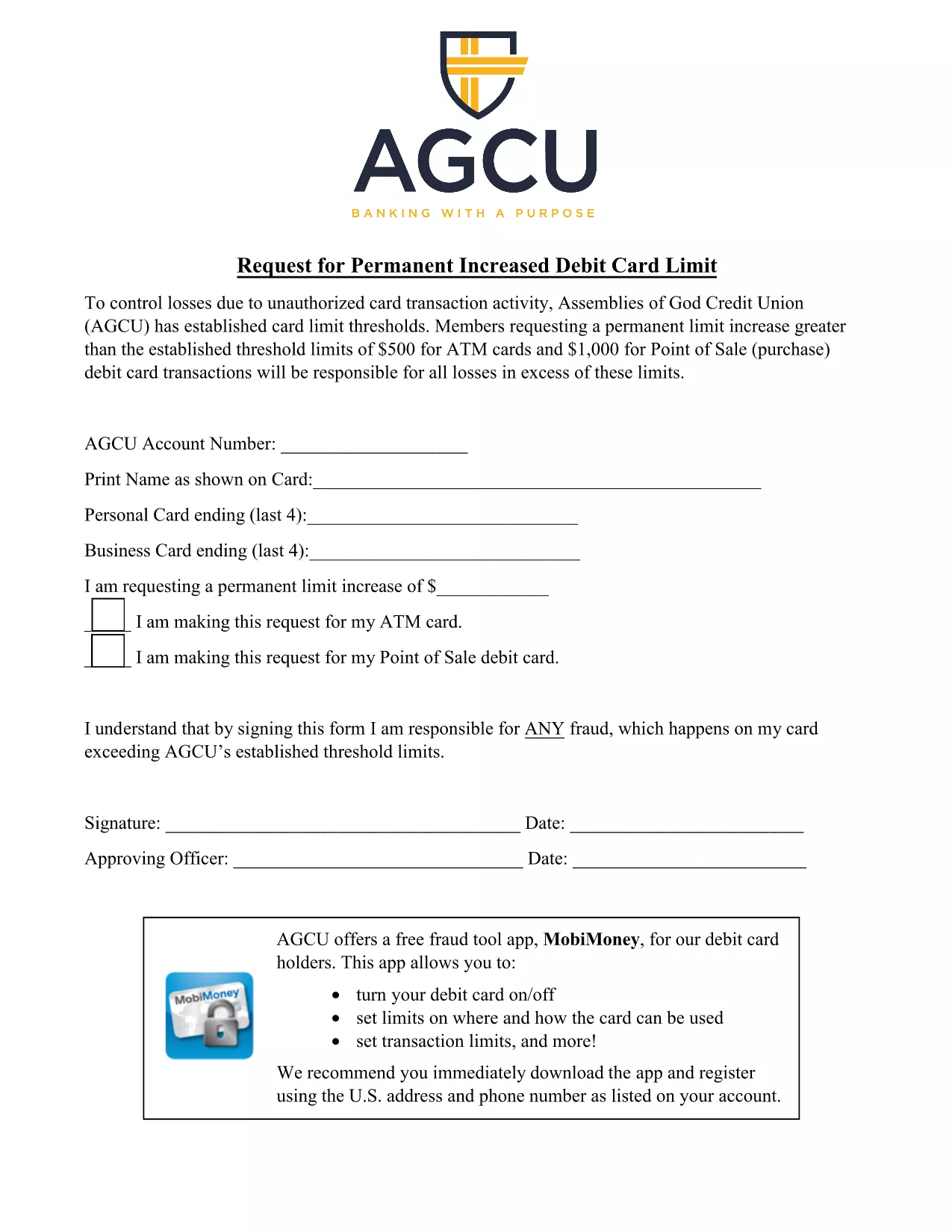
Need to raise the spending limit on your debit or credit account? The Increase Threshold Limit Form is a standard request used by banks, credit unions, and financial institutions to evaluate and approve higher transaction limits for members.

This fillable PDF is hosted on Formize.com, so you can complete it directly in your browser—no extra software required. Below you’ll find everything you need to know about the form, step‑by‑step instructions, and tips to avoid common errors.

What Is an Increase Threshold Limit Form?

The form captures essential information such as your account number, current limit, desired new limit, and a brief justification for the increase. Financial institutions use this data to assess risk, verify income, and ensure compliance with regulatory limits.

How to Fill Out the Form Online

Simply click the "Fill out this form" button on this page. The Formize PDF Filler app will load the document, allowing you to type directly into each field.

Common Mistakes to Avoid

  • Leaving required fields blank – the form won’t save until all mandatory sections are completed.
  • Providing an inaccurate account number – double‑check the number on your statement.
  • Submitting a justification that’s too vague – explain why a higher limit is needed (e.g., upcoming travel, larger purchases).
  • Using an outdated signature image – upload a clear, current signature if the form requires one.

Where to Submit the Completed Form

After you finish, you can either:

  • Download the signed PDF and email it to your bank’s credit‑limit department.
  • Use the secure upload link provided by your institution (if available).

Keep a copy for your records in case the institution requests additional documentation.

ЧЗВ
  • Do I need Adobe Acrobat to fill out this form?

    No. The Formize PDF Filler works in any modern browser, so you can complete the form without installing additional software.

  • Can I save my progress and finish later?

    Yes. Use the "Save" option in the filler to download a partially completed PDF, then reopen it later with Formize.

  • What information is required?

    You’ll need your account number, current limit, the new limit you’re requesting, and a brief reason for the increase.

  • Is my data secure?

    Formize uses SSL encryption for all data transmitted between your browser and our servers, ensuring your personal information stays protected.

  • How long does approval usually take?

    Processing time varies by institution, but most banks review limit increase requests within 1‑3 business days.

  • Can I request a limit increase for multiple accounts on one form?

    Each account requires its own separate Increase Threshold Limit Form. Submit a separate PDF for each account you wish to modify.

КАК ДА

Как да попълните increase threshold limit form безплатно онлайн в 5 лесни стъпки:

  1. 1
    Click the Fill Out Button
    Press the "Fill out this form" button on the page to launch the Formize PDF Filler.
  2. 2
    Wait for the Filler to Load
    The app loads the PDF in your browser; this may take a few seconds depending on your connection.
  3. 3
    Enter Your Information
    Complete each required field – account number, current limit, requested limit, and justification.
  4. 4
    Review and Sign
    Double‑check all entries, add your electronic signature if needed, and save the changes.
  5. 5
    Submit or Download
    Choose to download the finished PDF for email submission, or follow your institution’s secure upload instructions.
Приложение Formize PDF Filler
ОТНОСНО

Федерални данъчни формуляри

increase threshold limit form е един от федералните данъчни формуляри, които са документи, използвани за отчитане и подаване на федерални данъци върху доходите в Службата за вътрешни приходи (IRS) в Съединените щати. Тези формуляри се използват от физически лица, фирми и организации за отчитане на техния доход, удръжки и друга подходяща информация, необходима за изчисляване на техните федерални данъчни задължения.

Най-често използваният федерален данъчен формуляр е формуляр 1040, който се използва от отделни данъкоплатци за отчитане на техния данък върху личните доходи. Други често използвани формуляри включват формуляр 1065 за партньорства, Формуляр 1120 за корпорации и Формуляр 990 за освободени от данъци организации.

Федералните данъчни формуляри обикновено изискват от данъкоплатците да докладват различни източници на доходи, като заплати, заплати и бакшиши, както и доходи от инвестиции, имоти под наем и други източници. Формулярите също така позволяват на данъкоплатците да поискат удръжки и кредити за различни разходи, като благотворителни вноски, ипотечни лихви и разходи за здравеопазване.

Важно е да подадете федерални данъчни формуляри точно и навреме, тъй като ако не го направите, това може да доведе до неустойки и лихви от IRS.

ХАРАКТЕРИСТИКА

PDF пълнител

Най-лесният начин да попълните increase threshold limit form онлайн

  • Бързо попълнете increase threshold limit form
    Търсите начин бързо да попълните increase threshold limit form онлайн? С нашия онлайн безплатен инструмент за попълване на PDF формуляри ще знаете как да редактирате и попълвате този PDF документ за по-малко от минута.
  • Лесен за използване онлайн PDF редактор
    Писнало ви е да разпечатвате PDF файлове, за да можете да ги редактирате, преди да сканирате повторно и да ги изпратите обратно? Редактирайте PDF документи безплатно онлайн. Използвайте нашия онлайн pdf редактор, за да спестите време и хартия.
  • Страхотни инструменти, всички платформи
    Чудите се как да попълните increase threshold limit form на Mac или може би как да използвате PDF пълнител безплатно? Нашите онлайн PDF инструменти работят на всички платформи.
  • Сигурно съхранение на файлове
    Завършените „increase threshold limit form“ файлове се съхраняват в защитена база данни, управлявана от Amazon Cloud хостинг. Можете да изтриете вашите файлове от нашата система по всяко време. Във всеки случай тези файлове се изтриват автоматично след 24 часа.
  • Чат с increase threshold limit form
    Разговаряйте с „increase threshold limit form“ в Chatize, който е безплатен асистент за четене на PDF файлове. Задавайте въпроси и получавайте отговори от „increase threshold limit form“. Просто щракнете върху бутона Чат с документ по-горе.

Изтриване на сесията за пълнене

Изтриване на избраната сесия за пълнене? В този случай вашият напредък в попълването на формуляра ще бъде загубен.

Изтриване на сесия за редактиране

Изтриване на избраната сесия за редактиране? В този случай вашият напредък в създаването и редактирането на формуляра ще бъде загубен.