Избери език

Fillable Form G‑325A (Biographic Information) – Download & Complete Online

  1. език Английски
  2. Държава САЩ
  3. Дейност Имиграция
  4. Отдел USCIS
Fillable Form G‑325A (Biographic Information) – Download & Complete Online

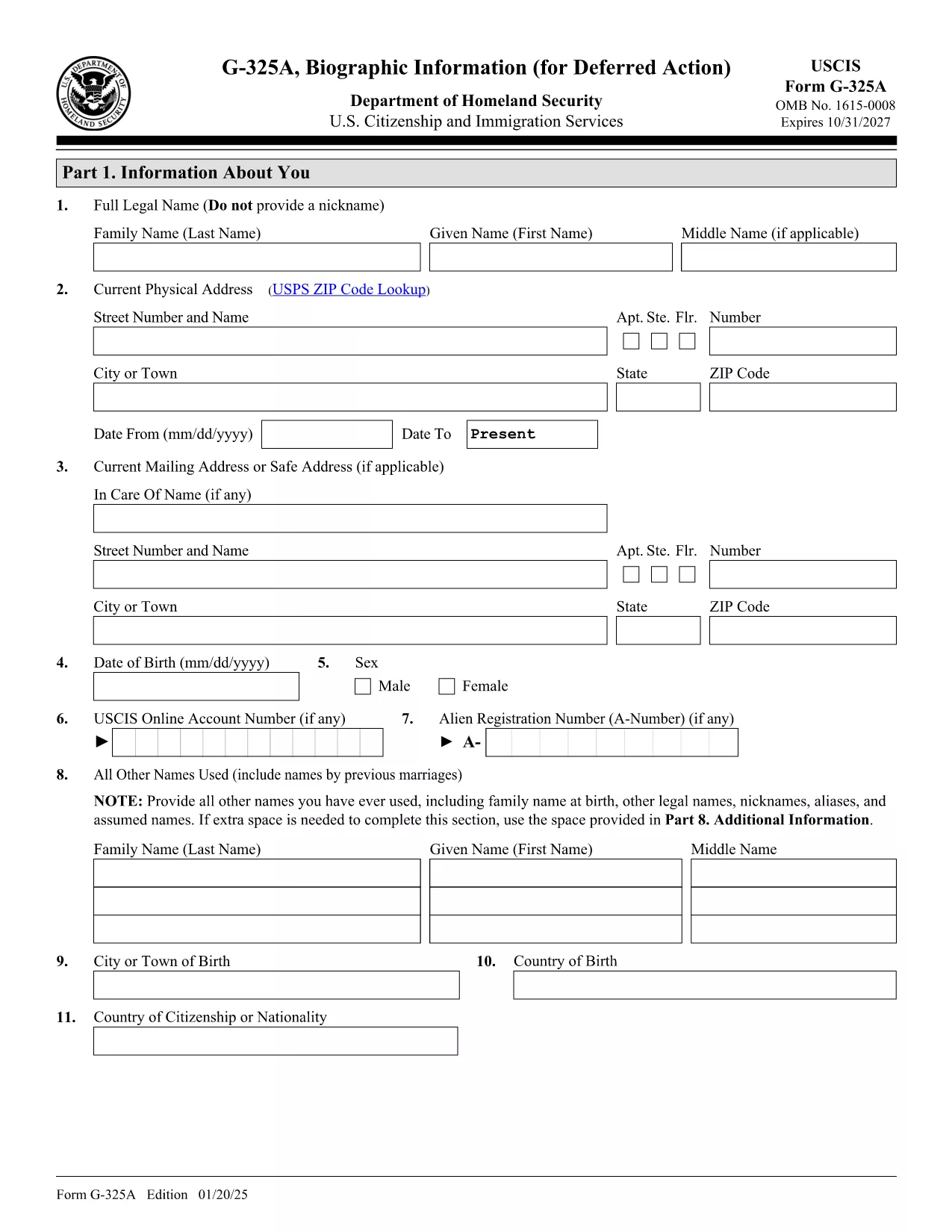
Form G‑325A is the USCIS biographic information sheet used for deferred‑action requests, certain military‑related applications, and other immigration filings. The official version is available as a fillable PDF, which you can complete directly in your browser with Formize’s PDF Filler – no extra software required.

What Is Form G‑325A?

The G‑325A collects personal details such as name, date of birth, citizenship, residence history, employment, and family relationships. It is often filed alongside petitions like Form I‑765 (Employment Authorization) or as part of a deferred‑action request.

When Do You Need to Submit Form G‑325A?

  • Deferred‑action requests for eligible military members, veterans, or their families.
  • Applications that require a detailed biographic record (e.g., certain waivers or humanitarian petitions).
  • Any USCIS filing that specifically asks for the G‑325A form.

How to Fill Out the Fillable PDF on Formize

Follow these simple steps to complete the form online:

  1. Click the "Fill out this form" button on this page.
  2. Wait a few seconds while the Formize PDF Filler app loads the fillable G‑325A.
  3. Enter your information in each field. The form automatically saves your entries.
  4. When you’re finished, click Download to save the completed PDF or Print to submit a hard copy.

Common Mistakes to Avoid

  • Leaving the signature box blank: USCIS rejects any unsigned form.
  • Using an outdated edition: Always use the latest PDF (edition date 01/20/25).
  • Mismatched page numbers or missing pages: Ensure all pages are present and in order.
  • Incorrect date formats: Use MM/DD/YY as required by USCIS.

Where to Submit the Completed Form

After completing the fillable PDF, mail it to the appropriate USCIS address listed in your specific application instructions. The form itself does not have a filing fee, but any associated petitions may require payment.

Need more guidance? Review the official Form G‑325A PDF and USCIS filing tips before sending your package.

ЧЗВ
  • Is Form G‑325A required for every immigration filing?

    No. Only the applications that specifically request the G‑325A (such as deferred‑action petitions or certain waivers) need it.

  • Can I edit the PDF after I download it?

    Yes, but using the Formize online filler is recommended because it preserves the fillable fields and reduces errors.

  • Do I need to sign the form electronically?

    USCIS requires a handwritten signature on the printed form. After completing the PDF, print it, sign in the designated box, and mail it.

  • What edition of the form should I use?

    Always use the latest edition. The current edition date is 01/20/25 and is available via the official PDF link on this page.

  • Is there a filing fee for Form G‑325A?

    The G‑325A itself has no fee, but any accompanying petition (e.g., Form I‑765) may have a separate filing fee.

  • Can I submit the form electronically?

    USCIS generally requires a paper submission for G‑325A, unless the specific filing instructions allow electronic filing.

  • What should I do if I make a mistake after printing?

    Cross out the error neatly, initial the change, and fill in the correct information. If the mistake is extensive, start a new PDF.

  • Where can I find the official instructions for Form G‑325A?

    The instructions are included in the same PDF package on the USCIS website; you can download them from the link provided above.

КАК ДА

Как да попълните Form G-325A безплатно онлайн в 4 лесни стъпки:

  1. 1
    Open the Fillable Form
    Click the "Fill out this form" button on this page to launch the Formize PDF Filler.
  2. 2
    Load the PDF
    Wait a few seconds while the fillable G‑325A PDF loads in the browser.
  3. 3
    Enter Your Information
    Complete each section—personal data, residence history, employment, and family details—using the on‑screen fields.
  4. 4
    Save or Print
    When finished, click "Download" to save the completed PDF or "Print" to submit a hard‑copy to USCIS.
Приложение Formize PDF Filler
ОТНОСНО

Form G-325A шаблон

С традиционния набор от функции за преглед и попълване на PDF документ, съчетан с предимствата на уеб приложение и адаптивно оформление, можете да завършите Form G-325A за минути.

ХАРАКТЕРИСТИКА

PDF пълнител

Най-лесният начин да попълните Form G-325A онлайн

  • Бързо попълнете Form G-325A
    Търсите начин бързо да попълните Form G-325A онлайн? С нашия онлайн безплатен инструмент за попълване на PDF формуляри ще знаете как да редактирате и попълвате този PDF документ за по-малко от минута.
  • Лесен за използване онлайн PDF редактор
    Писнало ви е да разпечатвате PDF файлове, за да можете да ги редактирате, преди да сканирате повторно и да ги изпратите обратно? Редактирайте PDF документи безплатно онлайн. Използвайте нашия онлайн pdf редактор, за да спестите време и хартия.
  • Страхотни инструменти, всички платформи
    Чудите се как да попълните Form G-325A на Mac или може би как да използвате PDF пълнител безплатно? Нашите онлайн PDF инструменти работят на всички платформи.
  • Сигурно съхранение на файлове
    Завършените „Form G-325A“ файлове се съхраняват в защитена база данни, управлявана от Amazon Cloud хостинг. Можете да изтриете вашите файлове от нашата система по всяко време. Във всеки случай тези файлове се изтриват автоматично след 24 часа.
  • Чат с Form G-325A
    Разговаряйте с „Form G-325A“ в Chatize, който е безплатен асистент за четене на PDF файлове. Задавайте въпроси и получавайте отговори от „Form G-325A“. Просто щракнете върху бутона Чат с документ по-горе.

Изтриване на сесията за пълнене

Изтриване на избраната сесия за пълнене? В този случай вашият напредък в попълването на формуляра ще бъде загубен.

Изтриване на сесия за редактиране

Изтриване на избраната сесия за редактиране? В този случай вашият напредък в създаването и редактирането на формуляра ще бъде загубен.