
šablona online registration form
S tradiční sadou funkcí pro prohlížení a vyplňování dokumentu PDF v kombinaci s výhodami webové aplikace a responzivního rozvržení zvládnete online registration form dokončit během několika minut.


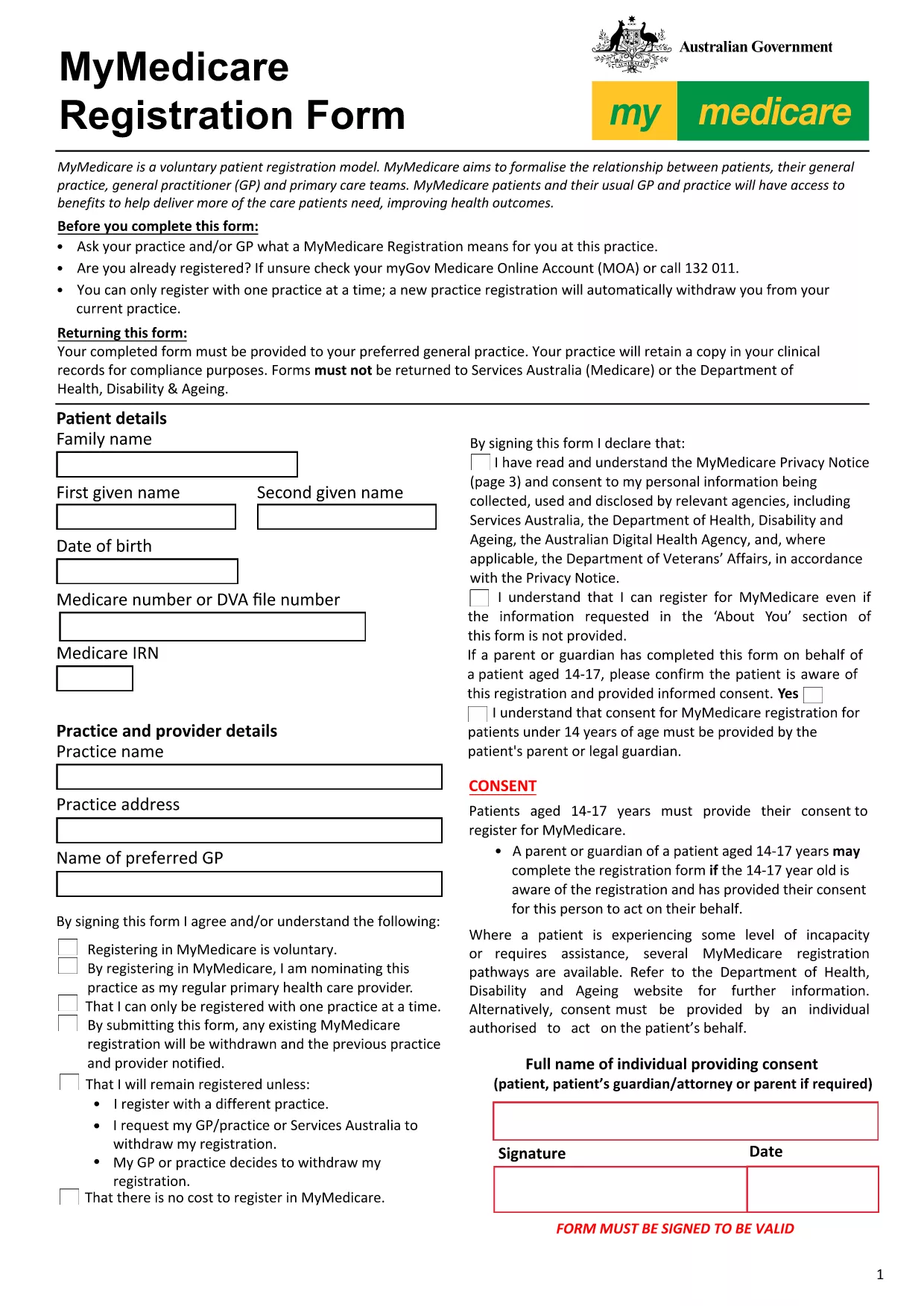
Looking for a quick way to complete an online registration form? Our fillable PDF version of the MyMedicare Registration Form lets you enter information directly in your browser, save your progress, and download a ready‑to‑submit document.
Follow these simple steps to complete the form without downloading any software:
After you finish, you can download the filled PDF and either print it for a hard‑copy submission or upload it directly to the relevant government portal. The file remains fully compliant with the original MyMedicare specifications.
No. The Formize PDF Filler works directly in your browser, so no additional software is required.
Yes. Use the "Save Draft" button to download a partially completed PDF, then reopen it later with the filler.
All data stays on your device. Formize does not store or transmit your information unless you choose to upload it.
Open the saved PDF again with the Formize filler, correct the fields, and re‑save the document.
Absolutely. After downloading, you can print the PDF for a hard‑copy submission.
S tradiční sadou funkcí pro prohlížení a vyplňování dokumentu PDF v kombinaci s výhodami webové aplikace a responzivního rozvržení zvládnete online registration form dokončit během několika minut.
Nejjednodušší způsob, jak vyplnit online registration form online
Smazat relaci plnění
Smazat relaci úprav