
Zvolte jazyk

RTB-27 Condition Inspection Report – Fillable PDF

  1. Jazyk Angličtina
  2. Země Kanada
  3. Aktivita Nájem
  4. Stát Britská Kolumbie
RTB-27 Condition Inspection Report – Fillable PDF

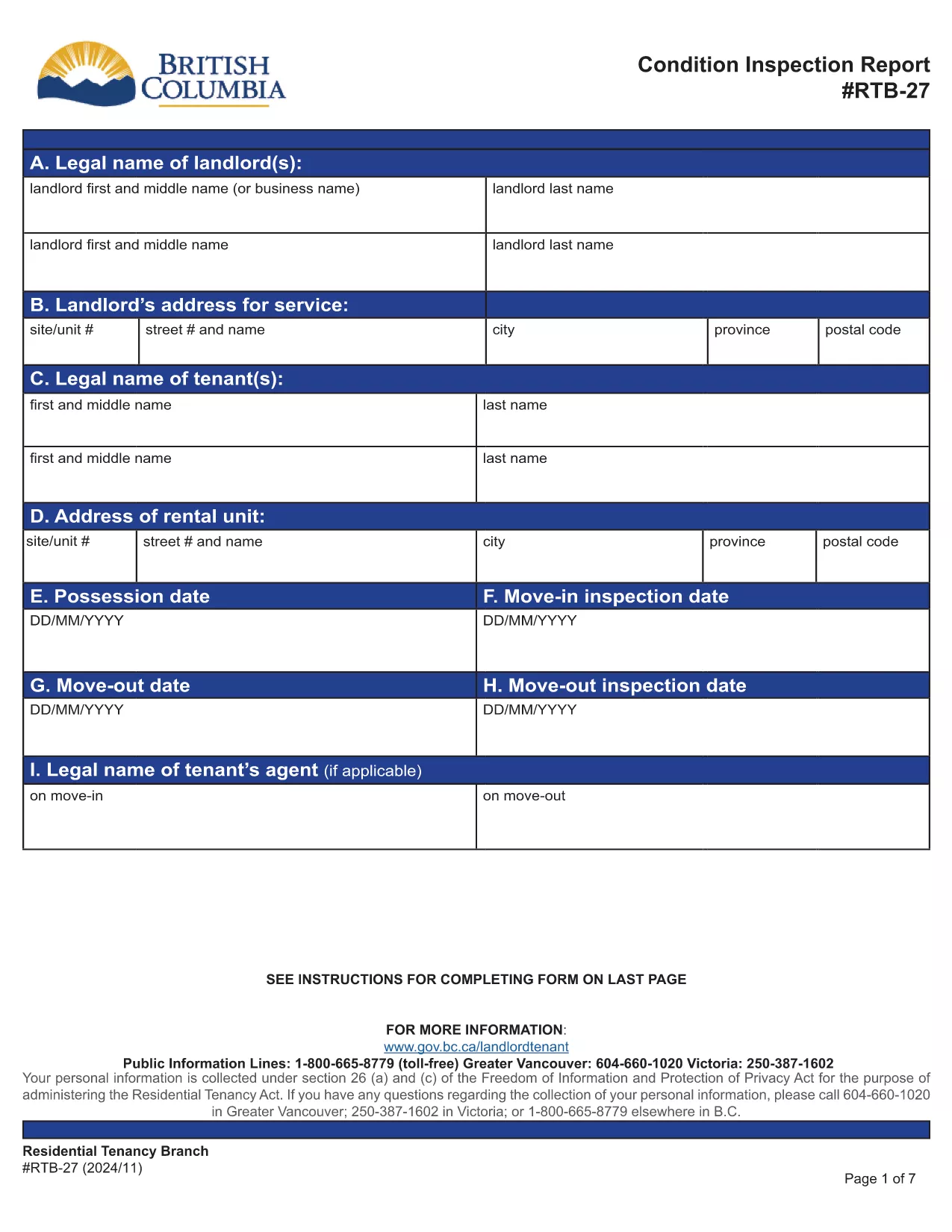
The RTB-27 Condition Inspection Report is the standard form used in British Columbia for documenting the condition of a rental unit at the start and end of a tenancy. Landlords and tenants rely on this form to settle security‑deposit disputes and to meet the requirements of the Residential Tenancy Regulation (Part 3, sections 19 & 20).

What Is the RTB-27 Form?

RTB‑27 captures details such as:

  • Legal names and addresses of landlord and tenant
  • Property address and unit number
  • Move‑in and move‑out inspection dates
  • Room‑by‑room condition notes and signatures

The form must be signed by both parties and kept for the duration of the tenancy.

How to Fill Out the RTB-27 Online

Instead of downloading the PDF to a desktop editor, simply click the "Fill out this form" button on this page. The Formize PDF Filler app will load the official RTB‑27 document, allowing you to:

  • Enter text directly into each field
  • Navigate with tab or mouse clicks
  • Save your progress at any time
  • Download a completed, printable PDF

Common Mistakes to Avoid

  • Leaving fields blank: Every field marked with an asterisk (*) is required.
  • Using vague descriptions: Be specific about any damage or wear.
  • Signing before both parties review: Both landlord and tenant must sign after the inspection.
  • Submitting the wrong version: Use the official PDF linked below to ensure compliance.

Where to Submit the Completed Form

After both signatures are added, keep a copy for your records and provide the original to the other party. If a dispute arises, the completed RTB‑27 can be used as evidence in Residential Tenancy Branch proceedings.

Download the Official PDF

The form below is the exact version required by the BC Residential Tenancy Branch. Click here to view the official PDF.

FAQ
  • Is the RTB‑27 form required for every rental in BC?

    Yes, the Residential Tenancy Regulation requires a condition inspection report for all new tenancy agreements and for any tenancy that ends.

  • Can I use a scanned copy of the RTB‑27 instead of the fillable PDF?

    A scanned copy is accepted only if all fields are clearly legible and signatures are present. Using the fillable PDF ensures compliance and reduces errors.

  • What happens if I forget to sign the RTB‑27?

    Both parties must sign. If a signature is missing, the form is considered incomplete and may not be admissible in a dispute.

  • Do I need to submit the RTB‑27 to the Residential Tenancy Branch?

    No, you keep a copy for your records and give the original to the other party. Submit it only if a dispute is taken to the Branch.

  • Can I edit the form after I have downloaded the completed PDF?

    Once downloaded, the PDF is no longer editable. Make all changes in the Formize filler before you save and download the final version.

  • Is there a fee to use the Formize PDF Filler for RTB‑27?

    No, the online filler is free to use for this form.

  • What version of the RTB‑27 should I use?

    Always use the latest official version provided by the BC government, which is linked on this page.

JAK

Jak zdarma vyplnit RTB-27 online v 5 jednoduchých krocích:

  1. 1
    Click the Fill Out Button
    Press the "Fill out this form" button on the page to launch the Formize PDF Filler.
  2. 2
    Wait for the Filler to Load
    The official RTB‑27 PDF will appear in the browser. Loading usually takes a few seconds.
  3. 3
    Enter All Required Information
    Complete each field, following the on‑screen prompts. Use the tab key to move quickly between fields.
  4. 4
    Save and Review
    Click the Save button to store your progress. Review the form for completeness and accuracy.
  5. 5
    Download or Print the Completed Form
    When finished, download the filled PDF or print it directly for signatures.
Aplikace Formize PDF Filler
O

Formuláře pro pronajímatele a/nebo nájemce k navrhování akcí souvisejících s nájemními smlouvami.

RTB-27 je typ smluv o nájmu obytných prostor, který používá většina soukromých pronajímatelů a bytových družstev.

Existuje řada záležitostí, ve kterých musí majitelé nebo nájemci dodržovat určitá pravidla stanovená v předpisech. V některých případech může být nutné, aby vyplnili formulář, nazývaný „předepsaný formulář“, který navrhuje akci, která může ovlivnit druhou stranu nájemní smlouvy.

Formuláře se nazývají předepsané formuláře, protože znění v nich bylo pečlivě navrženo tak, aby bylo zajištěno, že osoba, která formulář vyplňuje, a osoba, které je formulář doručován, rozumí tomu, co je navrhováno a co mohou v reakci udělat. Neposkytnutí správného formuláře může zneplatnit navrhovanou akci.

Nesmíte měnit znění v těchto formulářích, pokud to formulář neuvádí. Pokud znění změníte, formulář může být neplatný. Musíte také dodržet veškeré výpovědní lhůty uvedené ve formuláři.

FUNKCE

PDF Filler

Nejjednodušší způsob, jak vyplnit RTB-27 online

  • Rychle vyplňte RTB-27
    Hledáte způsob, jak rychle vyplnit RTB-27 online? S naším online bezplatným vyplňováním formulářů PDF budete vědět, jak upravit a vyplnit tento dokument PDF za méně než minutu.
  • Snadno použitelný online editor PDF
    Už vás nebaví tisknout soubory PDF, abyste je mohli upravovat, než je znovu naskenujete a odešlete zpět? Upravujte dokumenty PDF zdarma online. Použijte náš online editor PDF, abyste ušetřili čas a papír.
  • Skvělé nástroje, všechny platformy
    Zajímá vás, jak vyplnit RTB-27 na Macu, nebo možná jak používat PDF filler zdarma? Naše online nástroje PDF fungují na všech platformách.
  • Bezpečné ukládání souborů
    Dokončené soubory „RTB-27“ jsou uloženy v zabezpečené databázi spravované hostingem Amazon Cloud. Své soubory můžete z našeho systému kdykoli smazat. V každém případě jsou tyto soubory po 24 hodinách automaticky smazány.
  • Chat s RTB-27
    Chatujte s „RTB-27“ na Chatize, což je bezplatný pomocník pro čtení PDF. Ptejte se a získejte odpovědi z „RTB-27“. Stačí kliknout na tlačítko Chat with Document výše.

Smazat relaci plnění

Smazat vybranou relaci plnění? V takovém případě bude váš postup při vyplňování formuláře ztracen.

Smazat relaci úprav

Smazat vybranou relaci úprav? V tomto případě bude váš postup při vytváření a úpravách formuláře ztracen.