
Zvolte jazyk

Punjab Solemnization of Marriage Form (Fillable PDF)

  1. Jazyk Angličtina hindština
  2. Země Indie
  3. Stát Paňdžáb
  4. oddělení Ministerstvo vnitra a spravedlnosti
Vyplňte tento formulář
Punjab Solemnization of Marriage Form (Fillable PDF)

Punjab Solemnization of Marriage Form (Fillable PDF)

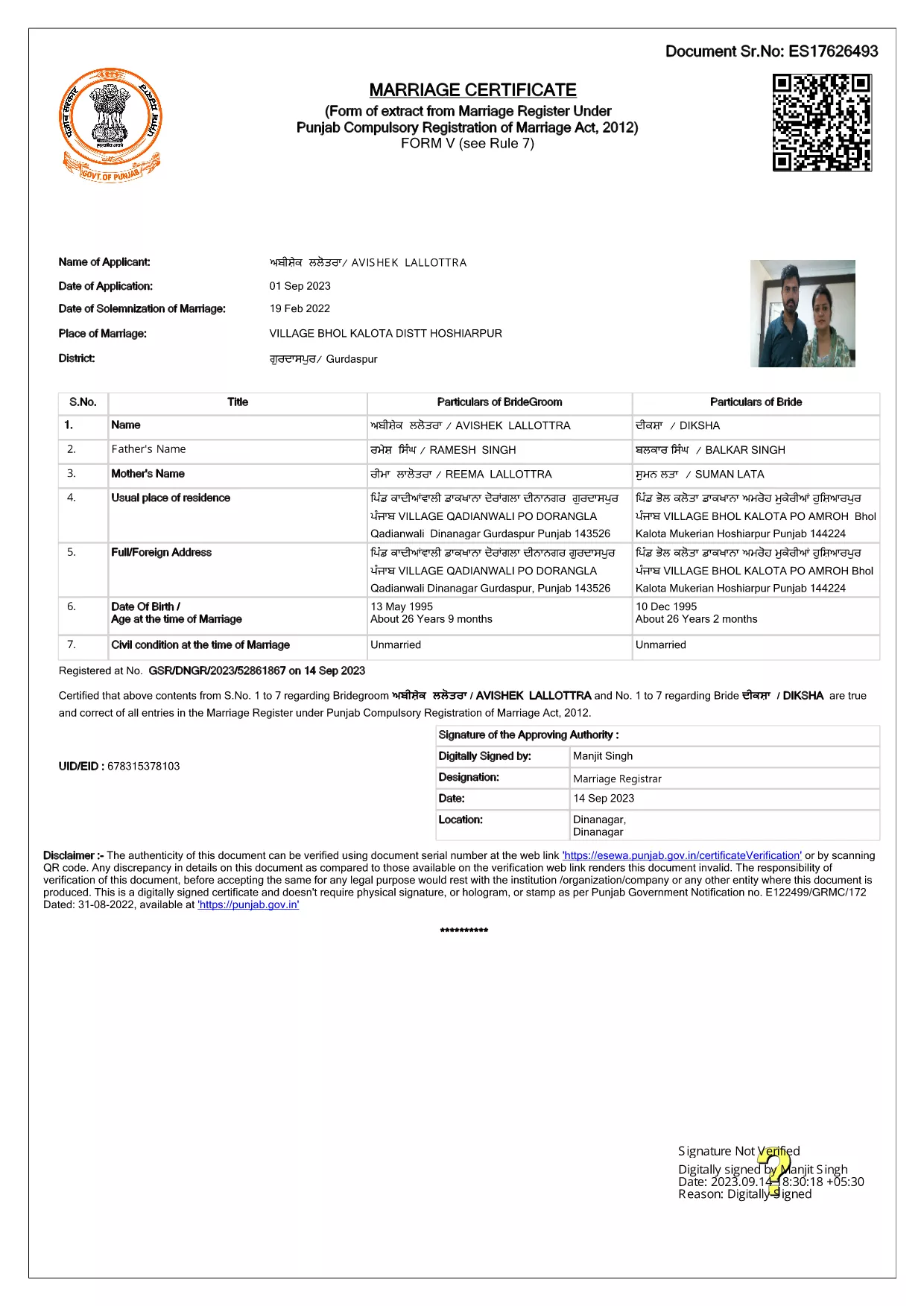
Getting married in Punjab requires you to submit the official Punjab Solemnization of Marriage form. This form records essential details of the bride, groom, and witnesses, and it is mandatory under the Punjab Compulsory Registration of Marriage Act, 2012.

What Is the Punjab Solemnization of Marriage Form?

The form is a government‑issued marriage certificate that captures personal information, parental details, and the date and place of the marriage ceremony. It is the legal proof needed for future documentation such as passport applications, property registration, and visa requests.

How to Fill Out the Form Online with Formize

Instead of printing, printing‑and‑scanning, or using a third‑party PDF editor, you can complete the form directly in your browser:

  1. Click the **"Fill out this form"** button on this page.
  2. Wait a few seconds while the Formize PDF Filler app loads.
  3. Enter the required information in each fillable field. The interface guides you through mandatory sections.
  4. Review your entries, then click **"Save & Download"** to get a completed PDF copy.

Common Mistakes to Avoid When Completing the Form

  • Incorrect spelling of names: Verify the spelling exactly as it appears on official ID documents.
  • Missing witness details: All three witnesses must be fully listed; incomplete entries will cause rejection.
  • Wrong date format: Use DD‑MM‑YYYY as required by the Punjab Registration Department.
  • Leaving optional fields blank: Even optional fields should be filled with "N/A" if not applicable.

Where to Submit the Completed Form

After you have saved the filled PDF, submit it to the nearest Punjab Registration Office or the designated online portal of the Punjab Registration Department. Bring original identity proofs for both parties and witnesses.

Download the Official PDF

Click the button below to download the original, government‑approved PDF. The file is hosted securely and matches the exact layout required by the registration authority.

FAQ
  • Is the Punjab marriage form available in Punjabi?

    The official PDF is printed in English, but you may fill it out in any language. For official submissions, the English version is accepted.

  • Do I need a digital signature?

    A digital signature is not required for the fillable PDF. You must sign the printed copy in the presence of a registrar.

  • Can I edit the form after I download it?

    Yes. The saved PDF remains fully editable with any standard PDF editor, but the Formize filler already lets you complete the form without extra software.

  • How many witnesses are required?

    Three adult witnesses are mandatory. Their full names, addresses, and signatures must be entered in the designated sections.

  • What documents do I need to submit with the form?

    Both parties must provide a valid ID (Aadhar, PAN, or passport), proof of residence, and the original signed marriage certificate.

  • Is there a fee for downloading the PDF?

    No. The PDF is provided free of charge. Any registration fees are paid directly to the Punjab Registration Office.

JAK

Jak zdarma vyplnit Punjab marriage form online v 4 jednoduchých krocích:

  1. 1
    Click the Fill‑Out Button
    Press the **"Fill out this form"** button on the page to launch the Formize PDF Filler.
  2. 2
    Wait for the Filler to Load
    The app loads in a few seconds; you’ll see a clean, searchable interface with all form fields highlighted.
  3. 3
    Enter Your Information
    Type the required details for the bride, groom, and witnesses. The filler validates dates and mandatory fields automatically.
  4. 4
    Save and Download
    After reviewing, click **"Save & Download"** to get a completed PDF you can print or submit electronically.
Aplikace Formize PDF Filler
O

Formuláře žádosti Ministerstva zahraničních věcí

Punjab marriage form je jedním z formulářů žádosti Ministerstva zahraničních věcí. Indické ministerstvo zahraničních věcí nabízí různé formuláře žádostí o různé služby související s vnějšími záležitostmi a mezinárodními vztahy. Některé běžné formuláře žádostí zahrnují:

Žádost o pas: Tento formulář se používá k podání žádosti o indický pas. Shromažďuje osobní údaje, jako je jméno, adresa, datum narození a národnost.

Žádost o zámořské občanství Indie (OCI): Tento formulář se používá k žádosti o status OCI, který umožňuje jednotlivcům indického původu žít a pracovat v Indii po neomezenou dobu. Shromažďuje osobní údaje, včetně dokladu o indickém původu.

Žádost o vízum: Tento formulář se používá k žádosti o vízum k cestě do cizí země. Shromažďuje osobní údaje, cestovní informace a účel cesty.

Žádost o povolení k vystěhování: Tento formulář používají jednotlivci, kteří žádají o povolení k vystěhování za účelem zaměstnání v určitých zemích. Shromažďuje osobní údaje a podrobnosti o zaměstnání.

Žádost o atestaci: Tento formulář se používá k podání žádosti o atestaci různých dokumentů, jako jsou osvědčení o vzdělání, oddací listy a obchodní dokumenty. Shromažďuje podrobnosti o dokumentu, který má být ověřen, a účel atestace.

Žádost o konzulární služby: Tento formulář se používá pro různé konzulární služby, včetně vydávání nouzových certifikátů, pomoci indickým státním příslušníkům v zahraničí a registrace indických státních příslušníků. Konkrétní požadované podrobnosti závisí na povaze požadované služby.

FUNKCE

PDF Filler

Nejjednodušší způsob, jak vyplnit Punjab marriage form online

  • Rychle vyplňte Punjab marriage form
    Hledáte způsob, jak rychle vyplnit Punjab marriage form online? S naším online bezplatným vyplňováním formulářů PDF budete vědět, jak upravit a vyplnit tento dokument PDF za méně než minutu.
  • Snadno použitelný online editor PDF
    Už vás nebaví tisknout soubory PDF, abyste je mohli upravovat, než je znovu naskenujete a odešlete zpět? Upravujte dokumenty PDF zdarma online. Použijte náš online editor PDF, abyste ušetřili čas a papír.
  • Skvělé nástroje, všechny platformy
    Zajímá vás, jak vyplnit Punjab marriage form na Macu, nebo možná jak používat PDF filler zdarma? Naše online nástroje PDF fungují na všech platformách.
  • Bezpečné ukládání souborů
    Dokončené soubory „Punjab marriage form“ jsou uloženy v zabezpečené databázi spravované hostingem Amazon Cloud. Své soubory můžete z našeho systému kdykoli smazat. V každém případě jsou tyto soubory po 24 hodinách automaticky smazány.
  • Chat s Punjab marriage form
    Chatujte s „Punjab marriage form“ na Chatize, což je bezplatný pomocník pro čtení PDF. Ptejte se a získejte odpovědi z „Punjab marriage form“. Stačí kliknout na tlačítko Chat with Document výše.

Smazat relaci plnění

Smazat vybranou relaci plnění? V takovém případě bude váš postup při vyplňování formuláře ztracen.

Smazat relaci úprav

Smazat vybranou relaci úprav? V tomto případě bude váš postup při vytváření a úpravách formuláře ztracen.