


Daňové formuláře
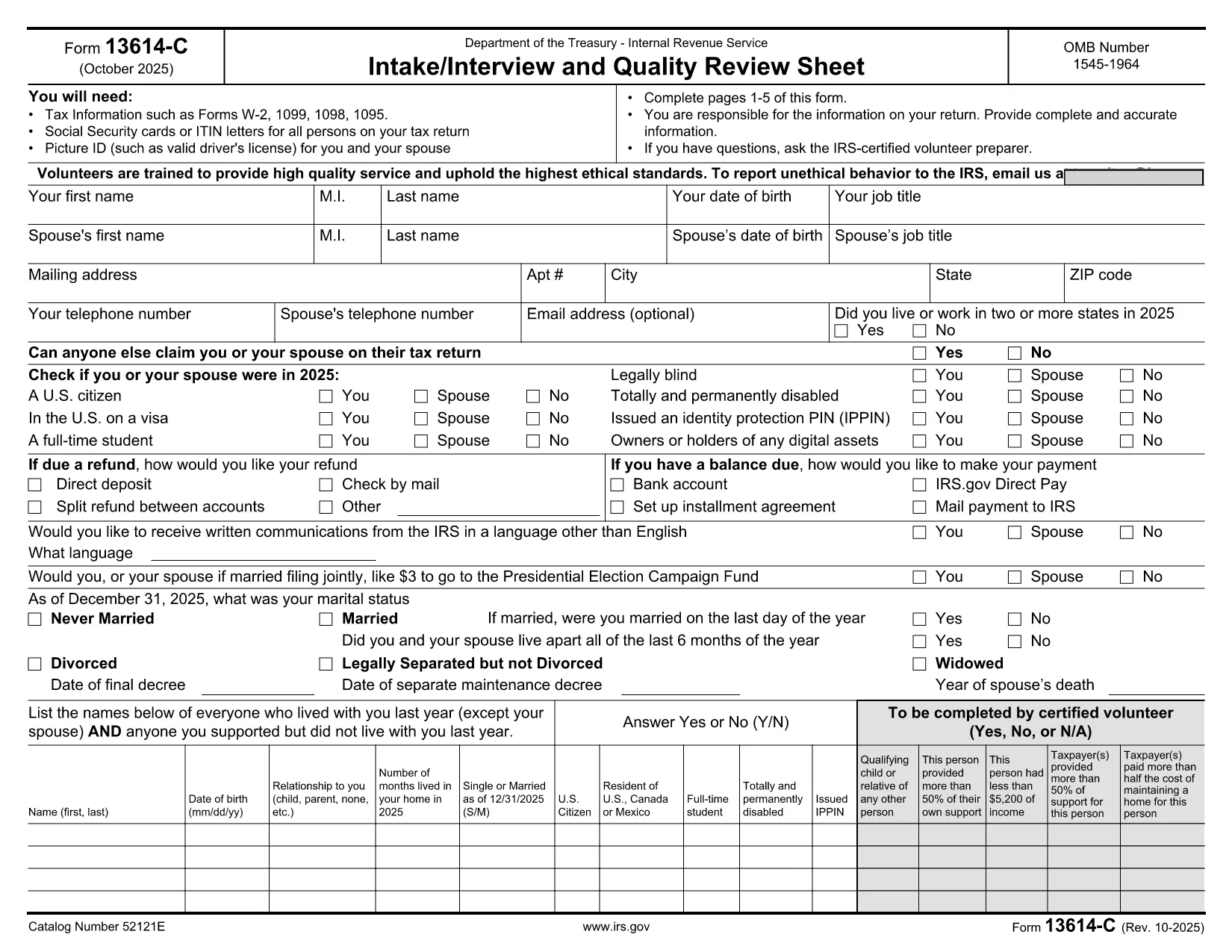
Form 13614-C DE je jedním z daňových formulářů, které jsou dokumenty používané k nahlášení informací o příjmech jednotlivce nebo firmy, srážkách a daňové povinnosti příslušnému daňovému úřadu. Tyto formuláře jsou nezbytné pro dodržování daňových zákonů a plnění daňových povinností. Daňové formuláře se liší v závislosti na zemi a konkrétních platných daňových požadavcích. Zde jsou některé běžné typy daňových formulářů:
Individuální daňové formuláře: Tyto formuláře používají jednotliví daňoví poplatníci k nahlášení svých osobních příjmů a uplatnění odpočtů, kreditů a osvobození od daně. Příklady zahrnují formulář 1040 ve Spojených státech nebo formulář Self-Assessment Tax Return ve Spojeném království.
Formuláře pro daň z podnikání: Formuláře pro daň z podnikání používají společnosti, partnerství nebo osoby samostatně výdělečně činné k nahlášení svých příjmů, výdajů a dalších daňových informací. Příklady zahrnují formulář Schedule C (Profit or Loss from Business) ve Spojených státech nebo formulář CT600 (Company Tax Return) ve Spojeném království.
Formuláře daně ze mzdy: Tyto formuláře používají zaměstnavatelé k vykazování mezd, platů a daní srážených z výplat jejich zaměstnanců. Příklady zahrnují formulář W-2 ve Spojených státech nebo formulář P60 ve Spojeném království.
Formuláře pro daň z prodeje: Formuláře pro daň z prodeje používají firmy k nahlášení a odvedení daně z prodeje vybrané za zdanitelné zboží nebo služby. Konkrétní formuláře daně z prodeje se liší podle jurisdikce.
Formuláře daně z přidané hodnoty (DPH): Formuláře DPH se používají v zemích, které ukládají daň z přidané hodnoty k vykazování a odvádění DPH vybrané z prodeje a nárokování kreditů DPH za nákupy. Příklady zahrnují formuláře přiznání k DPH používané v mnoha zemích.
Formuláře odhadovaných daní: Formuláře odhadovaných daní se používají k vykazování a placení odhadovaných daní z příjmů, které nepodléhají srážkové dani, jako jsou příjmy ze samostatné výdělečné činnosti nebo příjmy z investic.
Toto je jen několik příkladů z mnoha daňových forem, které mohou existovat. Konkrétní požadované formuláře závisí na daňových zákonech a předpisech ve vaší zemi nebo jurisdikci. Je důležité nahlédnout do pokynů finančního úřadu nebo vyhledat odbornou radu, abyste zjistili, které formuláře se na vaši situaci vztahují.