
Zvolte jazyk

MV2548 Wisconsin Handicap Parking Permit Application (Fillable PDF)

  1. Jazyk Angličtina
  2. Země USA
  3. Aktivita Registrace vozidla
  4. oddělení odbor dopravy
MV2548 Wisconsin Handicap Parking Permit Application (Fillable PDF)

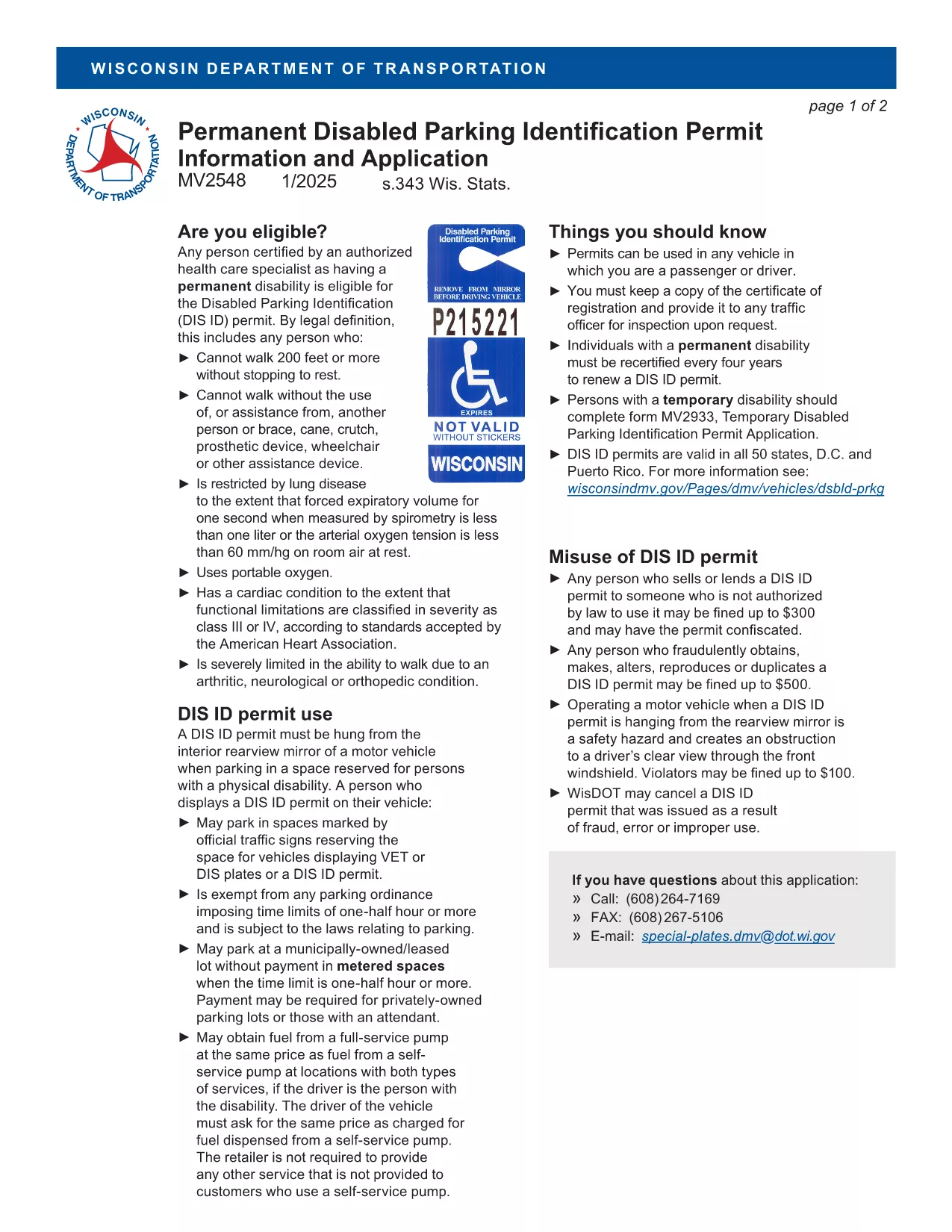
The MV2548 is the official Wisconsin Department of Transportation application for a disabled parking placard or license plate. Whether you need a permanent placard, a temporary pass, or a disability license plate, this fillable PDF lets you complete the entire process online with the Formize PDF Filler.

Who Is Eligible for the MV2548 Permit?

To qualify, you must have a permanent or temporary disability certified by a licensed health‑care professional. Typical qualifying conditions include:

  • Inability to walk 200 feet without resting
  • Use of a wheelchair, walker, or other assistive device
  • Severe lung disease, cardiac condition, or other medical condition that limits mobility

Eligibility is determined by the physician, advanced practice nurse, podiatrist, chiropractor, physician assistant, public health nurse, or Christian Science practitioner who completes the medical certification section.

How to Complete the MV2548 Form Online

Follow these simple steps to fill out the MV2548 form directly on our site:

  1. Click the "Fill out this form" button below.
  2. Wait a few seconds while the Formize PDF Filler app loads.
  3. Enter all required information, including personal details, vehicle data, and medical certification.
  4. Review the completed form for accuracy.
  5. Save, print, or submit the form according to the instructions at the end of the PDF.

Common Mistakes to Avoid When Filling MV2548

  • Leaving the medical certification blank: The form is invalid without a completed physician’s section.
  • Mismatching vehicle information: Ensure the VIN, make, model, and year match the registration.
  • Incorrect signatures: Both the applicant and the medical professional must sign electronically or on print‑out.
  • Using an outdated form: Always use the latest MV2548 PDF – the link below points to the current version.

Where to Submit Your Completed Form

After you finish, you can either:

  • Print the completed form and mail it to the Wisconsin Department of Transportation, Division of Motor Vehicles, 500 W. St. Paul Ave., Madison, WI 53707.
  • Take the printed form to any DMV office for in‑person processing.
  • Upload the PDF through the online DMV portal if you have a registered account.

Remember to include the required fee (if applicable) and any supporting medical documentation.

Frequently Asked Questions

Below are the most common queries about the MV2548 form and how to use it.

FAQ
  • Who can apply for a Wisconsin handicap parking placard?

    Anyone with a permanent or temporary disability certified by a licensed health‑care professional, such as an inability to walk 200 feet without resting, qualifies.

  • Is there a fee for the MV2548 application?

    Permanent placards are free, while temporary placards cost a nominal fee (currently $6). Disability license plates have separate fees based on vehicle type.

  • How long is a permanent placard valid?

    A permanent placard is valid for four years. You must submit a new MV2548 form with an updated medical certification before the expiration date.

  • Can I fill out the MV2548 form on a mobile device?

    Yes. The Formize PDF Filler works on most smartphones and tablets, allowing you to complete the form anywhere with an internet connection.

  • What should I do if my medical certification is missing a signature?

    The form will be rejected. Contact your health‑care provider to obtain the required signature before submitting the application.

  • Do I need to attach additional documents?

    Attach a copy of the signed medical certification page. If applying for a license plate, include a copy of your vehicle registration.

  • How do I renew my handicap placard?

    Complete a new MV2548 form, obtain a fresh medical certification, and submit it with the renewal fee (if applicable) before your current placard expires.

  • Can out‑of‑state visitors use a Wisconsin placard?

    Visitors may use their home‑state placard while in Wisconsin, but they cannot obtain a Wisconsin placard unless they become a resident.

JAK

Jak zdarma vyplnit MV2548 online v 5 jednoduchých krocích:

  1. 1
    Open the Fillable Form
    Click the "Fill out this form" button on the page. The Formize PDF Filler will open in a new window.
  2. 2
    Load the PDF Filler
    Wait a few seconds while the app loads the MV2548 PDF. No download or extra software is required.
  3. 3
    Enter Your Information
    Complete each section—personal details, vehicle data, and medical certification—using the on‑screen fields.
  4. 4
    Review and Sign
    Double‑check all entries for accuracy, then add your electronic signature and the medical professional’s signature.
  5. 5
    Save or Submit
    Save the completed PDF to your device, print it, and mail or bring it to a Wisconsin DMV office, or upload it via the online portal.
Aplikace Formize PDF Filler
O

Registrační formuláře vozidla

Pokud vlastníte nebo si pronajímáte motorové vozidlo, přívěs nebo loď, musíte splnit určité povinnosti, aby bylo vaše vozidlo legálně registrované a bezpečné.

MV2548 je jeden z registračních formulářů vozidla, což jsou dokumenty, které se používají k registraci motorového vozidla u příslušného státního nebo provinčního úřadu. Tyto formuláře jsou obvykle vyžadovány, když si osoba koupí nové nebo ojeté vozidlo nebo když se s vozidlem přestěhuje do nového státu nebo provincie.

Přesné požadavky a formuláře potřebné pro registraci vozidla se mohou lišit podle místa, ale obecně tento proces zahrnuje poskytnutí informací o vozidle, vlastníkovi a případných zástavních právech k vozidlu.

Po předložení registračních formulářů a poplatků vydá státní nebo provinční úřad majiteli vozidla osvědčení o registraci nebo SPZ. Tato registrace umožňuje legální provoz vozidla na veřejných komunikacích a dálnicích.

FUNKCE

PDF Filler

Nejjednodušší způsob, jak vyplnit MV2548 online

  • Rychle vyplňte MV2548
    Hledáte způsob, jak rychle vyplnit MV2548 online? S naším online bezplatným vyplňováním formulářů PDF budete vědět, jak upravit a vyplnit tento dokument PDF za méně než minutu.
  • Snadno použitelný online editor PDF
    Už vás nebaví tisknout soubory PDF, abyste je mohli upravovat, než je znovu naskenujete a odešlete zpět? Upravujte dokumenty PDF zdarma online. Použijte náš online editor PDF, abyste ušetřili čas a papír.
  • Skvělé nástroje, všechny platformy
    Zajímá vás, jak vyplnit MV2548 na Macu, nebo možná jak používat PDF filler zdarma? Naše online nástroje PDF fungují na všech platformách.
  • Bezpečné ukládání souborů
    Dokončené soubory „MV2548“ jsou uloženy v zabezpečené databázi spravované hostingem Amazon Cloud. Své soubory můžete z našeho systému kdykoli smazat. V každém případě jsou tyto soubory po 24 hodinách automaticky smazány.
  • Chat s MV2548
    Chatujte s „MV2548“ na Chatize, což je bezplatný pomocník pro čtení PDF. Ptejte se a získejte odpovědi z „MV2548“. Stačí kliknout na tlačítko Chat with Document výše.

Smazat relaci plnění

Smazat vybranou relaci plnění? V takovém případě bude váš postup při vyplňování formuláře ztracen.

Smazat relaci úprav

Smazat vybranou relaci úprav? V tomto případě bude váš postup při vytváření a úpravách formuláře ztracen.