Zvolte jazyk

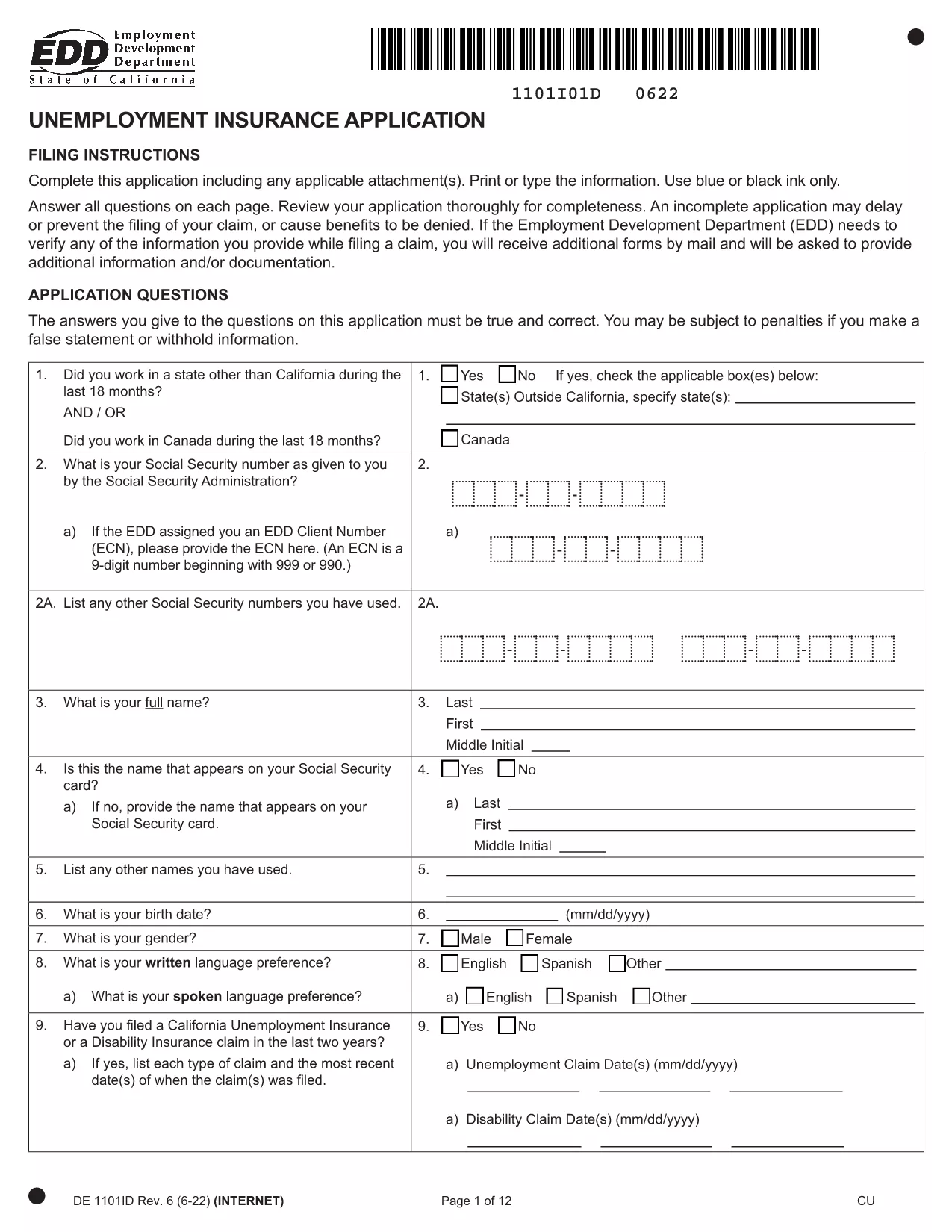
Unemployment Insurance (UI) Application Form – Fillable PDF

  1. Jazyk Angličtina
  2. Země USA
  3. Aktivita Unemployment Insurance
  4. oddělení Employment Development Department
Unemployment Insurance (UI) Application Form – Fillable PDF

The California Unemployment Insurance (UI) Application Form is required when you need to claim unemployment benefits. Our fillable PDF version lets you complete the form quickly, add an electronic signature, and submit it without printing or scanning.

Key benefits of using the fillable UI form on Formize:

  • Instant online editing – no PDF editor download required.
  • Secure eSignature that meets state regulations.
  • Auto‑save feature prevents data loss.
  • Easy sharing via a secure link or direct download.

Simply click the "Fill out this form" button below, wait a few seconds for the Formize PDF Filler app to load, and start entering your information. When you’re done, download the completed PDF or send it directly to the Employment Development Department (EDD).

Below you’ll find step‑by‑step instructions, tips to avoid common errors, and answers to the most frequently asked questions.

FAQ
  • Do I need to print the UI Application Form?

    No. The fillable PDF lets you complete, sign, and save the form entirely online.

  • Is the electronic signature accepted by the EDD?

    Yes. Formize’s eSignature meets California’s electronic record‑keeping standards.

  • Can I edit the form after I’ve downloaded it?

    Once you download the completed PDF, it becomes read‑only. If you need changes, reopen the form in Formize and edit before downloading again.

  • What if I make a mistake while filling out the form?

    Use the "Undo" button or simply click into the field and correct the entry before saving.

  • How long does the EDD take to process the UI application?

    Processing typically takes up to 10 business days after submission. You’ll receive a confirmation email with next steps.

  • Is there a cost to use the fillable UI form on Formize?

    The form is free to use. Only optional premium features (e.g., secure cloud storage) may have a fee.

  • Can I share the completed form with a third party?

    Yes. After completing the form, you can generate a secure share link or email the PDF directly from the platform.

JAK

Jak zdarma vyplnit UI application form online v 5 jednoduchých krocích:

  1. 1
    Open the Fillable Form
    Click the "Fill out this form" button on the page. The Formize PDF Filler will open in a new browser tab.
  2. 2
    Enter Your Information
    Type directly into each field – personal details, employment history, and reason for filing. The form auto‑saves as you go.
  3. 3
    Add Your Electronic Signature
    Use the built‑in eSignature tool to sign the form. This signature complies with California EDD requirements.
  4. 4
    Review and Submit
    Double‑check all entries, then click "Download Completed PDF" or use the "Send to EDD" option if provided.
  5. 5
    Save a Copy for Your Records
    Store the completed PDF on your device or cloud storage for future reference.
Aplikace Formize PDF Filler
O

šablona UI application form

S tradiční sadou funkcí pro prohlížení a vyplňování dokumentu PDF v kombinaci s výhodami webové aplikace a responzivního rozvržení zvládnete UI application form dokončit během několika minut.

FUNKCE

PDF Filler

Nejjednodušší způsob, jak vyplnit UI application form online

  • Rychle vyplňte UI application form
    Hledáte způsob, jak rychle vyplnit UI application form online? S naším online bezplatným vyplňováním formulářů PDF budete vědět, jak upravit a vyplnit tento dokument PDF za méně než minutu.
  • Snadno použitelný online editor PDF
    Už vás nebaví tisknout soubory PDF, abyste je mohli upravovat, než je znovu naskenujete a odešlete zpět? Upravujte dokumenty PDF zdarma online. Použijte náš online editor PDF, abyste ušetřili čas a papír.
  • Skvělé nástroje, všechny platformy
    Zajímá vás, jak vyplnit UI application form na Macu, nebo možná jak používat PDF filler zdarma? Naše online nástroje PDF fungují na všech platformách.
  • Bezpečné ukládání souborů
    Dokončené soubory „UI application form“ jsou uloženy v zabezpečené databázi spravované hostingem Amazon Cloud. Své soubory můžete z našeho systému kdykoli smazat. V každém případě jsou tyto soubory po 24 hodinách automaticky smazány.
  • Chat s UI application form
    Chatujte s „UI application form“ na Chatize, což je bezplatný pomocník pro čtení PDF. Ptejte se a získejte odpovědi z „UI application form“. Stačí kliknout na tlačítko Chat with Document výše.

Smazat relaci plnění

Smazat vybranou relaci plnění? V takovém případě bude váš postup při vyplňování formuláře ztracen.

Smazat relaci úprav

Smazat vybranou relaci úprav? V tomto případě bude váš postup při vytváření a úpravách formuláře ztracen.