Zvolte jazyk

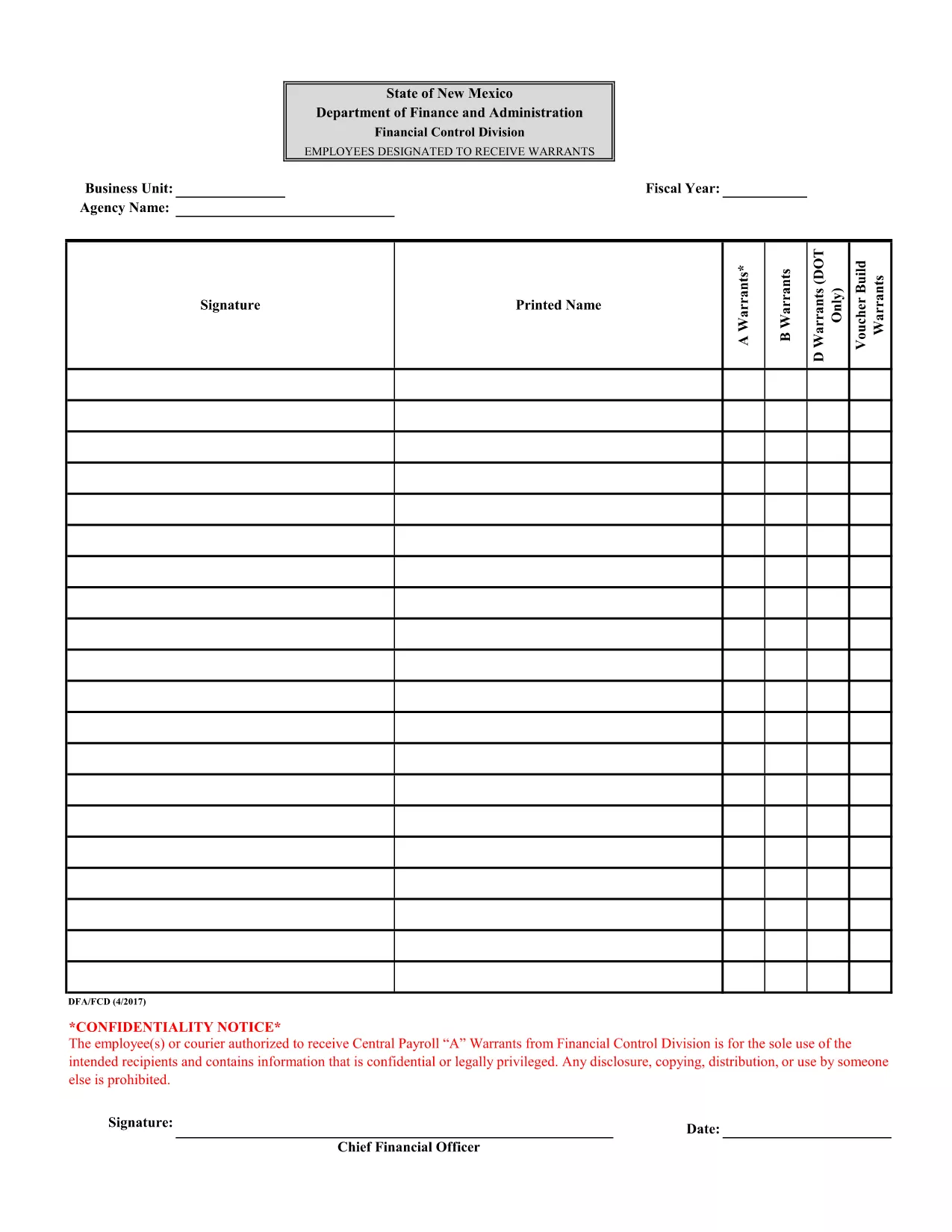
Attachment F – Employees Designated to Receive Warrants (Fillable PDF)

  1. Jazyk Angličtina
  2. Země USA
  3. oddělení Financial Control Division
  4. Aktivita Payroll Warrants
Attachment F – Employees Designated to Receive Warrants (Fillable PDF)

The Attachment F – Employees Designated to Receive Warrants is a confidential form used by the Financial Control Division to authorize specific employees or couriers to receive Central Payroll "A" warrants. This document contains sensitive payroll information and must be handled securely.

Formize.com provides a seamless, browser‑based PDF filler so you can complete the form without installing any software. Simply click the “Fill out this form” button, enter the required data, and download the completed PDF.

Using a fillable PDF ensures that all fields are completed correctly, reduces errors, and speeds up the approval process. The form is compliant with state confidentiality requirements and is suitable for both desktop and mobile browsers.

Below you’ll find step‑by‑step instructions, tips to avoid common mistakes, and answers to the most frequently asked questions.

FAQ
  • Is this form truly fillable online?

    Yes. Formize’s PDF Filler turns the original PDF into an interactive, web‑based form that you can complete without any extra software.

  • Do I need a Formize account to use the filler?

    No. You can fill out the form as a guest. Creating an account only adds the ability to save drafts for later.

  • Can I print the completed form directly from the browser?

    Absolutely. After you finish, click the “Download” button and open the saved PDF, then print it like any other document.

  • What security measures protect the data I enter?

    Formize uses SSL encryption for all data transmission and does not store your completed form unless you choose to save it to your account.

  • Is the original PDF still available for download?

    Yes. The “Download Original PDF” link is provided on the page for reference or archival purposes.

  • Who should I contact if I encounter an error while filling the form?

    For technical issues, use the “Report a problem” link within the Formize interface. For content‑related questions, contact your organization’s Financial Control Division.

JAK

Jak zdarma vyplnit fillable PDF form online v 4 jednoduchých krocích:

  1. 1
    Open the Form
    Click the “Fill out this form” button on this page. The Formize PDF Filler will load directly in your browser.
  2. 2
    Complete the Fields
    Enter the required information in each fillable field. Use the dropdowns, checkboxes, and text boxes as indicated.
  3. 3
    Review Your Entries
    Double‑check all data for accuracy. The form will highlight any missing mandatory fields.
  4. 4
    Save or Download
    When you are satisfied, click “Save” to store the completed form in your account or “Download” to get a finalized PDF copy.
Aplikace Formize PDF Filler
O

šablona fillable PDF form

S tradiční sadou funkcí pro prohlížení a vyplňování dokumentu PDF v kombinaci s výhodami webové aplikace a responzivního rozvržení zvládnete fillable PDF form dokončit během několika minut.

FUNKCE

PDF Filler

Nejjednodušší způsob, jak vyplnit fillable PDF form online

  • Rychle vyplňte fillable PDF form
    Hledáte způsob, jak rychle vyplnit fillable PDF form online? S naším online bezplatným vyplňováním formulářů PDF budete vědět, jak upravit a vyplnit tento dokument PDF za méně než minutu.
  • Snadno použitelný online editor PDF
    Už vás nebaví tisknout soubory PDF, abyste je mohli upravovat, než je znovu naskenujete a odešlete zpět? Upravujte dokumenty PDF zdarma online. Použijte náš online editor PDF, abyste ušetřili čas a papír.
  • Skvělé nástroje, všechny platformy
    Zajímá vás, jak vyplnit fillable PDF form na Macu, nebo možná jak používat PDF filler zdarma? Naše online nástroje PDF fungují na všech platformách.
  • Bezpečné ukládání souborů
    Dokončené soubory „fillable PDF form“ jsou uloženy v zabezpečené databázi spravované hostingem Amazon Cloud. Své soubory můžete z našeho systému kdykoli smazat. V každém případě jsou tyto soubory po 24 hodinách automaticky smazány.
  • Chat s fillable PDF form
    Chatujte s „fillable PDF form“ na Chatize, což je bezplatný pomocník pro čtení PDF. Ptejte se a získejte odpovědi z „fillable PDF form“. Stačí kliknout na tlačítko Chat with Document výše.

Smazat relaci plnění

Smazat vybranou relaci plnění? V takovém případě bude váš postup při vyplňování formuláře ztracen.

Smazat relaci úprav

Smazat vybranou relaci úprav? V tomto případě bude váš postup při vytváření a úpravách formuláře ztracen.