
šablona I-485A
S tradiční sadou funkcí pro prohlížení a vyplňování dokumentu PDF v kombinaci s výhodami webové aplikace a responzivního rozvržení zvládnete I-485A dokončit během několika minut.


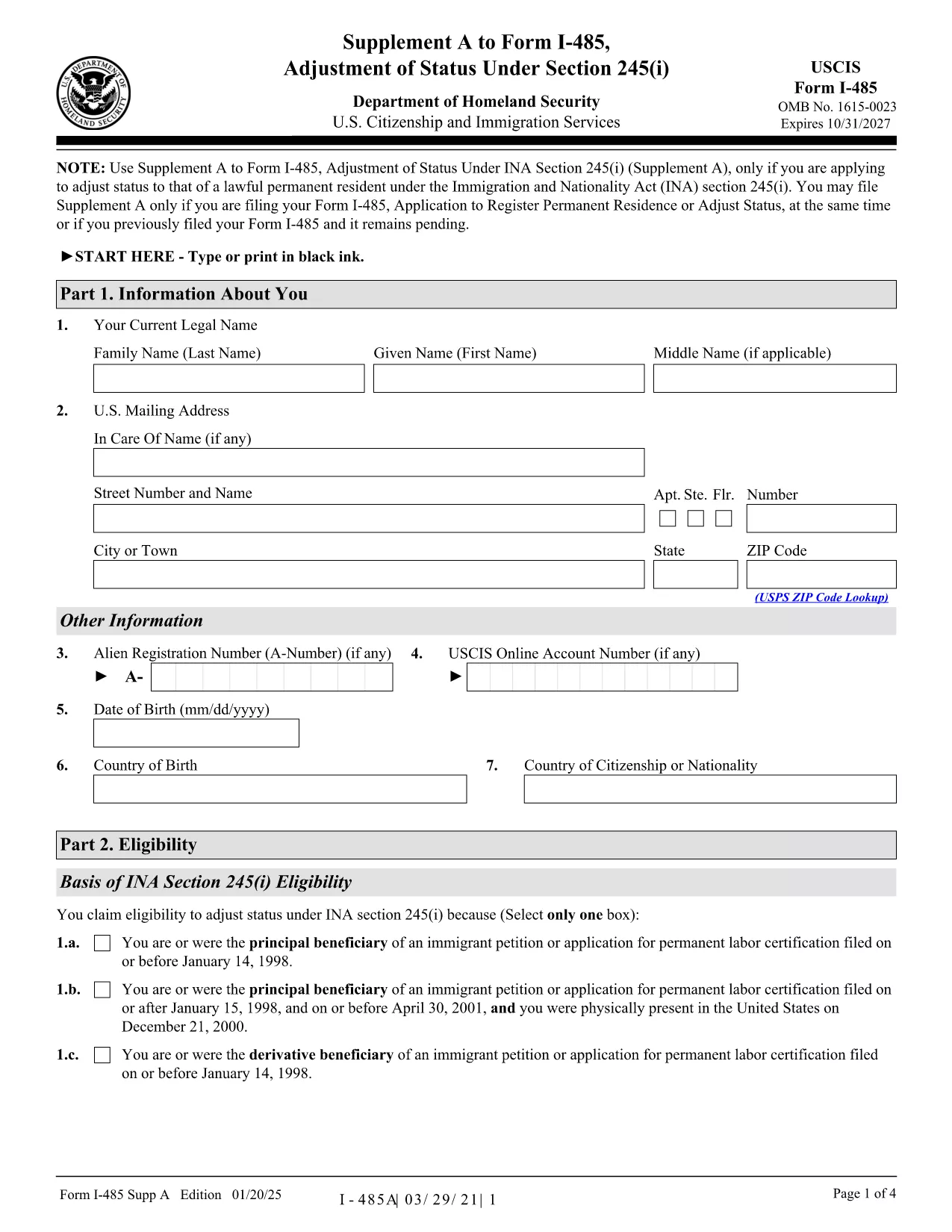
Form I-485A, Supplement A to Form I-485, is required when you are applying for Adjustment of Status under section 245(i) of the Immigration and Nationality Act. This supplement collects additional information about your eligibility for the 245(i) waiver.
The supplement is a short, one‑page document that must be filed together with the main Form I-485 (Application to Register Permanent Residence or Adjust Status). It asks for details such as the date you first entered the United States, the basis of your 245(i) eligibility, and any prior immigration petitions.
Instead of downloading, printing, and scanning the PDF, you can fill it out directly in your browser using Formize’s PDF Filler app. Follow these simple steps:
You can file Supplement A together with Form I-485 by mail, or submit it online through your USCIS account. If you already have a pending I-485 (receipt number starting with IOE), you may upload Supplement A alone.
Ready to start? Click the button below to open the fillable version instantly.
No. Supplement A is only required for applicants seeking adjustment of status under section 245(i). If you’re not using a 245(i) waiver, you can skip this form.
Yes, you may print the PDF, fill it by hand, and mail it with your I-485. However, using the fillable version reduces errors and speeds up processing.
Always use the latest edition dated 01/20/25. The edition date is shown at the bottom of each page of the PDF.
Supplement A itself has no separate fee; the fee is included in the I-485 filing fee. Pay the I-485 fee as directed on the USCIS Fee Schedule.
Yes. If you have a pending I-485 with a receipt number that begins with IOE, you can upload Supplement A alone through your USCIS online account.
Submit a corrected Supplement A with a brief cover letter explaining the error, and reference your I-485 receipt number.
Yes. After completing the form online, use the "Add Signature" tool in the Formize PDF Filler or print, sign, and scan the document before filing.
The official USCIS instructions are available on the USCIS website or directly via the PDF link provided on this page.
S tradiční sadou funkcí pro prohlížení a vyplňování dokumentu PDF v kombinaci s výhodami webové aplikace a responzivního rozvržení zvládnete I-485A dokončit během několika minut.
Nejjednodušší způsob, jak vyplnit I-485A online
Smazat relaci plnění
Smazat relaci úprav