Zvolte jazyk

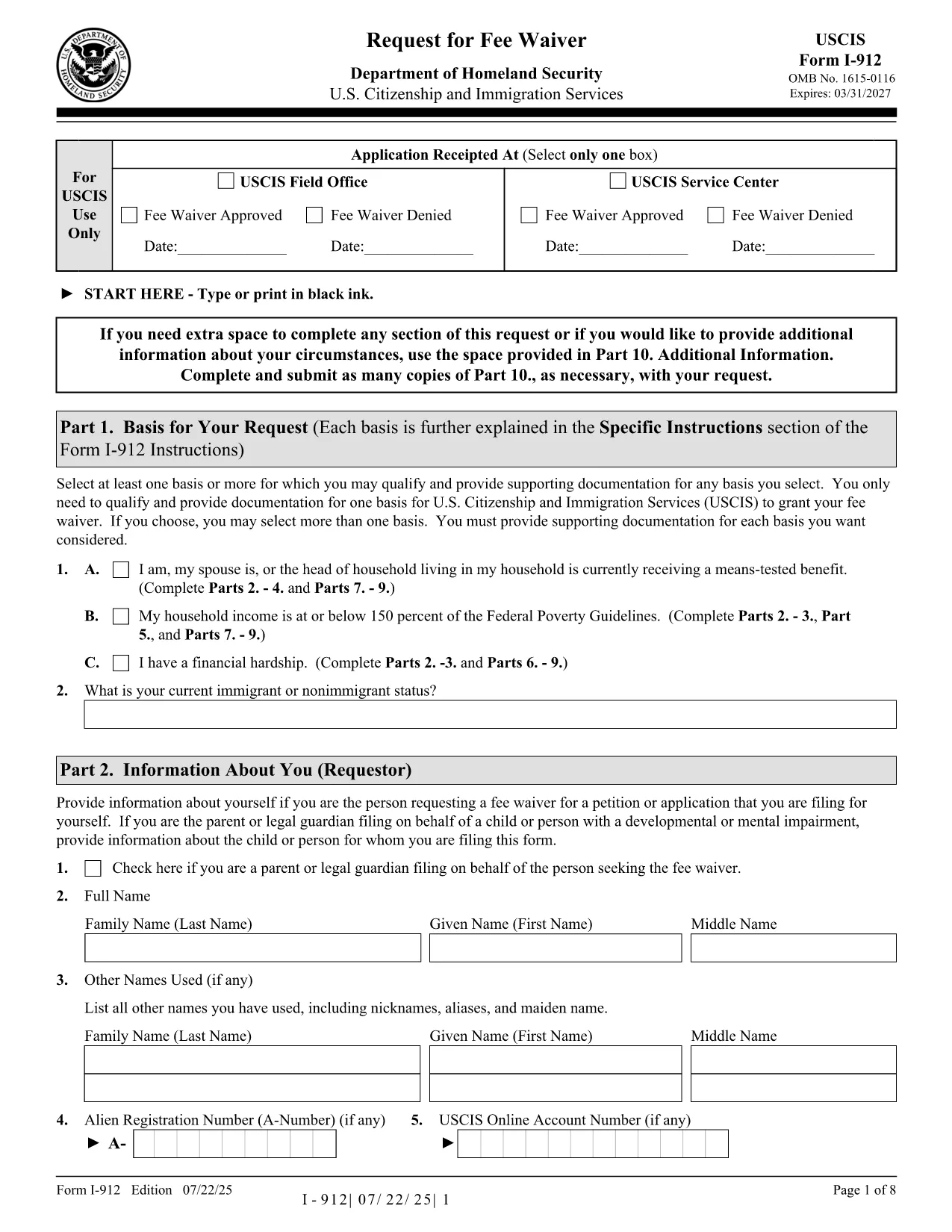
Form I-912 – Request for Fee Waiver (Fillable PDF)

  1. Země USA
  2. Jazyk Angličtina
  3. oddělení Občanské a imigrační služby USA
Form I-912 – Request for Fee Waiver (Fillable PDF)

The USCIS Form I-912, Request for Fee Waiver lets you ask for a waiver of filing fees when you cannot afford them. With Formize you can fill the official PDF directly in your browser—no printer, scanner, or PDF editor required.

What Is Form I-912?

Form I-912 is used alongside an immigration application (e.g., N-400, I-130) to demonstrate financial hardship. You must attach it to the primary form before the USCIS receives the application.

How to Complete the I-912 Fee Waiver Online

Our fillable version mirrors the exact layout of the USCIS PDF, ensuring your submission is accepted.

Common Mistakes to Avoid

  • Leaving the signature line blank – USCIS rejects unsigned forms.
  • Submitting a PDF from a different edition – always use the latest edition linked below.
  • Missing supporting documents – include proof of income, public benefits, or a letter explaining your situation.

Where to Submit Your Completed Form

Attach the completed I-912 to the immigration form you are filing and mail it to the address listed in that form’s instructions, or upload it via your USCIS online account.

FAQ
  • Who is eligible for an I-912 fee waiver?

    Anyone who can demonstrate an inability to pay the filing fee, including recipients of means‑tested public benefits, low‑income households, or those facing financial hardship.

  • Do I need to submit the I-912 before the main application?

    Yes. Attach the completed I-912 to your immigration form before USCIS receives the primary application. Late submissions are rejected.

  • Can I submit a digital signature?

    USCIS accepts a digital signature created with the Formize PDF Filler. Ensure the signature field is filled before downloading or uploading the form.

  • What supporting documents should I include?

    Include recent tax returns, benefit award letters, pay stubs, or a letter from a social services agency that confirms your current financial situation.

  • Is the fillable PDF the same as the official USCIS version?

    Yes. The fillable version is an exact replica of the official USCIS PDF (edition dated 07/22/25), so USCIS will accept it without issue.

JAK

Jak zdarma vyplnit I-912 online v 4 jednoduchých krocích:

  1. 1
    Open the Fillable Form
    Click the “Fill out this form” button on the page. The Formize PDF Filler loads instantly in your browser.
  2. 2
    Enter Your Information
    Type directly into each field—income, household size, and reason for the waiver. The interface validates required fields in real time.
  3. 3
    Review and Sign
    Double‑check all entries, then add your digital signature using the built‑in signature tool.
  4. 4
    Save or Submit
    Download the completed PDF for your records or upload it with your immigration application through your USCIS account.
Aplikace Formize PDF Filler
O

šablona I-912

S tradiční sadou funkcí pro prohlížení a vyplňování dokumentu PDF v kombinaci s výhodami webové aplikace a responzivního rozvržení zvládnete I-912 dokončit během několika minut.

FUNKCE

PDF Filler

Nejjednodušší způsob, jak vyplnit I-912 online

  • Rychle vyplňte I-912
    Hledáte způsob, jak rychle vyplnit I-912 online? S naším online bezplatným vyplňováním formulářů PDF budete vědět, jak upravit a vyplnit tento dokument PDF za méně než minutu.
  • Snadno použitelný online editor PDF
    Už vás nebaví tisknout soubory PDF, abyste je mohli upravovat, než je znovu naskenujete a odešlete zpět? Upravujte dokumenty PDF zdarma online. Použijte náš online editor PDF, abyste ušetřili čas a papír.
  • Skvělé nástroje, všechny platformy
    Zajímá vás, jak vyplnit I-912 na Macu, nebo možná jak používat PDF filler zdarma? Naše online nástroje PDF fungují na všech platformách.
  • Bezpečné ukládání souborů
    Dokončené soubory „I-912“ jsou uloženy v zabezpečené databázi spravované hostingem Amazon Cloud. Své soubory můžete z našeho systému kdykoli smazat. V každém případě jsou tyto soubory po 24 hodinách automaticky smazány.
  • Chat s I-912
    Chatujte s „I-912“ na Chatize, což je bezplatný pomocník pro čtení PDF. Ptejte se a získejte odpovědi z „I-912“. Stačí kliknout na tlačítko Chat with Document výše.

Smazat relaci plnění

Smazat vybranou relaci plnění? V takovém případě bude váš postup při vyplňování formuláře ztracen.

Smazat relaci úprav

Smazat vybranou relaci úprav? V tomto případě bude váš postup při vytváření a úpravách formuláře ztracen.