
Zvolte jazyk

USCIS I‑765 Application Form – Fillable Guide

  1. Jazyk Angličtina
  2. Země USA
  3. Aktivita Přistěhovalectví
  4. oddělení USCIS
USCIS I‑765 Application Form – Fillable Guide

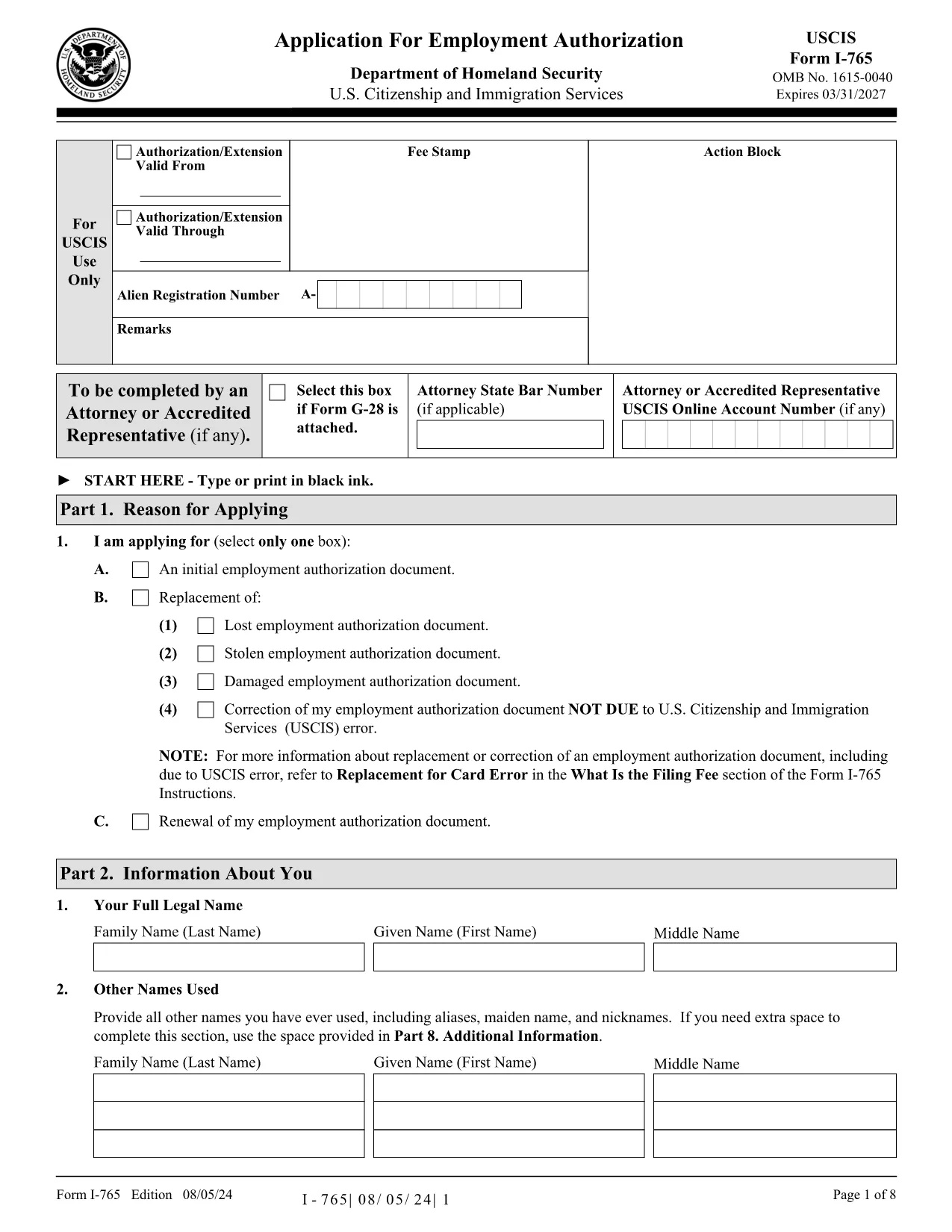
Looking for an easy way to complete the USCIS I‑765 Application Form without printing, scanning, or installing a PDF editor? You’ve come to the right place. Our Fill out this form button launches the Formize PDF Filler app directly in your browser, turning the official PDF into a smooth, fillable experience.

The I‑765, also known as the Application for Employment Authorization, is one of the most frequently requested immigration forms in the United States. Whether you’re applying for a work permit as a student, a refugee, or a pending adjustment‑of‑status applicant, the form must be completed accurately to avoid processing delays.

Below you’ll find a step‑by‑step guide, tips for each section, and the most common errors that cause rejections. Follow this guide, click the button, and let Formize handle the rest.

FAQ
  • Do I need Adobe Acrobat to fill the I‑765 form?

    No. Formize’s online PDF filler works in any modern browser, eliminating the need for Adobe Acrobat or any installed software.

  • Can I save my progress and return later?

    Yes. While filling, click “Save Draft” to download a partially completed PDF. Re‑upload it later to continue where you left off.

  • What file format does Formize produce?

    The finished document is saved as a standard, searchable PDF that meets USCIS submission requirements.

  • Is my personal data safe?

    Formize processes the PDF locally in your browser; no data is stored on our servers unless you choose to download or email the file.

  • What eligibility categories are accepted on the I‑765?

    Common categories include (c)(3) student, (c)(8) asylum applicant, (c)(9) adjustment of status, and many others. Refer to the form’s instructions for the full list.

  • How do I correct a mistake after I’ve submitted?

    If USCIS rejects the form, correct the error in the downloaded PDF and resubmit with the required filing fee. Formize lets you edit the saved file again.

  • Can I use Formize on a mobile device?

    Yes. The filler is responsive and works on smartphones and tablets, though a larger screen is recommended for easier navigation.

  • Do I need to print the form after filling it online?

    Only if USCIS specifically requests a hard copy. Otherwise, the electronic PDF can be uploaded directly to the USCIS portal.

  • Is there a cost to use Formize for this form?

    Formize offers a free basic filler for standard PDFs like the I‑765. Premium features (e.g., e‑signatures) are optional.

  • Where do I send the completed I‑765?

    Submission address depends on your eligibility category and whether you’re filing with a supporting application. Check the USCIS website for the latest mailing instructions.

JAK

Jak zdarma vyplnit USCIS I-765 online v 5 jednoduchých krocích:

  1. 1
    Click the Fill Out Button
    Press the bright “Fill out this form” button on this page. The Formize PDF Filler app will open in a new tab, loading the I‑765 PDF automatically.
  2. 2
    Wait for the Filler to Load
    The app prepares the fillable fields (usually a few seconds). You’ll see the form appear with editable text boxes.
  3. 3
    Complete Each Section
    Enter your personal information, eligibility category, and supporting details exactly as they appear on your documents. Use the navigation pane on the left to jump between sections.
  4. 4
    Review and Validate
    When you finish, click the “Validate” button. Formize will highlight any missing required fields or formatting issues.
  5. 5
    Download or Email the Completed PDF
    After validation, choose “Download PDF” to save a copy, or use the “Email” option to send it directly to USCIS or your attorney.
Aplikace Formize PDF Filler
O

šablona USCIS I-765

S tradiční sadou funkcí pro prohlížení a vyplňování dokumentu PDF v kombinaci s výhodami webové aplikace a responzivního rozvržení zvládnete USCIS I-765 dokončit během několika minut.
FUNKCE

PDF Filler

Nejjednodušší způsob, jak vyplnit USCIS I-765 online

  • Rychle vyplňte USCIS I-765
    Hledáte způsob, jak rychle vyplnit USCIS I-765 online? S naším online bezplatným vyplňováním formulářů PDF budete vědět, jak upravit a vyplnit tento dokument PDF za méně než minutu.
  • Snadno použitelný online editor PDF
    Už vás nebaví tisknout soubory PDF, abyste je mohli upravovat, než je znovu naskenujete a odešlete zpět? Upravujte dokumenty PDF zdarma online. Použijte náš online editor PDF, abyste ušetřili čas a papír.
  • Skvělé nástroje, všechny platformy
    Zajímá vás, jak vyplnit USCIS I-765 na Macu, nebo možná jak používat PDF filler zdarma? Naše online nástroje PDF fungují na všech platformách.
  • Bezpečné ukládání souborů
    Dokončené soubory „USCIS I-765“ jsou uloženy v zabezpečené databázi spravované hostingem Amazon Cloud. Své soubory můžete z našeho systému kdykoli smazat. V každém případě jsou tyto soubory po 24 hodinách automaticky smazány.
  • Chat s USCIS I-765
    Chatujte s „USCIS I-765“ na Chatize, což je bezplatný pomocník pro čtení PDF. Ptejte se a získejte odpovědi z „USCIS I-765“. Stačí kliknout na tlačítko Chat with Document výše.

Smazat relaci plnění

Smazat vybranou relaci plnění? V takovém případě bude váš postup při vyplňování formuláře ztracen.

Smazat relaci úprav

Smazat vybranou relaci úprav? V tomto případě bude váš postup při vytváření a úpravách formuláře ztracen.