Vælg sprog

Apply for an Individual Contractor Licence – NSW

  1. Land Australien
  2. Sprog engelsk
  3. Aktivitet Licensing
  4. Afdeling Building Commission NSW
Apply for an Individual Contractor Licence – NSW

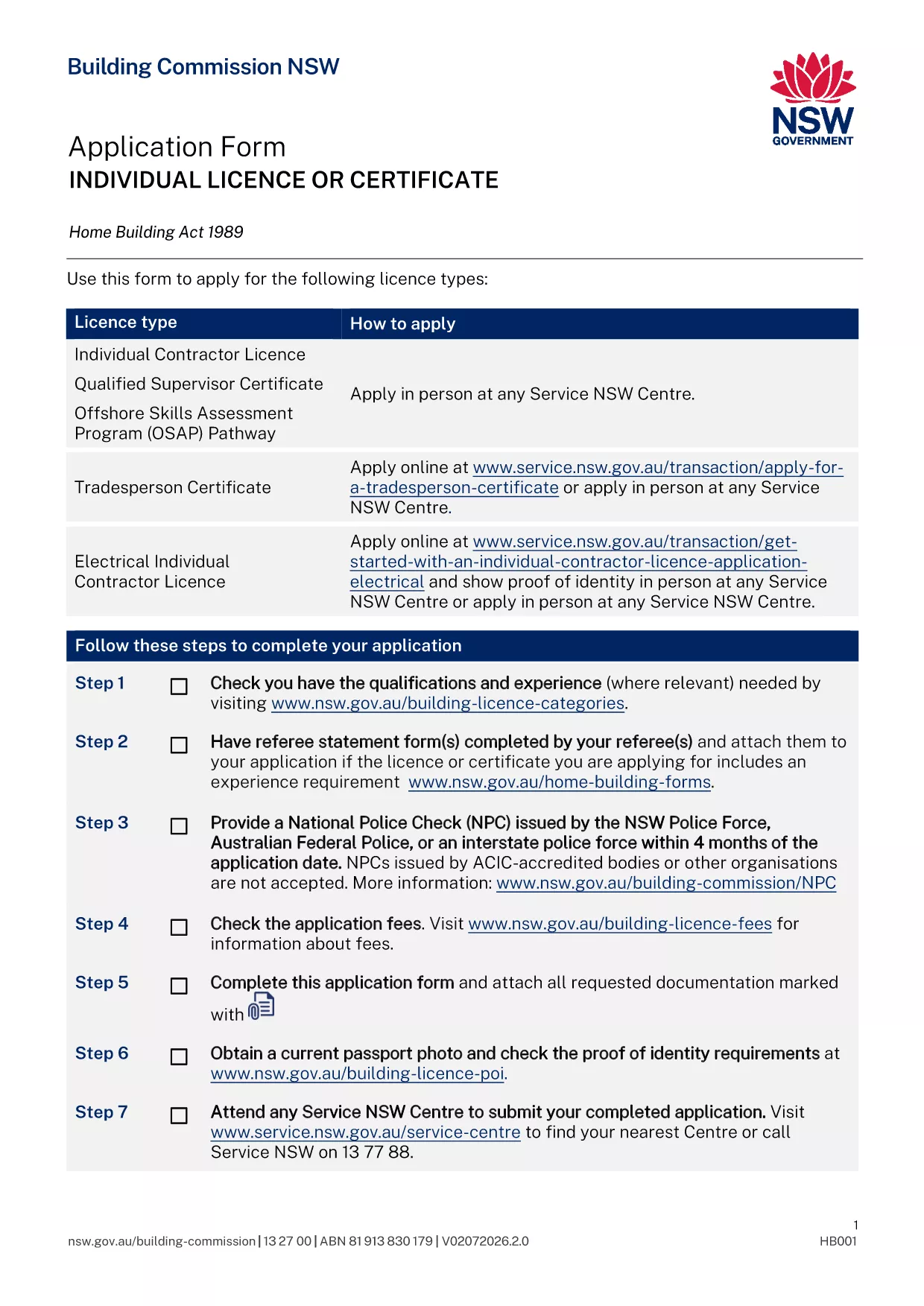
Builders, tradies and freelancers in New South Wales need an Individual Contractor Licence when the total cost of labour and materials exceeds $5,000. The licence verifies that you meet the state's safety and competency standards and lets you legally advertise, quote and work on building projects.

This page gives you everything you need to know about the application form, the supporting documents, and how to fill the PDF instantly with Formize’s online PDF filler – no software download required.

What is the Individual Contractor Licence?

The licence is issued by the Building Commission NSW and covers general building work as well as specialist categories such as plumbing, gas‑fitting, air‑conditioning and medical‑gas work. A “Q” endorsement on the licence also serves as a Qualified Supervisor Certificate.

Required Documents & Eligibility

  • Proof of identity (driver’s licence or passport) with current address
  • One recent passport‑sized photo
  • National Police Check (NPC) – not older than 4 months
  • Original qualifications and evidence of relevant work experience
  • Details of any past compliance, insolvency or criminal matters (if applicable)
  • Referee’s statement (required for some specialist categories)
  • Certificate of eligibility for Home Building Compensation Fund insurance (if required)

How to Complete the Form Online

Instead of downloading the PDF and opening it in a desktop editor, simply click the “Fill out this form” button on this page. The Formize PDF Filler app will load in your browser, letting you type, check boxes and upload supporting files directly on the form.

Common Mistakes to Avoid

  • Leaving any mandatory field blank – the system will flag it before you can submit.
  • Uploading an expired NPC or outdated qualifications.
  • Using a scanned signature that is not clear – type your name or use the built‑in signature tool.
  • Submitting the form without the required payment receipt.

Submit Your Application

After you have filled the form and attached all documents, click **Submit**. You will receive a confirmation email with a reference number. Bring the printed confirmation (or show the digital copy on your phone) to your booked Service NSW appointment, along with the original supporting documents and the payment.

Need help? Review the checklist above before your appointment to ensure a smooth assessment.

FAQ
  • Do I need to print the PDF after filling it online?

    Yes. You must bring a printed copy of the completed form and the original supporting documents to your Service NSW appointment.

  • Can I save my progress and finish the form later?

    The Formize filler allows you to download a draft PDF at any time. Save the draft, reopen it later, and continue where you left off.

  • What is the processing time after I submit the form?

    If all information is complete, the Building Commission typically assesses the application within 10‑14 business days. Missing information will delay the process.

  • Is there a fee to apply for the licence?

    Yes. Fees vary by licence class (1, 3 or 5‑year terms). The exact amount is listed on the Service NSW payment page and must be paid at the appointment.

  • Do I need a separate licence for each trade?

    If you perform specialist work (e.g., plumbing, gas‑fitting, medical‑gas), you need the appropriate endorsements on your individual contractor licence.

  • Can I use an interstate licence under the AMR scheme?

    Certain interstate licences are automatically recognised in NSW, but you must notify the Building Commission of your intention to work in the state.

  • What if I make a mistake on the form after submission?

    You can submit a correction form (available on the Service NSW site) or contact the Building Commission before your appointment to amend the details.

HVORDAN

Sådan udfylder du NSW contractor licence gratis online i 5 nemme trin:

  1. 1
    Open the Fillable PDF
    Click the “Fill out this form” button on the page. The Formize PDF Filler loads instantly in your browser.
  2. 2
    Enter Your Details
    Type your personal information, select the appropriate licence class, and upload supporting documents using the upload icons.
  3. 3
    Review & Validate
    Use the built‑in validation to check for missing fields or errors. Correct any highlighted items before proceeding.
  4. 4
    Submit & Save
    Click “Submit” to generate a completed PDF. Download the final file or save it to your device for your Service NSW appointment.
  5. 5
    Book Your Appointment
    After submission, schedule a Service NSW appointment online, bring the printed confirmation and original documents.
Formize PDF Filler app
OM

NSW contractor licence skabelon

Med det traditionelle sæt funktioner til at se og udfylde et PDF-dokument, kombineret med fordelene ved en webapplikation og responsivt layout, kan du fuldføre NSW contractor licence på få minutter.

FUNKTIONER

PDF Filler

Den nemmeste måde at udfylde NSW contractor licence online

  • Udfyld hurtigt NSW contractor licence
    Leder du efter en måde, hvorpå du hurtigt kan fylde NSW contractor licence online? Med vores online gratis PDF-formularudfylder ved du, hvordan du redigerer og udfylder dette pdf-dokument på mindre end et minut.
  • Let at bruge online PDF-editor
    Træt af at udskrive PDF-filer, så du kan redigere dem, før du scanner igen og sender dem tilbage? Rediger PDF-dokumenter gratis online. Brug vores online pdf-editor for at spare tid og papir.
  • Fantastiske værktøjer, alle platforme
    Er du i tvivl om, hvordan du udfylder NSW contractor licence på en Mac, eller måske hvordan du bruger en PDF-filler gratis? Vores online PDF-værktøjer fungerer på alle platforme.
  • Sikker fillagring
    Fuldførte "NSW contractor licence"-filer gemmes i en sikret database, der administreres af Amazon Cloud-hosting. Du kan til enhver tid slette dine filer fra vores system. Under alle omstændigheder slettes disse filer automatisk efter 24 timer.
  • Chat med NSW contractor licence
    Chat med "NSW contractor licence" på Chatize, som er en gratis PDF-læserassistent. Stil spørgsmål og få svar fra "NSW contractor licence". Bare klik på knappen Chat med dokument ovenfor.

Slet udfyldningssession

Vil du slette den valgte påfyldningssession? I dette tilfælde vil dine fremskridt med at udfylde formularen gå tabt.

Slet redigeringssession

Vil du slette den valgte redigeringssession? I dette tilfælde vil dine fremskridt med at oprette og redigere formularen gå tabt.