Vælg sprog

Application for Consent Orders (QCAT)

  1. Land Australien
  2. Sprog engelsk
  3. Afdeling Civil and Administrative Tribunal
  4. Aktivitet Legal Forms
Application for Consent Orders (QCAT)

What Is a Consent Order Application?

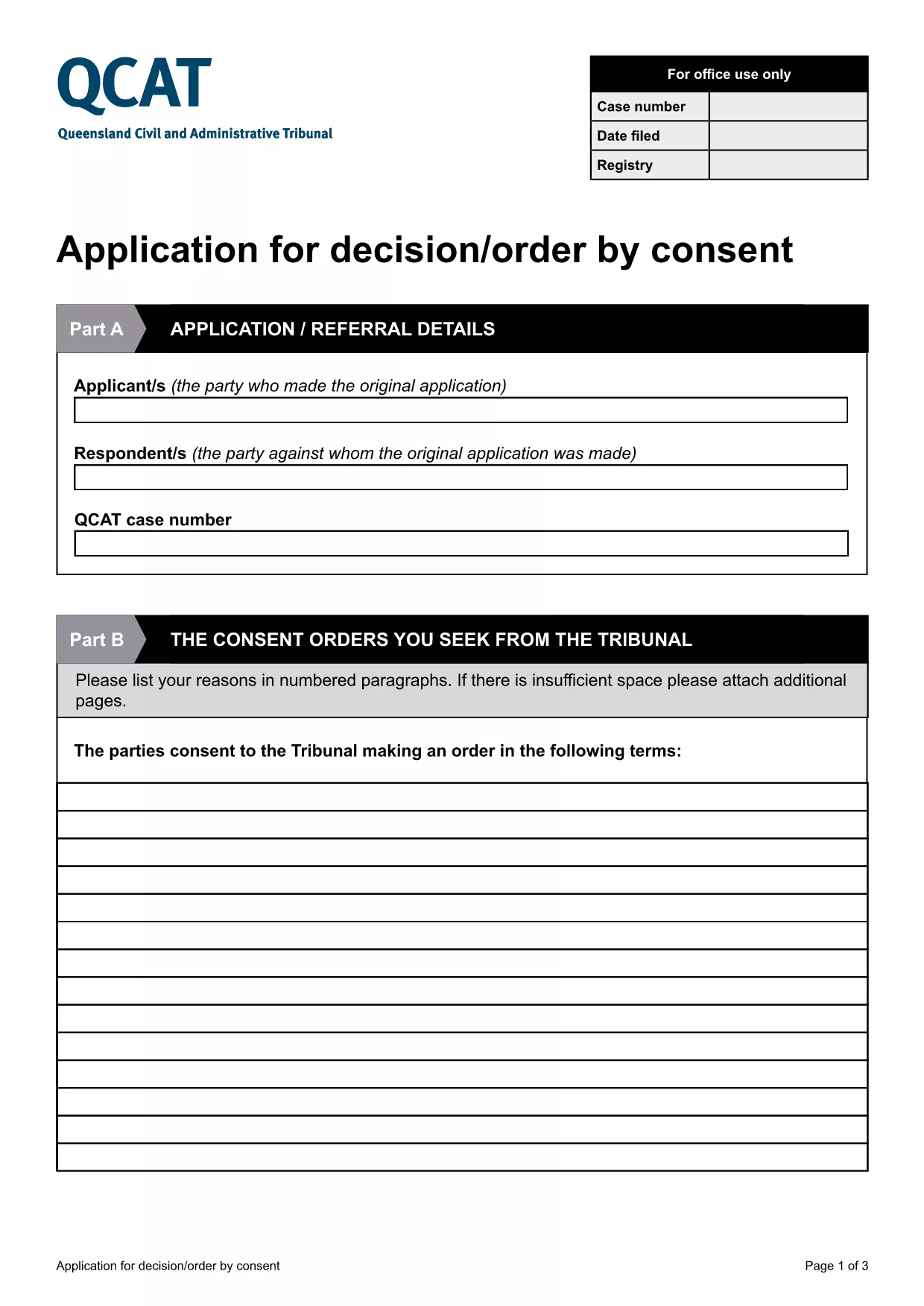
A consent order is a legally binding agreement approved by the Queensland Civil and Administrative Tribunal (QCAT). The Application for Consent Orders lets parties request the Tribunal to formalise their agreement without a hearing, saving time and costs.

Key Sections of the QCAT Consent Order Form

The fillable PDF is divided into clear sections:

  • Party Details – names, contact information, and representation.
  • Proposed Orders – a concise description of what each party is agreeing to.
  • Supporting Documents – attach any evidence or agreements that back up the application.
  • Signature & Declaration – both parties sign to confirm the information is true and that they understand the order will be enforceable.

How to Complete the Form Online

Instead of downloading and editing the PDF on your computer, simply click the "Fill out this form" button below. The Formize PDF Filler app will load directly in your browser, allowing you to type, check boxes, and add signatures instantly.

Common Mistakes to Avoid

  • Leaving any required field blank – QCAT will reject an incomplete application.
  • Providing vague or ambiguous order terms – be specific to avoid later disputes.
  • Submitting incorrect contact details – the Tribunal needs accurate information to communicate with you.
  • Failing to attach supporting documents – missing evidence can delay approval.

Where to Submit Your Application

When the form is fully completed and signed, you can submit it:

  • Online via the QCAT e‑filing portal (recommended).
  • By mail to the QCAT registry address listed on the form.
  • In person at any QCAT registry office.

For the fastest processing, choose the online option and keep a copy of the confirmation email.

FAQ
  • Do I need a lawyer to fill out the consent order application?

    A lawyer is not required, but you may wish to seek legal advice if the terms are complex or if you are unsure about any clause.

  • Can I make changes after I have submitted the form?

    Yes, you can request to amend the application before the Tribunal makes a decision, but you must provide a clear reason and any new supporting documents.

  • Is the online Formize filler secure?

    All data entered in the Formize PDF Filler is encrypted in transit and never stored on our servers after you submit or download the completed form.

  • What happens if the Tribunal rejects my consent order?

    If the Tribunal finds the proposed orders unlawful or unclear, it will return the application with reasons. You can then revise the terms and resubmit.

  • Do I need to pay a fee to file a consent order with QCAT?

    Filing a consent order is generally free, but if you choose to lodge the application in person or by post, standard filing fees may apply. Check the QCAT website for the latest fee schedule.

  • Can I attach supporting documents electronically?

    Yes. The fillable PDF allows you to upload PDFs, images, or scanned copies of agreements, receipts, or any other evidence that supports your application.

  • How long does it take for QCAT to process a consent order?

    When all information is complete, QCAT usually issues a decision within 5‑10 business days. Complex cases may take longer.

HVORDAN

Sådan udfylder du consent order application gratis online i 5 nemme trin:

  1. 1
    Click the Fill‑out Button
    Press the "Fill out this form" button on the page. The Formize PDF Filler will open in a new browser tab.
  2. 2
    Wait for the Filler to Load
    A short loading screen appears while the fillable PDF is prepared. This usually takes only a few seconds.
  3. 3
    Enter Your Information
    Type directly into each field, select check‑boxes, and upload any supporting documents required by the form.
  4. 4
    Review and Sign
    Use the built‑in e‑signature tool to sign the declaration. Double‑check that all required sections are completed.
  5. 5
    Submit or Download
    When you’re satisfied, click "Submit" to send the form to QCAT or "Download" to save a copy for your records.
Formize PDF Filler app
OM

consent order application skabelon

Med det traditionelle sæt funktioner til at se og udfylde et PDF-dokument, kombineret med fordelene ved en webapplikation og responsivt layout, kan du fuldføre consent order application på få minutter.

FUNKTIONER

PDF Filler

Den nemmeste måde at udfylde consent order application online

  • Udfyld hurtigt consent order application
    Leder du efter en måde, hvorpå du hurtigt kan fylde consent order application online? Med vores online gratis PDF-formularudfylder ved du, hvordan du redigerer og udfylder dette pdf-dokument på mindre end et minut.
  • Let at bruge online PDF-editor
    Træt af at udskrive PDF-filer, så du kan redigere dem, før du scanner igen og sender dem tilbage? Rediger PDF-dokumenter gratis online. Brug vores online pdf-editor for at spare tid og papir.
  • Fantastiske værktøjer, alle platforme
    Er du i tvivl om, hvordan du udfylder consent order application på en Mac, eller måske hvordan du bruger en PDF-filler gratis? Vores online PDF-værktøjer fungerer på alle platforme.
  • Sikker fillagring
    Fuldførte "consent order application"-filer gemmes i en sikret database, der administreres af Amazon Cloud-hosting. Du kan til enhver tid slette dine filer fra vores system. Under alle omstændigheder slettes disse filer automatisk efter 24 timer.
  • Chat med consent order application
    Chat med "consent order application" på Chatize, som er en gratis PDF-læserassistent. Stil spørgsmål og få svar fra "consent order application". Bare klik på knappen Chat med dokument ovenfor.

Slet udfyldningssession

Vil du slette den valgte påfyldningssession? I dette tilfælde vil dine fremskridt med at udfylde formularen gå tabt.

Slet redigeringssession

Vil du slette den valgte redigeringssession? I dette tilfælde vil dine fremskridt med at oprette og redigere formularen gå tabt.