Vælg sprog

INZ1023 – Notification of Incorrect Answer (Fillable PDF)

  1. Land Australien
  2. Sprog engelsk
  3. Aktivitet Indvandring
  4. Afdeling Indenrigs- og Justitsministeriet
INZ1023 – Notification of Incorrect Answer (Fillable PDF)

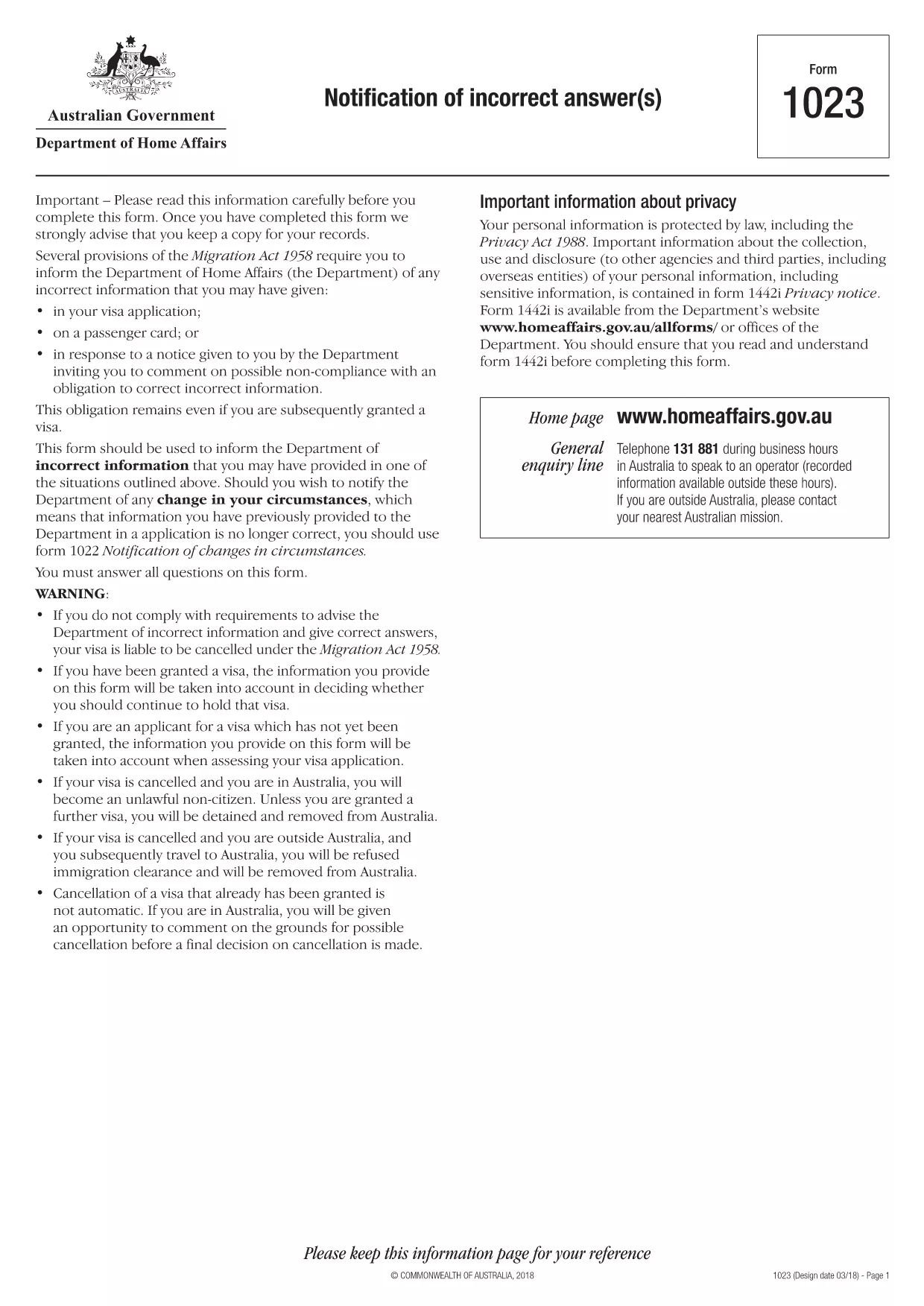
The INZ1023 – Notification of Incorrect Answer is an official form used by the Australian Department of Home Affairs to inform the agency of any incorrect information previously supplied in an immigration application. Whether you discovered a typo, an outdated address, or a change in personal circumstances, this fillable PDF lets you correct the record quickly and securely.

What Is the INZ1023 Form?

The INZ1023 form is specifically designed for applicants who need to notify the Department of Home Affairs about errors in earlier submissions. It captures:

  • Applicant details (name, passport number, visa reference)
  • Original application reference
  • Exact information that was incorrect
  • Corrected details and supporting evidence
  • Signature and date

How to Complete the INZ1023 Online

Instead of downloading and editing the PDF in a separate editor, simply click the "Fill out this form" button on this page. The Formize PDF Filler app will load within seconds, allowing you to:

  1. Enter your personal information in the pre‑filled fields.
  2. Attach supporting documents directly from your computer or cloud storage.
  3. Validate entries with built‑in checks to avoid common errors.
  4. Save a copy for your records and submit the completed form electronically.

Common Mistakes & Tips

  • Incorrect reference numbers: Double‑check the visa or application reference before typing.
  • Missing signatures: The digital signature field must be completed; otherwise the form will be rejected.
  • Unsupported file types: Upload only PDF, JPG, or PNG documents as evidence.
  • Leaving optional fields blank: If a field is not applicable, write "N/A" to avoid blank spaces.

Where to Submit the Completed Form

After you finish filling out the INZ1023 with Formize, you can:

  • Submit directly through the ImmiAccount portal.
  • Email the PDF to immigration@homeaffairs.gov.au with your visa reference in the subject line.
  • Mail a printed copy to the address shown on the form if electronic submission is not possible.

Using the online filler reduces processing time and ensures your correction is received in a readable, searchable format.

FAQ
  • What is the purpose of the INZ1023 form?

    It notifies the Department of Home Affairs about any incorrect or outdated information you previously provided in an immigration application.

  • Can I fill out INZ1023 on a mobile device?

    Yes. The Formize PDF Filler works on most modern smartphones and tablets with a compatible browser.

  • Do I need to print the form after filling it online?

    Printing is optional. You can submit the completed PDF electronically via ImmiAccount or email.

  • How long does it take for the Department to process the correction?

    Processing times vary, but electronic submissions are usually reviewed within 5‑7 business days.

  • What if I make a mistake while filling the form?

    You can use the "Reset" button in the Formize filler to clear fields, or simply edit the incorrect entry before saving.

  • Is there a fee to submit the INZ1023 form?

    No. The form is free of charge; however, standard visa processing fees still apply to your original application.

  • Can I attach more than one supporting document?

    Yes. The filler allows multiple attachments; each file must be under 10 MB and in PDF, JPG, or PNG format.

HVORDAN

Sådan udfylder du INZ1023 gratis online i 5 nemme trin:

  1. 1
    Open the Fillable Form
    Click the "Fill out this form" button on the page. The Formize PDF Filler will load in your browser.
  2. 2
    Enter Your Details
    Complete each field, including your name, passport number, and the incorrect information you need to correct.
  3. 3
    Attach Supporting Documents
    Use the attachment icon to upload PDFs, JPGs, or PNGs that prove the corrected information.
  4. 4
    Review and Sign
    Check every entry for accuracy, then add your digital signature in the designated field.
  5. 5
    Submit or Download
    Click "Submit" to send directly to ImmiAccount, or download the completed PDF for manual submission.
Formize PDF Filler app
OM

INZ1023 skabelon

Med det traditionelle sæt funktioner til at se og udfylde et PDF-dokument, kombineret med fordelene ved en webapplikation og responsivt layout, kan du fuldføre INZ1023 på få minutter.

FUNKTIONER

PDF Filler

Den nemmeste måde at udfylde INZ1023 online

  • Udfyld hurtigt INZ1023
    Leder du efter en måde, hvorpå du hurtigt kan fylde INZ1023 online? Med vores online gratis PDF-formularudfylder ved du, hvordan du redigerer og udfylder dette pdf-dokument på mindre end et minut.
  • Let at bruge online PDF-editor
    Træt af at udskrive PDF-filer, så du kan redigere dem, før du scanner igen og sender dem tilbage? Rediger PDF-dokumenter gratis online. Brug vores online pdf-editor for at spare tid og papir.
  • Fantastiske værktøjer, alle platforme
    Er du i tvivl om, hvordan du udfylder INZ1023 på en Mac, eller måske hvordan du bruger en PDF-filler gratis? Vores online PDF-værktøjer fungerer på alle platforme.
  • Sikker fillagring
    Fuldførte "INZ1023"-filer gemmes i en sikret database, der administreres af Amazon Cloud-hosting. Du kan til enhver tid slette dine filer fra vores system. Under alle omstændigheder slettes disse filer automatisk efter 24 timer.
  • Chat med INZ1023
    Chat med "INZ1023" på Chatize, som er en gratis PDF-læserassistent. Stil spørgsmål og få svar fra "INZ1023". Bare klik på knappen Chat med dokument ovenfor.

Slet udfyldningssession

Vil du slette den valgte påfyldningssession? I dette tilfælde vil dine fremskridt med at udfylde formularen gå tabt.

Slet redigeringssession

Vil du slette den valgte redigeringssession? I dette tilfælde vil dine fremskridt med at oprette og redigere formularen gå tabt.