
Vælg sprog

Application to Resume Australian Citizenship (Form 132) – Fill Online

  1. Sprog engelsk
  2. Land Australien
  3. Aktivitet Borgerskab
  4. Afdeling Home Affairs
Application to Resume Australian Citizenship (Form 132) – Fill Online

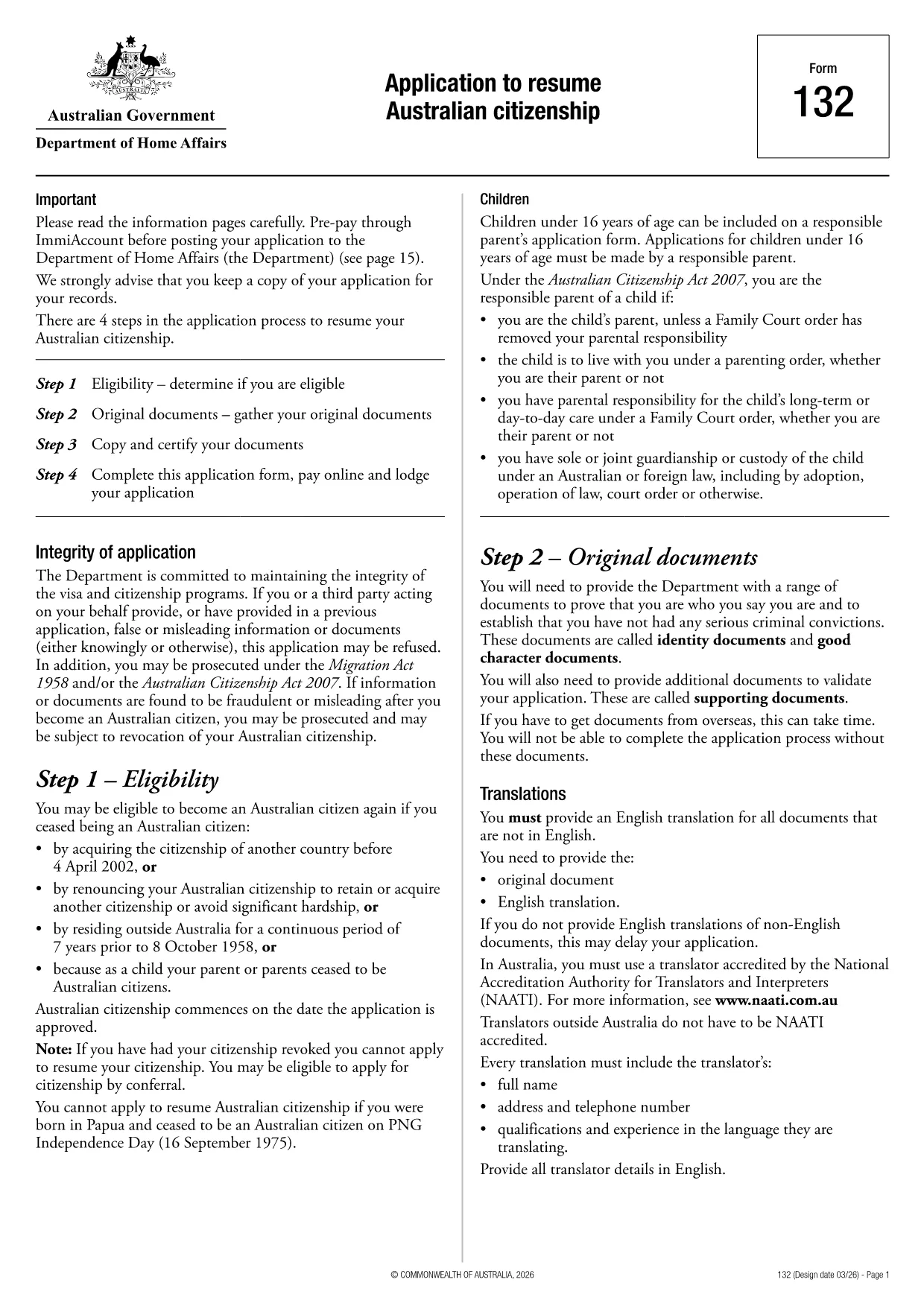
If you need to resume your Australian citizenship, you’ll use Form 132 – Application to Resume Australian Citizenship. This official PDF can now be completed entirely online with the Formize PDF Filler, so you never have to print, scan, or manually edit the document.

Why Use the Online Formize PDF Filler?

The Formize filler loads the exact PDF you need, preserving the government‑approved layout while letting you type directly into each field. Benefits include:

  • Instant validation of required fields
  • Automatic saving – you can pause and return later
  • Secure, browser‑based processing – no software install
  • One‑click download of the completed PDF for submission

Step‑by‑Step Guide to Completing Form 132

Follow these simple steps to fill out the application correctly:

  1. Click the “Fill out this form” button below.
  2. Wait for the Formize PDF Filler app to load the PDF.
  3. Enter your personal details, citizenship history, and reasons for resumption.
  4. Attach any required supporting documents (e.g., passport copy, proof of residence).
  5. Review the completed form for accuracy.
  6. Download the finished PDF and submit it to the Department of Home Affairs.

Common Mistakes to Avoid

Even with an easy online tool, mistakes happen. Avoid these pitfalls:

  • Leaving mandatory fields blank – the filler will highlight them.
  • Uploading files in the wrong format (use PDF, JPG, or PNG only).
  • Using an outdated version of the form – the link below always points to the latest Form 132.

Eligibility & Supporting Documents

Before you start, make sure you meet the eligibility criteria:

  • You previously held Australian citizenship.
  • You have been outside Australia for a period that requires resumption.
  • You can provide proof of identity and residency.

Typical supporting documents include a current passport, a statutory declaration, and any relevant court orders.

Where to Submit Your Application

After downloading the completed PDF, submit it through the Department of Home Affairs portal or mail it to the address listed on the form. Keep a copy for your records.

Ready to get started? Click the button below and let Formize handle the rest.

FAQ
  • Do I need to download any software to fill Form 132?

    No. Formize’s PDF filler works entirely in your web browser, so there’s nothing to install.

  • Can I save my progress and return later?

    Yes. The filler automatically saves your entries locally, allowing you to close the browser and continue later.

  • What file formats are accepted for supporting documents?

    PDF, JPG, and PNG are accepted. Make sure each file is under 5 MB for smooth uploading.

  • Is the online filler secure?

    All data is processed locally in your browser and never stored on our servers. Your information remains private.

  • Can I print the completed form directly from the filler?

    After you finish, click the “Download” button to save the completed PDF, then print it using any PDF viewer.

  • What if I make a mistake after downloading?

    You can reopen the downloaded PDF in Formize’s filler, correct the error, and download a new version.

  • Where do I send the finished Form 132?

    Submit the PDF through the Department of Home Affairs online portal or mail it to the address listed on the form.

HVORDAN

Sådan udfylder du Australian citizenship resume form gratis online i 4 nemme trin:

  1. 1
    Open the Form
    Click the “Fill out this form” button on this page. The Formize PDF Filler will launch in your browser.
  2. 2
    Enter Your Details
    Type directly into each highlighted field – the filler automatically saves your progress.
  3. 3
    Upload Supporting Documents
    Use the “Attach File” option to add passport scans, statutory declarations, or other required PDFs.
  4. 4
    Review and Submit
    Check every section for completeness, then download the finished PDF and send it to the Department of Home Affairs.
Formize PDF Filler app
OM

Indfødsretsformularer

Australian citizenship resume form er en af ​​statsborgerskabsformularer, der er dokumenter, der bruges til at ansøge om statsborgerskab i et land. De nøjagtige former og krav til statsborgerskab varierer fra land til land, men generelt involverer processen at give personlige oplysninger og bevis for berettigelse til statsborgerskab.

I USA er den mest almindelige statsborgerskabsformular N-400 Application for Naturalization. Denne formular bruges af lovlige fastboende (green card-indehavere) til at ansøge om amerikansk statsborgerskab. Formularen beder om personlige oplysninger såsom navn, fødselsdato og kontaktoplysninger samt oplysninger om ansøgerens immigrationsstatus, kriminelle historie og andre berettigelseskrav.

Andre lande kan have andre former og krav til statsborgerskab, men den grundlæggende proces involverer typisk at give oplysninger om ansøgerens baggrund og opfylde visse berettigelseskriterier. Dette kan omfatte at bestå en statsborgerskabsprøve, demonstrere viden om landets historie og regering og demonstrere færdigheder i landets sprog.

Det er vigtigt at bemærke, at processen med at opnå statsborgerskab kan være kompleks og tidskrævende. Det anbefales, at personer, der søger statsborgerskab, rådfører sig med en immigrationsadvokat eller anden kvalificeret professionel for at hjælpe med at navigere i processen og sikre, at alle nødvendige former og krav er opfyldt.

FUNKTIONER

PDF Filler

Den nemmeste måde at udfylde Australian citizenship resume form online

  • Udfyld hurtigt Australian citizenship resume form
    Leder du efter en måde, hvorpå du hurtigt kan fylde Australian citizenship resume form online? Med vores online gratis PDF-formularudfylder ved du, hvordan du redigerer og udfylder dette pdf-dokument på mindre end et minut.
  • Let at bruge online PDF-editor
    Træt af at udskrive PDF-filer, så du kan redigere dem, før du scanner igen og sender dem tilbage? Rediger PDF-dokumenter gratis online. Brug vores online pdf-editor for at spare tid og papir.
  • Fantastiske værktøjer, alle platforme
    Er du i tvivl om, hvordan du udfylder Australian citizenship resume form på en Mac, eller måske hvordan du bruger en PDF-filler gratis? Vores online PDF-værktøjer fungerer på alle platforme.
  • Sikker fillagring
    Fuldførte "Australian citizenship resume form"-filer gemmes i en sikret database, der administreres af Amazon Cloud-hosting. Du kan til enhver tid slette dine filer fra vores system. Under alle omstændigheder slettes disse filer automatisk efter 24 timer.
  • Chat med Australian citizenship resume form
    Chat med "Australian citizenship resume form" på Chatize, som er en gratis PDF-læserassistent. Stil spørgsmål og få svar fra "Australian citizenship resume form". Bare klik på knappen Chat med dokument ovenfor.

Slet udfyldningssession

Vil du slette den valgte påfyldningssession? I dette tilfælde vil dine fremskridt med at udfylde formularen gå tabt.

Slet redigeringssession

Vil du slette den valgte redigeringssession? I dette tilfælde vil dine fremskridt med at oprette og redigere formularen gå tabt.