
Vælg sprog

Arc Infrastructure TPS Application Form (hr@arcs.af) – Fillable PDF

  1. Land Australien
  2. Sprog engelsk
  3. Aktivitet Rail Corridor Access
  4. Afdeling Infrastructure
Arc Infrastructure TPS Application Form (hr@arcs.af) – Fillable PDF

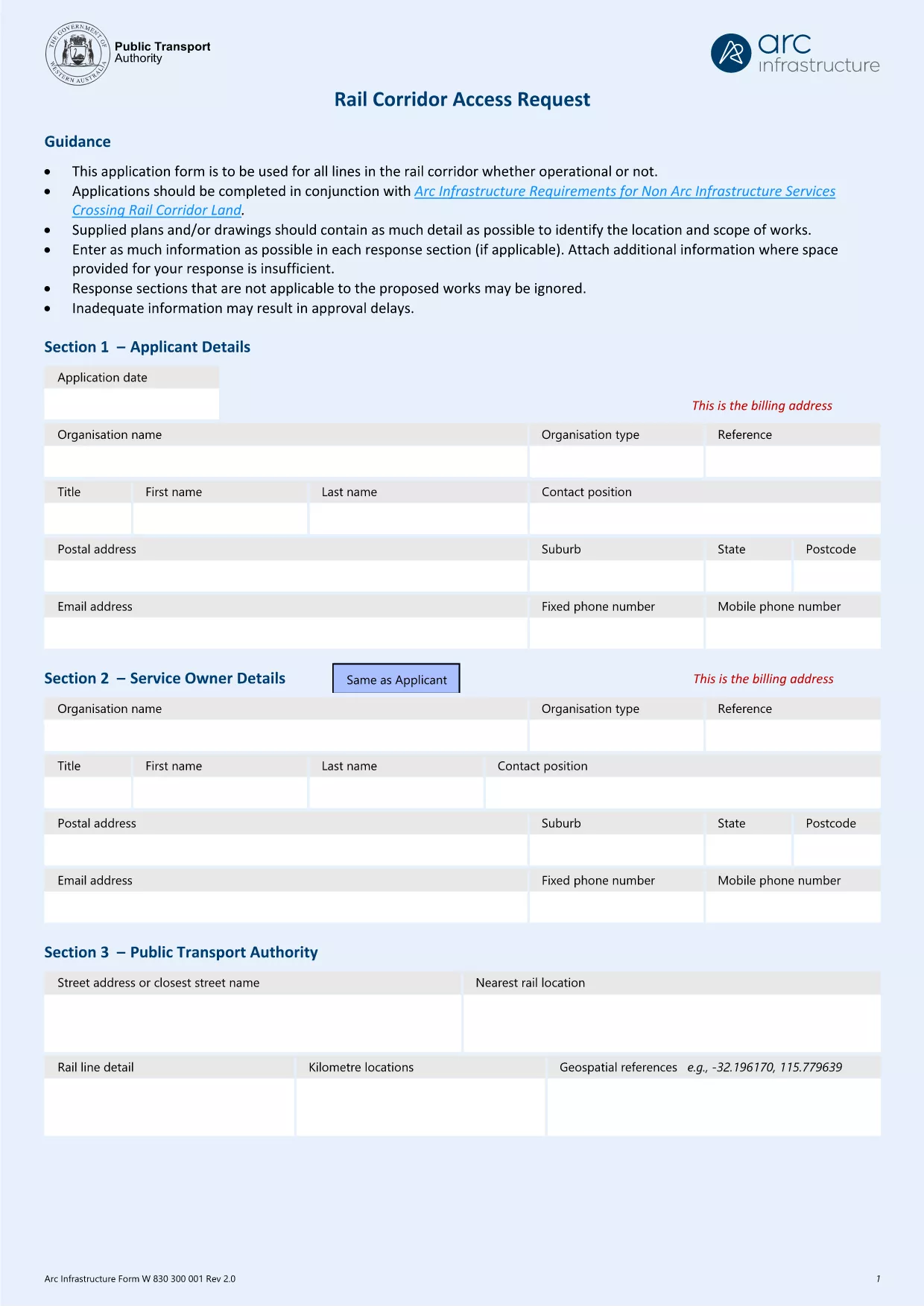
The Arc Infrastructure TPS Application Form (referenced by the email address hr@arcs.af) is required for anyone seeking permission to cross or use rail corridor land managed by Arc Infrastructure. Instead of printing, printing‑and‑scanning, or dealing with cumbersome paper copies, you can now complete the form instantly online with our Formize PDF Filler. The fillable PDF is fully compatible with all modern browsers and devices.

Our landing page gives you direct access to the official PDF, a step‑by‑step guide, and answers to the most common questions, ensuring a smooth and error‑free submission.

Key benefits of using the online fillable version:

  • Instant loading – no need to download and open a separate editor.
  • Auto‑save functionality keeps your progress safe.
  • Built‑in validation reduces mistakes.
  • Download a completed copy for your records or submit directly to Arc Infrastructure.

Ready to start? Click the “Fill out this form” button below and let the Formize PDF Filler do the heavy lifting.

FAQ
  • Do I need Adobe Acrobat to fill this form?

    No. The Formize PDF Filler works in any modern browser and does not require Adobe Acrobat or any additional plugins.

  • Can I edit the form after I have saved it?

    Yes. Open the saved PDF again with the Formize filler or any standard PDF editor to make changes, then re‑save.

  • What if I encounter a validation error?

    The filler highlights the problematic field and provides a short message (e.g., missing phone number, incorrect date format). Correct the entry and re‑validate.

  • Is the information I enter secure?

    All data is processed locally in your browser; nothing is uploaded to external servers unless you choose to share the completed PDF.

  • Can I print a hard‑copy after completing the form?

    Absolutely. Use the **Print** button in the filler or your browser’s print function to produce a paper copy.

  • What is the deadline for submitting this application?

    Check the notice on the form itself or any correspondence from Arc Infrastructure; deadlines vary by project.

HVORDAN

Sådan udfylder du Arc Infrastructure application form gratis online i 5 nemme trin:

  1. 1
    Open the Fillable Form
    Click the **Fill out this form** button on this page. The Formize PDF Filler app will launch in a new tab.
  2. 2
    Wait for the Filler to Load
    The app loads the TPS Application Form automatically. A loading spinner indicates progress; this usually takes a few seconds.
  3. 3
    Complete Each Section
    Enter your details directly into the highlighted fields. Use the tab key or click to move between sections. Required fields are marked with a red asterisk.
  4. 4
    Validate and Save
    When you finish, click **Validate** to let the filler check for missing or incorrectly formatted data. Then click **Save** to download a copy to your device.
  5. 5
    Submit to Arc Infrastructure
    Attach the saved PDF to an email addressed to hr@arcs.af or follow any additional submission instructions provided by Arc Infrastructure.
Formize PDF Filler app
OM

Arc Infrastructure application form skabelon

Med det traditionelle sæt funktioner til at se og udfylde et PDF-dokument, kombineret med fordelene ved en webapplikation og responsivt layout, kan du fuldføre Arc Infrastructure application form på få minutter.

FUNKTIONER

PDF Filler

Den nemmeste måde at udfylde Arc Infrastructure application form online

  • Udfyld hurtigt Arc Infrastructure application form
    Leder du efter en måde, hvorpå du hurtigt kan fylde Arc Infrastructure application form online? Med vores online gratis PDF-formularudfylder ved du, hvordan du redigerer og udfylder dette pdf-dokument på mindre end et minut.
  • Let at bruge online PDF-editor
    Træt af at udskrive PDF-filer, så du kan redigere dem, før du scanner igen og sender dem tilbage? Rediger PDF-dokumenter gratis online. Brug vores online pdf-editor for at spare tid og papir.
  • Fantastiske værktøjer, alle platforme
    Er du i tvivl om, hvordan du udfylder Arc Infrastructure application form på en Mac, eller måske hvordan du bruger en PDF-filler gratis? Vores online PDF-værktøjer fungerer på alle platforme.
  • Sikker fillagring
    Fuldførte "Arc Infrastructure application form"-filer gemmes i en sikret database, der administreres af Amazon Cloud-hosting. Du kan til enhver tid slette dine filer fra vores system. Under alle omstændigheder slettes disse filer automatisk efter 24 timer.
  • Chat med Arc Infrastructure application form
    Chat med "Arc Infrastructure application form" på Chatize, som er en gratis PDF-læserassistent. Stil spørgsmål og få svar fra "Arc Infrastructure application form". Bare klik på knappen Chat med dokument ovenfor.

Slet udfyldningssession

Vil du slette den valgte påfyldningssession? I dette tilfælde vil dine fremskridt med at udfylde formularen gå tabt.

Slet redigeringssession

Vil du slette den valgte redigeringssession? I dette tilfælde vil dine fremskridt med at oprette og redigere formularen gå tabt.