Vælg sprog

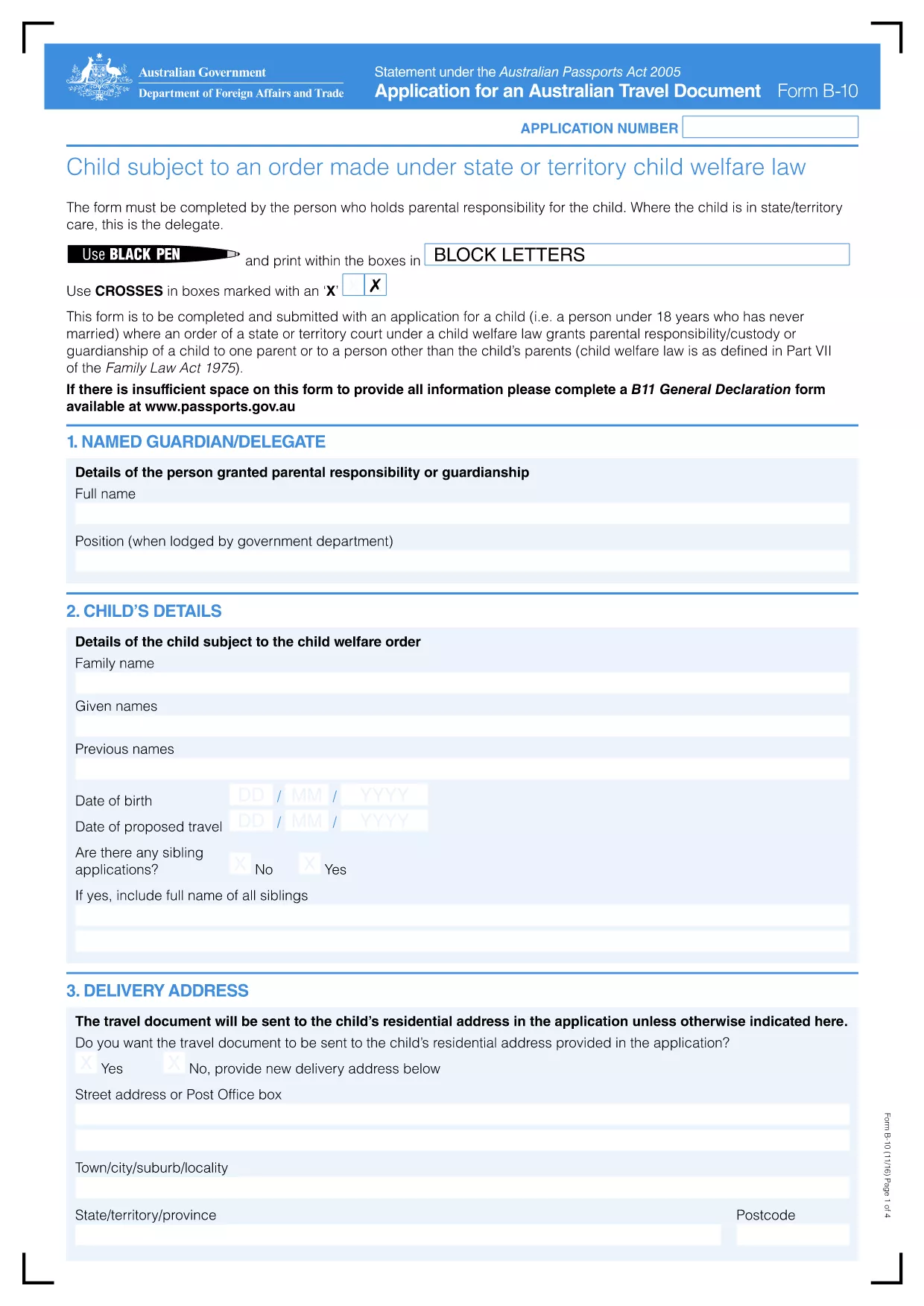
Application Form B-10 – Australian Travel Document

  1. Sprog engelsk
  2. Land Australien
  3. Aktivitet Travel Documents
  4. Afdeling Passports
Application Form B-10 – Australian Travel Document

The Australian Travel Document B-10 (Form B-10) is the official application used by eligible individuals to obtain a travel document when a passport cannot be issued. This fillable PDF is now hosted on Formize, allowing you to complete the form directly in your browser without any additional software.

Key benefits of using the Formize PDF filler:

  • All fields are interactive – click, type, and save.
  • Automatic validation helps prevent errors.
  • Secure, cloud‑based processing keeps your data private.
  • Instant download of the completed PDF for submission.

Below you’ll find a quick guide on how to start, common pitfalls to watch for, and answers to the most‑asked questions about Form B-10.

FAQ
  • Who is eligible to use Form B-10?

    Form B-10 is for Australian citizens who cannot obtain a standard passport due to loss, damage, or legal restrictions, as well as certain permanent residents and stateless persons.

  • Can I submit the completed form electronically?

    Yes. After filling out the PDF, you can email the signed document to the address listed on the form or upload it via the Department of Home Affairs online portal.

  • Do I need to print the form to sign it?

    A digital signature is accepted if the PDF is signed using a certified e‑signature tool. Otherwise, print, sign, and scan the document before submission.

  • How long does processing take?

    Standard processing for a B‑10 travel document is 10‑15 business days after a complete application is received.

  • What supporting documents are required?

    You’ll need proof of identity (e.g., birth certificate), evidence of Australian citizenship or residency, and any documents explaining why a passport cannot be issued.

  • Is there a fee for the B-10 travel document?

    Yes. The current fee is AUD $220, payable by credit card, BPAY, or a cheque included with the application.

  • Can I save my progress and return later?

    The Formize filler allows you to save a draft locally. Click **"Save"** and reopen the file later to continue editing.

  • What if I make a mistake after submission?

    Contact the Department’s travel document unit immediately. Minor errors can be corrected with a written amendment; major errors may require a new application.

HVORDAN

Sådan udfylder du application form B-10 gratis online i 5 nemme trin:

  1. 1
    Open the Fillable Form
    Click the **"Fill out this form"** button on the page. The Formize PDF Filler app will open in a new tab.
  2. 2
    Wait for the Filler to Load
    Allow a few seconds for the interactive PDF to initialize. All fields will become clickable.
  3. 3
    Complete Each Section
    Enter your information exactly as it appears on supporting documents. Required fields are marked with an asterisk.
  4. 4
    Validate and Review
    The filler automatically checks for missing or incorrectly formatted data. Correct any highlighted issues.
  5. 5
    Save or Download
    When you’re satisfied, click **"Save"** to store the file in your browser or **"Download"** to obtain the completed PDF for submission to the Department of Home Affairs.
Formize PDF Filler app
OM

application form B-10 skabelon

Med det traditionelle sæt funktioner til at se og udfylde et PDF-dokument, kombineret med fordelene ved en webapplikation og responsivt layout, kan du fuldføre application form B-10 på få minutter.

FUNKTIONER

PDF Filler

Den nemmeste måde at udfylde application form B-10 online

  • Udfyld hurtigt application form B-10
    Leder du efter en måde, hvorpå du hurtigt kan fylde application form B-10 online? Med vores online gratis PDF-formularudfylder ved du, hvordan du redigerer og udfylder dette pdf-dokument på mindre end et minut.
  • Let at bruge online PDF-editor
    Træt af at udskrive PDF-filer, så du kan redigere dem, før du scanner igen og sender dem tilbage? Rediger PDF-dokumenter gratis online. Brug vores online pdf-editor for at spare tid og papir.
  • Fantastiske værktøjer, alle platforme
    Er du i tvivl om, hvordan du udfylder application form B-10 på en Mac, eller måske hvordan du bruger en PDF-filler gratis? Vores online PDF-værktøjer fungerer på alle platforme.
  • Sikker fillagring
    Fuldførte "application form B-10"-filer gemmes i en sikret database, der administreres af Amazon Cloud-hosting. Du kan til enhver tid slette dine filer fra vores system. Under alle omstændigheder slettes disse filer automatisk efter 24 timer.
  • Chat med application form B-10
    Chat med "application form B-10" på Chatize, som er en gratis PDF-læserassistent. Stil spørgsmål og få svar fra "application form B-10". Bare klik på knappen Chat med dokument ovenfor.

Slet udfyldningssession

Vil du slette den valgte påfyldningssession? I dette tilfælde vil dine fremskridt med at udfylde formularen gå tabt.

Slet redigeringssession

Vil du slette den valgte redigeringssession? I dette tilfælde vil dine fremskridt med at oprette og redigere formularen gå tabt.