
Vælg sprog

M22 Tax File Number Form – Fillable PDF

  1. Land Australien
  2. Sprog engelsk
  3. Aktivitet Skatter
  4. Afdeling Superannuation
M22 Tax File Number Form – Fillable PDF

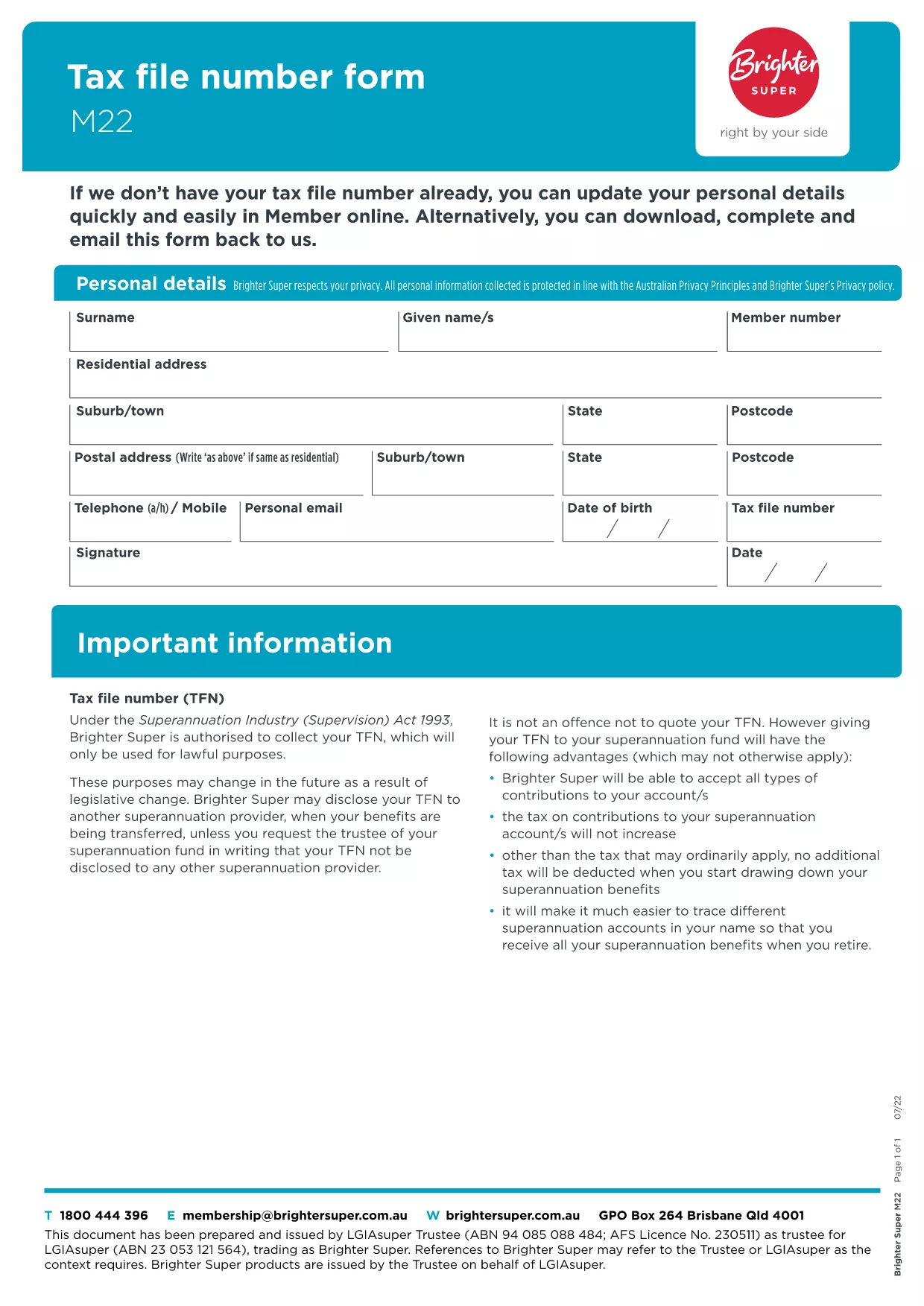
The M22 Tax File Number (TFN) form is the standard document used in Australia to provide or update your TFN with superannuation funds, employers, or government agencies. Whether you’re a new member of a super fund or need to correct details, the M22 form is required.

What Is the M22 Form?

The M22 collects personal details, your TFN, and contact information. It is a simple, one‑page form that can be completed digitally or on paper. Using a fillable PDF eliminates manual errors and speeds up processing.

How to Complete the M22 Form Online

With Formize’s built‑in PDF filler you can complete the M22 without leaving the page:

  • Click the "Fill out this form" button below.
  • Wait a few seconds while the Formize PDF Filler app loads.
  • Enter your information in the highlighted fields.
  • Save, download, or submit directly from the filler.

Common Mistakes to Avoid

  • Leaving the TFN field blank – the form will be rejected.
  • Using an outdated address – always double‑check your contact details.
  • Signing in the wrong place – the signature field is at the bottom of the page.
  • Submitting a scanned copy of a handwritten form – the fillable PDF is preferred.

Where to Submit Your Completed Form

After you’ve saved the completed PDF, you can:

  • Email it to your superannuation provider.
  • Upload it through the provider’s online portal.
  • Print and post it to the address listed on the form.

Download the Official M22 PDF

The version hosted by Brighter Super is the latest approved document. Click the button below to open the fillable version instantly.

FAQ
  • What is the purpose of the M22 form?

    The M22 is used to provide or update your Tax File Number with superannuation funds, employers, or government agencies in Australia.

  • Can I fill out the M22 form on a mobile device?

    Yes. The Formize PDF filler is responsive and works on smartphones and tablets.

  • Do I need to print the form after filling it online?

    Printing is optional. You can email or upload the completed PDF directly to the receiving organisation.

  • Is the information I enter secure?

    Formize uses SSL encryption, ensuring your personal data is transmitted securely.

  • What should I do if I make a mistake after submitting?

    Contact the organisation that received the form and request a replacement M22. You can fill out a new form using the same online filler.

  • Is there a fee to use the Formize filler for the M22?

    No. The filler is free for all users on Formize.com.

  • How long does it take for the form to be processed?

    Processing time depends on the receiving organisation, but most super funds acknowledge receipt within 2‑3 business days.

HVORDAN

Sådan udfylder du M22 form gratis online i 4 nemme trin:

  1. 1
    Open the Fillable Form
    Click the "Fill out this form" button on the page. The Formize PDF Filler app will load in a new window.
  2. 2
    Enter Your Details
    Type your personal information, TFN, and contact details into the highlighted fields. The form saves automatically as you type.
  3. 3
    Review & Sign
    Check every field for accuracy, then add your digital signature in the signature box at the bottom of the form.
  4. 4
    Save or Submit
    Choose to download the completed PDF, email it directly from the filler, or copy a secure link to submit via your super fund’s portal.
Formize PDF Filler app
OM

Skatteskemaer

M22 form er en af ​​skatteformularer, der er dokumenter, der bruges til at indberette oplysninger relateret til skatter til den relevante skattemyndighed. Der er forskellige typer skatteformularer, herunder føderale, statslige og lokale skatteformularer, som kan variere afhængigt af skatteyderens forhold og placering.

FUNKTIONER

PDF Filler

Den nemmeste måde at udfylde M22 form online

  • Udfyld hurtigt M22 form
    Leder du efter en måde, hvorpå du hurtigt kan fylde M22 form online? Med vores online gratis PDF-formularudfylder ved du, hvordan du redigerer og udfylder dette pdf-dokument på mindre end et minut.
  • Let at bruge online PDF-editor
    Træt af at udskrive PDF-filer, så du kan redigere dem, før du scanner igen og sender dem tilbage? Rediger PDF-dokumenter gratis online. Brug vores online pdf-editor for at spare tid og papir.
  • Fantastiske værktøjer, alle platforme
    Er du i tvivl om, hvordan du udfylder M22 form på en Mac, eller måske hvordan du bruger en PDF-filler gratis? Vores online PDF-værktøjer fungerer på alle platforme.
  • Sikker fillagring
    Fuldførte "M22 form"-filer gemmes i en sikret database, der administreres af Amazon Cloud-hosting. Du kan til enhver tid slette dine filer fra vores system. Under alle omstændigheder slettes disse filer automatisk efter 24 timer.
  • Chat med M22 form
    Chat med "M22 form" på Chatize, som er en gratis PDF-læserassistent. Stil spørgsmål og få svar fra "M22 form". Bare klik på knappen Chat med dokument ovenfor.

Slet udfyldningssession

Vil du slette den valgte påfyldningssession? I dette tilfælde vil dine fremskridt med at udfylde formularen gå tabt.

Slet redigeringssession

Vil du slette den valgte redigeringssession? I dette tilfælde vil dine fremskridt med at oprette og redigere formularen gå tabt.