
application form pdf download skabelon
Med det traditionelle sæt funktioner til at se og udfylde et PDF-dokument, kombineret med fordelene ved en webapplikation og responsivt layout, kan du fuldføre application form pdf download på få minutter.


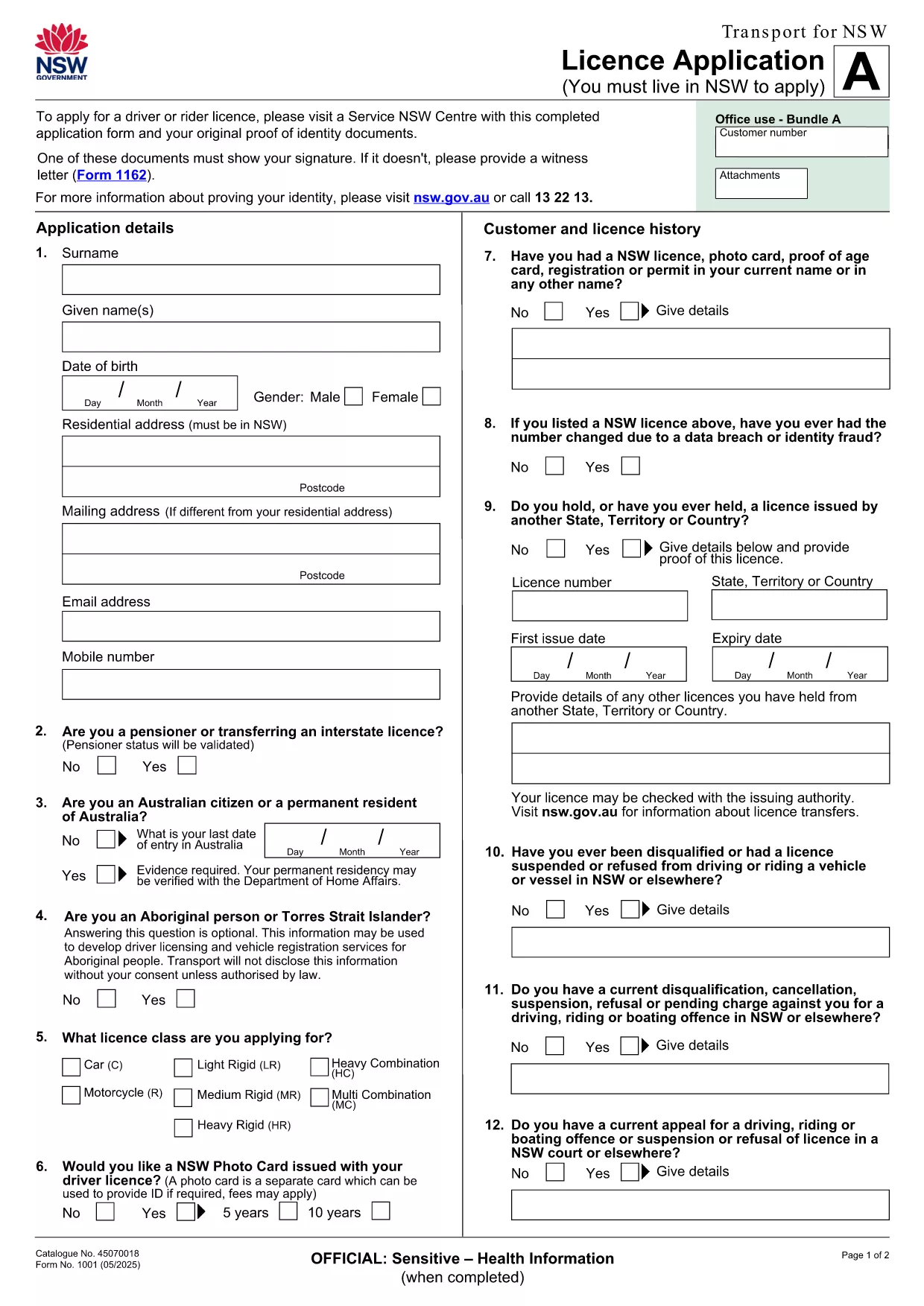
Looking for a fast, secure way to complete your NSW licence application? Our fillable PDF lets you download, edit, and submit the form without installing any extra software. Powered by Formize’s online PDF Filler, the process is simple, safe, and completely free.
Our version of the licence application PDF is 100 % identical to the official form from Transport for NSW, but it adds modern conveniences:
Follow the step‑by‑step guide below. You won’t need Adobe Acrobat or any other desktop editor.
Even with an online filler, a few pitfalls can delay your licence processing. Make sure to:
Once you’ve saved the filled PDF, you can either:
If you have questions about specific fields or eligibility, consult the Transport for NSW licensing guide or contact the Service NSW help desk.
No. The Formize PDF Filler works in any modern browser, so you can complete the form without installing Adobe Acrobat or any other software.
Yes. The filler automatically saves your work locally. You can close the browser and return later by reopening the same link.
Absolutely. The PDF generated by Formize retains the official layout and includes a digital signature field that meets Transport for NSW requirements.
You can download a copy of the completed form, correct the error in the filler, and re‑submit. Keep the original PDF for reference.
The Formize filler handles files up to 10 MB, which is more than sufficient for the licence application form and any supporting attachments.
Med det traditionelle sæt funktioner til at se og udfylde et PDF-dokument, kombineret med fordelene ved en webapplikation og responsivt layout, kan du fuldføre application form pdf download på få minutter.
Den nemmeste måde at udfylde application form pdf download online
Slet udfyldningssession
Slet redigeringssession