Vælg sprog

MV2591 Medical Fitness Assessment Form – Fillable PDF

  1. Land Australien
  2. Sprog engelsk
  3. Aktivitet Driver Licensing
  4. Afdeling Transport NSW
MV2591 Medical Fitness Assessment Form – Fillable PDF

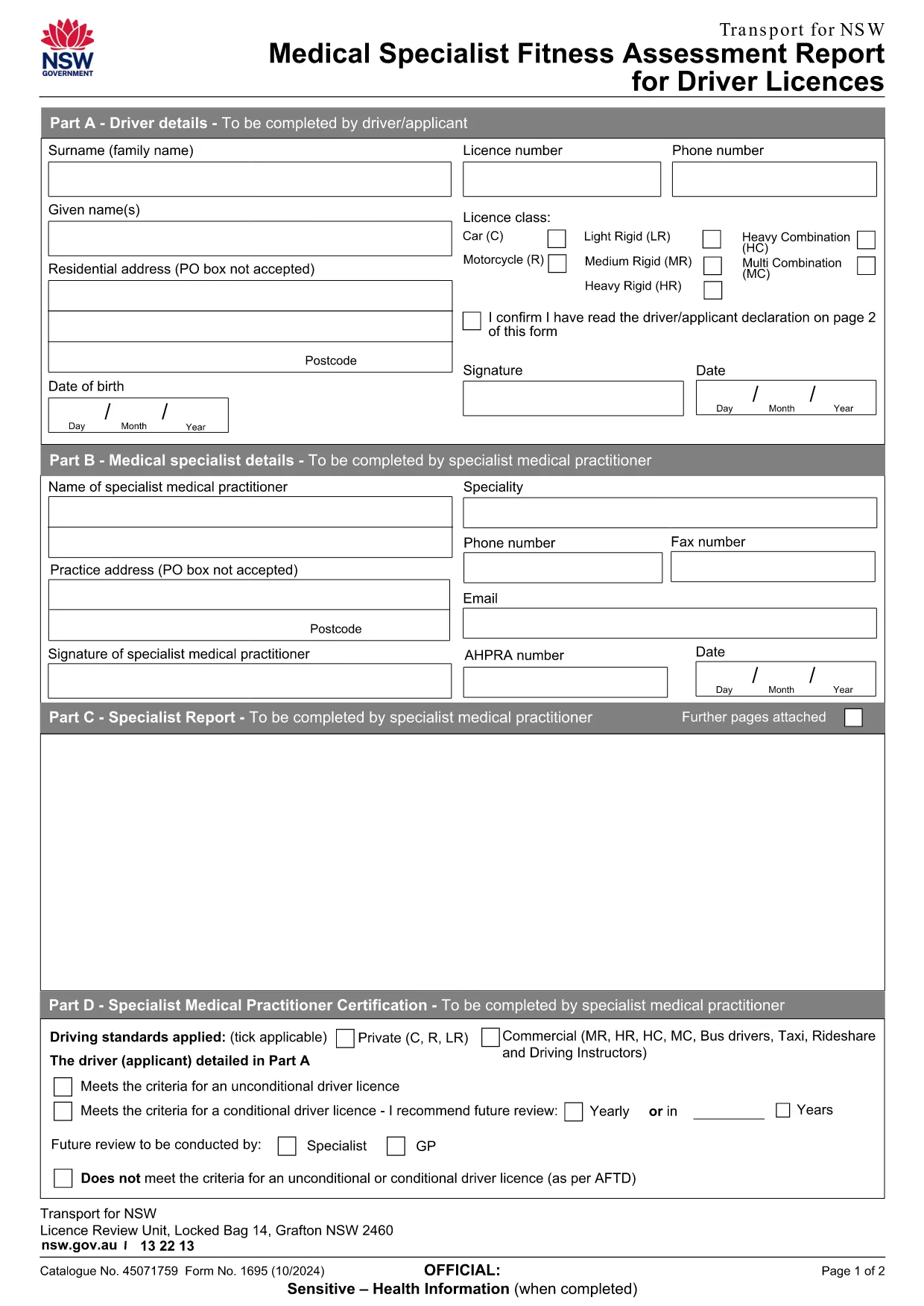
The MV2591 Medical Fitness Assessment Report is the official form used by Transport NSW to evaluate a driver's medical fitness for a licence. Whether you are applying for a new licence, renewing an existing one, or need to provide a specialist report, the MV2591 must be completed accurately.

What is the MV2591 Form?

MV2591 is a fillable PDF designed for medical specialists to record health information that affects driving ability. The form captures details such as vision, hearing, neurological conditions, and medication use.

How to Complete the MV2591 Online

Instead of downloading the PDF and editing it with a separate editor, simply click the "Fill out this form" button on this page. The Formize PDF Filler app will load directly in your browser:

  1. Click Fill out this form below.
  2. Wait a few seconds while the Formize PDF Filler loads.
  3. Enter all required information in the highlighted fields.
  4. Use the Save button to download the completed PDF to your device.
  5. Print and submit the form to Transport NSW as instructed.

Eligibility and Requirements

  • Must be a registered medical specialist or authorised health professional.
  • All sections marked with an asterisk (*) are mandatory.
  • Provide supporting documentation for any condition that may affect driving.

Common Mistakes to Avoid

  • Leaving mandatory fields blank – the form will not validate.
  • Using non‑standard abbreviations for medication names.
  • Uploading an outdated version of the form – always use the latest PDF (linked above).
  • Not signing and dating the declaration section.

Download & Save Your Completed Form

After filling out the MV2591, click Download to save a copy on your computer. Keep a backup for your records and submit the original to Transport NSW as required.

Need help? Review the FAQs below or contact your medical practice for clarification.

FAQ
  • What does MV2591 stand for?

    MV2591 is the code for the Medical Fitness Assessment Report used by Transport NSW to assess a driver's health suitability for a licence.

  • Can I fill out MV2591 on a mobile device?

    Yes. The Formize PDF Filler works on most modern browsers, including mobile Chrome and Safari. For best experience, use a tablet or desktop.

  • Do I need a digital signature?

    The form requires a handwritten signature. After downloading the completed PDF, print it, sign in the designated area, and then scan or fax it back if required.

  • How long does it take to complete the form?

    Typical completion time is 10‑15 minutes, depending on the amount of medical information required.

  • What should I do if I make a mistake after saving?

    Open the saved PDF again with the Formize PDF Filler, correct the error, and re‑save the document before submitting.

  • Is there a fee to use the Formize PDF Filler?

    No. The online filler is free for all users accessing this form.

HVORDAN

Sådan udfylder du MV2591 gratis online i 4 nemme trin:

  1. 1
    Open the Fillable Form
    Click the "Fill out this form" button on this page. The Formize PDF Filler will launch in a new browser tab.
  2. 2
    Enter Your Information
    Complete each required field. Required fields are marked with an asterisk (*). Use clear, legible text.
  3. 3
    Validate and Save
    When all fields are filled, click the "Validate" button to ensure there are no errors, then click "Save" to download the completed PDF.
  4. 4
    Print and Submit
    Print the saved PDF and attach any supporting documents. Submit the form to Transport NSW according to the instructions on the form.
Formize PDF Filler app
OM

MV2591 skabelon

Med det traditionelle sæt funktioner til at se og udfylde et PDF-dokument, kombineret med fordelene ved en webapplikation og responsivt layout, kan du fuldføre MV2591 på få minutter.

FUNKTIONER

PDF Filler

Den nemmeste måde at udfylde MV2591 online

  • Udfyld hurtigt MV2591
    Leder du efter en måde, hvorpå du hurtigt kan fylde MV2591 online? Med vores online gratis PDF-formularudfylder ved du, hvordan du redigerer og udfylder dette pdf-dokument på mindre end et minut.
  • Let at bruge online PDF-editor
    Træt af at udskrive PDF-filer, så du kan redigere dem, før du scanner igen og sender dem tilbage? Rediger PDF-dokumenter gratis online. Brug vores online pdf-editor for at spare tid og papir.
  • Fantastiske værktøjer, alle platforme
    Er du i tvivl om, hvordan du udfylder MV2591 på en Mac, eller måske hvordan du bruger en PDF-filler gratis? Vores online PDF-værktøjer fungerer på alle platforme.
  • Sikker fillagring
    Fuldførte "MV2591"-filer gemmes i en sikret database, der administreres af Amazon Cloud-hosting. Du kan til enhver tid slette dine filer fra vores system. Under alle omstændigheder slettes disse filer automatisk efter 24 timer.
  • Chat med MV2591
    Chat med "MV2591" på Chatize, som er en gratis PDF-læserassistent. Stil spørgsmål og få svar fra "MV2591". Bare klik på knappen Chat med dokument ovenfor.

Slet udfyldningssession

Vil du slette den valgte påfyldningssession? I dette tilfælde vil dine fremskridt med at udfylde formularen gå tabt.

Slet redigeringssession

Vil du slette den valgte redigeringssession? I dette tilfælde vil dine fremskridt med at oprette og redigere formularen gå tabt.