
old age pension application skabelon
Med det traditionelle sæt funktioner til at se og udfylde et PDF-dokument, kombineret med fordelene ved en webapplikation og responsivt layout, kan du fuldføre old age pension application på få minutter.


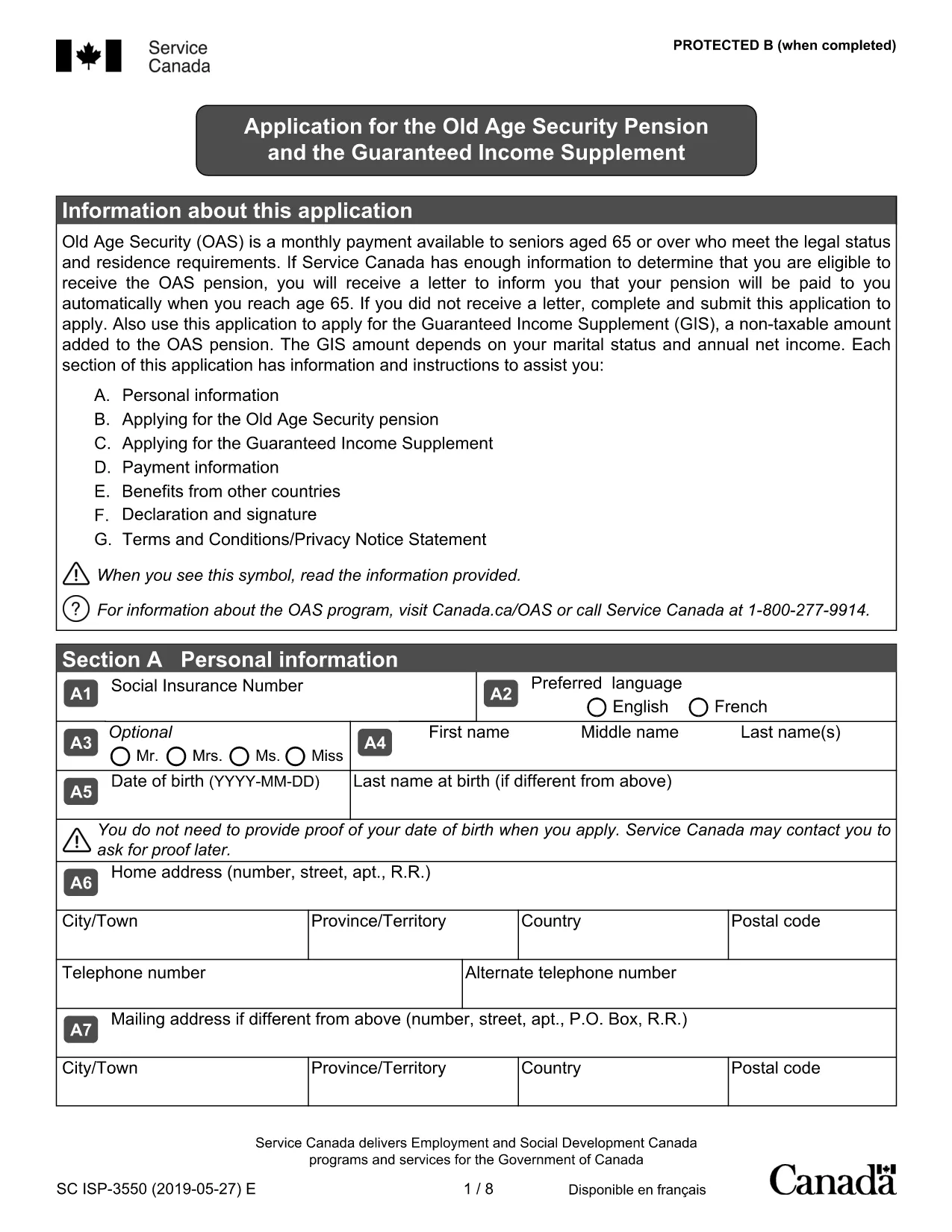
Applying for the Old Age Pension (Old Age Security) can feel overwhelming, but with our fillable PDF you can complete the entire application online, save time, and reduce errors. The form is fully compatible with the Formize PDF Filler – just click the button, fill the fields, and submit.
Follow the simple steps below to fill out the application correctly. Each step corresponds to a section of the PDF.
Before you start, make sure you meet the basic criteria:
Ready to begin? Click the button below, let Formize load the PDF, and complete your Old Age Pension application in minutes.
No. The fillable PDF can be completed entirely online using the Formize PDF Filler, then saved as a digital file for submission.
You’ll need your Social Insurance Number (SIN), proof of residency (e.g., driver’s licence), recent bank statements, and details of any assets or income.
Yes. The Formize filler automatically saves your entries in the browser, so you can close the window and return at any time.
Service Canada accepts a digitally signed PDF. The Formize filler includes an e‑signature field that meets their requirements.
After submission, Service Canada typically processes an OAS application within 4‑6 weeks, provided all information is complete.
Contact Service Canada immediately. You can submit a corrected PDF or provide additional information through your myGov account.
No. The PDF and the Formize filler are completely free to use.
Med det traditionelle sæt funktioner til at se og udfylde et PDF-dokument, kombineret med fordelene ved en webapplikation og responsivt layout, kan du fuldføre old age pension application på få minutter.
Den nemmeste måde at udfylde old age pension application online
Slet udfyldningssession
Slet redigeringssession