
Vælg sprog

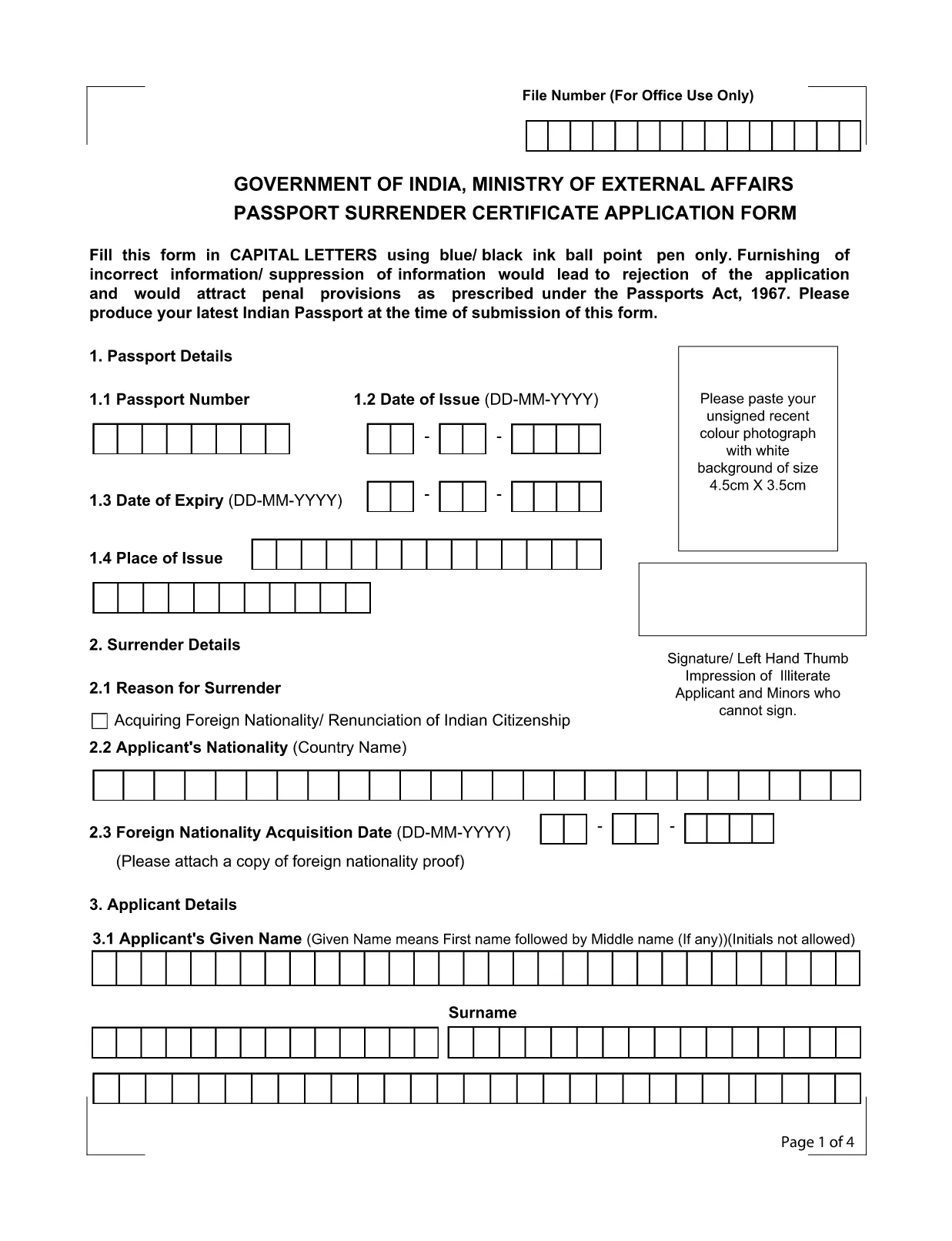
Application Form for Surrender of Indian Passport

  1. Sprog engelsk
  2. Land Indien
  3. Afdeling Udenrigsministeriet
  4. Aktivitet Passport Surrender
Application Form for Surrender of Indian Passport

The passport surrender form is a mandatory document required by the Ministry of External Affairs when you voluntarily give up your Indian passport. Whether you have acquired foreign citizenship, are moving abroad permanently, or simply need to cancel an unused passport, this official Indian passport surrender application ensures a smooth, legal transition.

What Is the Passport Surrender Form?

This form, officially titled Passport Surrender Certificate Application Form, collects personal details, passport information, and the reason for surrender. It must be filled in capital letters with a blue or black ball‑point pen if printed, but with Formize’s online PDF filler you can type directly, saving time and eliminating illegible handwriting.

How to Fill the Surrender Certificate Online

Follow these simple steps to complete the form using our integrated Formize PDF Filler:

  • Click the "Fill out this form" button on this page.
  • Wait a few seconds while the Formize PDF Filler loads the fillable document.
  • Enter all required information exactly as it appears on your passport.
  • Review each field for accuracy, then click Submit to generate a downloadable copy.

Common Mistakes to Avoid

Even a small error can lead to rejection under the Passports Act, 1967. Keep these tips in mind:

  • Use only capital letters and avoid abbreviations.
  • Do not leave any field blank; write "N/A" where applicable.
  • Ensure the passport number matches the one printed on the document.
  • Provide a valid Indian address for correspondence.

Where to Submit the Completed Form

After completing the fillable PDF, print a clear copy and submit it to the nearest Indian Mission (Consulate or Embassy) along with your original passport. Some missions also accept a scanned copy via email—check the specific mission’s guidelines.

Download the Fillable PDF Instantly

Ready to start? Click the button below to open the official fillable PDF in the Formize PDF Filler. No extra software is required.

FAQ
  • Do I need to pay a fee to surrender my Indian passport?

    Yes, most Indian missions charge a nominal surrender fee. Check the specific consulate’s website for the exact amount.

  • Can I surrender my passport if I have already obtained foreign citizenship?

    Absolutely. Surrendering your Indian passport is a legal requirement after acquiring another nationality.

  • Is a scanned copy of the form acceptable?

    Some Indian missions accept a scanned, signed PDF, but most require a printed original. Verify the requirements of the mission you will visit.

  • What happens to my passport after surrender?

    The passport is cancelled and returned to the Ministry of External Affairs. You will receive a surrender certificate as proof.

  • Can I fill the form on a mobile device?

    Yes, the Formize PDF Filler works on all modern browsers, including mobile phones and tablets.

  • How long does the surrender process take?

    Processing time varies by mission, typically ranging from 7 to 14 business days after submission.

HVORDAN

Sådan udfylder du passport surrender form india gratis online i 4 nemme trin:

  1. 1
    Click the Fill-out Button
    Press the "Fill out this form" button on the page to launch the Formize PDF Filler.
  2. 2
    Wait for the Filler to Load
    A few seconds later the fillable PDF will appear in the browser. No download needed.
  3. 3
    Enter All Required Details
    Complete each field using capital letters. The filler validates dates and passport numbers automatically.
  4. 4
    Submit, Download, and Print
    After reviewing, click Submit to generate a PDF copy. Print it and take it to the nearest Indian mission.
Formize PDF Filler app
OM

Ansøgningsskemaer til Postafdelingen

passport surrender form india er en af ​​de officielle former for det indiske postkontor, der tilbyder forskellige ansøgningsformularer til forskellige tjenester. Nogle almindelige ansøgningsskemaer omfatter:

Postlivsforsikring: Denne formular bruges til at ansøge om postlivsforsikringer, der tilbydes af Postministeriet.

Opsparingskonto: Denne formular bruges til at åbne en sparekassekonto på et posthus.

Money Order: Denne formular bruges til at sende postanvisninger via postvæsenet.

Registeret post: Denne formular bruges til at sende anbefalede breve og pakker gennem postvæsenet.

Hurtigpost: Denne formular bruges til at sende pakker og dokumenter gennem hurtigposttjenesten.

Postkontorets månedlige indkomstordning: Denne formular bruges til at åbne en månedlig indkomstordningskonto på et posthus.

FUNKTIONER

PDF Filler

Den nemmeste måde at udfylde passport surrender form india online

  • Udfyld hurtigt passport surrender form india
    Leder du efter en måde, hvorpå du hurtigt kan fylde passport surrender form india online? Med vores online gratis PDF-formularudfylder ved du, hvordan du redigerer og udfylder dette pdf-dokument på mindre end et minut.
  • Let at bruge online PDF-editor
    Træt af at udskrive PDF-filer, så du kan redigere dem, før du scanner igen og sender dem tilbage? Rediger PDF-dokumenter gratis online. Brug vores online pdf-editor for at spare tid og papir.
  • Fantastiske værktøjer, alle platforme
    Er du i tvivl om, hvordan du udfylder passport surrender form india på en Mac, eller måske hvordan du bruger en PDF-filler gratis? Vores online PDF-værktøjer fungerer på alle platforme.
  • Sikker fillagring
    Fuldførte "passport surrender form india"-filer gemmes i en sikret database, der administreres af Amazon Cloud-hosting. Du kan til enhver tid slette dine filer fra vores system. Under alle omstændigheder slettes disse filer automatisk efter 24 timer.
  • Chat med passport surrender form india
    Chat med "passport surrender form india" på Chatize, som er en gratis PDF-læserassistent. Stil spørgsmål og få svar fra "passport surrender form india". Bare klik på knappen Chat med dokument ovenfor.

Slet udfyldningssession

Vil du slette den valgte påfyldningssession? I dette tilfælde vil dine fremskridt med at udfylde formularen gå tabt.

Slet redigeringssession

Vil du slette den valgte redigeringssession? I dette tilfælde vil dine fremskridt med at oprette og redigere formularen gå tabt.