
Vælg sprog

INZ1375 Fillable PDF – Download & Complete Online

  1. Sprog engelsk
  2. Land New Zealand
  3. Afdeling Immigration New Zealand
  4. Aktivitet Visum
INZ1375 Fillable PDF – Download & Complete Online

What is the INZ1375 Form?

The INZ1375 is an Immigration New Zealand form used for specific visa applications and status updates. It collects personal details, travel history, and supporting information that Immigration officials need to assess eligibility.

How to Fill the INZ1375 PDF Online

Instead of downloading the file and opening a desktop PDF editor, simply click the "Fill out this form" button on this page. The Formize PDF Filler app will load the fillable version instantly, allowing you to type, check boxes, and add signatures directly in your browser.

Common Mistakes to Avoid

  • Leaving required fields blank – the filler will highlight missing entries before you can submit.
  • Using non‑Latin characters in name fields – New Zealand immigration expects standard English letters.
  • Uploading an outdated version of the form – always use the latest PDF provided below.
  • Forgetting to sign the declaration section – an unsigned form will be rejected.

Where to Submit Your Completed Form

Once you have filled out the INZ1375, you can either:

  1. Upload the completed PDF through your Immigration New Zealand online account.
  2. Print, sign, and mail it to the address listed in the form instructions.

Check the latest submission guidelines on the official Immigration New Zealand website before sending.

Download the PDF

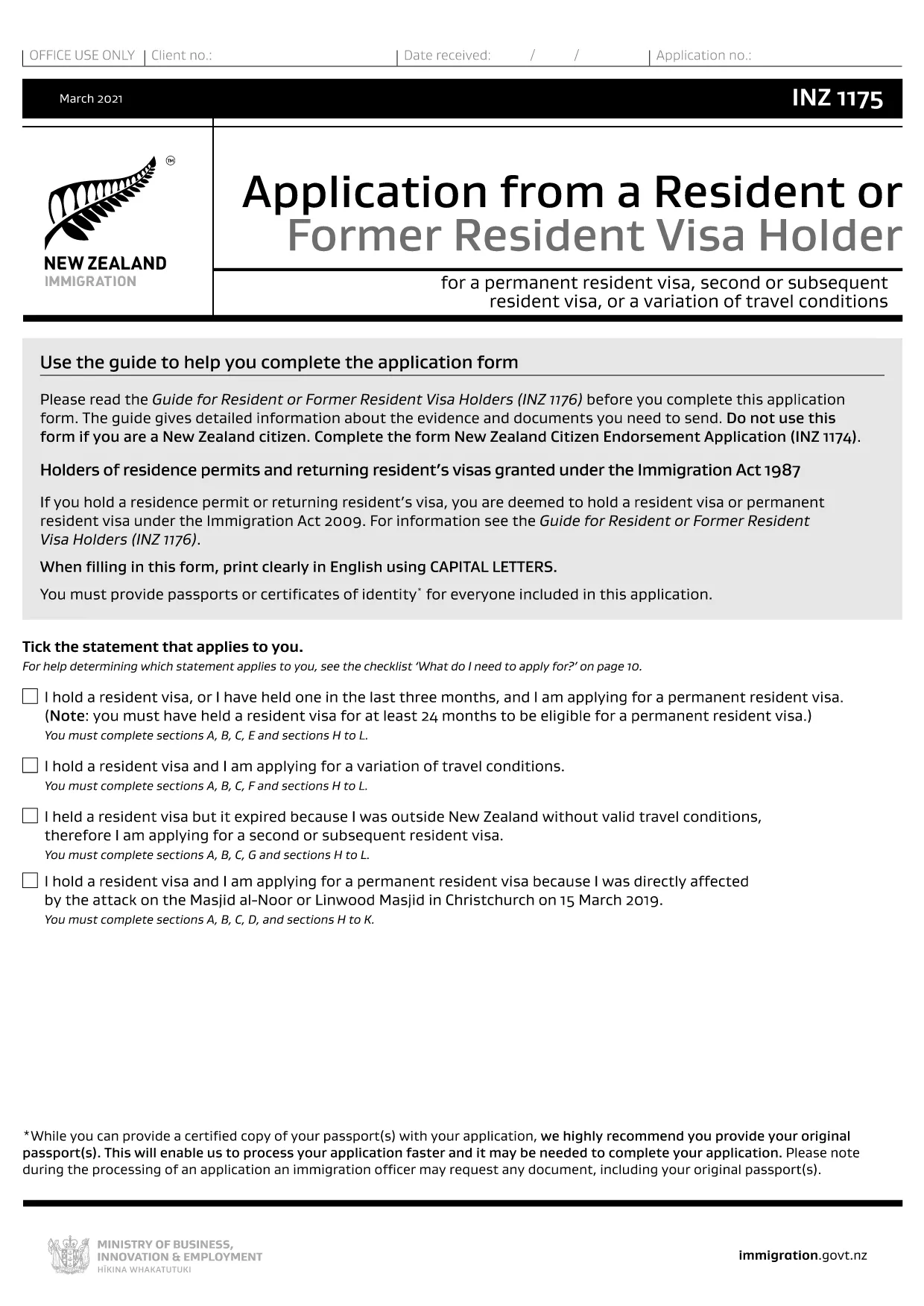
If you prefer to work offline, you can download the fillable PDF directly from the link below. The file is the closest publicly available version (INZ1175) which shares the same layout and fields as INZ1375.

Download INZ1175 (fillable) PDF

FAQ
  • What is the difference between INZ1375 and INZ1175?

    Both forms share the same layout and most of the same fields. INZ1175 is the publicly available fillable version that can be used as a template for INZ1375.

  • Can I edit the PDF on a mobile device?

    Yes. The Formize PDF Filler works on smartphones and tablets, allowing you to complete the form on any modern browser.

  • Do I need to print the form after filling it online?

    Only if you prefer a hard copy for your records. For electronic submission, a downloaded PDF with a digital signature is sufficient.

  • Is there a fee to use the Formize PDF Filler?

    No. Formize provides the filler for free; any fees are set by Immigration New Zealand for processing your visa application.

  • How do I know if my completed form is accepted?

    After you submit the form through the Immigration portal, you will receive a confirmation email. If any fields are missing, the system will prompt you to correct them.

  • What should I do if I make a mistake after submission?

    Contact Immigration New Zealand through their online help centre and request a correction. You may need to upload a revised PDF.

  • Can I save a draft and return later?

    Yes. The Formize filler lets you save a draft to your device or cloud storage, then reopen it later to finish.

HVORDAN

Sådan udfylder du INZ1375 gratis online i 5 nemme trin:

  1. 1
    Click the Fill Button
    Press the "Fill out this form" button on the page. The Formize PDF Filler loads the form instantly in your browser.
  2. 2
    Enter Your Information
    Type directly into each field, select dates from the calendar picker, and upload any required supporting documents.
  3. 3
    Save and Review
    Use the "Save" option to store a draft. Review all entries; required fields will be highlighted if incomplete.
  4. 4
    Add Your Digital Signature
    Click the signature box, draw or upload your signature, and confirm.
  5. 5
    Download or Submit
    When finished, download the completed PDF for your records or submit it directly through the Immigration New Zealand online portal.
Formize PDF Filler app
OM

Visum formularer

INZ1375 er en af ​​visumformularer, der er dokumenter, der bruges til at ansøge om visum til indrejse i et fremmed land. Et visum er et dokument, der tillader en udenlandsk statsborger at rejse ind, opholde sig og nogle gange arbejde i et fremmed land i en bestemt periode. De nøjagtige former og krav for at få et visum varierer efter land og visumtype.

Visumformularer kræver typisk personoplysninger som navn, fødselsdato og pasoplysninger samt oplysninger om rejsens formål og længde, påtænkt destination, og om ansøgeren tidligere har fået afslag på visum eller udvist fra et land. Formularerne kan også kræve støttedokumenter såsom pas, fotografier og bevis for økonomisk støtte.

I USA er de mest almindelige visumformer DS-160 og DS-260. DS-160-formularen bruges til at ansøge om et ikke-immigrantvisum, mens DS-260-formularen bruges til at ansøge om et immigrantvisum. Disse formularer kræver detaljerede oplysninger om ansøgerens personlige og rejsehistorik samt understøttende dokumentation såsom pas, rejseplan og økonomiske optegnelser.

Andre lande kan have forskellige visumformer og -krav, men den grundlæggende proces involverer typisk at udfylde en visumansøgning, levere understøttende dokumentation og deltage i et interview med en konsulær embedsmand på en amerikansk ambassade eller konsulat. Det er vigtigt at bemærke, at visumansøgningsprocessen kan være kompleks og tidskrævende, og det anbefales, at personer, der søger et visum, rådfører sig med en immigrationsadvokat eller anden kvalificeret professionel for at sikre, at alle nødvendige former og krav er opfyldt.

FUNKTIONER

PDF Filler

Den nemmeste måde at udfylde INZ1375 online

  • Udfyld hurtigt INZ1375
    Leder du efter en måde, hvorpå du hurtigt kan fylde INZ1375 online? Med vores online gratis PDF-formularudfylder ved du, hvordan du redigerer og udfylder dette pdf-dokument på mindre end et minut.
  • Let at bruge online PDF-editor
    Træt af at udskrive PDF-filer, så du kan redigere dem, før du scanner igen og sender dem tilbage? Rediger PDF-dokumenter gratis online. Brug vores online pdf-editor for at spare tid og papir.
  • Fantastiske værktøjer, alle platforme
    Er du i tvivl om, hvordan du udfylder INZ1375 på en Mac, eller måske hvordan du bruger en PDF-filler gratis? Vores online PDF-værktøjer fungerer på alle platforme.
  • Sikker fillagring
    Fuldførte "INZ1375"-filer gemmes i en sikret database, der administreres af Amazon Cloud-hosting. Du kan til enhver tid slette dine filer fra vores system. Under alle omstændigheder slettes disse filer automatisk efter 24 timer.
  • Chat med INZ1375
    Chat med "INZ1375" på Chatize, som er en gratis PDF-læserassistent. Stil spørgsmål og få svar fra "INZ1375". Bare klik på knappen Chat med dokument ovenfor.

Slet udfyldningssession

Vil du slette den valgte påfyldningssession? I dette tilfælde vil dine fremskridt med at udfylde formularen gå tabt.

Slet redigeringssession

Vil du slette den valgte redigeringssession? I dette tilfælde vil dine fremskridt med at oprette og redigere formularen gå tabt.