Vælg sprog

Land Bank Application Form (Fillable PDF)

  1. Sprog engelsk
  2. Land South Africa
  3. Afdeling Land Bank
  4. Aktivitet Agricultural Finance
Land Bank Application Form (Fillable PDF)

Looking for the official Land Bank application form? You’re in the right place. Our secure page lets you view, download, and fill the form directly in your browser – no extra software required.

Why Use a Fillable PDF for Land Bank Applications?

A fillable PDF saves time, reduces errors, and ensures your submission meets the Land Bank’s formatting standards. The document is searchable, printable, and fully compatible with the Formize PDF Filler app.

How to Complete the Land Bank Form Online

Follow these simple steps to submit your application quickly:

  1. Click the Fill out this form button below.
  2. Wait a few seconds while the Formize PDF Filler loads.
  3. Enter your information in each field – the form automatically validates dates, numbers, and required fields.
  4. Review your entries, then click Save & Download to get a completed PDF copy.
  5. Submit the saved PDF to the Land Bank via their portal or email, as instructed in the form’s cover page.

Common Mistakes to Avoid

  • Leaving required fields blank – the filler will highlight missing data before you can save.
  • Using the wrong date format – the form expects DD/MM/YYYY.
  • Uploading a scanned copy instead of the fillable version – scanned PDFs cannot be edited online.
  • Not signing the form – add a digital signature in the designated field before downloading.

Download the Official Land Bank PDF

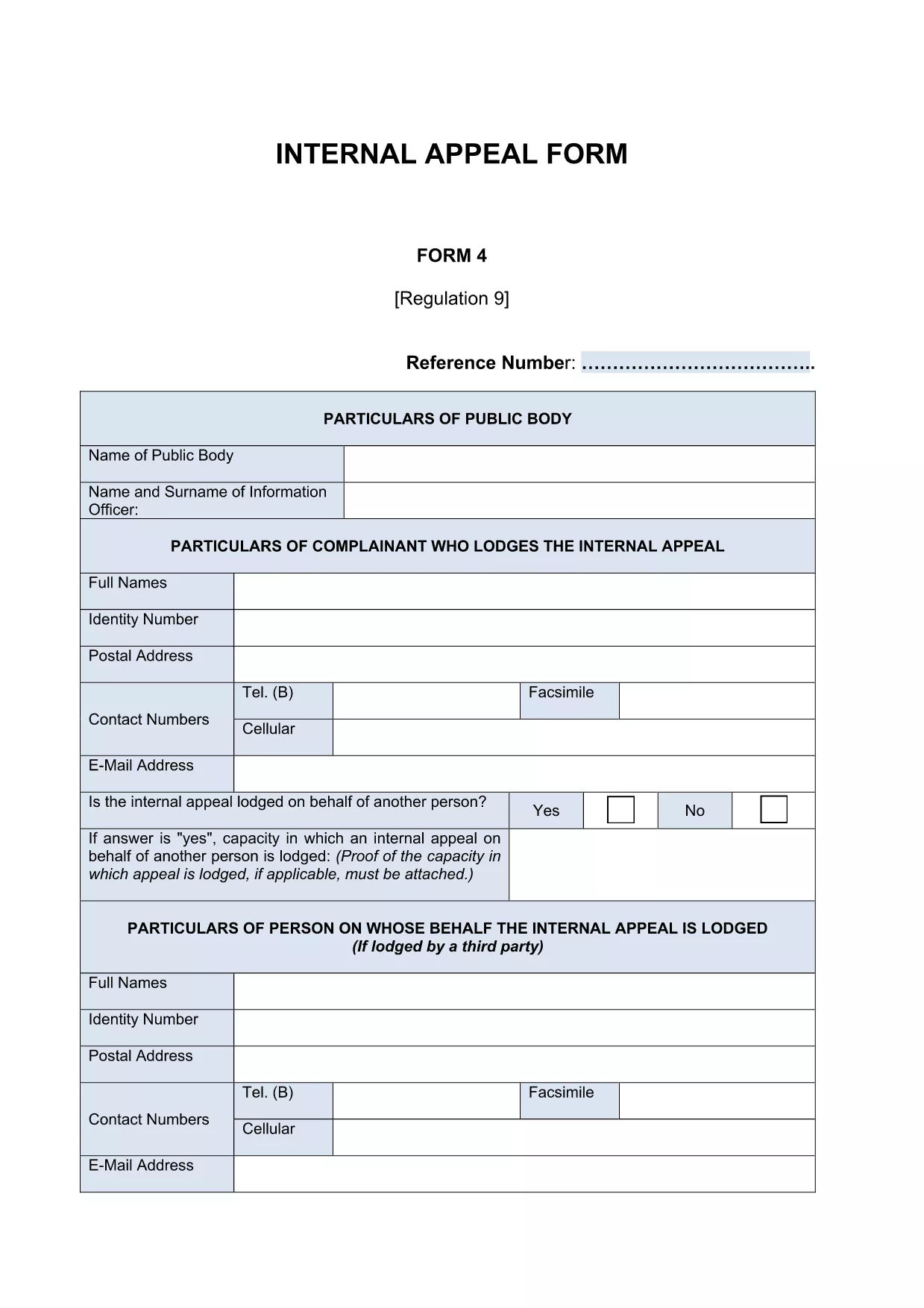
The PDF linked below is the exact document used by the Land Bank. It is fully fillable and complies with the institution’s PAIA requirements.

Download Land Bank Internal Appeal Form (PDF)

Frequently Asked Questions

Below are the most common questions about this form and how to use our online filler.

FAQ
  • Do I need Adobe Acrobat to fill this form?

    No. The Formize PDF Filler works in any modern browser, so you can complete the form without installing Acrobat.

  • Can I edit the form after I download it?

    Yes. The saved PDF remains fully editable with any PDF editor, but it’s best to make all changes before downloading.

  • Is the online filler secure?

    Absolutely. All data is processed locally in your browser; nothing is stored on our servers.

  • What if I make a mistake while filling the form?

    Simply click the field again to correct the entry. The filler validates numbers and dates in real time.

  • Do I need a digital signature?

    The form includes a signature field. You can type your name, draw a signature with your mouse/touchpad, or upload an image of your handwritten signature.

  • How long does it take to fill out the Land Bank form?

    Most users complete it in 10‑15 minutes, depending on how much information they need to provide.

  • Can I print the form before submitting?

    Yes. After downloading, open the PDF and print it like any other document.

HVORDAN

Sådan udfylder du Land Bank application form gratis online i 4 nemme trin:

  1. 1
    Open the Fillable Form
    Click the “Fill out this form” button on the page. The Formize PDF Filler will open in a new tab.
  2. 2
    Enter Your Details
    Type directly into each highlighted field. The filler checks for required entries and correct formats.
  3. 3
    Save and Download
    When all fields are complete, click “Save & Download”. A copy of the completed PDF will be saved to your device.
  4. 4
    Submit to Land Bank
    Follow the submission instructions on the last page of the PDF – usually via the Land Bank portal or email.
Formize PDF Filler app
OM

Land Bank application form skabelon

Med det traditionelle sæt funktioner til at se og udfylde et PDF-dokument, kombineret med fordelene ved en webapplikation og responsivt layout, kan du fuldføre Land Bank application form på få minutter.

FUNKTIONER

PDF Filler

Den nemmeste måde at udfylde Land Bank application form online

  • Udfyld hurtigt Land Bank application form
    Leder du efter en måde, hvorpå du hurtigt kan fylde Land Bank application form online? Med vores online gratis PDF-formularudfylder ved du, hvordan du redigerer og udfylder dette pdf-dokument på mindre end et minut.
  • Let at bruge online PDF-editor
    Træt af at udskrive PDF-filer, så du kan redigere dem, før du scanner igen og sender dem tilbage? Rediger PDF-dokumenter gratis online. Brug vores online pdf-editor for at spare tid og papir.
  • Fantastiske værktøjer, alle platforme
    Er du i tvivl om, hvordan du udfylder Land Bank application form på en Mac, eller måske hvordan du bruger en PDF-filler gratis? Vores online PDF-værktøjer fungerer på alle platforme.
  • Sikker fillagring
    Fuldførte "Land Bank application form"-filer gemmes i en sikret database, der administreres af Amazon Cloud-hosting. Du kan til enhver tid slette dine filer fra vores system. Under alle omstændigheder slettes disse filer automatisk efter 24 timer.
  • Chat med Land Bank application form
    Chat med "Land Bank application form" på Chatize, som er en gratis PDF-læserassistent. Stil spørgsmål og få svar fra "Land Bank application form". Bare klik på knappen Chat med dokument ovenfor.

Slet udfyldningssession

Vil du slette den valgte påfyldningssession? I dette tilfælde vil dine fremskridt med at udfylde formularen gå tabt.

Slet redigeringssession

Vil du slette den valgte redigeringssession? I dette tilfælde vil dine fremskridt med at oprette og redigere formularen gå tabt.