
Vælg sprog

RUT-25 Printable Tax Form – Free Download & Online Fillable Version

  1. Land USA
  2. Sprog engelsk
  3. Aktivitet Skatter
  4. Afdeling Illinois Department of Revenue
RUT-25 Printable Tax Form – Free Download & Online Fillable Version

Looking for the RUT-25 printable PDF download for Illinois vehicle use tax? You’ve come to the right place. Formize.com offers a secure, fillable version of the official Illinois Department of Revenue RUT‑25 form so you can complete it directly in your browser—no extra software required.

What is Form RUT-25?

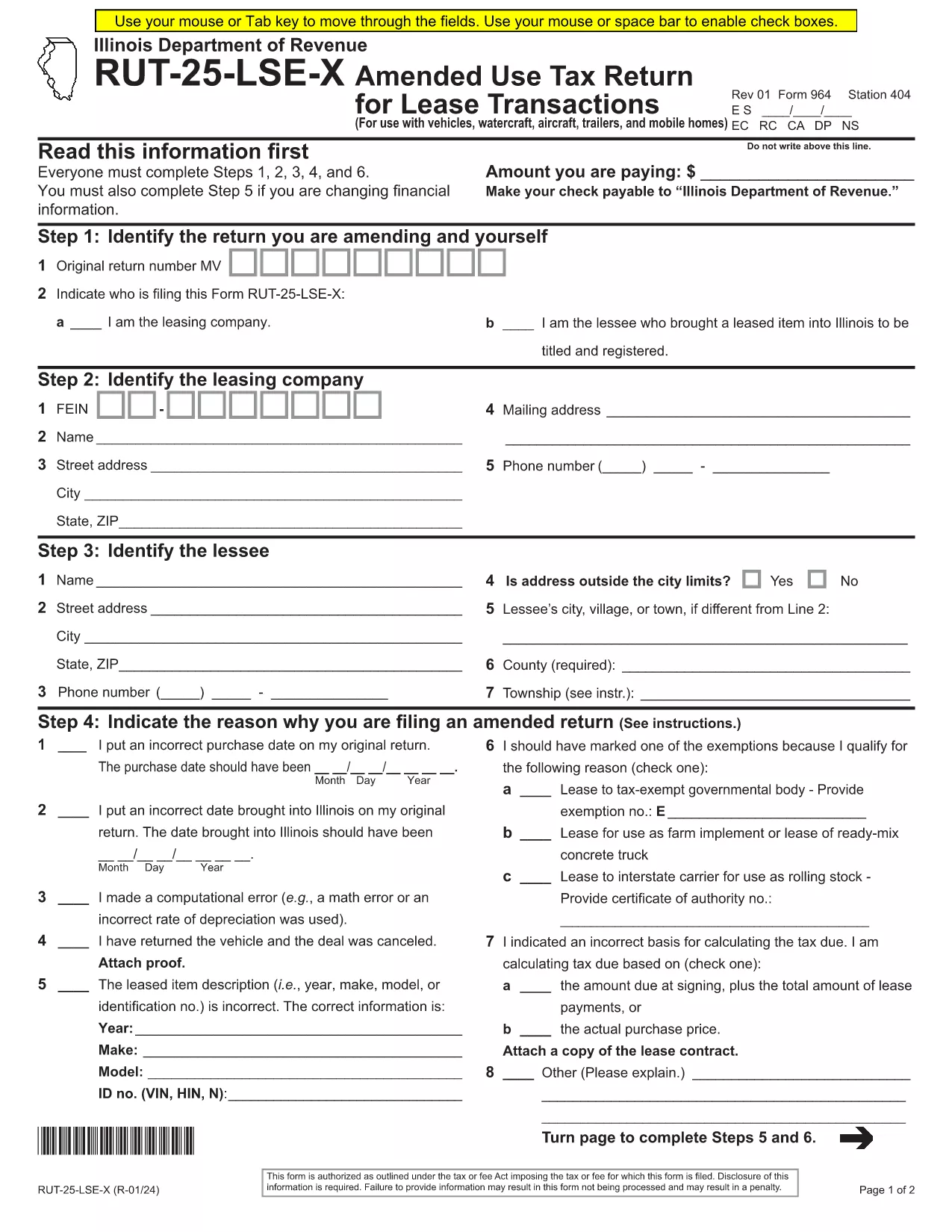
Form RUT‑25 is the Vehicle Use Tax Transaction Return used by the State of Illinois to report and remit use tax on private‑party vehicle sales, leases, and related transactions. It is required for:

  • Private party vehicle purchases
  • Leases of vehicles, watercraft, aircraft, trailers, and mobile homes
  • Fleet exemption claims

Download and Fill the RUT-25 PDF Online

Instead of downloading a static PDF and editing it with a separate editor, simply click the "Fill out this form" button on this page. The Formize PDF Filler app will load instantly, presenting a fully interactive version of the official RUT‑25 document.

Step‑by‑Step Guide to Completing RUT-25

Follow these easy steps to submit a correct and complete return:

  1. Click the Fill out this form button.
  2. Wait a few seconds while the Formize PDF Filler loads the RUT‑25 template.
  3. Enter all required information: seller/buyer details, vehicle identification number (VIN), purchase price, and exemption codes.
  4. Review each field for accuracy; the filler highlights required fields in real‑time.
  5. When finished, click Save & Download to get a completed PDF copy.
  6. Print or email the PDF to the Illinois Department of Revenue according to the submission instructions on the form.

Common Mistakes to Avoid

  • Leaving required fields blank – the filler will not let you submit until all mandatory boxes are filled.
  • Incorrect VIN format – double‑check the 17‑character VIN; typos cause processing delays.
  • Mismatched sale price – ensure the amount matches the bill of sale; under‑reporting can trigger penalties.
  • Wrong exemption code – use the code list on the form; an invalid code will invalidate the return.

Where to Submit Your Completed Form

After downloading the filled PDF, you can:

  • Mail it to the address listed in the form’s instructions.
  • Upload it through the MyTax Illinois portal.
  • Bring a printed copy to any Illinois Department of Revenue office.

Need a printable copy? Use the direct PDF link below to download the original RUT‑25 file.

FAQ
  • What is the purpose of Form RUT-25?

    RUT‑25 reports and collects Illinois vehicle use tax for private‑party vehicle sales, leases, and related transactions.

  • Can I fill out RUT-25 on a mobile device?

    Yes. The Formize PDF Filler works on smartphones and tablets, allowing you to complete the form on any modern browser.

  • Do I need Adobe Acrobat to edit the PDF?

    No. The fillable version runs entirely in your browser—no additional software is required.

  • How do I know if I qualify for an exemption?

    Review the exemption codes listed on the form. Common exemptions include fleet purchases, government vehicles, and certain resale transactions.

  • What should I do if I make a mistake after downloading?

    Open the saved PDF in any PDF editor, correct the error, and re‑save. Alternatively, start a new session with the fillable form to avoid errors.

  • Is there a filing deadline for RUT-25?

    The form must be filed within 30 days of the transaction date, unless an extension is granted by the Illinois Department of Revenue.

HVORDAN

Sådan udfylder du RUT-25 gratis online i 5 nemme trin:

  1. 1
    Open the Fillable Form
    Click the "Fill out this form" button on the page to launch the Formize PDF Filler.
  2. 2
    Load the RUT-25 Template
    Wait a few seconds while the app loads the official RUT‑25 PDF with interactive fields.
  3. 3
    Enter Your Information
    Complete all required sections—seller, buyer, vehicle details, price, and exemption codes.
  4. 4
    Save and Download
    When every field is filled, click "Save & Download" to get a completed PDF copy.
  5. 5
    Submit the Form
    Print, mail, or upload the PDF to MyTax Illinois as instructed on the form.
Formize PDF Filler app
OM

Skatteskemaer

RUT-25 er en af ​​skatteformularer, der er dokumenter, der bruges til at indberette oplysninger om en persons eller virksomheds indkomst, fradrag og skattepligt til den relevante skattemyndighed. Disse formularer er nødvendige for at overholde skattelovgivningen og opfylde skatteforpligtelser. Skatteformularer varierer afhængigt af landet og de specifikke skattekrav, der er på plads. Her er nogle almindelige typer af skatteformularer:

Individuelle skatteformularer: Disse formularer bruges af individuelle skatteydere til at rapportere deres personlige indkomst og kræve fradrag, kreditter og fritagelser. Eksempler omfatter 1040-formularen i USA eller selvangivelsesformularen i Det Forenede Kongerige.

Virksomhedsskatteformularer: Virksomhedsskatteformularer bruges af virksomheder, partnerskaber eller selvstændige personer til at indberette deres forretningsindtægter, -udgifter og andre skatterelaterede oplysninger. Eksempler inkluderer Schedule C-formularen (Profit or Loss from Business) i USA eller CT600-formularen (Company Tax Return) i Det Forenede Kongerige.

Lønskatteformularer: Disse formularer bruges af arbejdsgivere til at indberette lønninger, lønninger og skatter, der er tilbageholdt fra deres ansattes lønsedler. Eksempler omfatter W-2-formularen i USA eller P60-formularen i Storbritannien.

Omsætningsafgiftsformularer: Omsætningsafgiftsformularer bruges af virksomheder til at indberette og betale moms opkrævet på afgiftspligtige varer eller tjenester. De specifikke momsformularer varierer efter jurisdiktion.

Formularer for merværdiafgift (moms): Momsformularer bruges i lande, der pålægger en merværdiafgift, til at indberette og betale moms opkrævet på salg og kræve momsfradrag for køb. Eksempler omfatter momsangivelsesformularer, der bruges i mange lande.

Estimerede skatteformularer: Estimerede skatteformularer bruges til at indberette og betale estimerede skat på indkomst, der ikke er omfattet af tilbageholdelse, såsom selvstændig erhvervsindkomst eller investeringsindkomst.

Dette er blot nogle få eksempler på de talrige skatteformer, der kan eksistere. De specifikke formularer, der kræves, afhænger af skattelove og -regler i dit land eller jurisdiktion. Det er vigtigt at læse skattemyndighedens vejledning eller søge professionel rådgivning for at afgøre, hvilke formularer der er relevante for din situation.

FUNKTIONER

PDF Filler

Den nemmeste måde at udfylde RUT-25 online

  • Udfyld hurtigt RUT-25
    Leder du efter en måde, hvorpå du hurtigt kan fylde RUT-25 online? Med vores online gratis PDF-formularudfylder ved du, hvordan du redigerer og udfylder dette pdf-dokument på mindre end et minut.
  • Let at bruge online PDF-editor
    Træt af at udskrive PDF-filer, så du kan redigere dem, før du scanner igen og sender dem tilbage? Rediger PDF-dokumenter gratis online. Brug vores online pdf-editor for at spare tid og papir.
  • Fantastiske værktøjer, alle platforme
    Er du i tvivl om, hvordan du udfylder RUT-25 på en Mac, eller måske hvordan du bruger en PDF-filler gratis? Vores online PDF-værktøjer fungerer på alle platforme.
  • Sikker fillagring
    Fuldførte "RUT-25"-filer gemmes i en sikret database, der administreres af Amazon Cloud-hosting. Du kan til enhver tid slette dine filer fra vores system. Under alle omstændigheder slettes disse filer automatisk efter 24 timer.
  • Chat med RUT-25
    Chat med "RUT-25" på Chatize, som er en gratis PDF-læserassistent. Stil spørgsmål og få svar fra "RUT-25". Bare klik på knappen Chat med dokument ovenfor.

Slet udfyldningssession

Vil du slette den valgte påfyldningssession? I dette tilfælde vil dine fremskridt med at udfylde formularen gå tabt.

Slet redigeringssession

Vil du slette den valgte redigeringssession? I dette tilfælde vil dine fremskridt med at oprette og redigere formularen gå tabt.