
Vælg sprog

BLC‑54C Blue Emergency Light Permit Application (Fillable PDF)

  1. Sprog engelsk
  2. Land USA
  3. Aktivitet Registreringsattest
  4. Stat New Jersey
BLC‑54C Blue Emergency Light Permit Application (Fillable PDF)

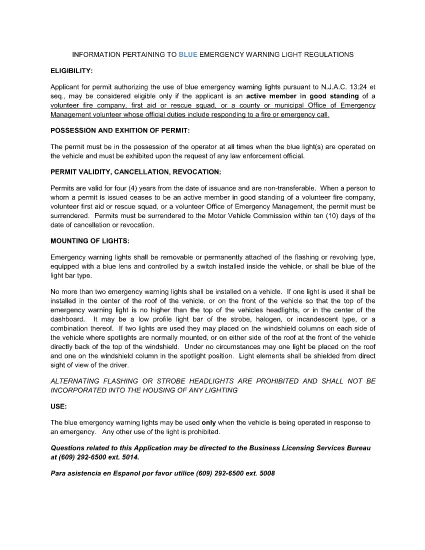
The BLC‑54C is the New Jersey Motor Vehicle Commission (MVC) application that authorizes volunteers to use blue emergency warning lights on their vehicles. Whether you’re a firefighter, first‑aid squad member, rescue team volunteer, or an authorized municipal emergency manager, this fillable PDF lets you complete the permit request quickly and accurately.

Why use Formize? Our built‑in PDF filler loads directly in your browser, so you never need to download, print, edit, and re‑scan the form. Fill, sign, and download the completed PDF in minutes.

Below you’ll find everything you need to know about the BLC‑54C form, from eligibility to step‑by‑step online completion.

Who Needs the BLC‑54C Form?

Active members of volunteer fire companies, first‑aid squads, rescue squads, and municipal Office of Emergency Management personnel who respond to fire or emergency calls are required to hold a blue‑light permit.

Eligibility Requirements

  • Must be an active volunteer in good standing with a recognized emergency organization.
  • Must have documented duties that include responding to fire or emergency calls.
  • Municipal officials (mayor, chief executive) must certify the organization’s need for the permit.

How to Complete the Form Online

Follow the simple steps in the “How‑To” section below. The Formize PDF Filler automatically validates required fields, so you’ll know instantly if something is missing.

Common Mistakes to Avoid

  • Leaving the “Signature” field blank – use the e‑sign feature.
  • Submitting outdated contact information – double‑check phone and email.
  • Failing to attach supporting documentation (e.g., letter from the fire department).

Submitting Your Completed Application

After you download the filled PDF, print it and attach any required attachments, then submit it to the New Jersey MVC office as instructed on the form.

FAQ
  • What is the BLC‑54C form used for?

    It is the official New Jersey application that authorizes volunteers to install and operate blue emergency warning lights on their vehicles.

  • Who is eligible to apply?

    Active volunteers in good standing with fire companies, first‑aid squads, rescue squads, or municipal emergency management offices that respond to emergencies.

  • Can I submit the form electronically?

    The form must be printed and mailed or delivered to the NJ MVC after it is completed and signed. The online filler only streamlines data entry.

  • Do I need a separate signature from my organization?

    Yes. The form requires a signature from an authorized official (mayor, chief executive, or department head) confirming the applicant’s role.

  • How long does the permit processing take?

    Processing times vary, but the MVC typically reviews applications within 10‑14 business days after receipt.

  • Is there a fee for the BLC‑54C permit?

    Yes, the MVC charges a nominal fee. Refer to the fee schedule on the form or the MVC website for the current amount.

  • What happens if I operate a blue light without this permit?

    Operating blue emergency lights without a valid permit can result in fines, vehicle registration suspension, and possible criminal charges.

  • Can I use the same form for other states?

    No. The BLC‑54C is specific to New Jersey. Other states have their own separate applications.

HVORDAN

Sådan udfylder du BLC-54C gratis online i 5 nemme trin:

  1. 1
    Open the Fillable Form
    Click the “Fill out this form” button on this page. The Formize PDF Filler app will load directly in your browser.
  2. 2
    Enter Your Information
    Complete each field – the filler highlights required sections and validates data in real time.
  3. 3
    Add Your Signature
    Use the built‑in e‑sign tool to apply a legally binding signature.
  4. 4
    Download the Completed PDF
    When all fields are filled, click “Download” to save the completed BLC‑54C form to your device.
  5. 5
    Print and Submit
    Print the downloaded PDF, attach any supporting documents, and submit it to the New Jersey MVC as instructed.
Formize PDF Filler app
OM

Formularer til registrering af køretøjer

BLC-54C er en af ​​køretøjsregistreringsformularer, der er dokumenter, der bruges til at registrere et motorkøretøj hos den relevante offentlige myndighed, typisk Department of Motor Vehicles (DMV) eller tilsvarende agentur. Disse formularer er påkrævet, når en person køber et nyt eller brugt køretøj, overdrager ejerskabet af et køretøj eller flytter til en ny jurisdiktion med et køretøj.

De specifikke registreringsformularer for køretøjer kan variere efter jurisdiktion, men de kræver generelt følgende oplysninger:

Køretøjsoplysninger: Dette inkluderer detaljer om køretøjet, såsom mærke, model, årgang, køretøjets identifikationsnummer (VIN) og kilometertælleraflæsning.

Ejeroplysninger: Formularen vil kræve oplysninger om køretøjets ejer, herunder deres navn, adresse, kontaktoplysninger og kørekortnummer.

Bevis for ejerskab: Afhængigt af omstændighederne kan bevis for ejerskab være påkrævet, såsom et titelcertifikat, salgsbevis eller fabrikantens oprindelsescertifikat (for nye køretøjer).

Forsikringsoplysninger: Bevis for gyldig køretøjsforsikring er typisk påkrævet. Dette kan omfatte oplysning om forsikringspolicenummer, dækningsdatoer og forsikringsselskabsoplysninger.

Betaling af gebyrer: Køretøjsregistrering involverer betaling af forskellige gebyrer, såsom registreringsafgifter, skatter og muligvis andre gebyrer, der er specifikke for jurisdiktionen.

Ud over disse grundlæggende krav kan nogle jurisdiktioner have yderligere formularer eller dokumentationskrav. For eksempel kan emissionstestresultater, sikkerhedsinspektioner eller bevis for ophold være nødvendige i visse områder.

Når køretøjets registreringsformularer er udfyldt og indsendt, udsteder den offentlige myndighed et registreringsattest, nummerplader og registreringsmærkater. Disse dokumenter angiver, at køretøjet er lovligt registreret og godkendt til at køre på offentlig vej.

Det er vigtigt at bemærke, at kravene til køretøjsregistrering kan variere betydeligt afhængigt af jurisdiktion. Derfor anbefales det at konsultere det lokale DMV eller tilsvarende bureau for de specifikke formularer og procedurer, der gælder for din placering.

FUNKTIONER

PDF Filler

Den nemmeste måde at udfylde BLC-54C online

  • Udfyld hurtigt BLC-54C
    Leder du efter en måde, hvorpå du hurtigt kan fylde BLC-54C online? Med vores online gratis PDF-formularudfylder ved du, hvordan du redigerer og udfylder dette pdf-dokument på mindre end et minut.
  • Let at bruge online PDF-editor
    Træt af at udskrive PDF-filer, så du kan redigere dem, før du scanner igen og sender dem tilbage? Rediger PDF-dokumenter gratis online. Brug vores online pdf-editor for at spare tid og papir.
  • Fantastiske værktøjer, alle platforme
    Er du i tvivl om, hvordan du udfylder BLC-54C på en Mac, eller måske hvordan du bruger en PDF-filler gratis? Vores online PDF-værktøjer fungerer på alle platforme.
  • Sikker fillagring
    Fuldførte "BLC-54C"-filer gemmes i en sikret database, der administreres af Amazon Cloud-hosting. Du kan til enhver tid slette dine filer fra vores system. Under alle omstændigheder slettes disse filer automatisk efter 24 timer.
  • Chat med BLC-54C
    Chat med "BLC-54C" på Chatize, som er en gratis PDF-læserassistent. Stil spørgsmål og få svar fra "BLC-54C". Bare klik på knappen Chat med dokument ovenfor.

Slet udfyldningssession

Vil du slette den valgte påfyldningssession? I dette tilfælde vil dine fremskridt med at udfylde formularen gå tabt.

Slet redigeringssession

Vil du slette den valgte redigeringssession? I dette tilfælde vil dine fremskridt med at oprette og redigere formularen gå tabt.