
Sprache auswählen

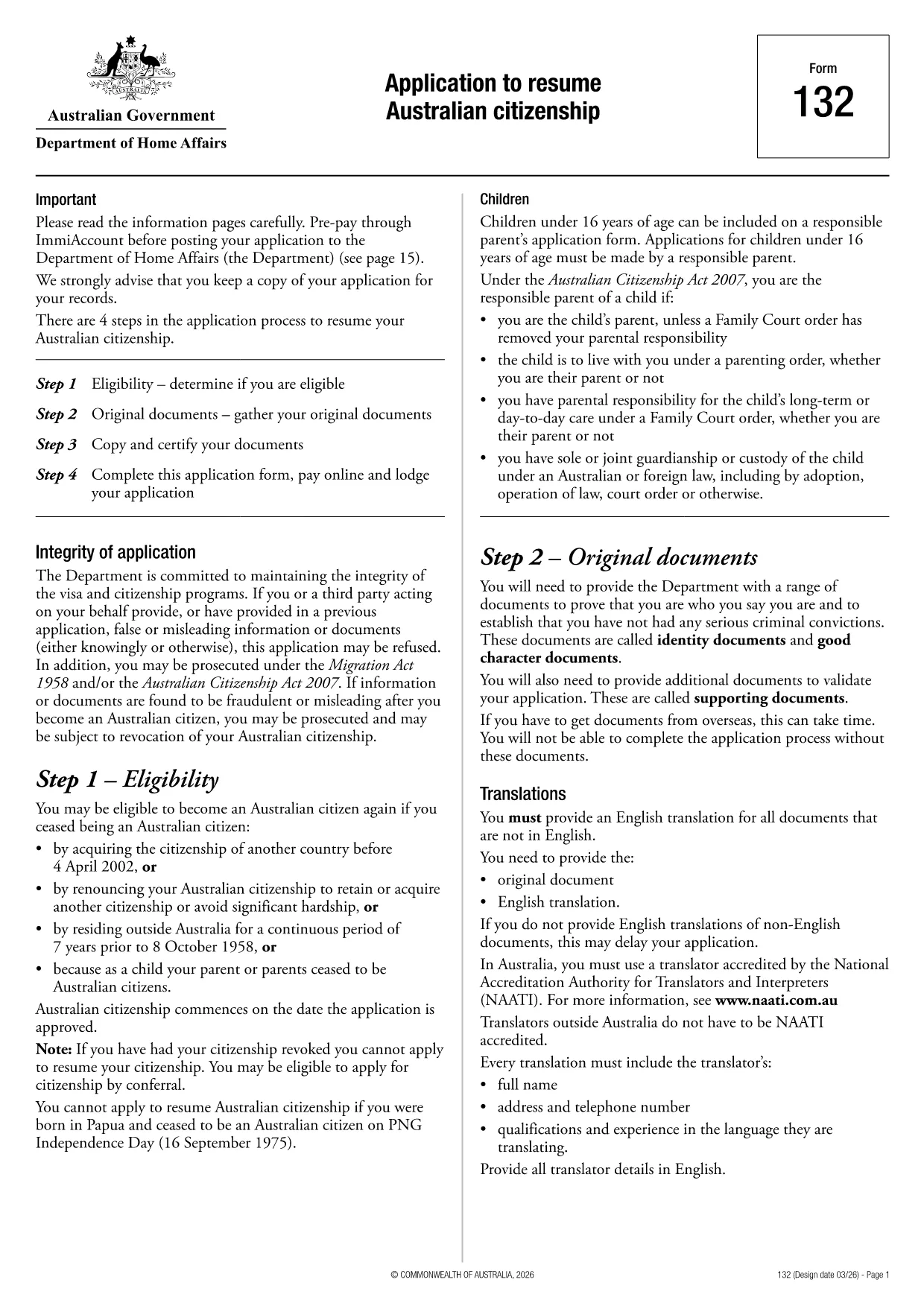
Application to Resume Australian Citizenship (Form 132) – Fill Online

  1. Sprache Englisch
  2. Land Australien
  3. Aktivität Staatsbürgerschaft
  4. Abteilung Home Affairs
Application to Resume Australian Citizenship (Form 132) – Fill Online

If you need to resume your Australian citizenship, you’ll use Form 132 – Application to Resume Australian Citizenship. This official PDF can now be completed entirely online with the Formize PDF Filler, so you never have to print, scan, or manually edit the document.

Why Use the Online Formize PDF Filler?

The Formize filler loads the exact PDF you need, preserving the government‑approved layout while letting you type directly into each field. Benefits include:

  • Instant validation of required fields
  • Automatic saving – you can pause and return later
  • Secure, browser‑based processing – no software install
  • One‑click download of the completed PDF for submission

Step‑by‑Step Guide to Completing Form 132

Follow these simple steps to fill out the application correctly:

  1. Click the “Fill out this form” button below.
  2. Wait for the Formize PDF Filler app to load the PDF.
  3. Enter your personal details, citizenship history, and reasons for resumption.
  4. Attach any required supporting documents (e.g., passport copy, proof of residence).
  5. Review the completed form for accuracy.
  6. Download the finished PDF and submit it to the Department of Home Affairs.

Common Mistakes to Avoid

Even with an easy online tool, mistakes happen. Avoid these pitfalls:

  • Leaving mandatory fields blank – the filler will highlight them.
  • Uploading files in the wrong format (use PDF, JPG, or PNG only).
  • Using an outdated version of the form – the link below always points to the latest Form 132.

Eligibility & Supporting Documents

Before you start, make sure you meet the eligibility criteria:

  • You previously held Australian citizenship.
  • You have been outside Australia for a period that requires resumption.
  • You can provide proof of identity and residency.

Typical supporting documents include a current passport, a statutory declaration, and any relevant court orders.

Where to Submit Your Application

After downloading the completed PDF, submit it through the Department of Home Affairs portal or mail it to the address listed on the form. Keep a copy for your records.

Ready to get started? Click the button below and let Formize handle the rest.

FAQ
  • Do I need to download any software to fill Form 132?

    No. Formize’s PDF filler works entirely in your web browser, so there’s nothing to install.

  • Can I save my progress and return later?

    Yes. The filler automatically saves your entries locally, allowing you to close the browser and continue later.

  • What file formats are accepted for supporting documents?

    PDF, JPG, and PNG are accepted. Make sure each file is under 5 MB for smooth uploading.

  • Is the online filler secure?

    All data is processed locally in your browser and never stored on our servers. Your information remains private.

  • Can I print the completed form directly from the filler?

    After you finish, click the “Download” button to save the completed PDF, then print it using any PDF viewer.

  • What if I make a mistake after downloading?

    You can reopen the downloaded PDF in Formize’s filler, correct the error, and download a new version.

  • Where do I send the finished Form 132?

    Submit the PDF through the Department of Home Affairs online portal or mail it to the address listed on the form.

WIE MAN

So füllen Sie Australian citizenship resume form kostenlos online in 4 einfachen Schritten aus:

  1. 1
    Open the Form
    Click the “Fill out this form” button on this page. The Formize PDF Filler will launch in your browser.
  2. 2
    Enter Your Details
    Type directly into each highlighted field – the filler automatically saves your progress.
  3. 3
    Upload Supporting Documents
    Use the “Attach File” option to add passport scans, statutory declarations, or other required PDFs.
  4. 4
    Review and Submit
    Check every section for completeness, then download the finished PDF and send it to the Department of Home Affairs.
Formize PDF Filler-App
ÜBER

Staatsbürgerschaftsformulare

Australian citizenship resume form ist eines der Staatsbürgerschaftsformulare, bei denen es sich um Dokumente handelt, die zur Beantragung der Staatsbürgerschaft in einem Land verwendet werden. Die genauen Formulare und Anforderungen für die Staatsbürgerschaft variieren von Land zu Land, aber im Allgemeinen umfasst der Prozess die Bereitstellung persönlicher Informationen und den Nachweis der Berechtigung zur Staatsbürgerschaft.

In den Vereinigten Staaten ist das häufigste Staatsbürgerschaftsformular der N-400 Antrag auf Einbürgerung. Dieses Formular wird von legalen ständigen Einwohnern (Green Card-Inhabern) verwendet, um die US-Staatsbürgerschaft zu beantragen. Das Formular fragt nach persönlichen Informationen wie Name, Geburtsdatum und Kontaktinformationen sowie nach Informationen über den Einwanderungsstatus, die Vorstrafen und andere Zulassungsvoraussetzungen des Antragstellers.

Andere Länder haben möglicherweise andere Formen und Anforderungen für die Staatsbürgerschaft, aber der grundlegende Prozess beinhaltet normalerweise die Bereitstellung von Informationen über den Hintergrund des Antragstellers und die Erfüllung bestimmter Zulassungskriterien. Dies kann das Bestehen eines Staatsbürgerschaftstests, den Nachweis von Kenntnissen über die Geschichte und Regierung des Landes und den Nachweis von Kenntnissen in der Landessprache umfassen.

Es ist wichtig zu beachten, dass der Prozess der Erlangung der Staatsbürgerschaft komplex und zeitaufwändig sein kann. Es wird empfohlen, dass Personen, die die Staatsbürgerschaft anstreben, sich an einen Anwalt für Einwanderungsfragen oder einen anderen qualifizierten Fachmann wenden, um den Prozess zu steuern und sicherzustellen, dass alle erforderlichen Formulare und Anforderungen erfüllt sind.

MERKMALE

PDF-Filler

Der einfachste Weg, PDF-Formulare online auszufüllen

  • Füllen Sie schnell Australian citizenship resume form aus
    Suchen Sie nach einer Möglichkeit, Australian citizenship resume form schnell online auszufüllen? Mit unserem kostenlosen Online-PDF-Formularausfüller wissen Sie, wie Sie dieses PDF-Dokument in weniger als einer Minute bearbeiten und ausfüllen.
  • Einfach zu bedienender Online-PDF-Editor
    Haben Sie es satt, PDF-Dateien auszudrucken, damit Sie sie bearbeiten können, bevor Sie sie erneut scannen und zurücksenden? PDF-Dokumente kostenlos online bearbeiten. Nutzen Sie unseren Online-PDF-Editor, um Zeit und Papier zu sparen.
  • Tolle Tools, alle Plattformen
    Sie fragen sich, wie Sie Australian citizenship resume form auf einem Mac ausfüllen oder vielleicht einen kostenlosen PDF-Ausfüller verwenden können? Unsere Online-PDF-Tools funktionieren auf allen Plattformen.
  • Sichere Dateispeicherung
    Fertige "Australian citizenship resume form"-Dateien werden in einer gesicherten Datenbank gespeichert, die vom Amazon Cloud-Hosting verwaltet wird. Sie können Ihre Dateien jederzeit aus unserem System löschen. In jedem Fall werden diese Dateien nach 24 Stunden automatisch gelöscht.
  • Chatten Sie mit Australian citizenship resume form
    Chatten Sie mit „Australian citizenship resume form“ auf Chatize, einem kostenlosen PDF-Leseassistenten. Stellen Sie Fragen und erhalten Sie Antworten von „Australian citizenship resume form“. Klicken Sie einfach oben auf die Schaltfläche Mit Dokument chatten.

Füllsitzung löschen

Die ausgewählte Füllsitzung löschen? In diesem Fall gehen Ihre Fortschritte beim Ausfüllen des Formulars verloren.

Bearbeitungssitzung löschen

Ausgewählte Bearbeitungssitzung löschen? In diesem Fall geht Ihr Fortschritt beim Erstellen und Bearbeiten des Formulars verloren.