
Sprache auswählen

Punjab Solemnization of Marriage Form (Fillable PDF)

  1. Sprache Englisch Hindi
  2. Land Indien
  3. Zustand Punjab
  4. Abteilung Ministerium für Inneres und Justiz
Fülle dieses Formular aus
Punjab Solemnization of Marriage Form (Fillable PDF)

Punjab Solemnization of Marriage Form (Fillable PDF)

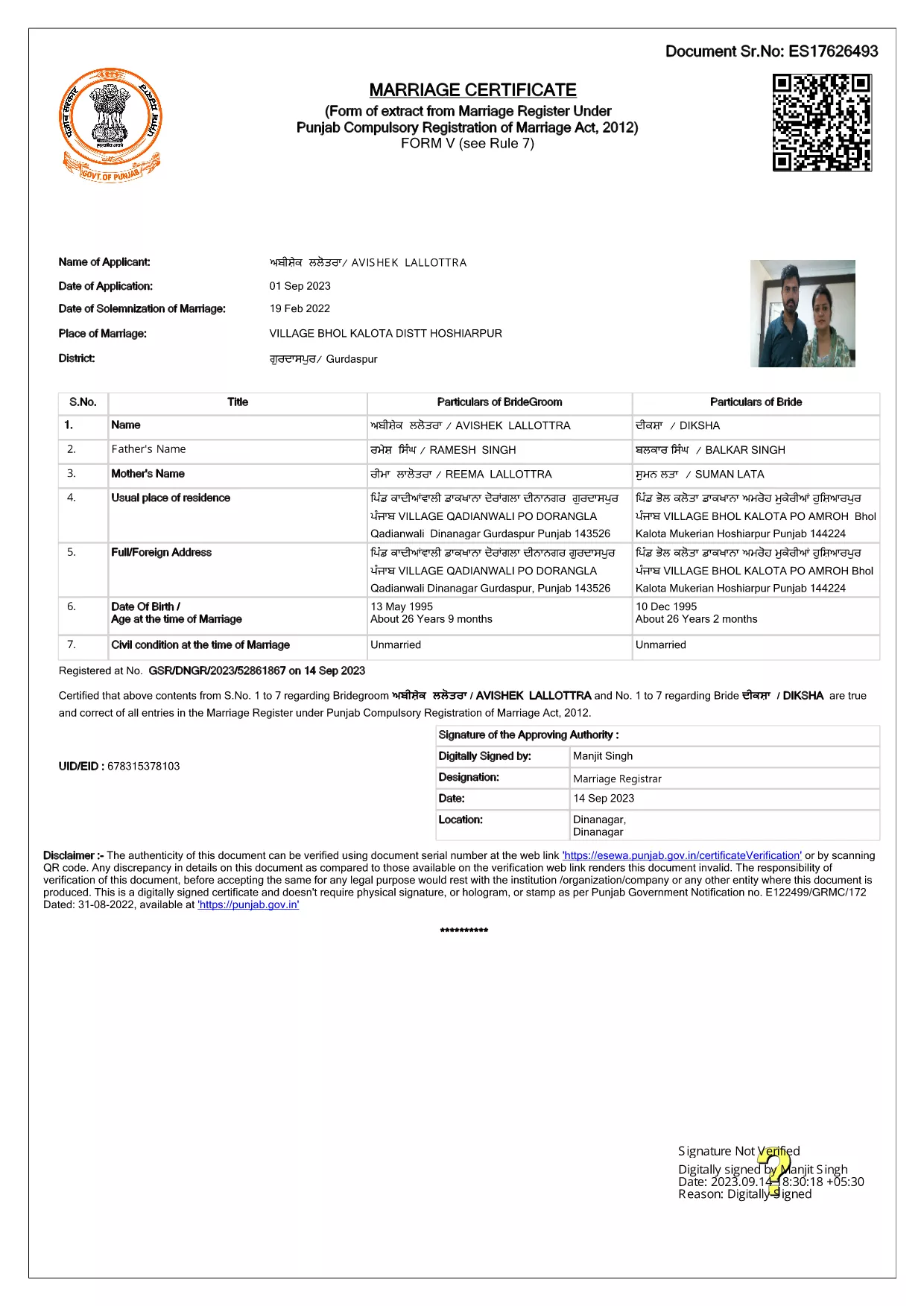
Getting married in Punjab requires you to submit the official Punjab Solemnization of Marriage form. This form records essential details of the bride, groom, and witnesses, and it is mandatory under the Punjab Compulsory Registration of Marriage Act, 2012.

What Is the Punjab Solemnization of Marriage Form?

The form is a government‑issued marriage certificate that captures personal information, parental details, and the date and place of the marriage ceremony. It is the legal proof needed for future documentation such as passport applications, property registration, and visa requests.

How to Fill Out the Form Online with Formize

Instead of printing, printing‑and‑scanning, or using a third‑party PDF editor, you can complete the form directly in your browser:

  1. Click the **"Fill out this form"** button on this page.
  2. Wait a few seconds while the Formize PDF Filler app loads.
  3. Enter the required information in each fillable field. The interface guides you through mandatory sections.
  4. Review your entries, then click **"Save & Download"** to get a completed PDF copy.

Common Mistakes to Avoid When Completing the Form

  • Incorrect spelling of names: Verify the spelling exactly as it appears on official ID documents.
  • Missing witness details: All three witnesses must be fully listed; incomplete entries will cause rejection.
  • Wrong date format: Use DD‑MM‑YYYY as required by the Punjab Registration Department.
  • Leaving optional fields blank: Even optional fields should be filled with "N/A" if not applicable.

Where to Submit the Completed Form

After you have saved the filled PDF, submit it to the nearest Punjab Registration Office or the designated online portal of the Punjab Registration Department. Bring original identity proofs for both parties and witnesses.

Download the Official PDF

Click the button below to download the original, government‑approved PDF. The file is hosted securely and matches the exact layout required by the registration authority.

FAQ
  • Is the Punjab marriage form available in Punjabi?

    The official PDF is printed in English, but you may fill it out in any language. For official submissions, the English version is accepted.

  • Do I need a digital signature?

    A digital signature is not required for the fillable PDF. You must sign the printed copy in the presence of a registrar.

  • Can I edit the form after I download it?

    Yes. The saved PDF remains fully editable with any standard PDF editor, but the Formize filler already lets you complete the form without extra software.

  • How many witnesses are required?

    Three adult witnesses are mandatory. Their full names, addresses, and signatures must be entered in the designated sections.

  • What documents do I need to submit with the form?

    Both parties must provide a valid ID (Aadhar, PAN, or passport), proof of residence, and the original signed marriage certificate.

  • Is there a fee for downloading the PDF?

    No. The PDF is provided free of charge. Any registration fees are paid directly to the Punjab Registration Office.

WIE MAN

So füllen Sie Punjab marriage form kostenlos online in 4 einfachen Schritten aus:

  1. 1
    Click the Fill‑Out Button
    Press the **"Fill out this form"** button on the page to launch the Formize PDF Filler.
  2. 2
    Wait for the Filler to Load
    The app loads in a few seconds; you’ll see a clean, searchable interface with all form fields highlighted.
  3. 3
    Enter Your Information
    Type the required details for the bride, groom, and witnesses. The filler validates dates and mandatory fields automatically.
  4. 4
    Save and Download
    After reviewing, click **"Save & Download"** to get a completed PDF you can print or submit electronically.
Formize PDF Filler-App
ÜBER

Antragsformulare des Außenministeriums

Punjab marriage form ist eines der Antragsformulare des Außenministeriums. Das indische Außenministerium bietet verschiedene Antragsformulare für verschiedene Dienstleistungen im Zusammenhang mit auswärtigen Angelegenheiten und internationalen Beziehungen an. Zu den gängigen Antragsformularen gehören:

Passantrag: Dieses Formular wird zur Beantragung eines indischen Passes verwendet. Dabei werden personenbezogene Daten wie Name, Adresse, Geburtsdatum und Nationalität erfasst.

Antrag auf die ausländische Staatsbürgerschaft Indiens (OCI): Dieses Formular wird zur Beantragung des OCI-Status verwendet, der es Personen indischer Herkunft ermöglicht, auf unbestimmte Zeit in Indien zu leben und zu arbeiten. Es werden persönliche Daten erfasst, darunter auch Nachweise über die indische Herkunft.

Visumantrag: Dieses Formular wird verwendet, um ein Visum für die Reise in ein fremdes Land zu beantragen. Es erfasst persönliche Daten, Reiseinformationen und den Reisezweck.

Antrag auf Auswanderungsgenehmigung: Dieses Formular wird von Personen verwendet, die eine Auswanderungsgenehmigung für eine Beschäftigung in bestimmten Ländern beantragen. Es sammelt persönliche Informationen und Beschäftigungsdaten.

Beglaubigungsantrag: Mit diesem Formular können Sie die Beglaubigung verschiedener Dokumente beantragen, beispielsweise Bildungszeugnisse, Heiratsurkunden und Handelsdokumente. Es erfasst Angaben zum zu beglaubigenden Dokument und zum Zweck der Beglaubigung.

Antrag auf konsularische Dienstleistungen: Dieses Formular wird für verschiedene konsularische Dienstleistungen verwendet, darunter die Ausstellung von Notfallbescheinigungen, die Unterstützung indischer Staatsangehöriger im Ausland und die Registrierung indischer Staatsangehöriger. Welche konkreten Angaben erforderlich sind, hängt von der Art der angeforderten Dienstleistung ab.

MERKMALE

PDF-Filler

Der einfachste Weg, PDF-Formulare online auszufüllen

  • Füllen Sie schnell Punjab marriage form aus
    Suchen Sie nach einer Möglichkeit, Punjab marriage form schnell online auszufüllen? Mit unserem kostenlosen Online-PDF-Formularausfüller wissen Sie, wie Sie dieses PDF-Dokument in weniger als einer Minute bearbeiten und ausfüllen.
  • Einfach zu bedienender Online-PDF-Editor
    Haben Sie es satt, PDF-Dateien auszudrucken, damit Sie sie bearbeiten können, bevor Sie sie erneut scannen und zurücksenden? PDF-Dokumente kostenlos online bearbeiten. Nutzen Sie unseren Online-PDF-Editor, um Zeit und Papier zu sparen.
  • Tolle Tools, alle Plattformen
    Sie fragen sich, wie Sie Punjab marriage form auf einem Mac ausfüllen oder vielleicht einen kostenlosen PDF-Ausfüller verwenden können? Unsere Online-PDF-Tools funktionieren auf allen Plattformen.
  • Sichere Dateispeicherung
    Fertige "Punjab marriage form"-Dateien werden in einer gesicherten Datenbank gespeichert, die vom Amazon Cloud-Hosting verwaltet wird. Sie können Ihre Dateien jederzeit aus unserem System löschen. In jedem Fall werden diese Dateien nach 24 Stunden automatisch gelöscht.
  • Chatten Sie mit Punjab marriage form
    Chatten Sie mit „Punjab marriage form“ auf Chatize, einem kostenlosen PDF-Leseassistenten. Stellen Sie Fragen und erhalten Sie Antworten von „Punjab marriage form“. Klicken Sie einfach oben auf die Schaltfläche Mit Dokument chatten.

Füllsitzung löschen

Die ausgewählte Füllsitzung löschen? In diesem Fall gehen Ihre Fortschritte beim Ausfüllen des Formulars verloren.

Bearbeitungssitzung löschen

Ausgewählte Bearbeitungssitzung löschen? In diesem Fall geht Ihr Fortschritt beim Erstellen und Bearbeiten des Formulars verloren.