


Steuerformulare
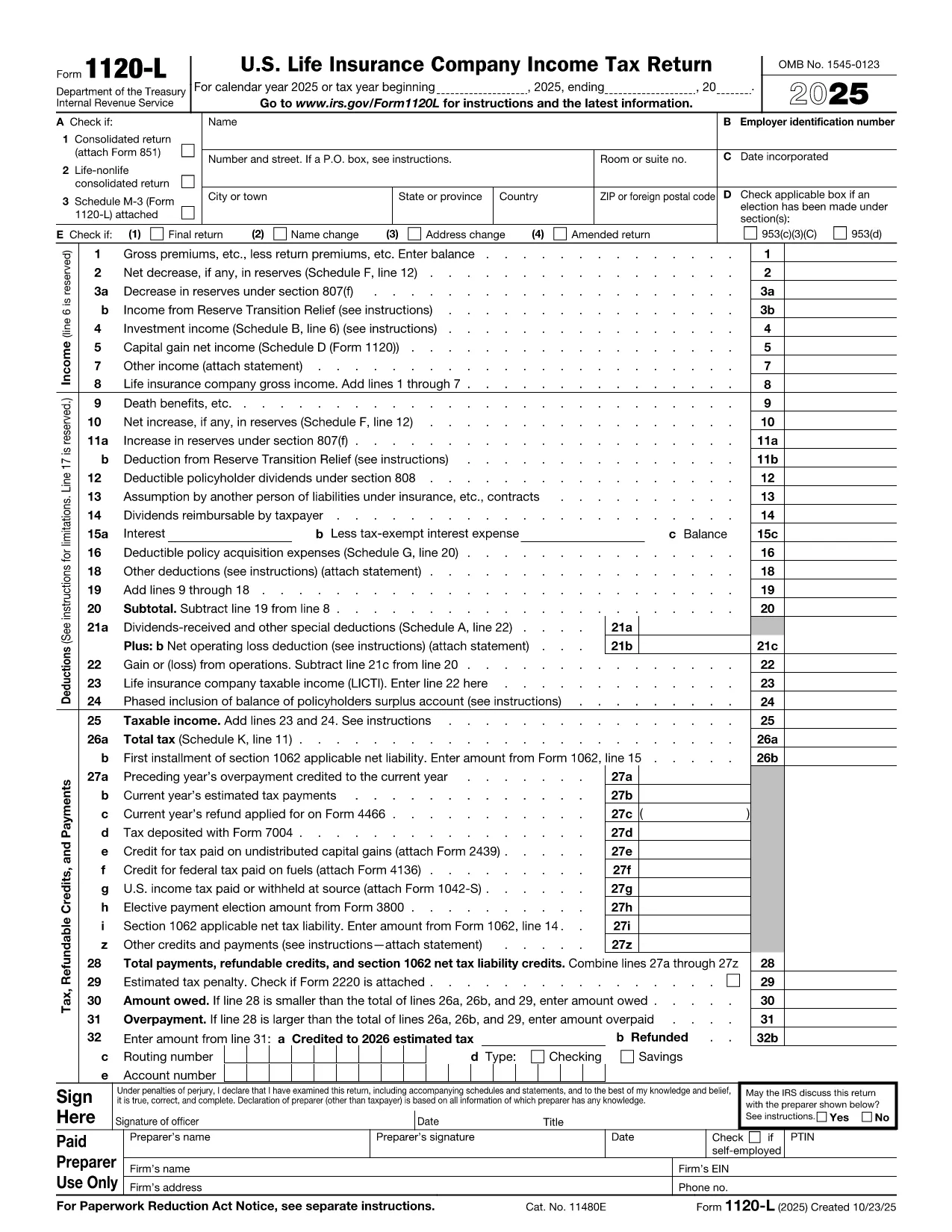
Form 1120-L ist eines der Steuerformulare, bei denen es sich um Dokumente handelt, mit denen Informationen über das Einkommen, die Abzüge und die Steuerschuld einer Einzelperson oder eines Unternehmens an die zuständige Steuerbehörde gemeldet werden. Diese Formulare sind zur Einhaltung der Steuergesetze und zur Erfüllung steuerlicher Pflichten erforderlich. Die Steuerformulare variieren je nach Land und den spezifischen Steueranforderungen. Hier sind einige gängige Arten von Steuerformularen:
Individuelle Steuerformulare: Diese Formulare werden von einzelnen Steuerzahlern verwendet, um ihr persönliches Einkommen anzugeben und Abzüge, Gutschriften und Befreiungen zu beantragen. Beispiele hierfür sind das Formular 1040 in den Vereinigten Staaten oder das Formular „Self-Assessment Tax Return“ im Vereinigten Königreich.
Gewerbesteuerformulare: Gewerbesteuerformulare werden von Unternehmen, Personengesellschaften oder Selbständigen verwendet, um ihre Geschäftseinnahmen, -ausgaben und andere steuerbezogene Informationen anzugeben. Beispiele hierfür sind das Schedule C-Formular (Profit or Loss from Business) in den Vereinigten Staaten oder das CT600-Formular (Company Tax Return) im Vereinigten Königreich.
Lohnsteuerformulare: Diese Formulare werden von Arbeitgebern verwendet, um die von den Gehaltsschecks ihrer Mitarbeiter einbehaltenen Löhne, Gehälter und Steuern anzugeben. Beispiele hierfür sind das W-2-Formular in den Vereinigten Staaten oder das P60-Formular im Vereinigten Königreich.
Umsatzsteuerformulare: Umsatzsteuerformulare werden von Unternehmen verwendet, um die auf steuerpflichtige Waren oder Dienstleistungen erhobene Umsatzsteuer zu melden und abzuführen. Die spezifischen Umsatzsteuerformulare variieren je nach Gerichtsbarkeit.
Mehrwertsteuerformulare (MwSt.): Mehrwertsteuerformulare werden in Ländern verwendet, die eine Mehrwertsteuer erheben, um die auf Verkäufe erhobene Mehrwertsteuer zu melden und abzuführen und Mehrwertsteuergutschriften für Einkäufe zu beantragen. Beispiele hierfür sind die in vielen Ländern verwendeten Mehrwertsteuererklärungsformulare.
Schätzungssteuerformulare: Schätzsteuerformulare werden verwendet, um geschätzte Steuern auf Einkünfte zu melden und zu zahlen, die nicht der Quellensteuer unterliegen, beispielsweise Einkünfte aus selbständiger Tätigkeit oder Kapitalerträge.
Dies sind nur einige Beispiele für die zahlreichen Steuerformulare, die es geben kann. Welche konkreten Formulare erforderlich sind, hängt von den Steuergesetzen und -vorschriften in Ihrem Land oder Ihrer Gerichtsbarkeit ab. Es ist wichtig, die Richtlinien der Steuerbehörde zu konsultieren oder professionellen Rat einzuholen, um festzustellen, welche Formulare auf Ihre Situation anwendbar sind.