
Sprache auswählen

MV2548 Wisconsin Handicap Parking Permit Application (Fillable PDF)

  1. Sprache Englisch
  2. Land USA
  3. Aktivität Kfz-Zulassung
  4. Abteilung Verkehrsministerium
MV2548 Wisconsin Handicap Parking Permit Application (Fillable PDF)

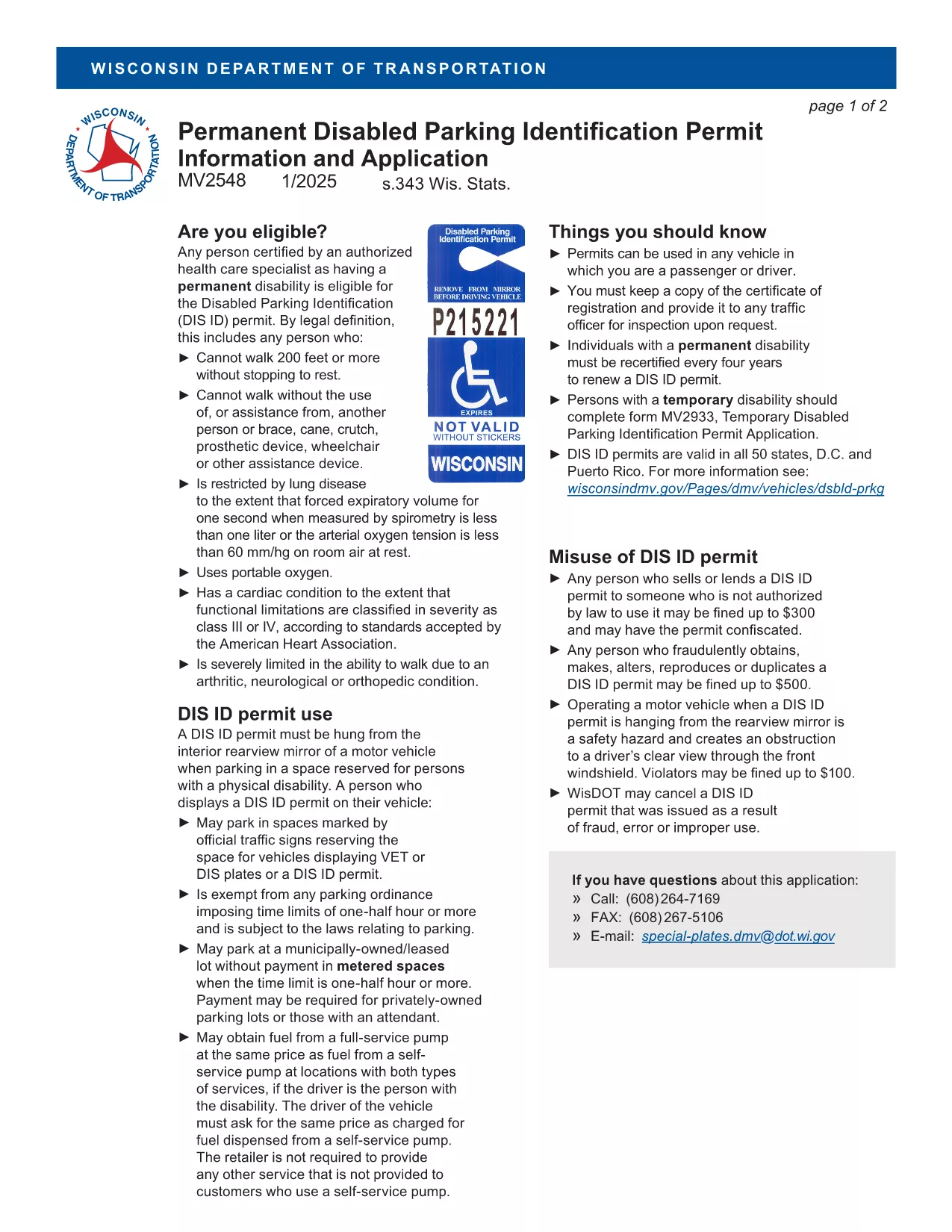
The MV2548 is the official Wisconsin Department of Transportation application for a disabled parking placard or license plate. Whether you need a permanent placard, a temporary pass, or a disability license plate, this fillable PDF lets you complete the entire process online with the Formize PDF Filler.

Who Is Eligible for the MV2548 Permit?

To qualify, you must have a permanent or temporary disability certified by a licensed health‑care professional. Typical qualifying conditions include:

  • Inability to walk 200 feet without resting
  • Use of a wheelchair, walker, or other assistive device
  • Severe lung disease, cardiac condition, or other medical condition that limits mobility

Eligibility is determined by the physician, advanced practice nurse, podiatrist, chiropractor, physician assistant, public health nurse, or Christian Science practitioner who completes the medical certification section.

How to Complete the MV2548 Form Online

Follow these simple steps to fill out the MV2548 form directly on our site:

  1. Click the "Fill out this form" button below.
  2. Wait a few seconds while the Formize PDF Filler app loads.
  3. Enter all required information, including personal details, vehicle data, and medical certification.
  4. Review the completed form for accuracy.
  5. Save, print, or submit the form according to the instructions at the end of the PDF.

Common Mistakes to Avoid When Filling MV2548

  • Leaving the medical certification blank: The form is invalid without a completed physician’s section.
  • Mismatching vehicle information: Ensure the VIN, make, model, and year match the registration.
  • Incorrect signatures: Both the applicant and the medical professional must sign electronically or on print‑out.
  • Using an outdated form: Always use the latest MV2548 PDF – the link below points to the current version.

Where to Submit Your Completed Form

After you finish, you can either:

  • Print the completed form and mail it to the Wisconsin Department of Transportation, Division of Motor Vehicles, 500 W. St. Paul Ave., Madison, WI 53707.
  • Take the printed form to any DMV office for in‑person processing.
  • Upload the PDF through the online DMV portal if you have a registered account.

Remember to include the required fee (if applicable) and any supporting medical documentation.

Frequently Asked Questions

Below are the most common queries about the MV2548 form and how to use it.

FAQ
  • Who can apply for a Wisconsin handicap parking placard?

    Anyone with a permanent or temporary disability certified by a licensed health‑care professional, such as an inability to walk 200 feet without resting, qualifies.

  • Is there a fee for the MV2548 application?

    Permanent placards are free, while temporary placards cost a nominal fee (currently $6). Disability license plates have separate fees based on vehicle type.

  • How long is a permanent placard valid?

    A permanent placard is valid for four years. You must submit a new MV2548 form with an updated medical certification before the expiration date.

  • Can I fill out the MV2548 form on a mobile device?

    Yes. The Formize PDF Filler works on most smartphones and tablets, allowing you to complete the form anywhere with an internet connection.

  • What should I do if my medical certification is missing a signature?

    The form will be rejected. Contact your health‑care provider to obtain the required signature before submitting the application.

  • Do I need to attach additional documents?

    Attach a copy of the signed medical certification page. If applying for a license plate, include a copy of your vehicle registration.

  • How do I renew my handicap placard?

    Complete a new MV2548 form, obtain a fresh medical certification, and submit it with the renewal fee (if applicable) before your current placard expires.

  • Can out‑of‑state visitors use a Wisconsin placard?

    Visitors may use their home‑state placard while in Wisconsin, but they cannot obtain a Wisconsin placard unless they become a resident.

WIE MAN

So füllen Sie MV2548 kostenlos online in 5 einfachen Schritten aus:

  1. 1
    Open the Fillable Form
    Click the "Fill out this form" button on the page. The Formize PDF Filler will open in a new window.
  2. 2
    Load the PDF Filler
    Wait a few seconds while the app loads the MV2548 PDF. No download or extra software is required.
  3. 3
    Enter Your Information
    Complete each section—personal details, vehicle data, and medical certification—using the on‑screen fields.
  4. 4
    Review and Sign
    Double‑check all entries for accuracy, then add your electronic signature and the medical professional’s signature.
  5. 5
    Save or Submit
    Save the completed PDF to your device, print it, and mail or bring it to a Wisconsin DMV office, or upload it via the online portal.
Formize PDF Filler-App
ÜBER

Fahrzeugregistrierungsformulare

MV2548 ist eines der DMV-Formulare, auch bekannt als Formulare des Department of Motor Vehicles, bei denen es sich um Dokumente handelt, die bei verschiedenen Transaktionen und Prozessen im Zusammenhang mit Kraftfahrzeugen verwendet werden. Das DMV ist eine staatliche Behörde, die für die Ausstellung von Führerscheinen, die Fahrzeugzulassung und die Durchsetzung der Kraftfahrzeuggesetze zuständig ist. Die spezifischen verfügbaren DMV-Formulare können je nach Gerichtsbarkeit variieren, aber hier sind einige gängige Beispiele:

Führerscheinformulare: Diese Formulare werden zur Beantragung eines Führerscheins oder zur Beantragung von Änderungen oder Erneuerungen verwendet. Sie erfordern in der Regel persönliche Informationen und einen Identitätsnachweis und können Abschnitte für medizinische Informationen oder den Fahrverlauf enthalten.

Fahrzeugzulassungsformulare: Diese Formulare werden zur Registrierung eines Kraftfahrzeugs beim DMV verwendet. Sie benötigen Fahrzeuginformationen, Eigentumsdaten und einen Versicherungsnachweis.

Formulare zur Eigentumsübertragung: Beim Kauf oder Verkauf eines Fahrzeugs werden diese Formulare verwendet, um das Eigentum von einer Partei auf eine andere zu übertragen. Sie erfordern Informationen über den Käufer, den Verkäufer, Fahrzeugdetails und können einen Kaufvertrag enthalten.

Haftungsfreistellungsformulare für Fahrzeuge: Beim Verkauf oder der Eigentumsübertragung eines Fahrzeugs informieren diese Formulare das DMV darüber, dass der Verkäufer nicht mehr für das Fahrzeug verantwortlich ist. Es trägt dazu bei, den Verkäufer vor der Haftung für Unfälle oder Zwischenfälle mit dem Fahrzeug nach dem Verkauf zu schützen.

Formulare zur Erneuerung von Kennzeichen und Registrierung: Diese Formulare werden verwendet, um die Fahrzeugzulassung zu erneuern oder neue Nummernschilder anzufordern. Sie benötigen in der Regel Informationen über den eingetragenen Eigentümer, aktuelle Registrierungsdaten und die Zahlung anfallender Gebühren.

Antragsformulare für Fahrunterlagen: Mit diesen Formularen können Einzelpersonen ihre Fahrunterlagen beim DMV anfordern, die Informationen über Fahrverstöße, den Führerscheinstatus und andere relevante Details enthalten.

Formulare für spezielle oder personalisierte Nummernschilder: Diese Formulare werden für die Beantragung personalisierter oder spezieller Nummernschilder verwendet, die es Einzelpersonen ermöglichen, ihr Nummernschild mit bestimmten Zeichen oder Designs zu personalisieren.

Dies sind nur einige Beispiele der vielen Formulare, die über das DMV erhältlich sein können. Die spezifischen Formulare und Anforderungen können je nach Gerichtsbarkeit variieren. Daher ist es wichtig, die lokale DMV-Website zu konsultieren oder ein DMV-Büro aufzusuchen, um die richtigen Formulare für Ihre speziellen Bedürfnisse zu erhalten.

MERKMALE

PDF-Filler

Der einfachste Weg, PDF-Formulare online auszufüllen

  • Füllen Sie schnell MV2548 aus
    Suchen Sie nach einer Möglichkeit, MV2548 schnell online auszufüllen? Mit unserem kostenlosen Online-PDF-Formularausfüller wissen Sie, wie Sie dieses PDF-Dokument in weniger als einer Minute bearbeiten und ausfüllen.
  • Einfach zu bedienender Online-PDF-Editor
    Haben Sie es satt, PDF-Dateien auszudrucken, damit Sie sie bearbeiten können, bevor Sie sie erneut scannen und zurücksenden? PDF-Dokumente kostenlos online bearbeiten. Nutzen Sie unseren Online-PDF-Editor, um Zeit und Papier zu sparen.
  • Tolle Tools, alle Plattformen
    Sie fragen sich, wie Sie MV2548 auf einem Mac ausfüllen oder vielleicht einen kostenlosen PDF-Ausfüller verwenden können? Unsere Online-PDF-Tools funktionieren auf allen Plattformen.
  • Sichere Dateispeicherung
    Fertige "MV2548"-Dateien werden in einer gesicherten Datenbank gespeichert, die vom Amazon Cloud-Hosting verwaltet wird. Sie können Ihre Dateien jederzeit aus unserem System löschen. In jedem Fall werden diese Dateien nach 24 Stunden automatisch gelöscht.
  • Chatten Sie mit MV2548
    Chatten Sie mit „MV2548“ auf Chatize, einem kostenlosen PDF-Leseassistenten. Stellen Sie Fragen und erhalten Sie Antworten von „MV2548“. Klicken Sie einfach oben auf die Schaltfläche Mit Dokument chatten.

Füllsitzung löschen

Die ausgewählte Füllsitzung löschen? In diesem Fall gehen Ihre Fortschritte beim Ausfüllen des Formulars verloren.

Bearbeitungssitzung löschen

Ausgewählte Bearbeitungssitzung löschen? In diesem Fall geht Ihr Fortschritt beim Erstellen und Bearbeiten des Formulars verloren.