
Sprache auswählen

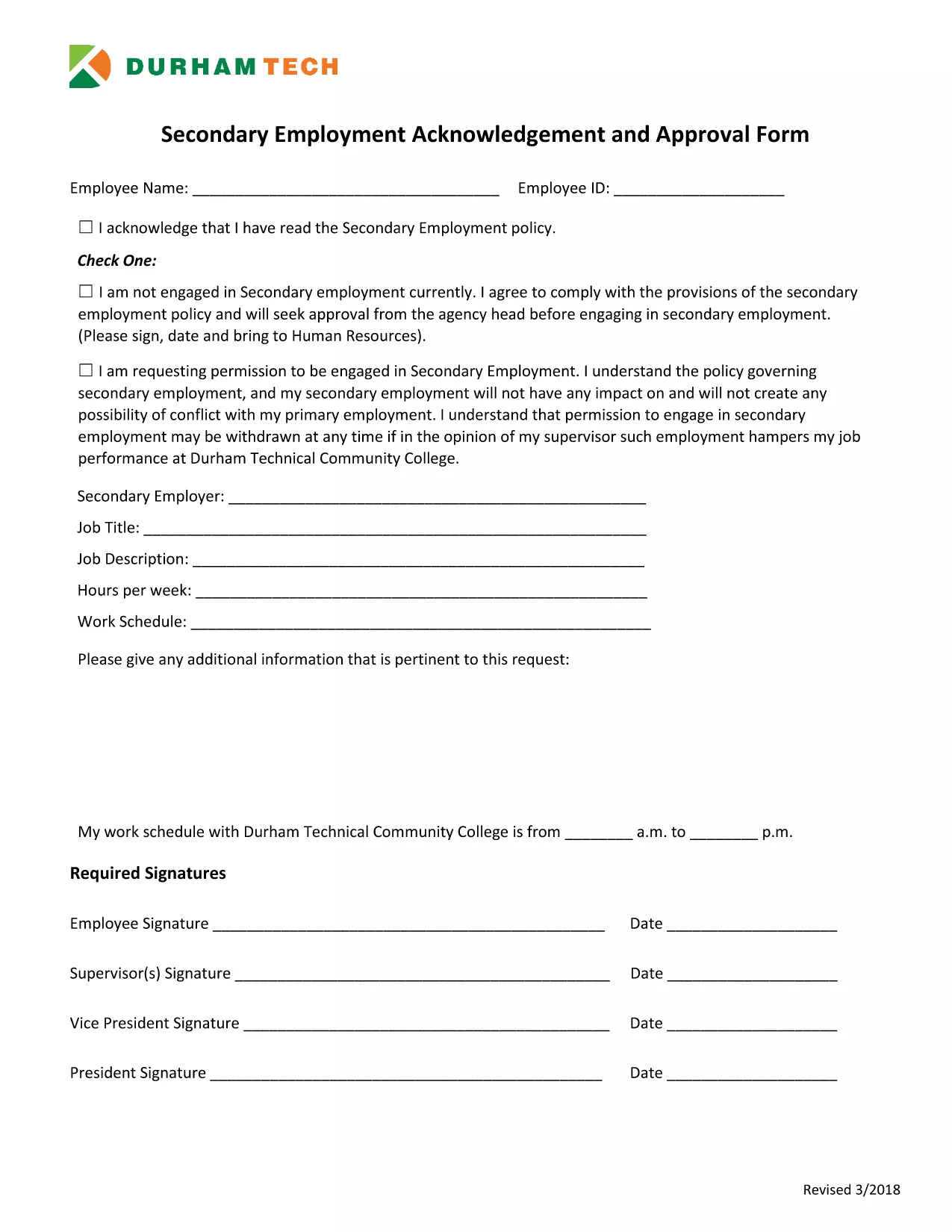
Secondary Employment Declaration – Resident Fillable PDF

  1. Sprache Englisch
  2. Land USA
  3. Aktivität Employment Compliance
  4. Abteilung Human Resources
Secondary Employment Declaration – Resident Fillable PDF

Employers often require a Secondary Employment Declaration to ensure that any outside work does not create a conflict of interest or violate company policy. This fillable PDF is designed for residents who hold a primary position and want to disclose any additional employment.

Why You Need a Secondary Employment Declaration

  • Maintains transparency with your employer.
  • Protects you from potential policy violations.
  • Helps HR track outside income for tax and compliance purposes.

How to Complete the Form Online

Using Formize’s built‑in PDF filler, you can complete the declaration without downloading a separate editor. Just click the button below, fill each field, and save.

Common Mistakes to Avoid

  • Leaving required fields blank – the form will not submit.
  • Providing vague job descriptions – be specific about duties and hours.
  • Submitting an outdated version – always use the latest PDF (linked below).

Submission Guidelines & What Happens Next

After saving the completed PDF, email it to your HR department or upload it through your internal portal. Keep a copy for your records. HR will review the declaration and confirm whether the secondary job is permissible.

Download the Secondary Employment Request Form (PDF)

FAQ
  • Do I need to sign the secondary employment declaration electronically?

    Yes. The Formize filler includes a digital signature field. Just type your name in the signature box and it will be accepted as an electronic signature.

  • Can I edit the form after I download it?

    You can reopen the saved PDF in the Formize filler to make changes, but it’s best to complete all fields before the first download.

  • What if my secondary job changes after I submit the form?

    Submit an updated declaration using the same fillable PDF. Notify HR as soon as any details (hours, compensation, duties) change.

  • Is the secondary employment declaration required for part‑time work?

    Yes. Any paid activity outside your primary employment, including part‑time or freelance work, must be disclosed.

  • Will my personal information be shared with anyone outside my company?

    No. The form is stored securely on Formize’s encrypted servers and only shared with your HR department when you submit it.

  • What happens if I don’t submit the declaration?

    Failure to disclose secondary employment can result in disciplinary action, including possible termination, because it may violate company policy.

WIE MAN

So füllen Sie secondary employment declaration kostenlos online in 5 einfachen Schritten aus:

  1. 1
    Open the Fillable Form
    Click the "Fill out this form" button on the page. The Formize PDF Filler app will load instantly in your browser.
  2. 2
    Review Each Section
    Read the instructions at the top of each page and make sure you understand what information is required.
  3. 3
    Enter Your Information
    Type directly into the PDF fields – name, employee ID, details of the secondary job, hours, and compensation.
  4. 4
    Save and Download
    When all fields are completed, click "Save". The filled PDF will be downloaded to your computer.
  5. 5
    Submit to HR
    Email the saved PDF to your HR contact or upload it to the company portal as instructed.
Formize PDF Filler-App
ÜBER

secondary employment declaration-Vorlage

Mit den traditionellen Funktionen zum Anzeigen und Ausfüllen eines PDF-Dokuments, kombiniert mit den Vorteilen einer Webanwendung und einem ansprechenden Layout, können Sie secondary employment declaration in wenigen Minuten fertigstellen.

MERKMALE

PDF-Filler

Der einfachste Weg, PDF-Formulare online auszufüllen

  • Füllen Sie schnell secondary employment declaration aus
    Suchen Sie nach einer Möglichkeit, secondary employment declaration schnell online auszufüllen? Mit unserem kostenlosen Online-PDF-Formularausfüller wissen Sie, wie Sie dieses PDF-Dokument in weniger als einer Minute bearbeiten und ausfüllen.
  • Einfach zu bedienender Online-PDF-Editor
    Haben Sie es satt, PDF-Dateien auszudrucken, damit Sie sie bearbeiten können, bevor Sie sie erneut scannen und zurücksenden? PDF-Dokumente kostenlos online bearbeiten. Nutzen Sie unseren Online-PDF-Editor, um Zeit und Papier zu sparen.
  • Tolle Tools, alle Plattformen
    Sie fragen sich, wie Sie secondary employment declaration auf einem Mac ausfüllen oder vielleicht einen kostenlosen PDF-Ausfüller verwenden können? Unsere Online-PDF-Tools funktionieren auf allen Plattformen.
  • Sichere Dateispeicherung
    Fertige "secondary employment declaration"-Dateien werden in einer gesicherten Datenbank gespeichert, die vom Amazon Cloud-Hosting verwaltet wird. Sie können Ihre Dateien jederzeit aus unserem System löschen. In jedem Fall werden diese Dateien nach 24 Stunden automatisch gelöscht.
  • Chatten Sie mit secondary employment declaration
    Chatten Sie mit „secondary employment declaration“ auf Chatize, einem kostenlosen PDF-Leseassistenten. Stellen Sie Fragen und erhalten Sie Antworten von „secondary employment declaration“. Klicken Sie einfach oben auf die Schaltfläche Mit Dokument chatten.

Füllsitzung löschen

Die ausgewählte Füllsitzung löschen? In diesem Fall gehen Ihre Fortschritte beim Ausfüllen des Formulars verloren.

Bearbeitungssitzung löschen

Ausgewählte Bearbeitungssitzung löschen? In diesem Fall geht Ihr Fortschritt beim Erstellen und Bearbeiten des Formulars verloren.