


Steuerformulare
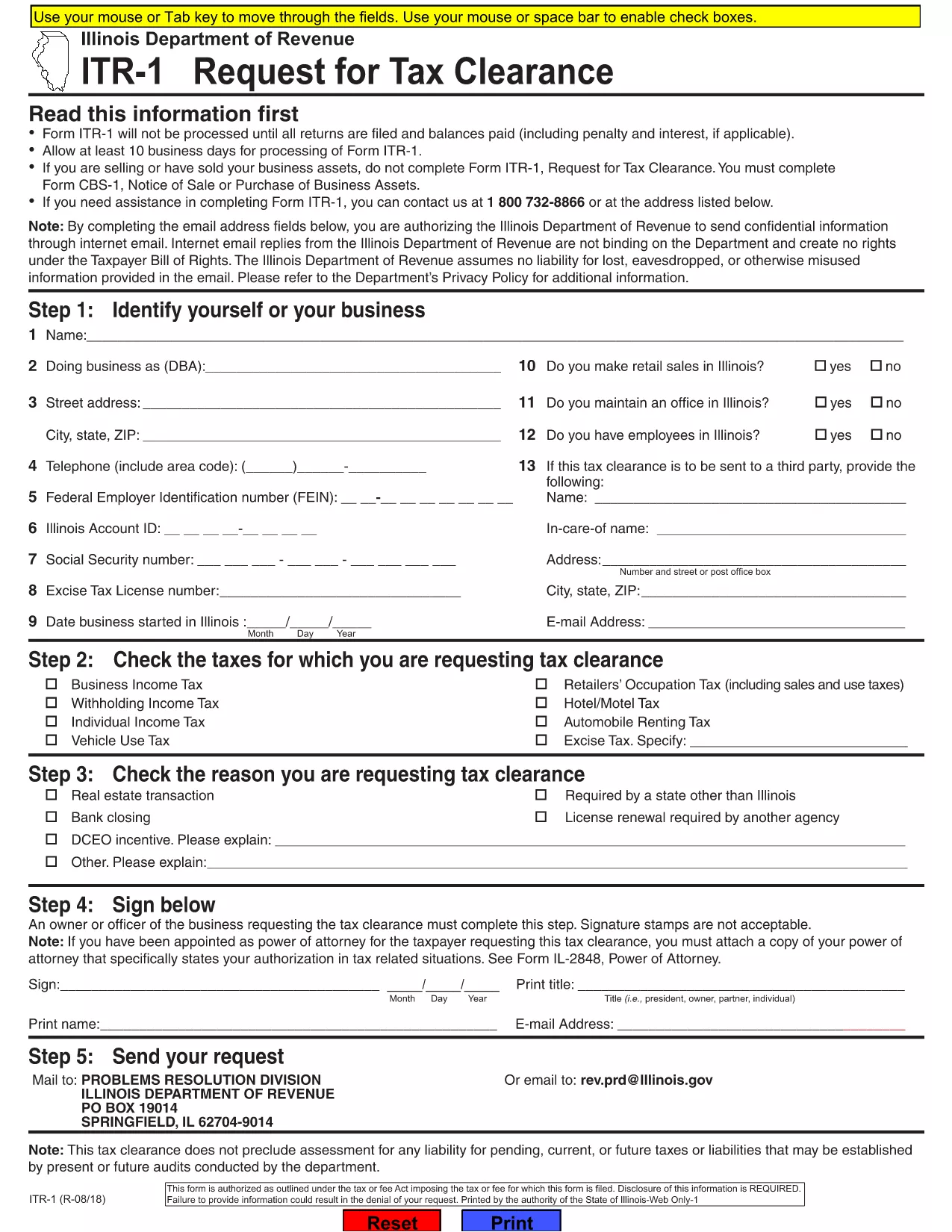
ITR-1 ist eines der Steuerformulare, bei denen es sich um Dokumente handelt, die zur Meldung von Einkünften, Abzügen und Steuerschulden an die zuständige Steuerbehörde verwendet werden. Diese Formulare sind ein wesentlicher Bestandteil des Steuererklärungsprozesses und werden verwendet, um sicherzustellen, dass Einzelpersonen und Unternehmen die Steuergesetze einhalten und ihre Steuerpflichten genau berechnen.
Die spezifischen erforderlichen Steuerformulare können je nach Faktoren wie dem Anmeldestatus einer Person, den Einkommensquellen und den Steuergesetzen des Landes variieren. Hier sind jedoch einige gängige Arten von Steuerformularen:
Individuelle Einkommensteuerformulare: Diese Formulare, beispielsweise die Serie 1040 in den Vereinigten Staaten, werden verwendet Einzelpersonen müssen ihr Einkommen melden, Abzüge und Gutschriften geltend machen und ihre Steuerschuld berechnen.
Unternehmenssteuerformulare: Unternehmen, einschließlich Einzelunternehmen, Personengesellschaften, Kapitalgesellschaften und Selbstständige, müssen möglicherweise verschiedene Formulare einreichen, um ihre Einnahmen, Ausgaben und geschuldeten Steuern zu melden. Beispiele hierfür sind Anhang C (Gewinn oder Verlust aus dem Geschäft) und Formular 1120 (US-Körperschaftssteuererklärung).
Arbeitssteuerformulare: Arbeitgeber sind verpflichtet, die Löhne der Arbeitnehmer zu melden und Lohnsteuern einzubehalten und abzuführen. Zu diesem Zweck werden Formulare wie W-2 (Lohn- und Steuererklärung) und 941 (vierteljährliche Bundessteuererklärung des Arbeitgebers) verwendet.
Formulare für Anlage- und Altersvorsorgekonten: Diese Formulare werden zur Meldung von Kapitalerträgen, Kapitalgewinnen und -verlusten sowie Beiträgen und Ausschüttungen von Altersvorsorgekonten verwendet. Beispiele hierfür sind das Formular 1099-DIV (Dividenden und Ausschüttungen) und Formular 5498 (IRA-Beitragsinformationen).
Erbschafts- und Schenkungssteuerformulare: Wenn eine Person verstirbt oder bedeutende Schenkungen macht, sind bestimmte Formulare wie Formular 706 (Steuererklärung für Erbschaft (und Generation-Skipping-Transfer) der Vereinigten Staaten) und Formular 709 (Steuererklärung für Schenkung (und Generation-Skipping-Transfer) der Vereinigten Staaten) Die Steuererklärung (Skipping Transfer) wird zur Meldung und Berechnung aller anfallenden Erbschafts- oder Schenkungssteuern verwendet.
Es ist wichtig zu beachten, dass sich Steuergesetze und -formen im Laufe der Zeit ändern können. Einzelpersonen und Unternehmen sollten sich daher an die zuständige Steuerbehörde wenden oder professionellen Steuerrat einholen, um die Einhaltung der aktuellen Anforderungen sicherzustellen.